
7 Best Productized Service Software Tools to Scale Your Agency (2026 Guide)

Scaling an agency isn’t just about getting more clients.
It’s about handling more work without everything breaking behind the scenes.
More agencies are moving toward productized services because it makes things simpler.
Clear packages, repeatable workflows, predictable revenue.
But here’s where most people struggle.
Without the right system, things get messy fast. Tasks get missed, communication breaks, and billing becomes a headache.
That’s where the right software makes a real difference.
After working with 15+ tools while running productized services ourselves, we’ve seen what actually works and what just looks good on paper.
You don’t need more tools.
You need the right one.
Let’s get into it 👇
What Is Productized Service Software?
Productized service software helps businesses turn their services into standardized, repeatable packages that are easy to sell and manage. Instead of offering customized solutions for each client, you create fixed-scope services with set deliverables, pricing, and automated workflows. This makes your service offerings more scalable and predictable.
These platforms automate tasks like invoicing, client onboarding, and project management, which means less time spent on admin and more focus on growth. Think of it as turning your service into a product—clients can easily understand, purchase, and track their services without the back-and-forth.
For agencies or freelancers, it’s a game-changer. It allows you to scale without losing the personal touch, streamline operations, and deliver consistent results with less effort.
What to Look for in Productized Service Software
When selecting productized service software, you’re looking for tools that simplify, streamline, and automate the delivery of repeatable services. The goal is to make your business more efficient while also creating a smooth experience for both your team and your clients.
Here’s a more personalized and in-depth approach to what you should keep an eye on when choosing the right platform:
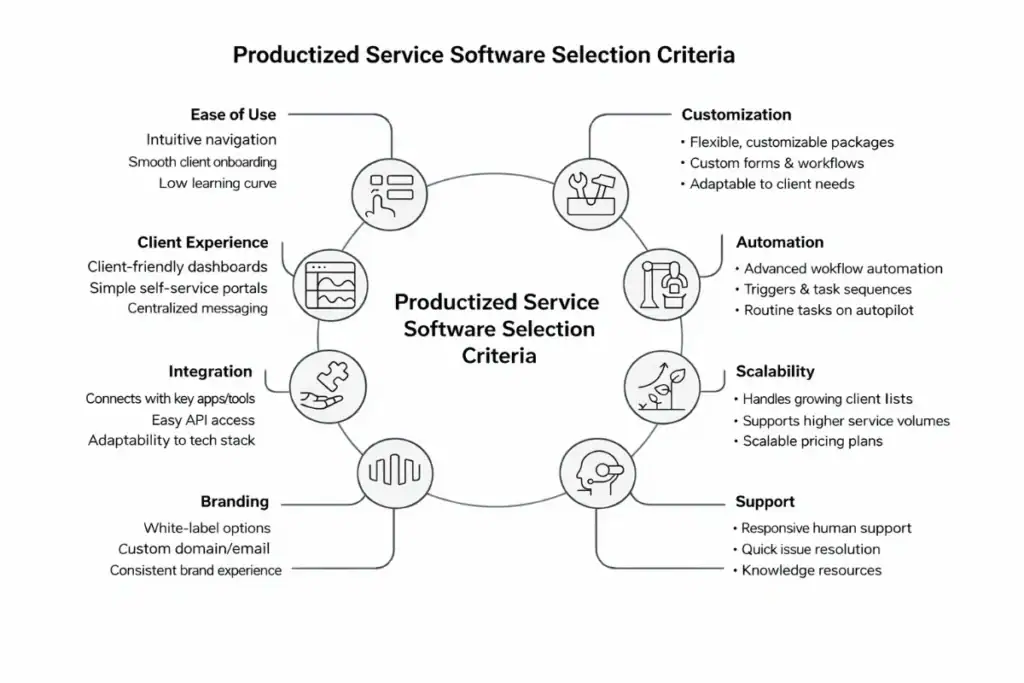
1. Ease of Use and Setup
Time is money, right?
If the software is a pain to set up or difficult to use, you’ll end up spending hours just trying to get things in order, instead of focusing on your clients or services.
Look for a platform that offers intuitive navigation and clear onboarding processes. Bonus points if it has pre-built templates or workflows that make it easier to jump in.
2. Customizable Service Packages
Your services are unique, and you want the flexibility to tailor them to specific client needs without reinventing the wheel every time.
The software should let you create flexible packages that can be easily adjusted to your clients’ needs, whether that’s pricing, deliverables, or timelines. This will save you the hassle of constantly adapting your offerings manually.
3. Client Experience and Communication
A client portal is more than just a nice-to-have—it’s the lifeblood of your relationship with your clients. You need a system that offers clear, user-friendly client dashboards, where they can easily track progress, approve work, or provide feedback.
Communication features should be integrated (e.g., direct messaging, notifications) to keep clients updated without the need to jump between platforms.
4. Automation and Workflow Management
The best part of productized services is the ability to run them on autopilot. That means you want software that helps you automate repetitive tasks like invoicing, follow-ups, project updates, and even service delivery.
The more you can automate, the less you need to manually handle day-to-day operations, which frees up your time for higher-level strategy or scaling your business.
you’ll save time chasing payments.
7. Integration Capabilities
Odds are you’re already using a bunch of other tools—whether it’s a CRM, email marketing system, or analytics platform.
So, you need a productized service software that integrates easily with your existing tools. The less jumping around between platforms, the better.
Whether it’s syncing with your accounting software or adding automation triggers in your email platform, integrations will help make everything flow.
8. Scalability
If you’re planning on growing, make sure the software scales with you. This doesn’t just mean having the capacity to handle more clients. It also means adding features as your business evolves.
Whether that’s advanced reporting, more payment options, or better team collaboration tools, the software can grow with your needs.
9. Branding and White-Labeling
If you’re selling a productized service under your own brand, the software needs to support customization of the look and feel.
You’ll want to make sure your clients never feel like they’re being handed over to a third-party service. A white-labeled solution can let you maintain brand consistency across every touchpoint, from client portals to automated emails.
10. Support and Customer Service
Finally, consider the platform’s support and customer service. As your business grows and you use the software more, you’ll inevitably run into issues or have questions.
Look for platforms with strong, responsive customer support, whether via live chat, email, or an active community forum. This will save you headaches down the road.
7 Best Productized Service Software Tools in 2026
More service-based agencies are shifting to productized services to simplify delivery, reduce manual work, and scale faster. Instead of custom workflows for every client, services are packaged, standardized, and easier to manage.
From our experience testing 15+ tools while running productized services at Technext, we’ve selected the 7 best platforms that actually work for real agency workflows.
Let’s explore the tools 👇
|
Tool |
Best User |
G2 Rating |
Starting Price |
Best For |
|
Assembly |
Growing agencies (5–20 team) |
⭐ 4.8/5 |
$39/month |
Scalable client portals & delivery systems |
|
ManyRequests |
Small–mid agencies |
⭐ 4.7/5 |
$99/month |
Request-based productized services |
|
HoneyBook |
Freelancers & small teams |
⭐ 4.4/5 |
$29/month |
CRM + proposals + client workflows |
|
Bonsai |
Freelancers / solo operators |
⭐ 4.6/5 |
$15/month |
Simple business management toolkit |
|
Dubsado |
Agencies needing customization |
⭐ 4.3/5 |
~$20/month |
Flexible workflows & automation |
|
SuiteDash |
Scaling agencies |
⭐ 4.8/5 |
$19/month |
All-in-one business hub |
|
Zendo |
Solopreneurs & lean teams |
⭐ 4.9/5 |
Free / ~$19/month |
Lightweight productized service ops |
1. Assembly
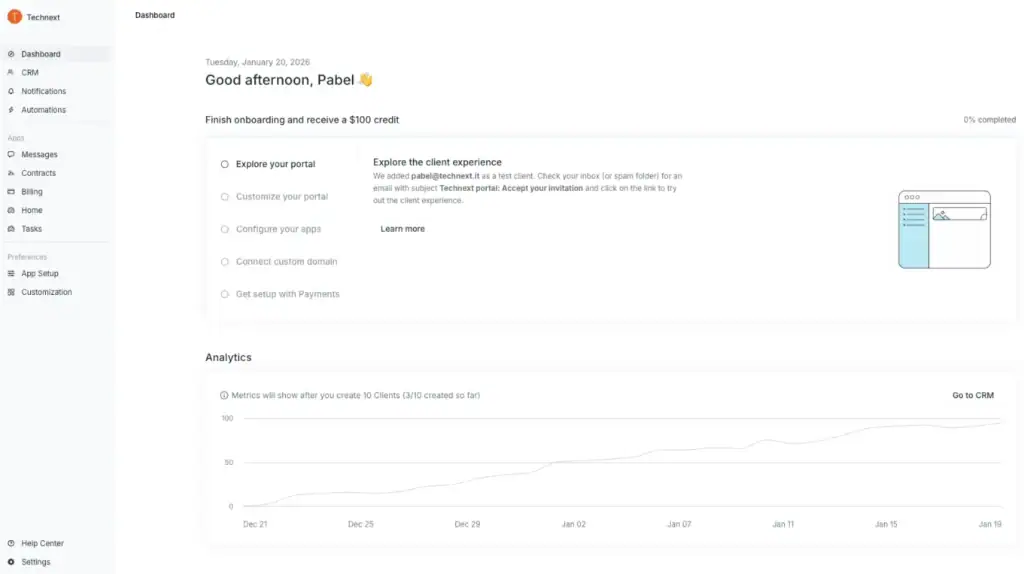
Assembly is not just a client portal; it’s more like a delivery engine for modern service businesses. It brings together client communication, onboarding, billing, and workflows into a single system, so you’re not juggling Slack, email, invoices, and docs across 5 tools.
What makes it stand out is how it connects the entire client lifecycle, from onboarding → delivery → billing → support—into one continuous flow. That’s especially useful for agencies managing recurring services or multiple clients at scale
Notable Features
- Automated client onboarding workflows
- Subscription billing with advanced controls
- Built-in messaging, helpdesk, and file sharing
- eSignatures and forms
- Automation for repetitive tasks
- “Store” feature to sell services like products
Pricing
- Starter: $39/month per user (50 clients, 100 automations)
- Professional: $149/month per user (500 clients, 1,000 automations)
- Advanced: $399/month per user (unlimited everything)
Pros and Cons
| Pros | Cons |
| Strong automation for scaling delivery | Per-user pricing can get expensive |
| All-in-one (portal, billing, onboarding, support) | May feel heavy for small teams |
| Advanced subscription billing controls | Learning curve for setup |
| Built for recurring service businesses |
2. ManyRequests
ManyRequests is built specifically for productized services, such as SEO packages, design subscriptions, or content plans.
Instead of managing projects manually, it lets you turn services into structured, repeatable workflows where clients submit requests, track progress, and pay all in one place.
It’s less about complexity and more about speed + clarity.

Notable Features
- Client request portal
- Checkout forms & subscriptions
- Task and project management
- Invoicing and payments
- Internal team collaboration
- Reporting dashboard
Pricing
- Starter: $99/month
- Core: $149/month
- Pro: $399/month
Pros and Cons
| Pros | Cons |
| Built specifically for productized services | Limited integrations |
| Simple client request workflow | Only one payment gateway |
| Combines sales + delivery + billing | Less flexible for complex workflows |
| Easy to onboard clients quickly |
3. HoneyBook
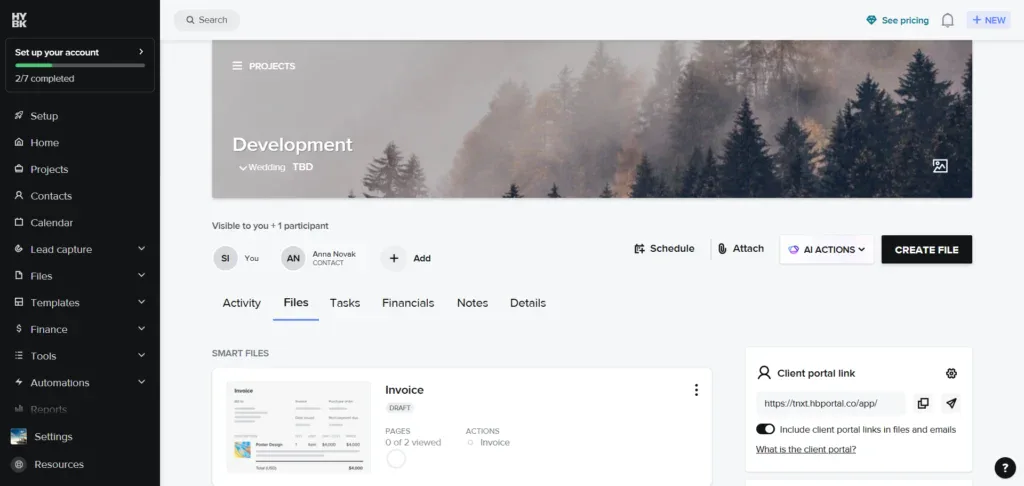
From my experience using HoneyBook for productized services, it’s one of the easiest tools to get started with, especially if you care about client experience and presentation.
It brings everything together, leads, proposals, contracts, and payments, into one smooth flow. It was particularly useful when I wanted to keep things simple but still look professional without spending hours setting up systems.
That said, as you scale or need more advanced workflows, you may feel its limitations.
Notable Features
- CRM + proposals + contracts
- Integrated payments and invoicing
- Workflow templates and automation
- Lead capture forms
- Mobile app for on-the-go management
Pricing
- Starts around $29/month (Starter)
- Goes up to $109/month (Premium)
Pros and Cons
| Pros | Cons |
| Very beginner-friendly and intuitive | Limited advanced customization |
| Strong client experience (proposals, contracts, payments) | Can feel basic for scaling agencies |
| Built-in payment system simplifies billing | Less flexible workflows than advanced tools |
| Good automation and templates |
4. Bonsai
I’ve used Bonsai when I wanted a clean, no-fuss setup to manage services without overcomplicating things.
It works really well as a lightweight business toolkit handling contracts, invoicing, time tracking, and client management in one place. For productized services, it’s helpful if you’re starting and want to stay organized without building a complex system.
But once your operations grow or you need deeper automation, you’ll likely outgrow it.

Notable Features
- Client portal + contracts
- Time tracking + billing
- Proposal and document templates
- Expense tracking
- Scheduling and CRM
Pricing
- Basic: $15/month
- Essentials: $25/month
- Premium: $39/month
- Elite: $59/month
Pros and Cons
| Pros | Cons |
| Very affordable and simple | Limited advanced automation |
| Strong for freelancers and small teams | Not ideal for scaling agencies |
| Built-in time tracking | Reporting and analytics are basic |
| Clean, easy-to-use interface |
5. Dubsado
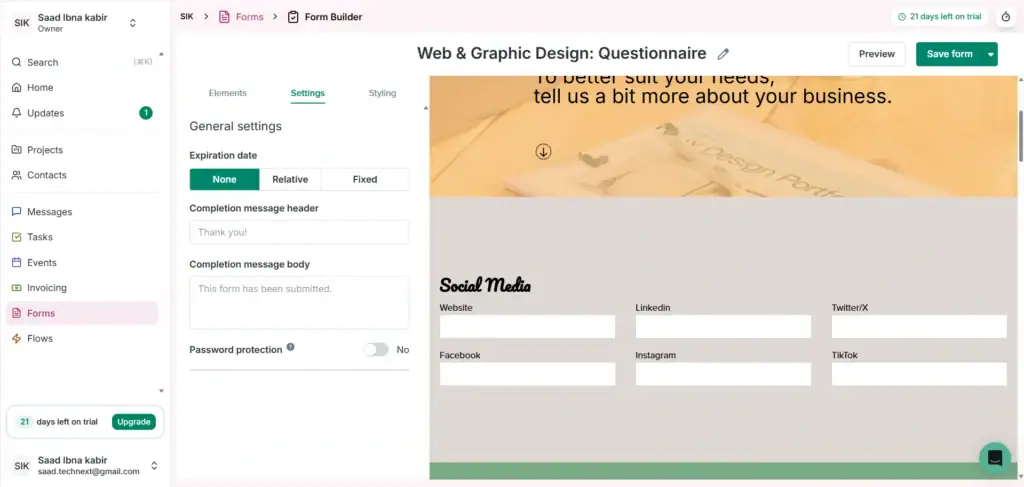
Dubsado is a different beast. I’ve used it when I needed more control over workflows and client journeys.
It’s powerful when you want to customize everything from onboarding flows to automation and communication. For productized services, this helps create a more structured and repeatable system.
The trade-off is setup time. It’s not something you plug in and use instantly; you’ll need to invest time to configure it properly. But once it’s set up, it can run a very tight, systemized operation.
Notable Features
- Custom workflows and automation
- Forms & questionnaires builder
- Billing + scheduling
- Client portals
- Email automation
Pricing
- Starter: ~$20/month
- Premier: ~$40/month
Pros and Cons
| Pros | Cons |
| Highly customizable workflows | Steeper learning curve |
| Powerful automation capabilities | UI can feel complex |
| Strong forms and data collection | Setup takes time |
| Flexible client management system |
6. SuiteDash
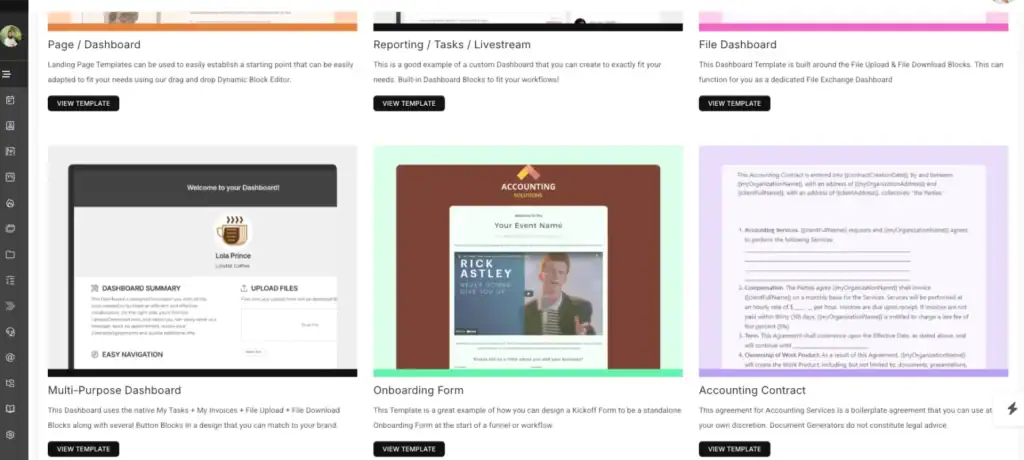
SuiteDash is a true all-in-one business platform designed for agencies that want to consolidate everything—CRM, client portal, billing, projects, and automation—into a single system.
What makes it different is its “replace your entire stack” approach. Instead of stitching together tools like Slack, HubSpot, and invoicing software, SuiteDash brings everything under one roof with strong automation and white-label capabilities.
It’s particularly powerful for agencies that want to build a scalable, system-driven operation rather than just manage tasks.
Notable Features
- Client platform + CRM (unlimited contacts and portals)
- Project hubs, billing, file sharing, and document management
- Advanced automation (flows, triggers, pipelines)
- White-label options including custom domain and branded app
- Email marketing and drip campaigns
Pricing
- Start: $19/month
- Thrive: $49/month
- Pinnacle: $99/month
💡 Key insight:
Flat pricing with unlimited users and clients, which is rare and valuable for scaling agencies.
Pros and Cons
| Pros | Cons |
| True all-in-one platform (CRM, billing, projects) | Interface can feel outdated |
| Unlimited users/clients (great for scaling) | Can be overwhelming initially |
| Strong automation and workflow control | Performance can be slow at times |
| Deep white-label customization | Setup takes time |
7. Zendo
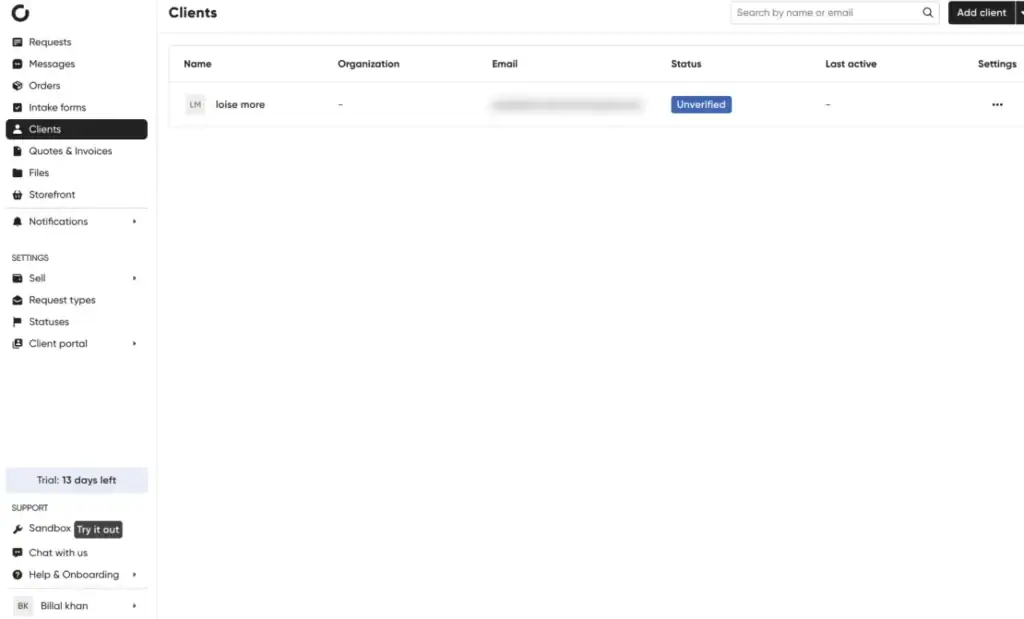
Zendo is a lightweight, productized-service-focused platform designed to help agencies manage clients, billing, and service delivery in one place. It keeps things simple and structured, making it easy to organize projects without dealing with unnecessary features.
The platform is especially useful for teams that want a clean, easy-to-use system to handle subscriptions, one-off services, and client communication. It’s a solid choice if you’re looking to keep your workflow efficient and avoid overcomplicating your setup.
Notable Features
- Lean client admin portal
- Messaging & task management
- Subscription + one-off service handling
- Automated invoices, quotes, and workflows
- Clean, minimal UX for fast adoption
Pricing
- Free plan available
- Pro: ~$37/month
- Growth tiers: up to ~$149/month
💡 Best value sits in the mid-tier for most agencies.
Pros and Cons
| Pros | Cons |
| Very clean and easy-to-use interface | Limited advanced features |
| Built specifically for productized services | Fewer integrations |
| Strong automation for billing & workflows | Not ideal for large enterprises |
| Quick onboarding for teams |
How to Choose the Right One for Your Agency
I’ve tested a bunch of these tools while running productized services, and here’s the honest truth:
there’s no “best” tool—only what fits your current stage.
Most people mess this up by picking something too complex too early… or too simple when they’re already scaling.
Here’s how I’d think about it in real life 👇
Best for Solopreneurs
If you’re solo (or just starting), keep it simple. Seriously.
At this stage, your goal isn’t building a perfect system—it’s:
- getting clients in
- delivering fast
- not drowning in admin work
You don’t need 50 features. You need something that lets clients buy, submit, and move on without emailing you 10 times.
What I’d use:
Zendo, HoneyBook, or even Bonsai
I’ve found that simple tools actually help you move faster here. Once you start making consistent revenue, then you think about upgrading.
Best for Small Teams (2–10 People)
This is where things start getting messy if you don’t fix your system.
You’ve got:
- multiple clients
- team members asking “who’s doing what?”
- messages scattered everywhere
Now you need structure—not complexity, just clarity.
What works well here:
ManyRequests or Assembly
These tools help you:
- centralize requests
- assign work properly
- keep clients in one place
From experience, this is where you’ll feel the biggest relief—less chaos, fewer missed tasks.
Best for High-Volume Service Catalogs
If you’re offering a lot of services (or planning to), things break fast without a proper system.
At this stage, your problem isn’t getting clients—it’s:
👉 managing everything without losing track
You need:
- structured service listings
- better organization
- scalable billing and workflows
What I’d go with:
SPP or SuiteDash
These feel more like operating systems than tools.
They take more setup—but once dialed in, they handle serious volume.
Best for Agencies with Complex Workflows
If your service isn’t “one request → one delivery,” things get tricky.
Maybe you have:
- multiple steps
- approvals
- revisions
- different team roles
Now you need deeper control.
What I’d use:
Dubsado or SuiteDash
I’ve seen that once you set these up properly, they can run a really tight system—but yeah, they take time to configure.
FAQs
What’s the difference between productized service tools and project management tools?
Project management tools like OneSuite focus on internal task tracking.
Productized service tools handle:
- Client-facing portals
- Service ordering
- Billing + subscriptions
👉 In short:
PM tools manage work.
Productized tools manage your business model.
Find a Better Way to Grow
OneSuite streamlines projects, clients, and payments in one place, making growth hassle-free.