



Invoicing is not a secondary task for freelancers and agencies. It is the point where work turns into revenue. Yet many businesses still manage it across disconnected tools: a CRM for leads, a project tool for delivery, and a separate app for billing.
This fragmented setup creates friction. Client details are re-entered. Invoices are delayed. Payment status lives outside the sales pipeline. Over time, these gaps cost more than just time. They impact cash flow, reporting accuracy, and the professional appearance of your business to clients.
A CRM with native invoicing removes that friction. Client data flows automatically from lead to deal to invoice. Payment status stays connected to sales activity. Billing becomes part of the workflow, not a separate process.
This article breaks down the best CRM platforms with truly built-in invoicing software in 2025. It covers what works, what falls short, and which tools make sense for freelancers and agencies at different stages.
What We Looked for in a CRM With Invoicing Software
Before reviewing the tools, it’s important to clarify what we actually tested. Many platforms claim to “support invoicing,” but there’s a big difference between a third-party invoicing system and a truly built-in invoicing system.
This list only includes CRMs where invoicing is part of the core product, not something stitched together through third-party tools.
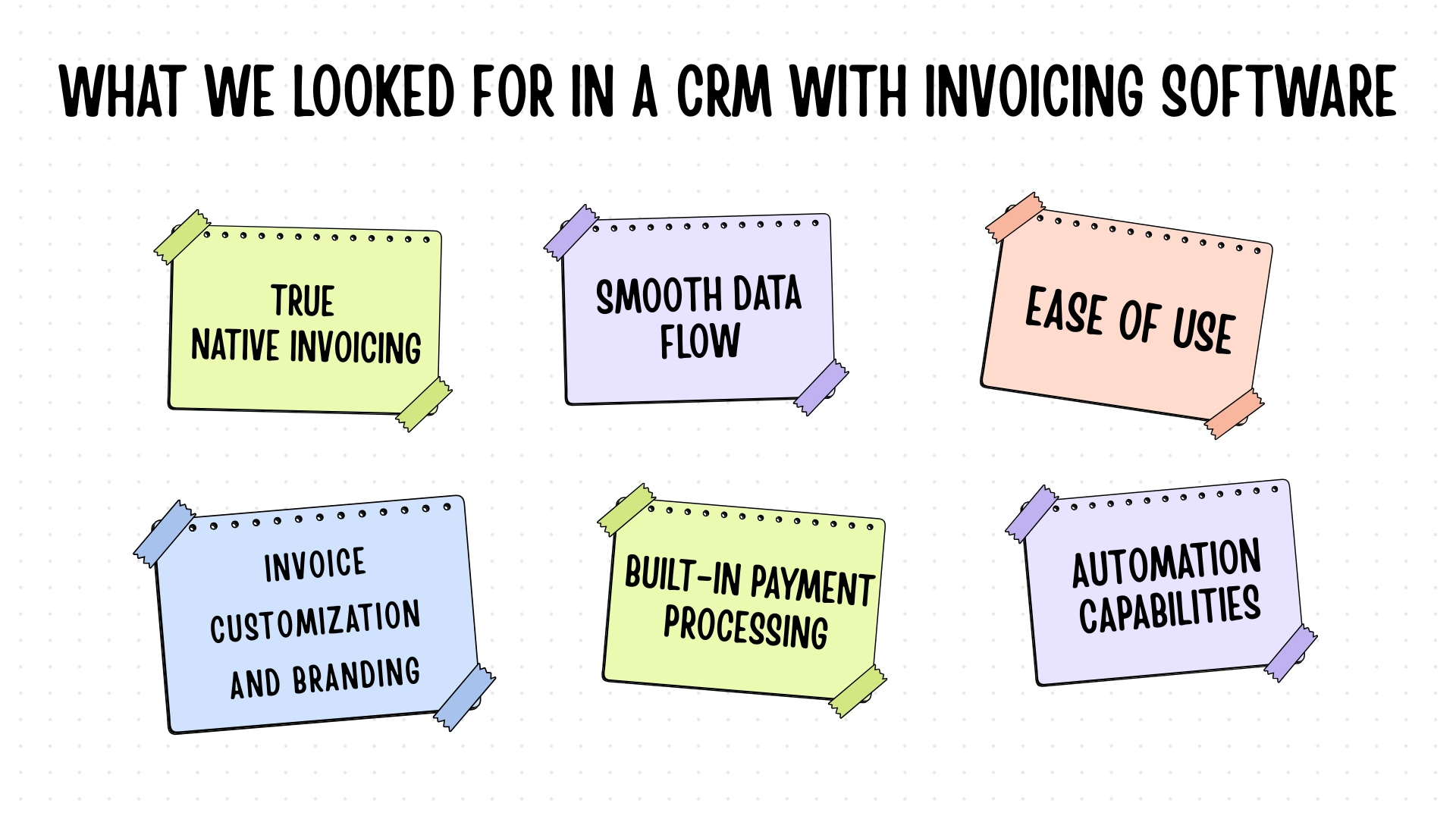
True Native Invoicing (Non-Negotiable)
We only included platforms with a fully built-in invoicing module. If invoicing required external tools, APIs, or automation platforms like Zapier, PandaDoc, or similar services, it was excluded. Native means the invoicing system is developed and maintained as part of the CRM itself.
Frictionless Data Flow
We created test clients, moved them through sales pipelines, and verified whether invoices automatically pulled data from CRM records. Any platform that required manual re-entry of client details failed this test. A proper CRM with native invoicing should require entering client information once and using it everywhere.
Ease of Use
We measured how long it took to set up the system and send the first invoice. Interface clarity, learning curve, and click depth all mattered. Tools that required extensive setup or technical knowledge lost points, even if they were feature-rich.
Invoice Customization and Branding
We checked whether invoices could be customized with logos, brand colors, domains, tax fields, and custom data. Professional invoices help build trust. Rigid templates with limited branding options were marked down.
Built-In Payment Processing
We tested payment workflows using Stripe, PayPal, and similar gateways. Invoices needed to include clear payment links and a smooth checkout experience. If clients had to navigate away from the invoice or manually enter payment details elsewhere, it counted as a negative.
Automation Capabilities
We evaluated support for recurring invoices, retainers, automated reminders, scheduled billing, and late fee handling.
What We Did Not Consider
This guide does not cover full accounting platforms. Features like payroll, inventory management, or complex tax reporting were intentionally excluded. We also avoided enterprise-grade systems that require dedicated IT teams or long onboarding cycles.
Most importantly, any CRM that required third-party tools or automation services to send invoices was excluded. If invoicing is not native, it does not qualify.
Our Testing Process
We created test accounts on each platform and imported 15 to 20 sample clients with complete contact details. We then generated and sent different types of invoices, including one-time payments, recurring retainers, and milestone-based billing.
Each tool was tested across common workflows, starting from lead capture to final payment confirmation. We also reviewed a large volume of user feedback from freelancers, consultants, and small agency owners to understand long-term reliability, support quality, and post-trial performance. With that context in place, let’s move on to the rankings.
The 7 Best CRM with Native Invoicing Software
| Platform | Price | Best For | Features | Pros | Cons |
|---|---|---|---|---|---|
| OneSuite | $29/mo | Agencies | Full Native Invoicing Unlimited | All-in-one UX | Newer platform |
| Flowlu | $29/mo | Power users | Unlimited on paid plans | Great value | Dense UI |
| HoneyBook | $39/mo | Creatives | Strong proposals | Beautiful templates | Basic CRM |
| Dubsado | $40/mo | Solopreneurs | Highly customizable | Deep automation | Steep setup |
| Bitrix24 | Free – $199 | International teams | Multi-currency | Team pricing | Complex UI |
| Monday CRM | $15/seat | Visual lovers | Basic (Pro only) | Visual boards | Per-seat cost |
| Zoho CRM Plus | $57/user | Zoho users | Zoho Invoice | Budget bundle | App switching |
1. OneSuite – Best All-in-One CRM with Native Invoicing
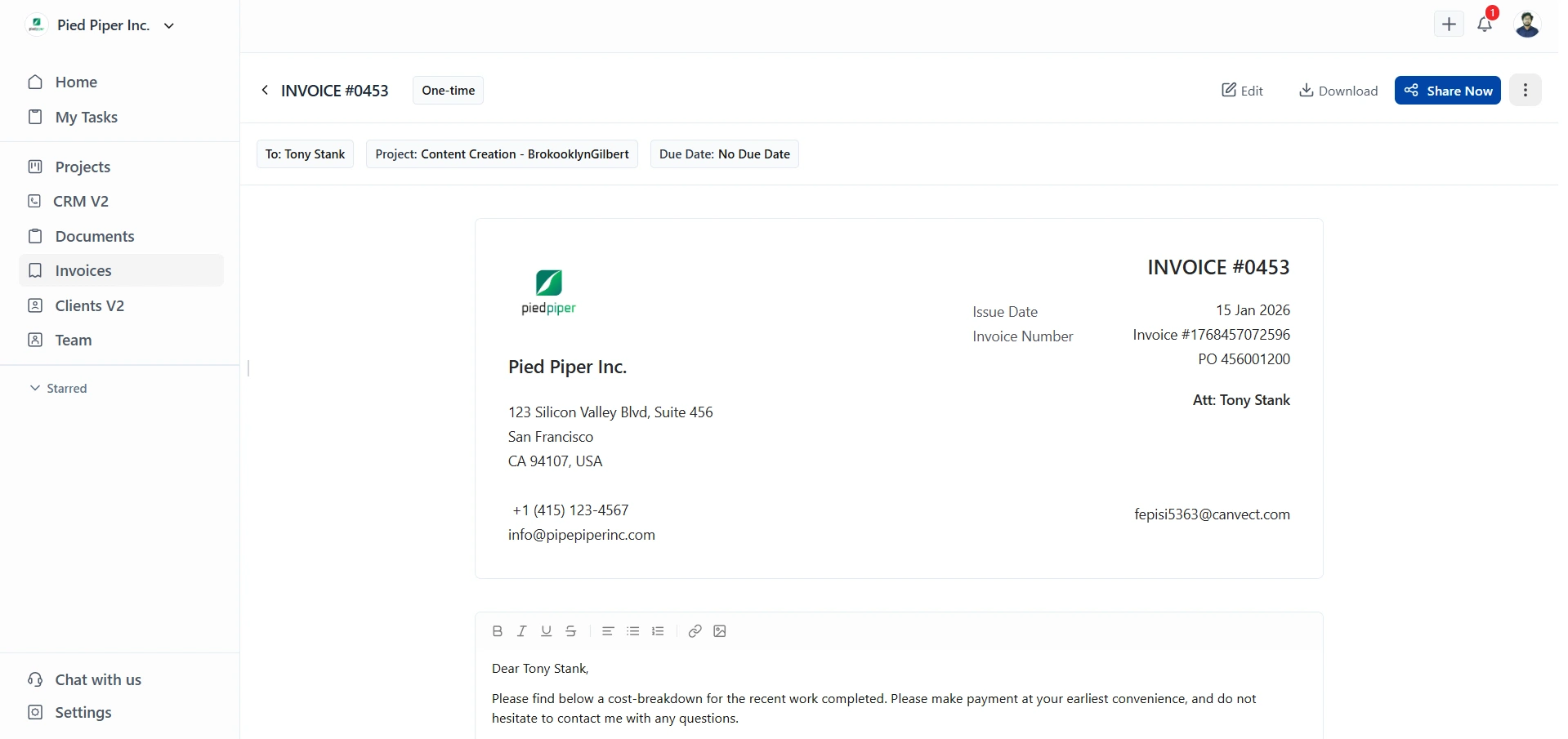
OneSuite is a fully native, all-in-one CRM built specifically for freelancers and agencies that manage clients, projects, and billing together. Invoicing is part of the core workflow, not a separate module or external connection.
Its biggest strength is workflow cohesion. CRM, project management, invoicing, client portals, and e-signatures all live in one interface, which removes tool switching and operational gaps. Team pricing is also predictable, making it easier to scale without per-user cost spikes.
The tradeoff is that OneSuite is not a full accounting system. Businesses that need advanced bookkeeping or inventory management will still need dedicated accounting software.
Key Features
- Native CRM, project management, and invoicing in one system
- Automatic data flow from lead to invoice
- Branded invoices with Stripe and PayPal payments
- Client portal with invoices, documents, and project visibility
- Built-in e-signatures and recurring billing
Pricing
- Freelancer: $29/month (up to 3,000 leads, 10 GB storage)
- Solopreneur: $59/month (up to 10,000 leads, 30 GB storage)
- Growing Agency: $149/month (unlimited leads, 60 GB storage)
Note: OneSuite offers a 14-day free trial with full feature access. No credit card required upfront.
✔️ PROs
- Truly unified workflow with no third-party tools
- Clean, intuitive interface with minimal setup
- Strong client-facing experience
- Active Support and Strong Documentation
❌ CONs
- Not designed for full accounting or payroll
- Newer brand compared to legacy CRMs
- Fewer Community Support Compared to legacy CRM
User Feedback
🟢
I have been using it for approximately 5 months to manage my clients’ projects and to assign tasks to my employees. I like how easy and intuitive it is, as you don’t need to explain to your employees where to find their assignments and documents. It is very functional.
– Pedro C.
🔴
As any app that is in their early phase of development, Onesuite has some bugs that needs to be ironed out. But none of that them were breaking the operations. They are mostly UI related and I am already seeing them fixing them one be one.
– Raabit H.
2. Flowlu – Best CRM for complex users on a budget
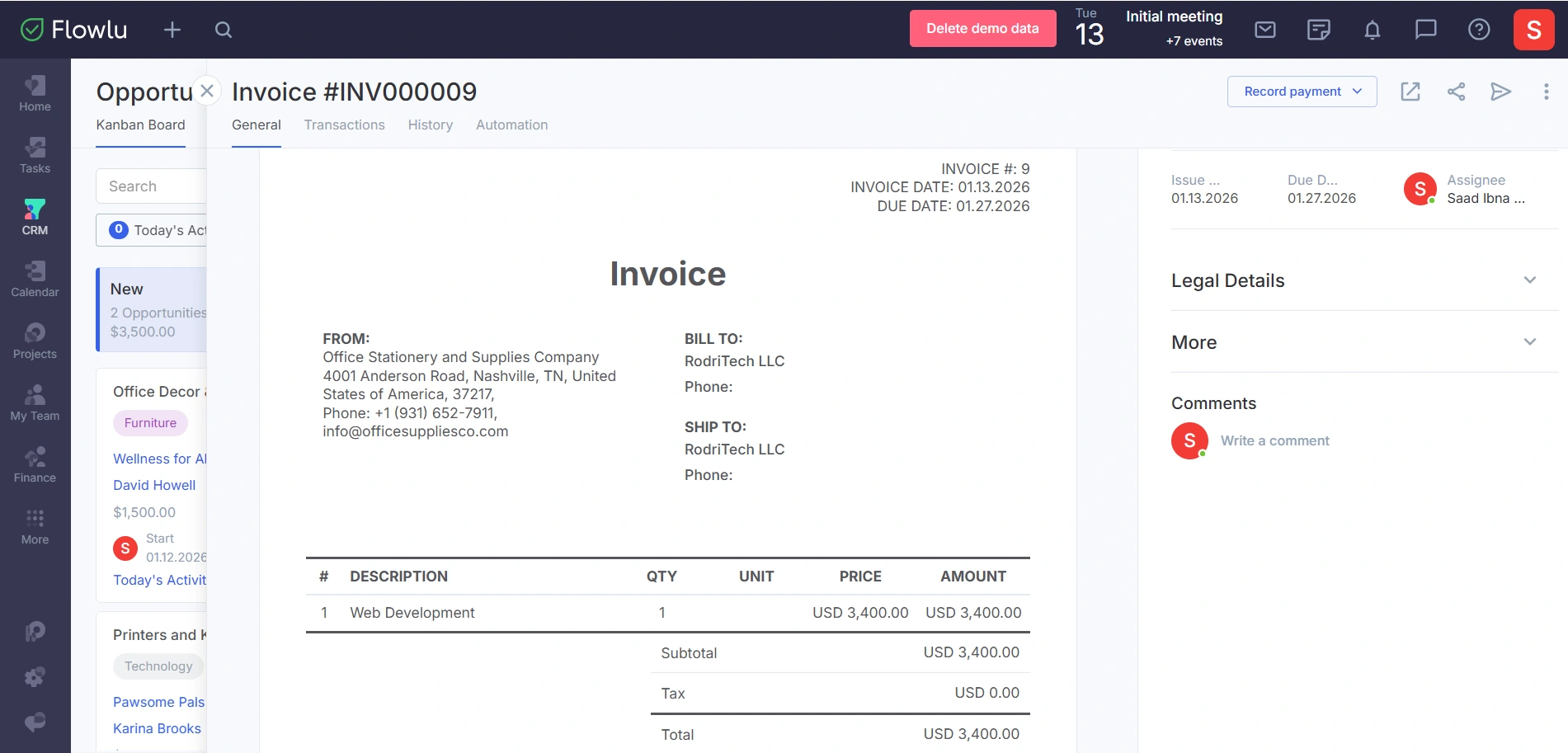
Flowlu offers one of the most feature-rich CRMs with native invoicing at a lower price point. Invoicing is built in and connects directly with CRM records, time tracking, and project milestones.
The main downside is interface density. Flowlu offers a range of features beyond CRM and invoicing, which can be overwhelming if you only need a focused workflow. While powerful, it requires more setup and navigation than OneSuite.
Flowlu works well for cost-conscious teams that want maximum functionality and are comfortable trading simplicity for depth.
Key Features
- Native CRM, project management, and invoicing in one system
- Automatic data flow from lead to invoice
- Branded invoices with Stripe and PayPal payments
- Client portal with invoices, documents, and project visibility
- Built-in e-signatures and recurring billing
Pricing
- Free: $0/month – 2 users, basic CRM & projects
- Essential: $12/user/month – expanded pipelines, email sync, Gantt chart, live chat
- Advanced: $22/user/month – sales automations, client portal, recurring tasks, advanced finance
✔️ PROs
- Unlimited invoices on paid plans (no artificial caps)
- Exceptional value at aggressive pricing
- Multi-currency support handles international billing well
- White-label client portal included at reasonable price
❌ CONs
- Interface feels dense; lots of features create visual clutter
- Steeper learning curve compared to OneSuite
- Too many features if you only need CRM + basic invoicing
- Mobile app lags behind desktop in polish and features
User Feedback
🟢
After trying different platforms, we can confidently say that Flowlu has become the ideal tool for our company. Its all-in-one approach has allowed us to work more efficiently by centralizing project management, tasks, clients, and finances in a single place.
– Juan Carlos G.
🔴
Some features can be a bit rigid, and the team could listen a bit more to the suggestions of their clients. But overall it’s small things, not critical to business operations. More like, trying to explain to a drill sergeant to be more creative, that kinda up-slope suggestions XD
Workflows can be set up in many different ways and with automations and a rock-solid API, but if you’re missing a feature, like for instance I miss proposals, then it becomes problematic.
– Thea P.
3. HoneyBook – Best for Creative Freelancers
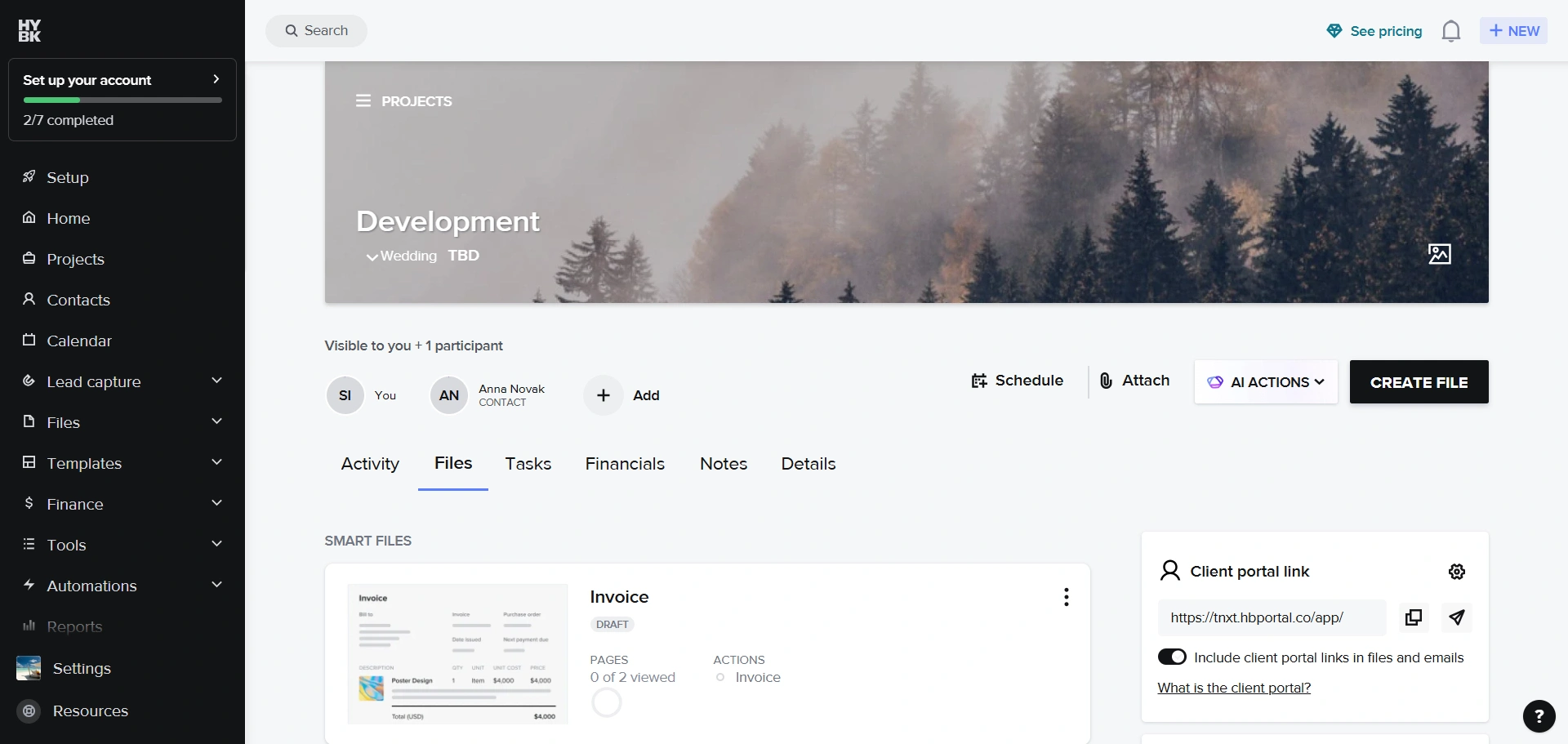
HoneyBook focuses heavily on client-facing presentation. Its native invoicing, proposals, and contracts are visually polished and highly customizable, which appeals to photographers, designers, and other creatives who value aesthetics and brand consistency.
However, the CRM and project management capabilities are limited. It works best for simple lead-to-booking workflows rather than complex pipelines or team-based delivery. Pricing also increases quickly as you unlock automation and multi-user features.
HoneyBook is best suited for solopreneurs who prioritize client experience over operational depth.
Key Features
- Native invoices, proposals, and contracts
- Strong branding and template customization
- Automated payment reminders
- Stripe and PayPal payments
Pricing
Starter: $36/month (1 user, core features, including invoicing)
Essentials: $59/month (2 users, advanced automation, scheduler)
Premium: $129/month (unlimited users, unlimited lead forms, advanced reporting)
✔️ PROs
- Proposal and invoice templates
- Native invoicing with beautiful client-facing design
- Good for creative workflows
- Payment plans and installments work smoothly
❌ CONs
- CRM functionality is basic, not built for complex process
- Not suitable for agencies with larger teams
- Overkill if you just need invoicing without proposals
- Pricing adds up, most features locked behind $59-129 tiers
User Feedback
🟢
I LOVE the ease of use. Nothing is complicated it’s right there on how to use it and add signatures to everything. I feel safe and comfortable in using this product no concerns of my info getting anywhere other than where it is supposed to.
– Desiree G.
🔴
Honeybook is more expensive than a new software I’ve found that is more robust. It does the same things I liked from honey book but has more features.
– Robyn F.
4. Dubsado – Best for Contract-First, Automation-Heavy Workflows
Dubsado is built around workflows, contracts, and automation, with native invoicing tightly integrated into those processes. It excels at handling deposits, payment plans, late fees, and rule-based billing without external tools.
The downside is complexity. Setup takes time, and the interface feels dated compared to newer platforms. Project management is minimal, and it is not well-suited for teams managing active delivery work.
Dubsado works best for solo consultants and coaches with repeatable, contract-driven processes who enjoy configuring systems in detail.
Key Features
- Native invoices tied to contracts
- Payment plans and late fees
- Deep workflow automation
- Stripe and PayPal integration
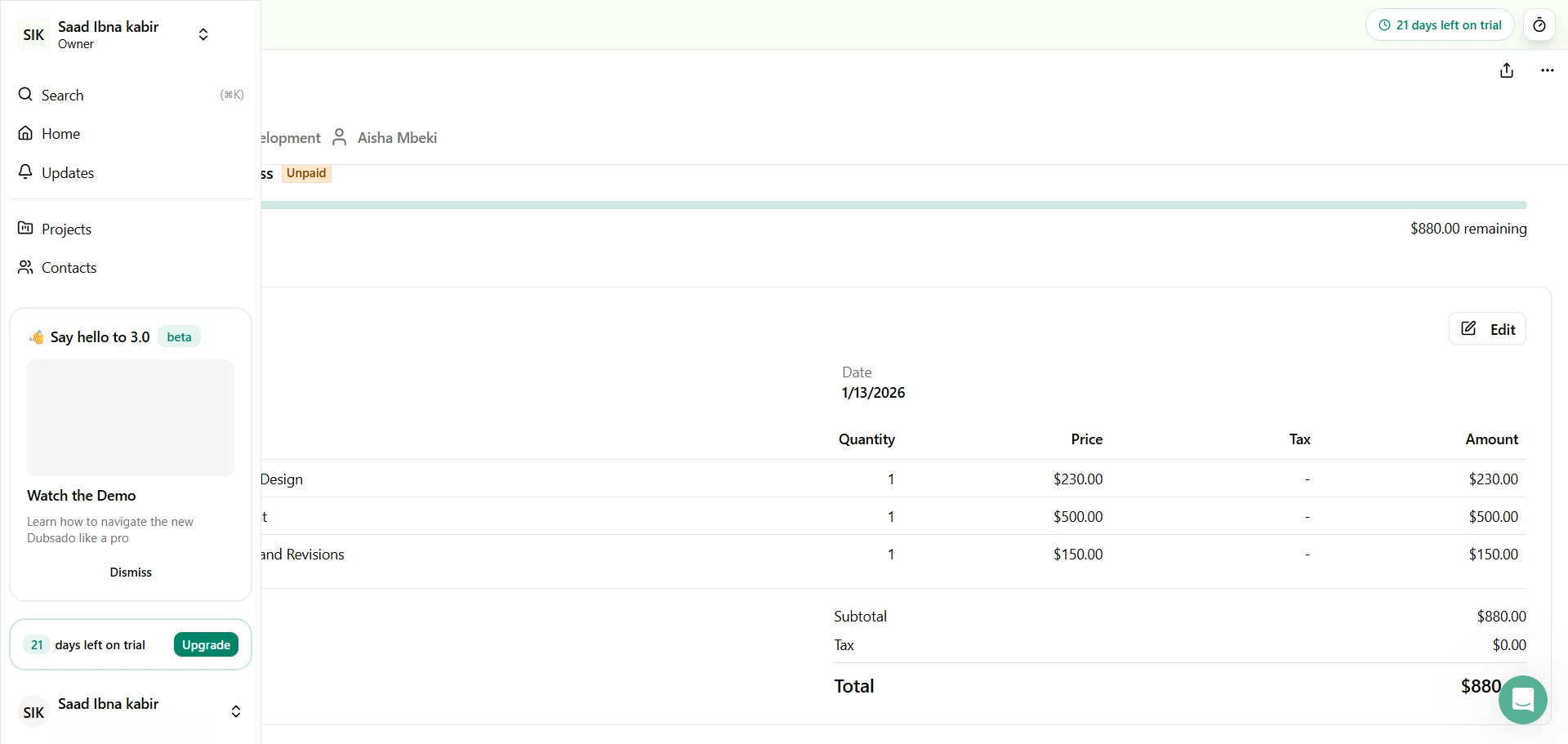
Pricing
Starter: $35/month (1 user, 3 projects/month limit)
Premier: $55/month (1 user, unlimited projects, all features)
✔️ PROs
- deep customization for workflows and automation
- Native invoicing with powerful automation
- Presets streamline standardized service offerings
- Works well for coaches, consultants with repeatable workflows
❌ CONs
- Steep learning curve, expect days of setup time
- UI might feel dated compared to OneSuite or HoneyBook
- Solo focused—not ideal for team collaborations
- Complexity is overkill for simple invoicing needs
User Feedback
🟢
It has a lot of features that are useful for business users. For the most part, it’s a user friendly software and if you take the time to learn the ins and outs can really make a difference in how you manage your business and clients.
– Paola S.
🔴
I wish the calendar function was better, that you could jump to a specific date, and that you can hover over a project to see the details rather than needing to click into each project. I also would love to see an “upload photo” function outside of the notes section (easier, less clicking).
–Sarah J.
5. Biltrix24 – Best for International & Multi-Currency Teams
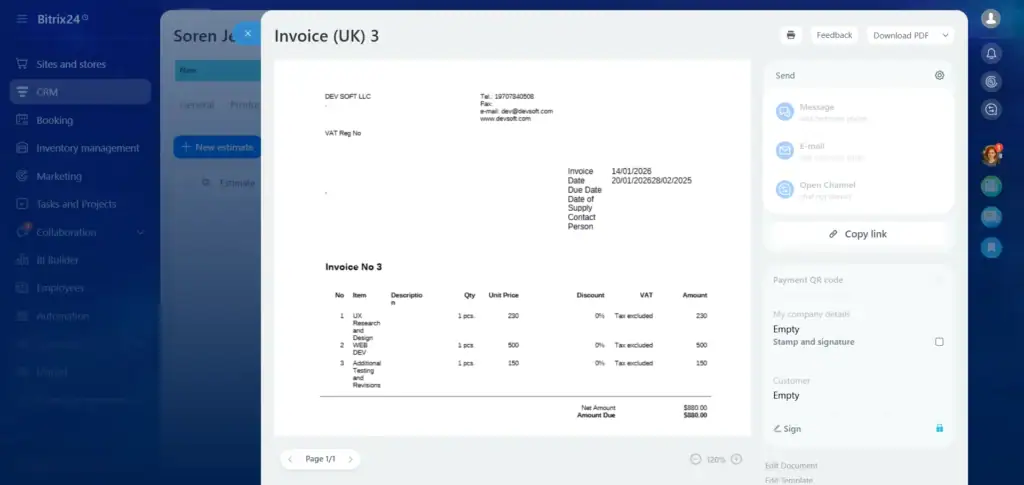
Bitrix24 offers native invoicing that supports complex tax structures, multiple currencies, and large teams. Invoices can be generated directly from deals and tied to projects and time tracking.
Its biggest weakness is usability. The interface is crowded, and onboarding takes time. While invoicing is powerful, it is buried inside a very large system that includes many features most service businesses do not need.
Bitrix24 is best for organizations with international billing requirements and the patience to manage a complex platform.
Key Features
- Native invoicing from CRM deals
- Multi-currency and tax rules
- Project and time-based billing
- Client portal included
Pricing
Basic: $61/Month ( 5 Users )
Standard: $124 ( 50 Users )
Professional: $249 ( 100 Users )
Enterprise: $499 ( 250 Users )
✔️ PROs
- Multi-currency and international billing capabilities
- Unlimited invoices on Professional plan and above like the Enterprise plans
- Native integration across CRM, projects, and invoicing
- Strong for teams needing everything in one ecosystem
❌ CONs
- The UI is really confusing
- Steep learning curve, expect a week to get comfortable
- Customer support quality is inconsistent, Akmost no support in lower tier
- Feature bloat creates confusion for simple workflows
User Feedback
🟢
I don’t have to keep track of my calendar; I get reminders for each task that is due, whether it’s a client query or simple updates. I can integrate with BI tools for generating reports, and everything is seamlessly managed by the mobile app and desktop application.
– Subham K.
🔴
At times, the platform feels overly crowded, with an abundance of features that can make it confusing, particularly for newcomers. The interface occasionally runs slowly, and certain tools require some effort to figure out. While it generally functions well, the experience isn’t always as smooth as it could be.
– Adil K.
6. Monday CRM – Best for Visual Pipelines With Basic Native Invoicing
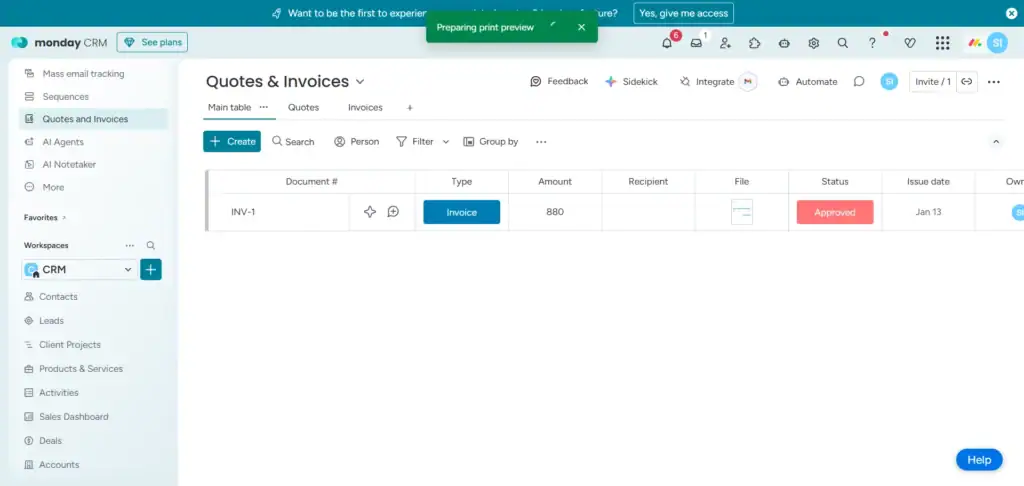
Monday CRM adds native invoicing on higher-tier plans and integrates it into its visual board-based workflow. For teams already using monday.com, this provides light billing functionality without leaving the platform.
However, invoicing is not a core strength. Advanced billing features, client portals, and flexible automation are limited, and per-seat pricing becomes expensive as teams grow.
Monday CRM works best for sales-focused teams that need simple invoicing, not businesses where billing is central to operations.
Key Features
- Lead and contact management with customizable fields
- Visual sales pipelines (Kanban and other views)
- Powerful automations for repetitive tasks
- Integrations with Slack, Gmail, Zoom, and more
- Detailed reporting and analytics
Pricing
Basic: $15/per seat/month
Standard: $20/per seat/month
Pro: $33/per seat/month
Enterprise: Custom Pricing
✔️ PROs
- Visual pipeline with intuitive drag-and-drop interface
- Color-coded status makes deal tracking instant and clear
- Integrates with 200+ apps (Slack, Gmail, Stripe, etc.)
- Strong for teams needing everything in one ecosystem
❌ CONs
- The UI feels really confusing
- Steep learning curve, expect a week to get comfortable
- Customer support quality is inconsistent, Akmost no support in lower tier
- Feature bloat creates confusion for simple workflows
User Feedback
🟢
I love that monday CRM is highly customizable, which allows it to adapt to the specific needs of any company. This is especially valuable because it offers me the flexibility to adjust the information of each contact according to the focus and needs of my organization, which is dedicated to market research
– Pedro N.
🔴
I find the quotes and invoices feature of monday CRM lacking. I wish it had the ability to automatically pull in products from the deal. For instance, if I have a column or subitem for each product associated with a deal, I want the quotes tool to recognize and utilize that data. Currently, I have to start from scratch when using this tool, which is inefficient.
– Desiree M.
7. Zoho CRM Plus – Best for Zoho Ecosystem Users
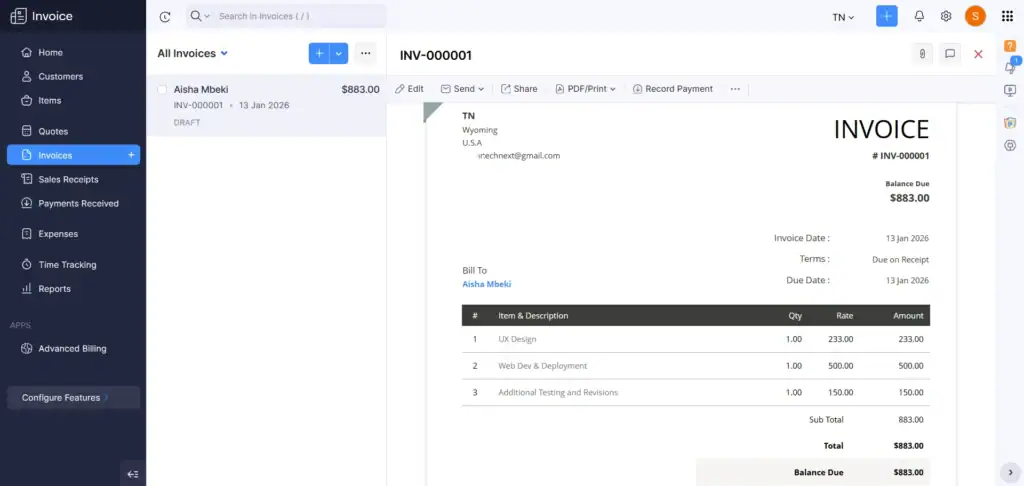
Zoho CRM Plus includes access to Zoho Invoice, which is a capable invoicing tool with automation, multi-currency support, and payment integrations. On paper, it offers strong value.
In practice, invoicing lives in a separate Zoho app. Users still switch interfaces to manage billing, which breaks workflow continuity. The overall user experience feels dated, and configuration complexity is high.
Zoho works best for teams already invested in the Zoho ecosystem, but it lacks the seamless native invoicing experience offered by newer platforms.
Key Features
- Omnichannel support (email, phone, social, chat)
- Workflow automation
- Advanced analytics & reporting
- Mobile apps for iOS/Android
- Deep integration with Zoho and third-party tools
Pricing
Standard: $20/user/month
Professional: $35/user/month
Enterprise: $50/user/month
Ultimate: $65/user/month
✔️ PROs
- Zoho Invoice itself is powerful with solid features
- Works if already embedded in Zoho ecosystem
- Decent for extreme budget constraints
- Free Invoice plan available for testing
❌ CONs
- Zoho CRM and Zoho Invoice are separate apps
- “Integration” still requires manual work
- Cluttered interfaces with confusing navigation
- Support quality is wildly inconsistent
User Feedback
🟢
Zoho CRM distinguishes itself through its flexibility and extensive customization options. Being able to tailor modules, workflows, and automation to fit specific business needs without requiring significant development work is a significant benefit. Its smooth integration with both other Zoho products and third-party applications helps establish a comprehensive CRM ecosystem.
– Ritik G.
🔴
One drawback of Zoho CRM is that some advanced features have a learning curve and can take time to configure properly. At times, the interface can feel a bit cluttered when managing complex workflows, which may slow navigation. Additionally, certain customizations or integrations require more setup than expected.
–Luke E.
How to Choose the Right CRM with Native Invoicing
You’ve seen the options. Now, how do you actually pick the right one for your specific situation? Let’s break it down with questions that matter.
Are You Solo or Growing a Team?
If you’re staying solo forever, HoneyBook, Dubsado, or even Flowlu’s lower tier work well. They’re built for one-person operations and don’t pretend otherwise.
But if you’re hiring (or planning to), you need something that scales. OneSuite and Flowlu handle teams well without punishing growth through per-seat pricing explosions. Monday CRM and Zoho charge per user, which adds up fast as you grow.
How Important Is Project Management Integration?
If connecting invoices to actual work delivered is critical, OneSuite and Flowlu are your only real options. Both offer native project management with task boards, time tracking, and the ability to invoice based on completed milestones or tracked hours.
HoneyBook, Dubsado, monday CRM, and Bitrix24 have project features, but they’re either basic (HoneyBook), focused on client onboarding rather than work delivery (Dubsado), or overwhelming (Bitrix24). Zoho requires yet another separate app (Zoho Projects), which defeats the purpose.
Do You Need a Professional Client Portal?
Client portals make you look established and save you from constant “where’s my invoice?” or “what’s the project status?” emails.
OneSuite offers the best branded portal experience, fully white-labeled with your domain, logo, and colors. Clients see your brand, not OneSuite’s. Flowlu’s portal is also white-label and robust. HoneyBook and Dubsado have basic portals that work but feel more limited.
Bitrix24 has a portal, but it’s complex to set up and use, also has a very bad support reputation.
What’s Your Invoice Volume and Complexity?
If you invoice occasionally with simple, one-time invoices, any platform on this list handles it.
But if you’re running retainers, subscriptions, milestone-based billing, or high-volume client work, automation becomes critical.
The Verdict
For most freelancers and small agencies: OneSuite wins. It’s intuitive, scales without breaking your budget, and connects CRM, projects, and invoicing in one smooth workflow. Flowlu is great for those who want value over polish, HoneyBook for solo creatives who care about presentation, and Dubsado for automation enthusiasts. The others are niche or come with trade-offs.
FAQs
What’s the difference between CRM with native invoicing and using separate tools?
Native invoicing is built directly into the CRM, using the same database and system. Update a client’s info once, and it updates everywhere automatically. Separate tools require you to switch between platforms, re-enter data, and manage broken API connections.
Can I use my existing Stripe or PayPal account with these platforms?
Yes. All platforms integrate with major payment processors, and you keep your existing accounts and fee structures. When a client pays, the CRM automatically marks the invoice as paid.
Do I really need CRM features if I just want to invoice clients?
If you’re only invoicing with zero lead tracking or project management, standalone tools like Wave work fine. But most businesses track leads, manage projects, communicate with clients, and then invoice. Keeping everything connected saves hours and prevents information loss.
What happens to my data if I switch platforms?
Most platforms let you export everything as CSV files. OneSuite and quality competitors offer migration assistance to transfer your historical invoices, contacts, and project data smoothly.
Find a Better Way to Grow
OneSuite streamlines projects, clients, and payments in one place, making growth hassle-free.