




Are you an agency owner currently managing your team and clients with Wayfront ?
Or perhaps you’re considering purchasing it but want to explore better options first?
If so, you’re in the right place. In this article, I’ll walk you through the best Wayfront alternatives—tools that not only match but often exceed Wayfront’s pricing, features, and design.
The goal is simple: help you make an informed decision. When you finish reading, you’ll have a clear understanding of which platform suits your agency’s needs, whether you’re looking for a more affordable solution, a tool with more customization, or a platform that offers better scalability as your business grows.
Wayfront alternatives aren’t only about switching tools. It’s about choosing a platform that fits your agency better, keeps work easier to manage, and helps your team deliver faster with less confusion. Now let’s explore the best options and find the right one for you.
Wayfront Overview
Wayfront is an all-in-one platform built for service businesses and digital agencies. It combines service selling, client onboarding, project delivery, communication, and billing in one system. It reduces the need to manage separate tools for intake forms, client updates, and payment tracking.
Wayfront covers the full agency workflow with features such as:
- Client portal for order intake, updates, and deliverables
- Productized services setup with clear service packages and repeatable workflows
- Subscription and invoicing tools for billing and payment control
- Task and job management for internal team execution
- Custom intake forms to collect client requirements, assets, and instructions
- Structured templates to standardize delivery steps and reduce manual work
Wayfront helps agencies stay organized by keeping client information, project steps, billing records, and communication in one place. It works best for teams that sell services in a structured format and want a simple system to manage clients from onboarding to completion.
Wayfront Reviews: Why Look for Wayfront Alternatives?
When I used Wayfront and checked reviews on G2, SaaSworthy, and Capterra, one thing stayed consistent. Most users like it. Many agencies treat Wayfront as their main workspace because it keeps client orders, communication, and payments in one place. The platform feels built for teams that run productized or subscription-based services and want a clean way to manage delivery without juggling multiple tools.
That said, the negative feedback also shows a pattern. Wayfront works well, but some parts feel limited or harder to adjust.
What users like
- One dashboard for services, tasks, messages, and billing
- Smooth client onboarding with clear forms and steps
- Strong client portal for order intake and delivery
- Reliable support and regular updates
- Clear workflow structure with deadlines and responsibilities
- Works well for productized and subscription services
Why people still look for alternatives
Some users still compare other tools because of a few limits:
- Customizing forms and portal design often needs code or CSS
- Full white-labeling stays locked behind higher plans
- Fewer built-in integrations and automations than expected
- Messaging feels less flexible for some teams
- Billing setup feels frustrating for certain workflows
- Entry plans feel limited as a team grows
Wayfront fits agencies that want an all-in-one system. Alternatives make sense when a team needs more branding control, easier customization, or stronger automation.
1. OneSuite: Best for Freelancer and Digital Agency Management
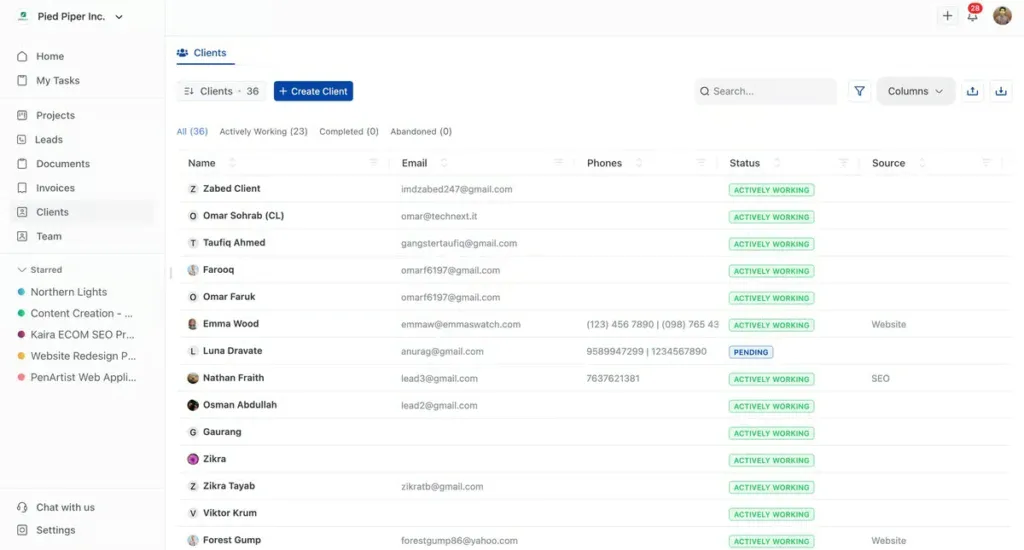
OneSuite is an all-in-one client portal built for digital agencies and solo entrepreneurs. It brings the most important agency tools into one platform, including invoicing, team management, project management, and a document hub. Everything stays connected, so your team works faster and clients always know what’s going on.
With OneSuite, agencies can manage the full client lifecycle—from onboarding to offboarding—without jumping between different tools. You can organize projects, assign tasks, share files, track invoices, and keep communication structured inside one workspace. It keeps delivery clean and reduces the daily back-and-forth.
We’re also moving fast with new releases. Productized services, time tracking, and timesheets are coming next and will be available very soon. These updates are built to support agencies that want tighter delivery control and better team visibility.
Next, let’s break down why OneSuite fits better than Wayfront for agency growth and long-term use.
Why We Prefer OneSuite Over Wayfront ?
As an agency looking for a better way to manage our growing team and clients, we found that OneSuite met all our needs in ways that Wayfront couldn’t.
Here’s why we made the switch:
1. Flat Pricing That Scales With Us
One of the biggest issues with Wayfront was the per-user pricing, which became expensive as we added team members.
OneSuite’s flat-rate pricing allows us to pay a single fee for unlimited users, giving us flexibility without worrying about rising costs as we expand.
2. All-in-One Platform
We used to rely on multiple tools for managing projects, invoices, and client communication. With OneSuite, we have everything in one place, from CRM to invoicing and task management, making our processes much more streamlined and efficient. This saved us time and kept all our data organized.
3. Customizable White-label Experience
Branding is important to us. With OneSuite, we were able to fully customize our client portals and project pages, offering a seamless branded experience. This was a feature Wayfront lacked, especially at the lower pricing tiers.
4. Better Client Communication
Communication is key, and OneSuite made it easier to keep our clients informed. With features like real-time updates, task tracking, and document sharing within the platform, we were able to offer our clients a more transparent and organized experience compared to Wayfront.
5. Affordable and Scalable
Unlike Wayfront, which becomes costly as your team grows, OneSuite offers scalability without the rising prices.
Whether we have a small team or an expanding one, we can manage everything under one affordable plan, giving us the flexibility to grow without the financial strain.
OneSuite has proven to be the better alternative to Wayfront for our agency. Its flat pricing, comprehensive features, and customization options made it the perfect choice for us.
If you’re looking for a platform that supports your agency’s growth without the hidden costs, OneSuite is the way to go.
Pricing
- Freelancer Plan – Starts at $29/5 user/month
- Solopreneur Plan – Starts at $59/12 user/month
- Growing Agency Plan – Starts at $149/35 user/month
OneSuite Features
- Lead Pipeline (CRM) for managing leads and converting them to clients
- Documents Hub with proposals, contracts, templates, and signing
- Stronger project system (better filters, faster task handling, built-in files)
- More flexible invoicing with recurring billing control and invoice logs
- Better white-label setup (domain, email, login branding)
- Upcoming time tracking + timesheets + productized services
Pros & Cons (Quick Table)
|
Pros |
Cons |
|
Built-in CRM + lead pipeline |
Smaller user base (newer tool) |
|
Stronger proposals + contracts + eSign |
Fewer integrations than big platforms |
|
Better agency workflow (lead → client → project → invoice) |
Reporting is still basic |
|
More white-label portal control |
|
|
Cleaner task + file delivery inside projects |
User Feedback:
Customers appreciate OneSuite for its competitive pricing, ease of setup, and reliable service. Common positives include simple management and responsive support.
Overall Rating: 4.7/5 on G2.
Positive:
“Using Onesuite.io CRM has been a breeze for me and the team. The user interface is incredibly easy to navigate and beautifully designed, making daily tasks a joy.”
– Anonymous user on G2.
Negative:
“OneSuite is overall a good product, but it still feels very much like a demo. There are many basic features missing, such as a simple way to change the status of a project.”
– Jason on AppSumo.
2. Assembly: Best for Post-Sales Client Management
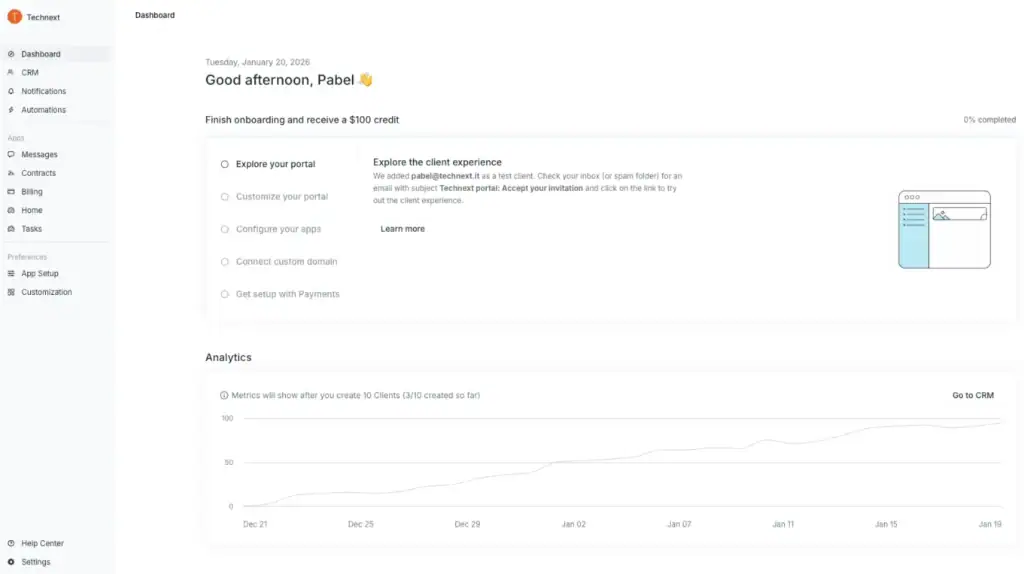
Assembly is built for agencies that want a cleaner system after the sale. It keeps client communication, files, updates, and billing in one portal, so the team doesn’t need to jump between tools. Work stays easier to track once a client order becomes active.
Compared to Wayfront, Assembly feels more focused on post-sales delivery control. It gives better visibility into what’s happening, keeps client access more structured, and supports teams that handle repeat services with multiple internal users.
Assembly fits agencies running ongoing client work, recurring services, and projects that need frequent file sharing, approvals, and clear progress tracking.
Pricing Plan (Monthly)
- Starter: $59/month
- Professional: $189/month
- Advanced: $499/month
- Enterprise: $2,400/month
Key Features
- Client portal for communication, files, and service delivery
- Billing tools with subscriptions and payment links
- Automations with task limits depending on plan
- Access controls for clients and internal team roles
- Branding options (domain + portal branding on higher plans)
Pros & Cons (Quick Table)
|
Pros |
Cons |
|
Strong post-sale workflow visibility |
Higher pricing tiers jump fast |
|
Clean client portal experience |
Some advanced security controls are plan-locked |
|
Better permission control than basic portals |
Setup feels heavy for simple service shops |
|
Good for agencies handling lots of client files |
Not built for pre-sale funnel management |
|
Automation support improves delivery flow |
Enterprise requires a demo process |
User Feedback
I like that there is opportunity to recognize members of the team. The GIFs, comments, everything that is included in the messages are all fun. I like that it prevents half points and only allows points evenly distributed.
— Kaylee C. (G2)
I like that there is opportunity to recognize members of the team. The GIFs, comments, everything that is included in the messages are all fun. I like that it prevents half points and only allows points evenly distributed.
— Jacob K. (G2)
3. SuiteDash: Best for Agencies That Want Structure and Control
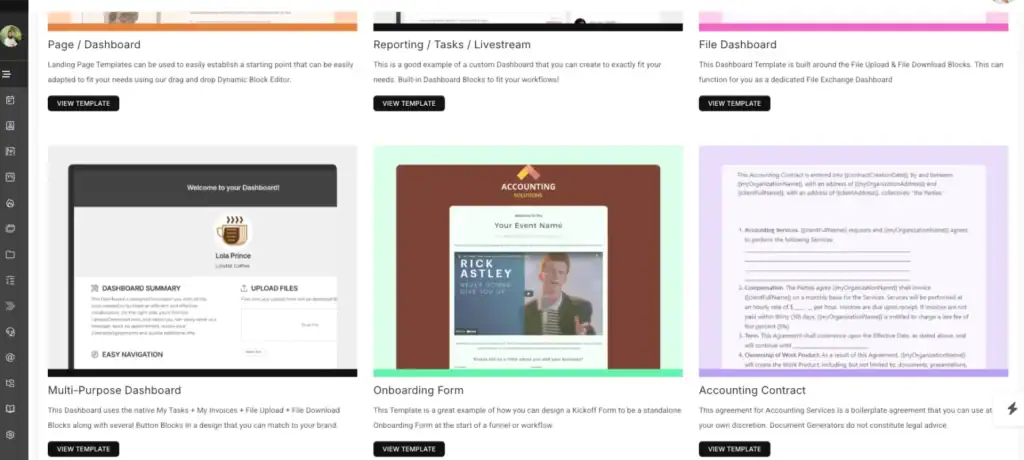
When I used SuiteDash, it felt more “agency-ready” than Wayfront. SuiteDash is built for agencies that want a structured workspace where every client, task, file, invoice, and internal workflow stays organized under one system. It fits teams that run multiple clients at once and need clear control over delivery.
SuiteDash works better than Wayfront when you need more control and customization at a lower starting price. Wayfront feels smoother for productized services. SuiteDash feels stronger for agencies that want a full operations setup with CRM + portal + automation + internal processes running together.
Pricing Plan
SuiteDash uses flat pricing. It’s not per user, which keeps costs stable as your team grows. It also offers a 14-day full-featured free trial.
Monthly plans (starting)
- Start: $19/month
- Thrive: $49/month
- Pinnacle: $99/month
Key Features
- Client portal with branding and access control
- CRM for managing leads, contacts, and clients
- Project + task management for delivery tracking
- Invoicing and client billing inside the same platform
- Automation tools for tasks, follow-ups, and workflows
Pros & Cons
| Pros | Cons |
| Flat pricing supports team growth without per-user cost | Setup takes time because the platform has many modules |
| Strong customization for portals and workflows | Learning curve feels heavy for first-time users |
| CRM + portal + projects in one system | Extra configuration is needed to make it feel “simple” |
| Good support experience and detailed system control | Overkill for small service shops with basic needs |
| Works well for agencies that run many clients at once | Some features feel complex until fully configured |
User Feedback
The client portal is hands down my favorite part. Being able to white-label it makes my one-person operation look way more professional. I also rely heavily on the automation features – setting up payment reminders and follow-up emails has cut my admin time in half. No more chasing clients!
—Aniket A. (G2)
The software has so many features that sometimes I feel like I need to go through a course to truly learn them all!
— Ryan L. (G2)
4. ManyRequests: Best for Productized Services
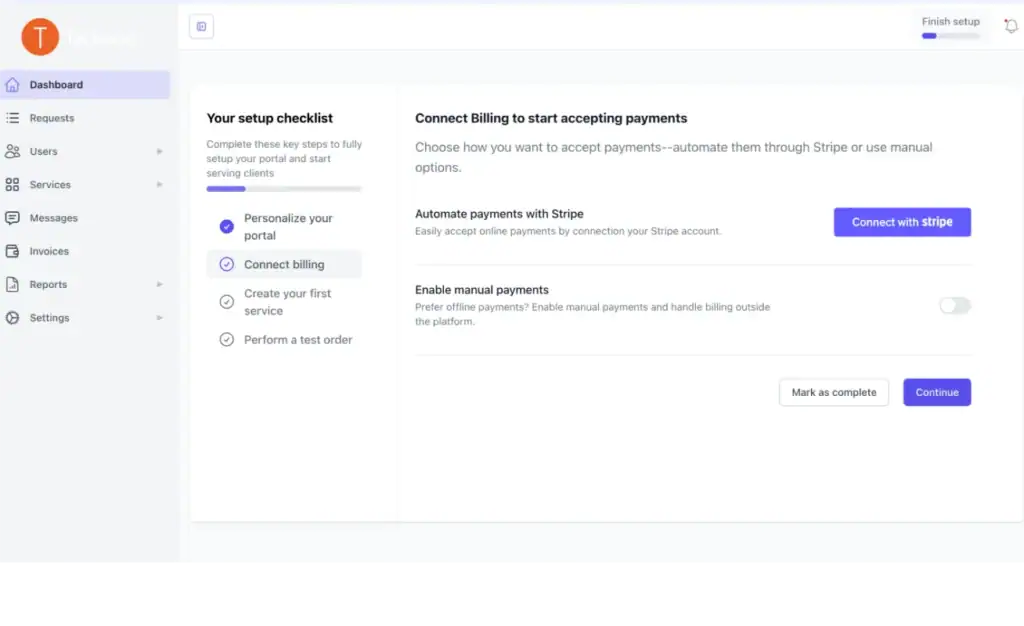
ManyRequests is a strong alternative to Wayfront for agencies that sell fixed packages and run repeat service delivery. It keeps the workflow simple and organized. Clients submit requests through a portal, the team manages tasks in the same place, and billing stays connected to ongoing work.
ManyRequests works best when the goal is fast execution, clean client communication, and a request-based delivery system. It reduces setup complexity compared to Wayfront and feels easier to manage daily. For productized service teams, it helps maintain consistent delivery without adding extra tools or heavy configuration.
ManyRequests becomes the better pick over Wayfront when you want a lighter system that focuses on requests, client clarity, and subscription service operations.
Pricing Plan
ManyRequests keeps pricing simple and agency-friendly. It offers Monthly and Annual billing, and the annual plan shows Save 34%.
Monthly pricing
- Starter: $29/month
- Core: $59/month
- Pro: $99/month
Key Features
- Client portal for requests and updates
- Request management system (clean intake flow)
- Projects + task tracking
- Billing with invoices + subscriptions
- Time tracking
- CRM + reporting
- Unlimited clients
- Custom domain support
Pros & Cons
| Pros | Cons |
| Clean request workflow that keeps client input organized | Some important features stay locked in higher plans |
| Simple setup and easy client experience | Pricing increases faster when adding team seats |
| Billing stays connected to services and delivery | Upload/storage limits affect heavy media teams |
| Works well for productized and repeat services | Automations stay basic for complex operations |
User Feedback
We have been using manyrequests for almost a year now for our client projects and its one of the best project management system and a client portal we have used so far, it has almost all the customization options we require, time tracking, checklists, ticketing and feedback from our clients, which helps us to combine everything in one place.
—Sharon J. (G2)
5. Zendo: Best for Productized & Subscription Service
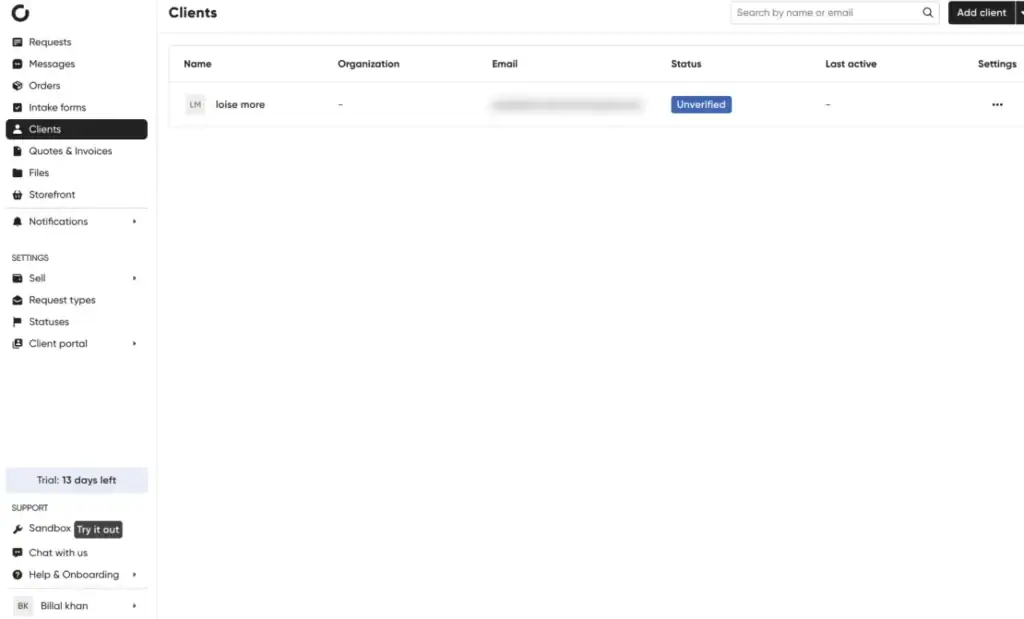
Zendo is a strong alternative to Wayfront for teams that sell subscription services and want a simpler system for client communication, service delivery, and billing. It keeps the workflow organized without adding heavy setup steps. The client side also feels clean, so onboarding stays smooth.
Zendo becomes a better pick than Wayfront when pricing matters and the agency needs a platform that supports recurring billing + service delivery in one place. It focuses on core operations like service setup, client communication, and invoice handling, without forcing complex configurations.
Pricing Plan
Zendo is one of the most budget-friendly Wayfront alternatives, especially for small service teams.
Monthly pricing
- Essential: Free (1 internal user included)
- Pro: $49/month (2 internal users included, then +$19/user/month)
- Max: $199/month (unlimited internal users + full white-label experience)
Key Features
- Multi-purpose chat for client communication
- Service management for productized offers
- Recurring billing + one-off invoices
- Quotes and invoices
- White-label options (plan-based)
- Custom workflows and statuses
Pros & Cons
| Pros | Cons |
| Free plan available for getting started | Design customization feels limited |
| Strong fit for subscription-based services | Setup feels time-consuming for some users |
| Centralized communication reduces scattered client messages | Not built for complex enterprise workflows |
| Recurring billing supports ongoing service delivery | Advanced features depend on higher plans |
| White-label option available at Max plan | API options are limited or marked as coming soon |
User Feedback
A possibility to start selling subscriptions real quick and to create a client portal for my customers.
— Adrian D. (G2)
The gap between the free tier and the first paid tier is way too large of a leap, especially if you want to go month-to-month rather than annual. I sort of understand it because clients are unlimited and charging clients would be a bad look, but I’d very likely jump to a paid tier pretty quickly if the price was lower, and as it is I’m just going to stay on the perfectly functional Zendo-branded tier until I have several more clients onboarded or one of them commits to a larger project.
—Scot R. (G2)
6. AgencyHandy: Best for White-Label Client Portals for Digital Agencies
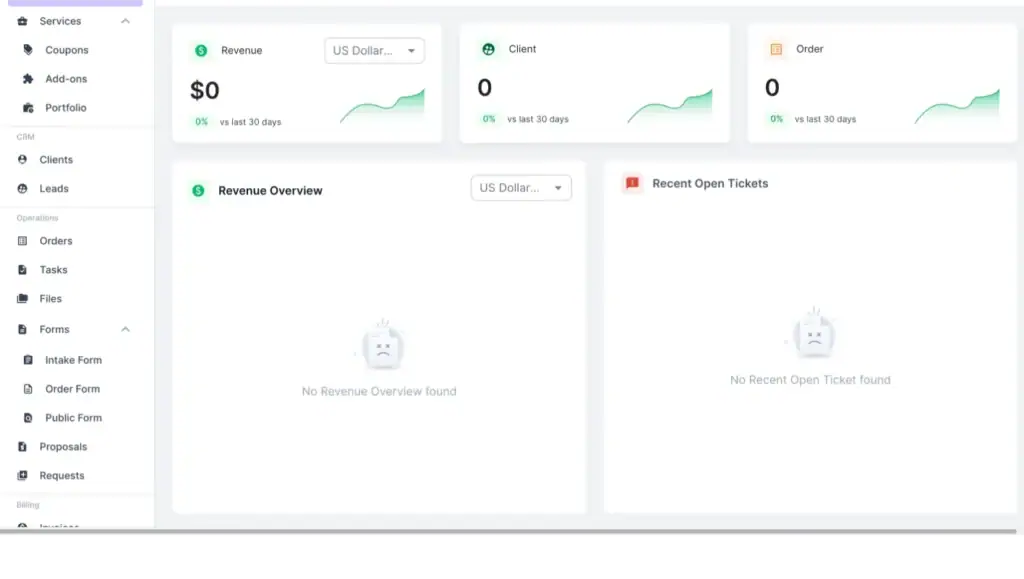
AgencyHandy is built for agencies that want a branded client portal with a simple setup. It covers the core agency flow in one place: client intake, task delivery, communication, and billing. The portal stays clean and client-friendly, so clients know exactly where to submit requests and track progress.
Compared to Wayfront, AgencyHandy gives agencies a lower starting price while still offering the essential tools for daily operations. It also puts stronger focus on white-labeling and client-facing presentation, which matters for agencies that want their portal to look like their own product. The workflow stays structured without adding extra complexity.
Pricing Plan
AgencyHandy keeps pricing clear and agency-focused. It offers Monthly, Yearly, and Lifetime options.
Monthly pricing (starting)
- Freelancer: $19/month
- Team Starter: $69/month (Most Popular)
- Business Pro: $139/month
Key Features
- White-label client portal
- Custom branding and client-facing pages
- Orders, tasks, and request tracking
- Client communication inside the portal
- Billing for one-time and recurring services
- CRM for leads and clients
- File upload and storage controls
- Webhooks + basic integrations
Pros & Cons
| Pros | Cons |
| Strong white-label client portal for agencies | Customization feels limited in some portal and invoice areas |
| Simple interface and fast setup | Project management stays basic for complex delivery |
| Good for handling recurring and one-time services | Integration options feel narrow for advanced stacks |
| Branding options improve client-facing experience | Smaller ecosystem compared to older all-in-one platforms |
| Organizes client work in one place | Less suitable for solo freelancers who want a lightweight tool |
User Feedback
I like the intuitiveness of Agency Handy. The team is always available and it feels like they’re there 24/7, which is awesome. Whenever I have a problem or a question, they’re really easy to communicate with and they communicate very well about their product and what it does.
— Michael P.(G2)
The customization options are lacking. I wish there was a more custom client portal, and overall, more customization. I’d like to be able to build it how we want, with more logo options and changeable layouts. A better editable view for clients is also something I miss.
— Caden C.(G2)
7. ClientVenue: Best for Agency Retainers
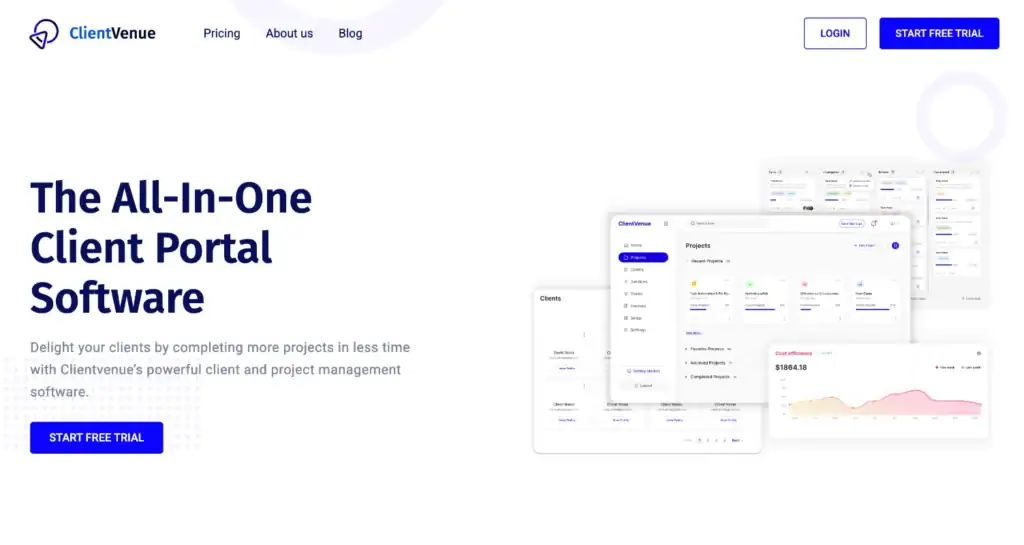
ClientVenue is a good fit for agencies managing monthly retainers and ongoing deliverables. It keeps billing, client updates, and project visibility inside a branded portal. This keeps retainer work consistent and easier to track across multiple clients.
Compared to Wayfront, ClientVenue feels more focused on recurring billing + client dashboards + automation for long-term work. The system is structured for agencies that run the same cycle every month and need clear client progress without manual follow-ups.
Pricing Plan
ClientVenue pricing is built for agencies running recurring client work.
Monthly billing
- Starter: $47/month
- Professional: $97/month
- Enterprise: $247/month
Key Features
- Retainer-focused client portal
- Subscription billing + invoicing
- Automated reminders and progress updates
- Templates for repeat service delivery
- Branded dashboards and status tracking
- Client communication inside the portal
Pros & Cons
| Pros | Cons |
| Strong for recurring services and retainers | Reporting feels basic for deep performance tracking |
| Billing and client updates stay in one portal | Advanced customization needs extra setup time |
| Branded dashboard improves client experience | Some agencies want more built-in automation control |
| Templates support consistent monthly delivery | Less flexible for complex custom workflows |
| Keeps communication and tasks organized | Not ideal for teams needing heavy analytics |
How to Choose the Right Wayfront Alternative?
If you already use Wayfront (or you’re close to buying it), switching tools only makes sense when the new platform fixes a clear workflow problem. The best Wayfront alternative depends on how your agency sells services, delivers work, and bills clients.
- OneSuite if you want a complete agency platform that covers CRM, projects, invoices, documents, and client portal in one flow.
- Assembly if you want a clean post-sale system where client updates, files, and communication stay organized in one place.
- SuiteDash if your agency needs a full operations setup with deep control over portal settings, workflows, and internal structure.
- ManyRequests if you sell productized service packages and want a simple request-based portal for client delivery.
- Zendo if you want a low-cost platform for subscriptions, service delivery, and client chat without heavy setup.
- AgencyHandy if you need a white-label client portal that looks professional and keeps client work easy to manage.
- ClientVenue if your agency runs monthly retainers and you want recurring billing with clear client visibility.
Want a simpler Wayfront alternative? Start with OneSuite
If you’re already using Wayfront or comparing alternatives, the goal is simple. You need a platform that supports growth without adding tool overload. OneSuite is built for digital agencies that want one workspace for client delivery, team work, and billing.
Here are 5 real problems OneSuite solves for agencies:
- Too many tools to manage one client
OneSuite keeps projects, invoices, documents, and client communication in one system. - Messy onboarding and missing client info
You can organize client files, requirements, and updates inside each project and portal. - Weak visibility on team tasks and deadlines
OneSuite gives clear task control with filters, views, and team collaboration in one place. - Recurring billing takes manual follow-ups
Invoices and recurring billing stay structured, with logs and better billing control. - Client portal doesn’t match your agency brand
OneSuite supports white-label settings so the portal feels like your own product.
Get started with OneSuite today and simplify your agency operations.
Find a Better Way to Grow
OneSuite streamlines projects, clients, and payments in one place, making growth hassle-free.