

Top 9 CRM with Client Portal Features for Digital Agencies

You’re switching to five different apps just to onboard one client. Your project updates live in one place. Invoices in other. Contracts bounce around mails. Files are scattered across cloud folders that nobody can find.
And when your client asks, “Hey, where’s that signed agreement from last month?” you’re the one playing detective through hundreds of emails while they wait.
While you’re busy stitching together a Frankenstein tech stack with duct tape and prayer, some of your competitors are onboarding faster, getting paid quicker, and scaling stronger with a single tool, a CRM with a client portal.
These all-in-one platforms don’t just store client data. They give your clients a branded hub where everything they need actually lives, from project progress, invoices, files, to approvals, and mails, all in one login. Everything in a single professional.
This post ranks the 9 best CRM solutions with client portal features for 2026, based on real agency pain points, tool consolidation value, and whether your clients will actually use them.
We’ve tested platforms, analyzed competitor gaps, and identified which tools nail the balance
Key Takeaways
- OneSuite stands out as the top choice with unbeatable pricing, intuitive design, and true all-in-one features for digital agencies and solopreneurs.
- Assembly excels for AI-driven automation and polished portals, ideal for consultants despite higher costs.
- SuiteDash offers unlimited scaling and extreme customization but demands significant setup time.
- Service Provider Pro suits productized service agencies with robust billing, though pricey for general CRM needs.
- Plutio and Dubsado provide strong freelancer workflows with customization, but face UI and learning curve challenges.
- Modern white-label portals boost professionalism and client adoption over fragmented tools.
Why Your Agency Actually Needs a CRM with Client Portal?
Let’s start with the basics:
CRM is a tool that companies use to manage certain aspects of the whole client life cycle. That includes storing and analyzing different data like contacts, purchase history, preferences, etc.
And a Client Portal, on the other hand, is a secure platform where you can mail, chat, and share files with clients. While allowing them to add tasks, track progress, and get invoices all in the same place.
But why would you need them together in the same platform??
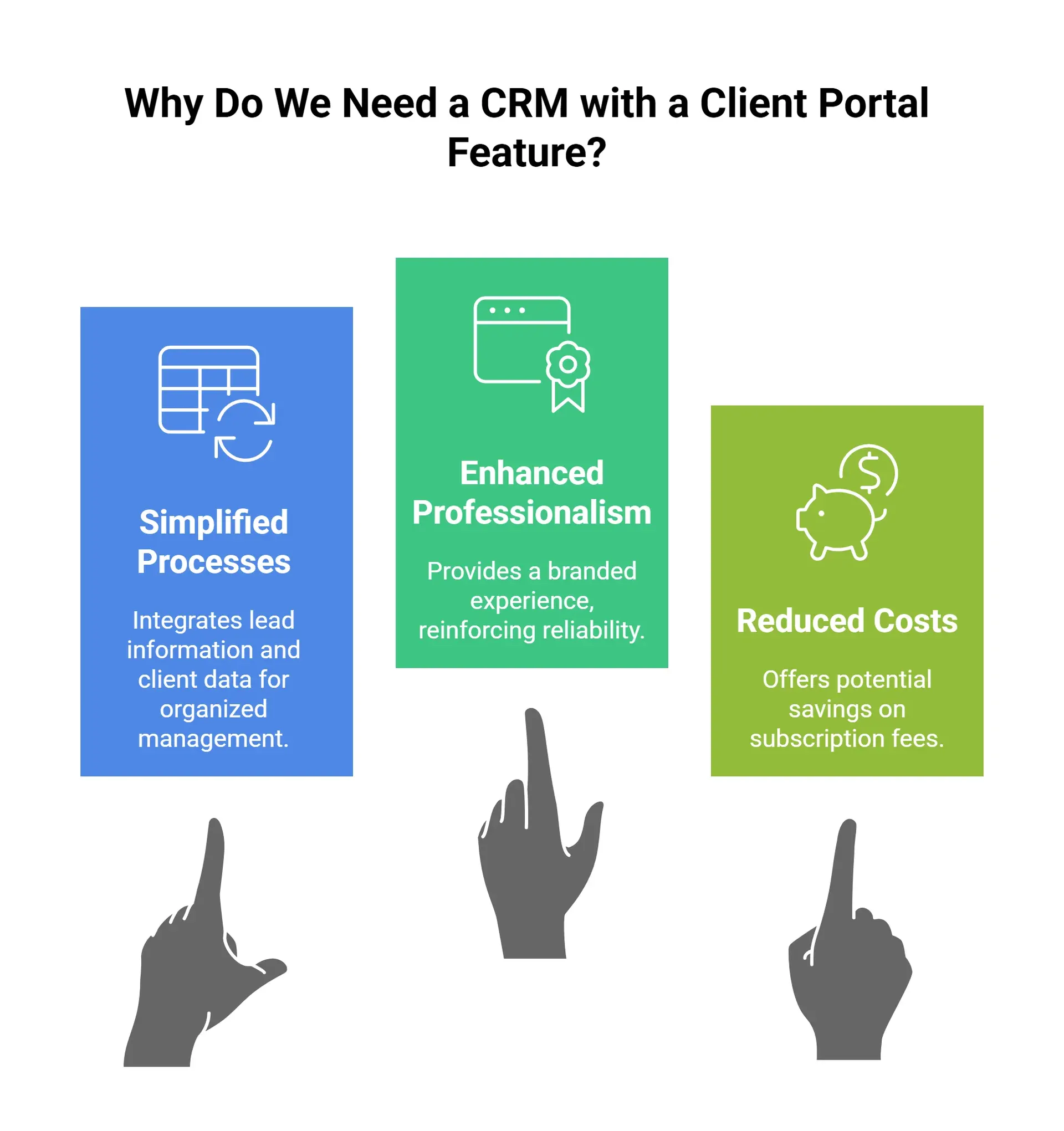
- It makes things simpler: When you get a lead, what we typically do is to add them to the pipeline, update the statuses whenever there is any progress happening in the background.
But in most cases, the notes we take and the promises we make, face the risk of getting lost in the pile of data. Now, what an integrated client portal does is to take all that information, along with the client’s personal data, to the client portal when the deal is won. - A white-label client portal makes you look professional: A branded white-label client portal means the customer will only see your logo and branding. Not the Client Portal Provider, giving them a professional and reliable vibe about you.
- It saves your subscription costs: Though not true for all CRM client portal providers, some can save you a huge chunk of money that otherwise would have to be spent.
Must-Have Features in a CRM with Client Portal
- Real-Time Project Visibility
- Centralized Communication Hub:
- Invoicing + Payments Built In
- Document Sharing + E-Signatures
- Client Dashboards That Actually Show Value
- Simple and easier setup
CRM with Client Portal: 9 Tools That Actually Work
Instead of dumping you into a random feature list, this section ranks 9 CRM with client portal tools by how well they solve real problems: messy onboarding, scattered files, and slow payments. You’ll see where each one shines, where it falls short, and which is worth testing based on your team size and service model.
| Tool | Best for | Starting price (approx) | Learning curve & UX |
|---|---|---|---|
| OneSuite | Service agencies needing true all‑in‑one simplicity | $29/month (5 users) | Clean UX, fast setup, fewer advanced automations |
| Assembly (Copilot) | Compliance‑heavy professional services | $39/month (1 internal user) | Modern UI but more complex and pricier than OneSuite |
| SuiteDash | Agencies wanting maximum features and unlimited scaling | $19/month (1 user) | Dated UX, slow performance, weeks of setup for most teams |
| Service Provider Pro | Productized service agencies selling packages at volume | $129/month (5 team members) | More configuration, higher upfront cost |
| Plutio | Freelancers/small teams needing flexibility and time tracking | $19/month (1 user) | Flexible but UI inconsistencies and small bugs |
| Dubsado | Solo creatives who want deep automation | $35/month (up to 3 users) | Powerful but setup often needs specialists and weeks of work |
| Hello Bonsai | Solo freelancers prioritizing tax/expense tracking | $15/user/month | Simple UI but “jack of all trades” limitations |
| Moxie | Freelancers and tiny teams wanting simple, affordable suite | $12/month (solo), higher for teams | Good support but some UX/feature gaps |
| Moxo | Enterprise‑grade firms in regulated industries | Custom/undisclosed, enterprise pricing | Complex setup, built for large, regulated organizations |
1. OneSuite – Best for Client Portal Software
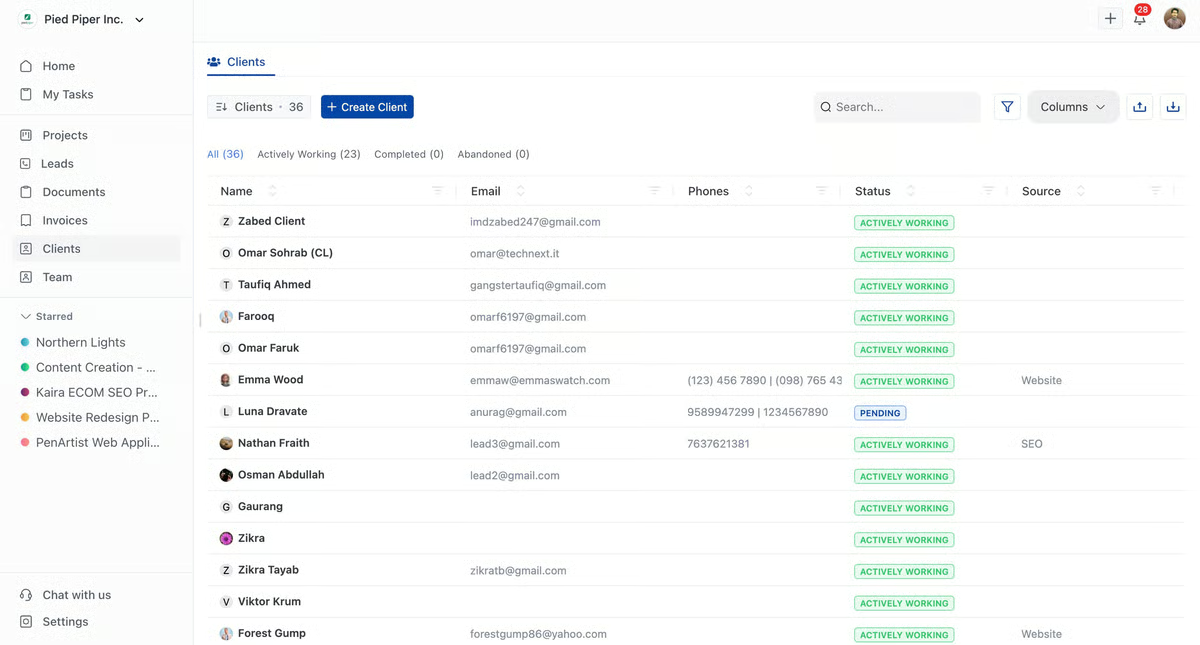
OneSuite is a next-generation client portal that delivers the complete client lifecycle, from lead capture to project delivery and invoicing, all on one clean platform.
When a lead converts to a client, their entire history flows into projects automatically. No re-entering data. No syncing errors.
Lead → Proposal → Contract→ Project→ Billing→ Upsell
The white-label portal can even make your solopreneur agency look lenterprise. I’ve seen teams cut setup time from weeks to 2 days because everything just works together. With the $29/month (for 5 users) flat-rate pricing, OneSuite is the most affordable CRM for marketing agencies out there
Best For: Service agencies (5-50 team members) looking for true all-in-one simplicity
Key Features
- White-Label Client Portal for using Custom domain (portal.youragency.com)
- Project Management and task management using Kanban boards
- Native built e-sign and documents section
- Built-in Invoicing & Payments has Stripe, PayPal, and Razorpay integration
- Create and send proposals, contracts, and agreements from templates in OneSuite
- One-click lead conversion, preserving all data seamlessly
- Supports 17+ languages from worldwide
Pricing (Best aspect of OneSuite):
- Standard: $29/month(for 5 users)
- Business: $59/month (for 10 users)
- Agency: $149/month (for 35 users)
Note: OneSuite offers a 14-day free trial with full feature access. No credit card required upfront.
Pros & Cons
|
✅ Pros |
❌ Cons |
|
True all-in-one (CRM + PM + Invoicing + Portal) |
Newer platform (limited reviews vs. established players) |
|
Unbeatable price: $49/mo replaces $250+/mo in tools |
No advanced marketing automation (no email sequences) |
|
Clean, intuitive UX for clients to figure out in hours |
Limited integrations (currently ~10-15 apps) |
|
Fast setup (agencies onboarding in hours, not days) |
No native time tracking (need third-party tool) |
|
Excellent support (responsive, helpful) |
Smaller community (fewer templates/tutorials available) |
|
White-label portal quality is genuinely good |
User Feedback
✌️ OneSuite keeps exceeding expectations!
Each update improves usability and performance, and the customer service is responsive, knowledgeable, and genuinely invested in my success.
–Jacquelyn L.
👎 For the task there is no option to track the time. it has to be entered manually. They have an extention to import leads but time checkin, checkout a important function is missing.
–Ashokkumar K.
2. Assembly (formerly Copilot)
Assembly brings AI-powered automation to client management, making it ideal for consultants, accountants, and professional services. The portal is polished, setup is straightforward, and the AI Assistant (in beta) promises to automate repetitive admin tasks.
However, it feels a bit costly, especially for starter plans.
Best For: Professional services with compliance needs (legal, accounting, consulting)
Key Features
- Branded client portals
- AI Assistant (NeosAI) for admin tasks
- Internal team chat
- Custom fields for clients/companies
- Workflow automation builder
- Integrations with popular tools (Zapier, Make)
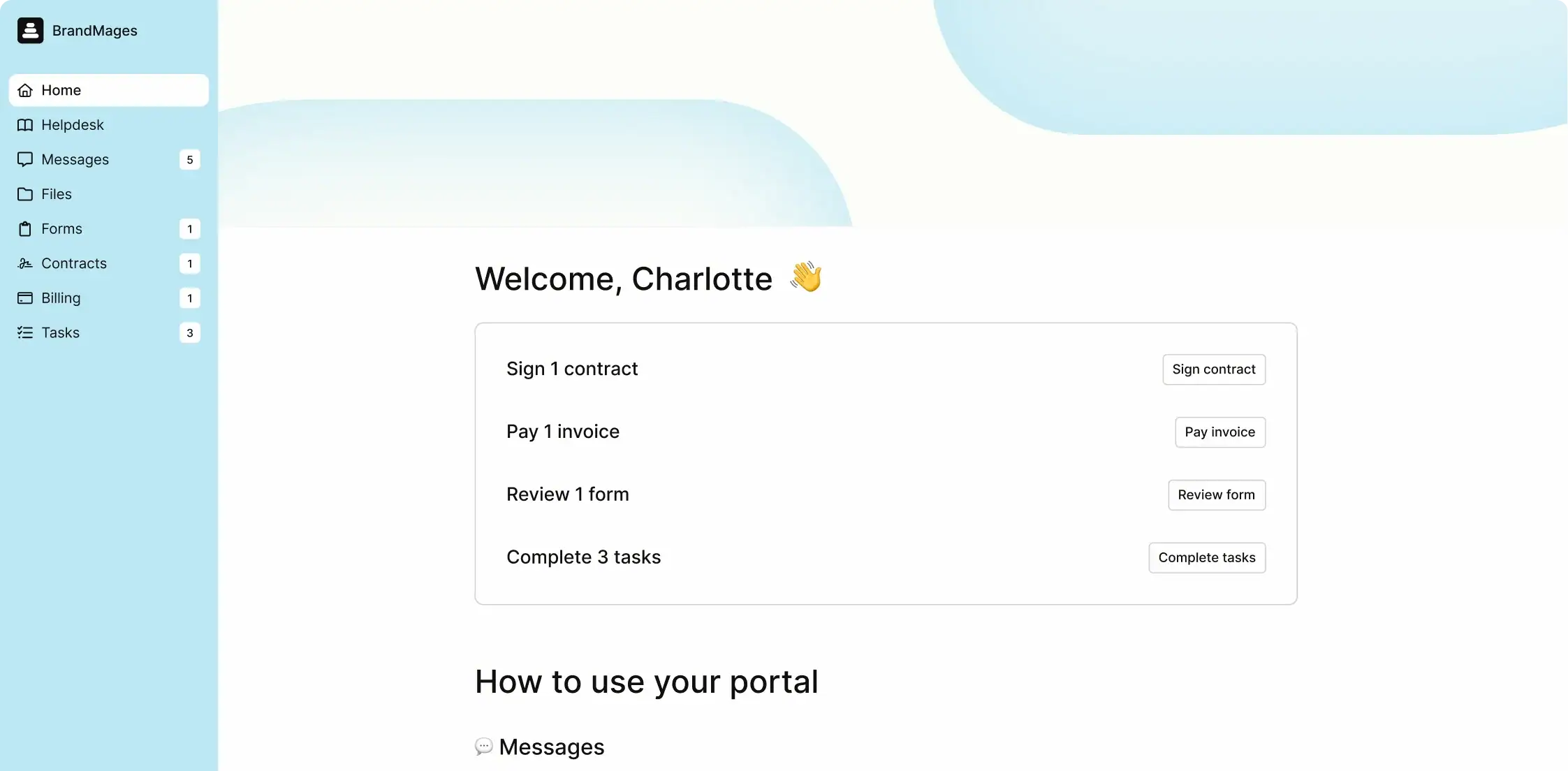
Pricing
- Starter: $39/month (basic features for small teams)
- Professional: $149/month (includes 3 internal users, every extra user +$39/month)
- Advanced: $399/month (advanced feature, includes 5 users, every extra user +$59/month
Pros & Cons
|
✅ Pros |
❌ Cons |
|
AI Assistant automates busywork |
A bit costly compared to others like OneSuite. |
|
Modern, polished UX that clients love |
Potential learning curve for new users |
|
HIPAA + SOC 2 compliance |
Invoicing is less feature-rich than competitors |
User Feedback
✌️ I appreciate how they bring together the various processes I rely on to manage a large number of clients. They provide nearly all the solutions I need to centralize my practice, while also meeting important standards for security, client experience, and office management. In some respects, I feel they even help me stay ahead of others in my field.
–Christian T.
👎 I notice that (Assembly )Copilot can be slow at times, specifically the load speed when navigating through some pages, which can take a couple of seconds. For someone like me, working in a fast-paced environment, having it load instantaneously would be beneficial.
–Renee C.
3. SuiteDash
SuiteDash is a feature-rich and extremely customizable service CRM, projects, invoicing, email marketing, membership sites, all white-labeled. But power comes at a cost: steep learning curve, dated UX (some users complain about it being too old a system), and slow load times. Only suitable for agencies willing to invest in setup time and learning time for unlimited scaling.
Best For: Businesses wanting maximum features and white-label control
Key Features
- Integrated CRM for client and sales management
- Project management (tasks, milestones, collaboration)
- Customizable client portals
- Invoicing & billing automation
- White-labeling to align with your brand
- Workflow and automation builders

Pricing
- Starter: $19/month (1 user, unlimited clients/projects)
- Thrive: $49/month (3 users, advanced features)
- Pinnacle: $99/month (10 users, full suite)
Pros & Cons
|
✅ Pros |
❌ Cons |
|
Feature-packed |
The learning Curve is pretty high due to excessive features |
|
Unlimited users/clients (OneSuite charges per seat) |
The dated UI makes it feel like decade-old tech, and hard to know where to start. |
|
Extreme customization (build almost anything) |
According to multiple reviews in G2, the service is quite slow. |
|
Email marketing + LMS included |
The complex setup time takes weeks to start basic usage. |
|
According to reviews, though slow, the support is quite good. |
Some features feel like unfinished/buggy |
User Feedback
✌️The client portal is hands down my favorite part. Being able to white-label it makes my one-person operation look way more professional
–Aniket A.
👎 The learning curve is steep, and it takes time to get everything running. My advice is to take it slow, learn as you go, and keep at it.
–Jen M.
4. Service Provider Pro
SPP is laser-focused on agencies selling productized services (fixed-scope, recurring packages). It’s like Shopify for services – order forms, subscription management, automated delivery workflows. Built specifically for agencies selling packages at scale. But as a general-purpose CRM, it’s not that good; more like a billing system for service products that has a steeper learning curve and comes with a huge upfront cost.
Best For: Productized service agencies (SEO, content, link building) selling at volume
Key Features
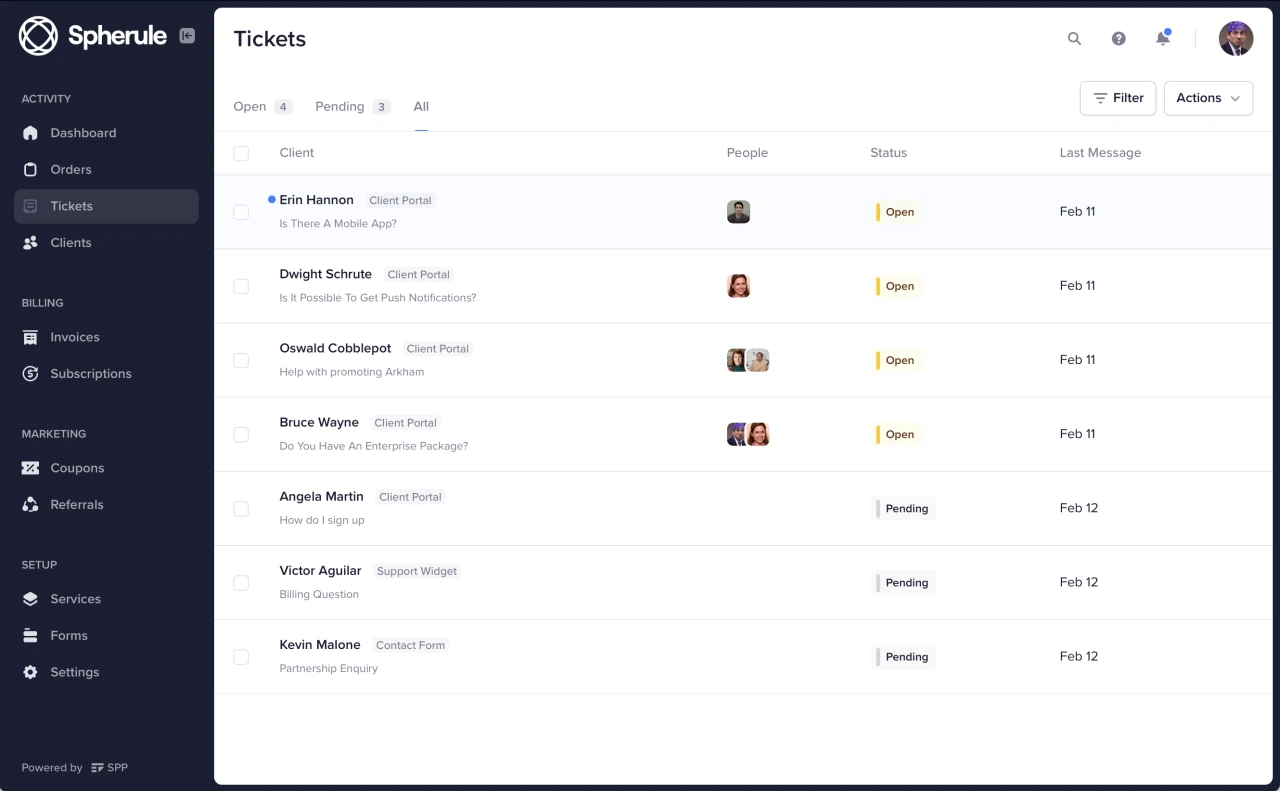
- Centralized white-labeled client portal
- Advanced billing, subscription, and recurring payments
- Flexible order processing and invoicing
- Role-based access controls (admin, provider, client)
- Customizable workflows & editable client-facing pages
Pricing
- Basic: $129/mo (5 team members, no white-label)
- Pro: $299/mo (15 team members, white-label)
- Enterprise: $1,500/mo (unlimited users, full white-label)
Pros & Cons
|
✅ Pros |
❌ Cons |
|
Comprehensive white-label branding |
The learning Curve is pretty high due to excessive features |
|
Robust workflow and automation tools |
Higher starting price than many competitors |
|
Flexible Stripe & PayPal payment options) |
Reporting tools may be too basic for data-driven agencies |
|
Consolidated portal for client communications & assets |
Some advanced features require more configuration |
User Feedback
✌️We’ve been using SPP.co for over a year, and it’s been a game-changer for helping our team scale and stay organized. It’s incredibly user-friendly, our clients love using it, and our team loves working in it.
–Nick M.
👎 The basic plan can be quite limited and forces you to go for a pro package. Make integration should be integrated into the basic plan.
– Isaac S.
5. Plutio
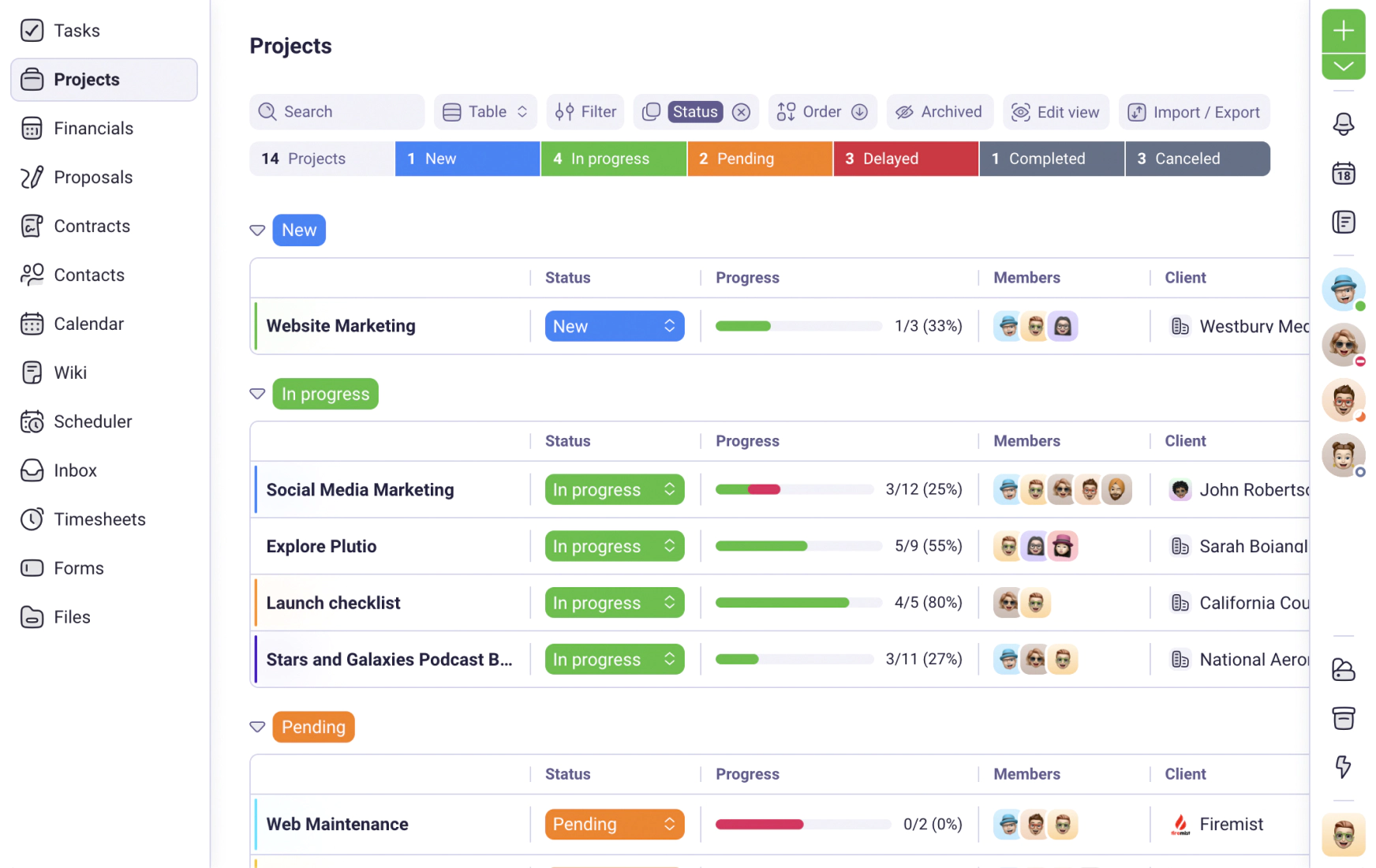
Plutio is the customizable all-in-one for freelancers and small agencies. It combines CRM, projects, invoicing, proposals, time tracking, and a client portal with drag-and-drop flexibility. You can turn features on/off and customize views (Kanban, timeline, calendar, table). Plutio is praised for its comprehensive feature set, customization, and responsive support, but new users may face a learning curve, and the interface is not as polished as some competitors.
Best For: Freelancers/small teams wanting flexibility and customization
Key Features
- Project & task management with Kanban boards and dashboards
- CRM for client and sales management
- Integrated financial tools: proposals, invoices, and contracts
- Time tracking and expense reporting
- Fully customizable and white-label client portal
- Automated workflows and custom templates
- Real-time team and client collaboration & document sharing
- Customizable workspaces and templates
Pricing
Core: $19/ month – 9 active clients, No additional contributers
Pro: $49/month – Unlimited Clients, 30 Contributors included
Max: $199/month – Unlimited Clients, Unlimited Contributors
Pros & Cons
|
✅ Pros |
❌ Cons |
|
All-in-one: project management, CRM, invoicing, tasks |
Some design/inconsistency issues |
|
Some design/inconsistency issues |
No advanced marketing automation (no email sequences) |
|
Fully white-label, supports deep branding |
Limited team collaboration compared to some competitors |
|
Affordable plans, scalable for freelancers/teams |
Steep learning curve for new users |
|
Customizable templates for docs & proposals |
Some users experience minor bugs |
User Feedback
✌️From project management and client communication to invoicing, proposals, scheduling, and time tracking — it really simplifies the chaos of juggling multiple apps.
–Mark D.
👎Some of the navigation functions within the portal don’t make logical sense to me, and could be mapped smoother.
– Krysta V.
6. Dubsado
Dubsado is a CRM beloved by photographers, designers, and coaches. Its superpower is workflow automation – trigger-based sequences that handle onboarding, contracts, payments, and follow-ups automatically. It’s powerful but has a steep learning curve. Many users hire Dubsado specialists to set it up ($500-2000). The UI feels dated (2015 vibes), but functionality is solid for solopreneurs.
Best For: Solo creatives (photographers, designers, coaches) who love automation
Key Features
- Customizable workflows and automation
- Professional client portal for communication and document sharing
- Invoicing and contract e-signing are built in
- Integrated scheduler for appointment bookings
- Lead capture and customizable forms
- Integrations with Google Workspace, Zapier, and more

Pricing
- Starter: $35/month (for 3 users)
- Premier: $55/month(for 3 users)
Pros & Cons
|
✅ Pros |
❌ Cons |
|
Saves time with workflow automations and templates |
Advanced automations require higher-tier plans |
|
Highly customizable proposals, forms, and emails |
Limited bookkeeping integration, especially on lower plans |
|
Centralized client portal for docs, payment, and messages |
No dedicated mobile app |
|
Integrates with common tools (Google Workspace, Zapier) |
Setup and onboarding can be time-consuming |
User Feedback
✌️ Dubsado has a very responsive, helpful, and informative customer service team. They respond quickly within business hours and always within a reasonable time frame without outside business hours.
– Michelle R.
👎 I had my first health coaching client and I issued an invoice using stripe on Dubsado. My client was almost charged 100 times more than what I sent invoice for. I contacted to stripe but stripe asked me to contact Dubsado and Dubsado never admitted or was able to explain their fault. So I’m considering of switching to a different CRM system
–Haruka K.
7. Hello Bonsai
Best For: Solo freelancers (1-5 clients) needing tax/accounting features
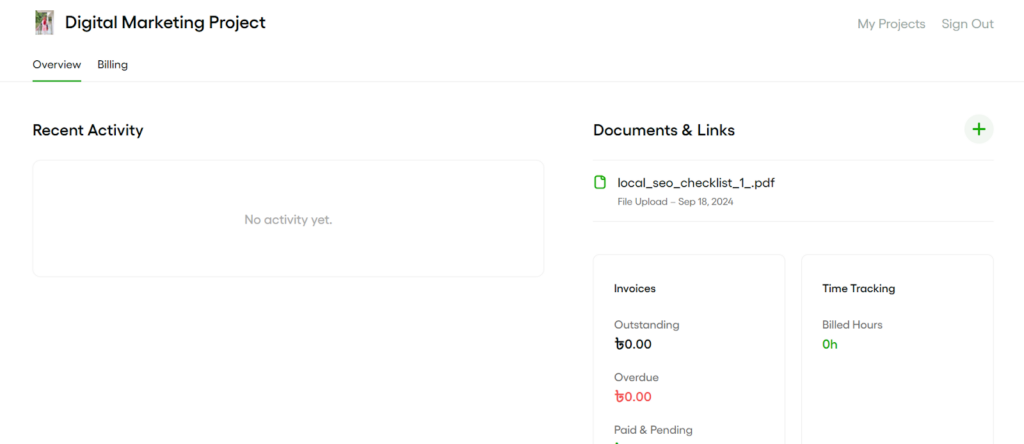
Hello Bonsai is the freelancer CRM that combines client management with tax tracking and expense management. Popular with US-based freelancers who need quarterly tax estimates and profit/loss reports. Simple, affordable, but limited for teams. Good contracts library (legal-vetted templates). Better for solos than agencies.
Key Features
- Workflow Automation for automating repeated tasks
- Basic but functional client portal to access contracts, invoices, and forms
- Automated lead management,
- Smart Forms with conditional logic and basic features
- Time and task tracking
- Scheduling for booking management
Pricing
- Basic: $15/user/month
- Essentials: $25/user/month
- Premium: $39/user/month
- Elite: $59/user/month
Pros & Cons
|
✅ Pros |
❌ Cons |
|
Tracks expenses to estimate taxes and costs |
Advanced features require higher-tier plans |
|
Clean, user-friendly interface |
Cost may be high for some freelancers/small teams |
|
Automated workflows save time |
Reports of occasional slow navigation/glitches |
|
Professional proposals/contracts with e-signature |
|
User Feedback
✌️ Honestly, for the price I’m paying, the product is solid. I’ve had my gripes with their support team and some of the UI changes they’ve made over the past year, but overall, they’re addressing a critical business function that’s remained affordable even as my team has expanded.
–Braden E.
👎The “jack of all trades, master of none” figure of speech applies to Bonsai’s feature sets sometimes. It might be a thing that is missing or a feature that exsists, but doesn’t quite do what I want it to do for a particular need.
– Scott R.
8. Moxie CRM
Best For: Freelancers (web designers, coaches) wanting simplicity
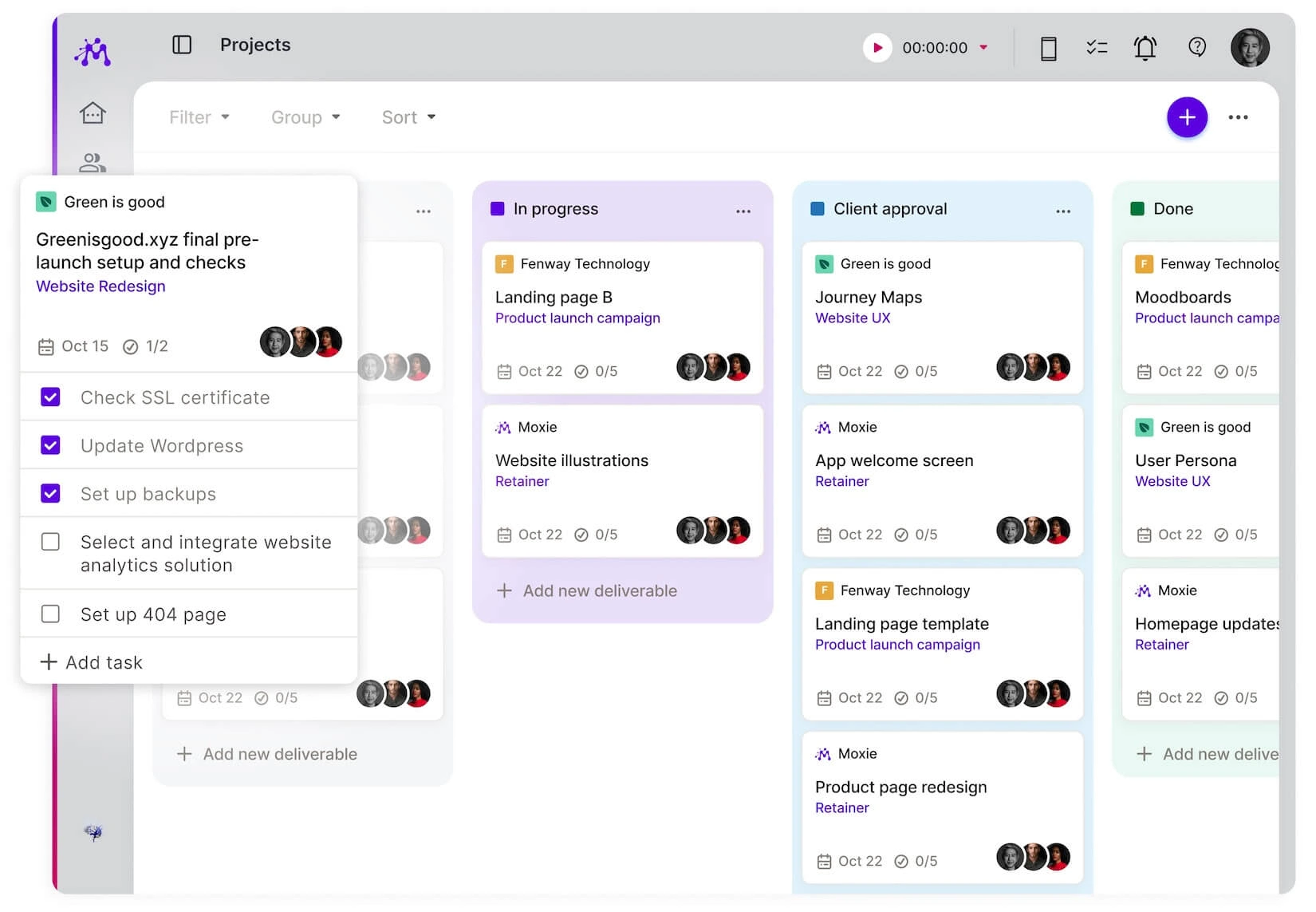
Moxie is the project-based CRM built for freelancers and solopreneurs. Originally designed for designers/copywriters/VAs,It offers tools for client management, project and task tracking, invoicing, time tracking, and customizable client portals to streamline every stage of your workflow.
Key Features
- Customizable, branded client portals
- Task and project management
- Time tracking for accurate billing
- Invoicing and integrated payment processing
- Proposals and contracts (e-signature support)
- Expense tracking, custom forms, and meeting scheduler
- AI assistant to streamline tasks
Pricing:
- Starter: $12/mo
- Pro: $25/mo
- Teams: $40/mo
[ It also provides a 14-day free trial. ]
Pros and Cons
|
✅ Pros |
❌ Cons |
|
Affordable pricing for core tools |
Limited scalability (best for small teams) |
|
Customizable, white-labeled client portals |
Some onboarding and interface limitations |
|
Built-in time tracking and automation |
Occasional bugs and usability hurdles |
|
Responsive customer support |
Certain premium features cost extra |
User Feedback
✌️What I like best about Moxie?! 100% the support, the ongoing roadmap, and the communication from the Moxie team. I also love that I can manage my pipeline, agreements, clients/contacts, phone calls, texts, and projects all in one please.
–Jackie B.
👎There are few areas where Moxie falls short;
1. The UI could be more modern and easier to navigate.
2. The project management feature is clunky and frustrating to use at times.
3. There is no package feature as of yet, where you can sell a number of meetings in one scheduler.
–Scott R.
9. Moxo
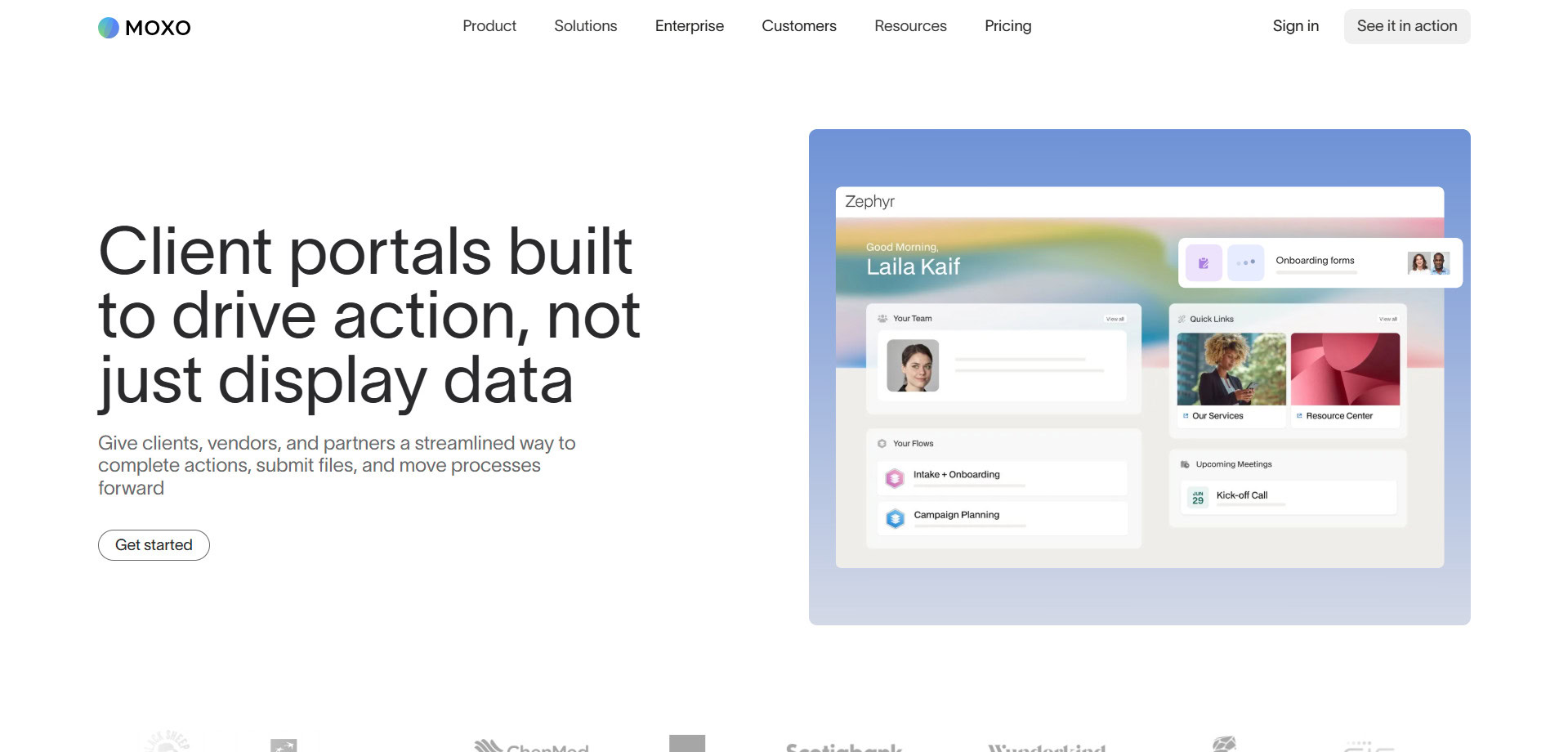
Moxo is the enterprise-grade service orchestration platform designed for B2B relationships in regulated industries (banking, legal, consulting, insurance). It’s built for structured workflows, compliance (SOC 2, GDPR), and complex onboarding processes. But overkill for small agencies; designed for large firms managing hundreds of clients with strict security Requirements.
Best For: Enterprise professional services (finance, legal) needing compliance
Key Features
- Workflow builder (with templates)
- E-signatures and configurable forms
- Task management with milestones
- Meeting scheduler
- Advanced integrations, automation, and logic
- Audit trails for compliance and tracking
Pricing:
Though there are three plans :Business, Business Pro, and Enterprise. But they don’t have any specific pricing displayed in their pricing page.
Pros and Cons
|
✅ Pros |
❌ Cons |
|
Customizable, brandable client portals |
No transparent, published pricing |
|
Secure platforms for collaboration |
Potentially complex for smaller teams |
|
Advanced automation and workflow builder |
Steeper learning curve for setup |
|
Strong integrations and compliance features |
Add-on fees for white-label apps/features |
User Feedback
✌️Moxo has been a game-changer for our team’s onboarding process. Before we implemented it, we had to rely on a number of manual steps and scattered tools to get new partners onboarded, which was both time-consuming and prone to bottlenecks.
–Matt H.
👎 Moxo is designed to handle problems for large enterprises, making it costs inefficient for small companies. We struggle to integrate the tool with multiple third parties tools
–Mikes L.
Your Next Steps: Choosing the Right CRM with Client Portal
The right CRM with a client portal isn’t about having the most features. It’s about solving your actual workflow problems without creating new ones.
Most agencies face the same core issue: scattered tools that don’t talk to each other. Your CRM doesn’t know what’s in your project manager. Your invoicing tool has no idea what you promised in the proposal. Your client portal is just a fancy Google Drive folder with a login screen.
OneSuite solves this by design, not by integration.
When your sales team converts a lead, OneSuite automatically creates the client portal, migrates all CRM data, and opens a project workspace. No manual copying. No scattered updates.
The white-label branding means clients see your professionalism, not a patchwork of third-party tools. At $29/month for 5 users, you replace what most agencies pay $250+/month to cobble together.
But OneSuite isn’t perfect for everyone.
Choose Assembly if compliance is non-negotiable. HIPAA and SOC 2 Type II certifications matter in healthcare and legal. Assembly’s $39/month delivers enterprise-ready security with an AI Assistant that actually saves time on admin work.
Pick Plutio if you bill hourly. OneSuite lacks native time tracking. Plutio’s $19/month plan includes built-in time tracking with solid flexibility, though you’ll occasionally encounter bugs.
Consider Dubsado if you’re a solo creative who loves automation. Photographers and designers love Dubsado’s workflow triggers at $20/month. The automation depth is unmatched, but setup takes weeks, and it doesn’t scale for teams.
Go with Service Provider Pro if you sell productized services at volume. Processing 50+ recurring SEO packages or content subscriptions monthly? SPP’s $129/month (or $299 for white-label) pays for itself with specialized order forms and subscription billing.
Try HelloBonsai if tax tracking matters more than project management. US-based freelancers who need quarterly tax estimates and expense categorization will appreciate Bonsai’s accounting focus at $25/month.
Skip SuiteDash and Moxo for agencies. SuiteDash requires weeks of setup due to dated UI and slow performance. Moxo hides pricing and targets enterprises with 500+ clients.
For 80% of service agencies managing 10-100 clients with project-based work, OneSuite wins on price, speed, and client adoption. It’s laser-focused on the agency workflow: Lead to Proposal to Project to Invoice to Upsell. That focus means fewer unused features and more polish on what you need daily.
The worst decision is staying in tool chaos because you’re overwhelmed by options. Pick one, test it. If it doesn’t suit you pivot.
FAQs
How much does a CRM with a client portal cost?
Pricing ranges from $29/month (OneSuite for 5 users) to $300+/month for enterprise tools. Budget options like OneSuite and Plutio cost $29-39/month with full features. Mid-range tools like Assembly run $39-149/month. Enterprise platforms like Service Provider Pro start at $129/month and can exceed $1,500/month.
Can I white-label the client portal with my branding?
Most platforms offer white-labeling, but check what’s included. OneSuite provides full white-labeling at $29/month (custom domain, your logo, your colors). Service Provider Pro requires the $299/month plan for white-label. Some tools only swap logos while keeping vendor domains visible.
Does OneSuite include e-signatures and invoicing?
Yes, OneSuite includes native e-signatures, invoicing with Stripe/PayPal/Razorpay integration, proposal builder, and contract management at $29/month. No add-ons or third-party tools needed. Clients can sign contracts and pay invoices directly in the portal.
Which CRM with a client portal is best for small agencies?
OneSuite is best for agencies with 5-50 team members at $29/month for 5 users. It replaces CRM, project management, invoicing, e-signatures, and a portal in one platform. Assembly ($39/month) works if you need HIPAA compliance. Plutio ($39/month) suits hourly billing with time tracking.
Why is OneSuite cheaper than competitors?
OneSuite focuses only on service agencies and eliminates features most never use (advanced marketing automation, enterprise forecasting). This focused approach keeps costs low. At $29/month, it replaces $250+/month in scattered tools (CRM + project management + invoicing + portal + e-signatures).
Find a Better Way to Grow
OneSuite streamlines projects, clients, and payments in one place, making growth hassle-free.