
7 Best CRM with Time Tracking in 2026: Native vs. Integrated

June 9, 2026
It’s Friday evening. You’re still hunched over three browser tabs, trying to figure out which client owes you for which project, how many hours your designer logged, and why your CRM says the deal closed last month, but your invoicing tool has no record of it.
For most agencies and freelancers in 2026, this is not a foreign concept. CRM in one tab, timer in another, invoicing in a third. The data resides in three databases that don’t communicate with each other, and money leaks through the gaps.
TMetric’s 2025 benchmark report found that 47% of firms lose up to $500,000 a year to untracked billable hours, with manual time entry capturing only about 68% of actual billable work versus 91%+ for automated tracking.
A CRM with built-in time tracking fixes most of this. One database. One login. Time entries that flow straight into invoices, attached to the client, attached to the deal that started it all.
This post ranks the 8 best CRM platforms with time tracking in 2026: six with native tracking, two that work with integrated trackers like Toggl or Everhour. We’ll explain when each approach wins and end with a decision tree.
Native vs. Integrated Time Tracking: Which Is Right for You?
Of the 8 CRMs here, 6 have native time tracking (timer, timesheet, and billable-hour logic live inside the CRM). The other 2, HubSpot and Pipedrive, connect to dedicated trackers like Toggl, Everhour, or TMetric through their marketplaces.
Native wins on three things: your data lives in one place, the time-to-invoice path is one click, and you only pay one bill.
Integrated wins on two: dedicated trackers like Toggl are usually more powerful (better reporting, better mobile apps), and if your sales team lives in HubSpot or Pipedrive and won’t switch, you can keep them happy without forcing a CRM migration.
How We Ranked These CRMs
We scored each tool on six things that matter to agencies and freelancers: native time tracking depth, CRM and pipeline strength, invoicing workflow, value for money, agency or freelance fit, and learning curve. Native time tracking and the time-to-invoice flow carried the most weight, because that’s where most teams face issues, along with a learning curve.
Quick Comparison: All 8 CRMs at a Glance
1. OneSuite – Best All-in-One for Service Agencies
OneSuite is built for people who actually run service businesses: agencies, consultancies, and growing freelancer-to-team operations who got tired of stitching five tools together to manage one client relationship.
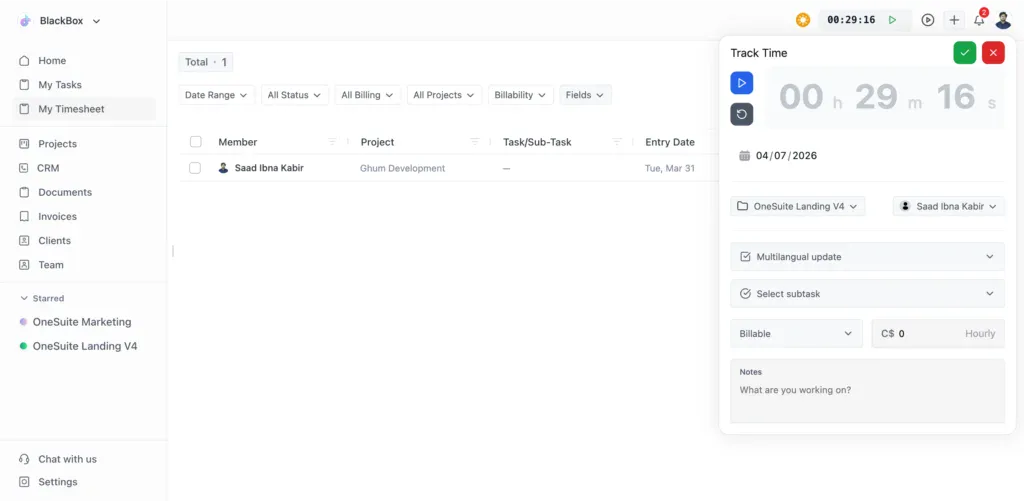
When you log an hour in OneSuite, it links to the project, which links to the client, which links to the deal, and at month’s end, it flows into a branded invoice the client can pay through a portal with your logo. No exports. No Zapier.
Key Features
- Lead pipeline with visual Kanban, opportunity tracking, and one-click lead-to-client conversion
- Native time tracking with billable/non-billable toggle and direct invoice generation
- Branded client portal with eIDAS-compliant eSignatures, approvals, and integrated payments
- Multi-gateway invoicing (Stripe, PayPal, RazorPay, QuickPay).
Pricing
- Freelancer: $29/mo, 5 members, 3,000 leads, 10GB storage
- Solopreneur: $59/mo (most popular), 12 members, 10,000 leads, 30GB storage
- Growing Agency: $149/mo, 35 members, unlimited leads, 60GB storage
- Enterprise: Custom, self-hosted zero-trust option
Pros
Cons
2. HubSpot CRM – Best Free Starting Point
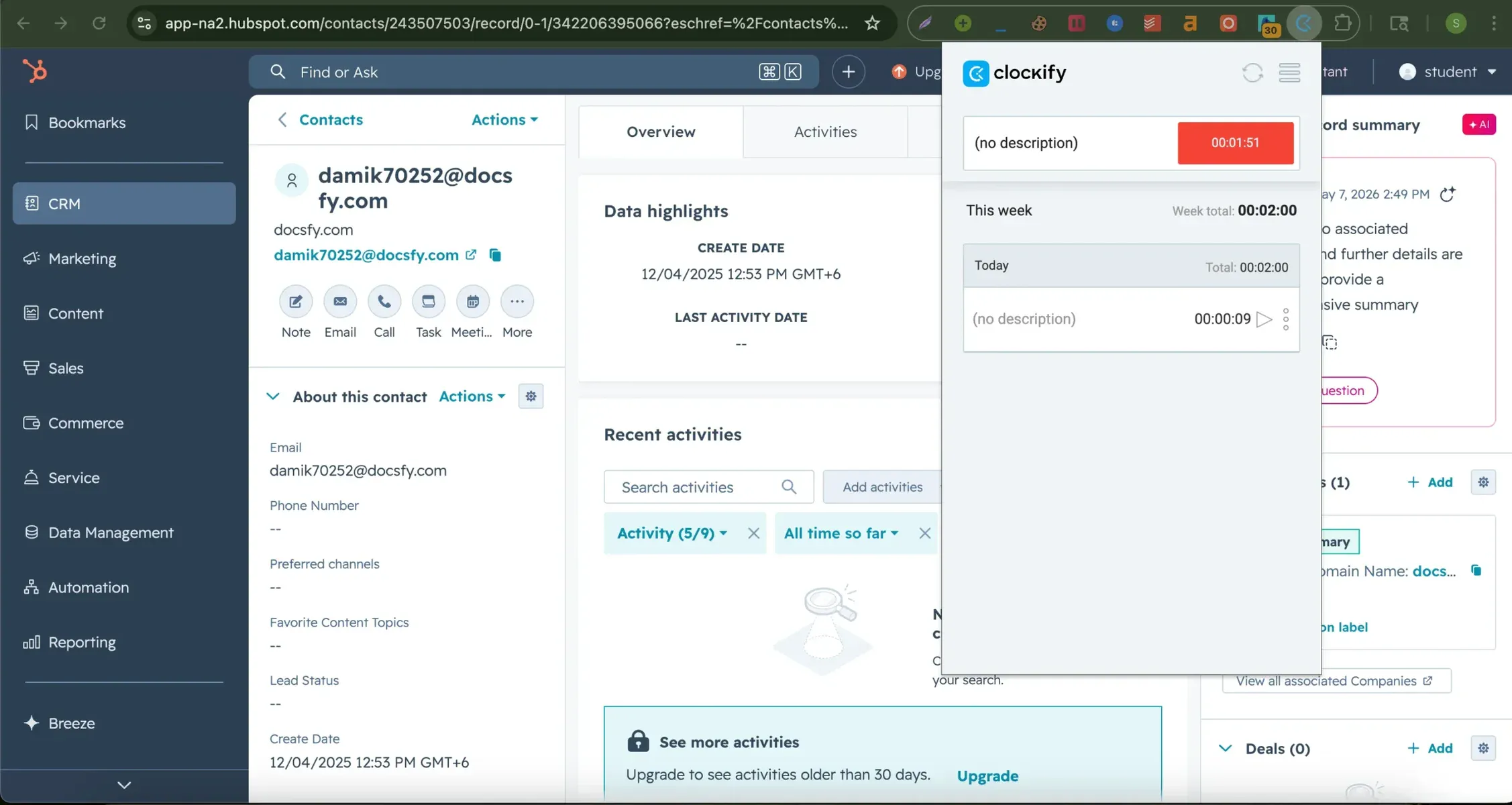
HubSpot CRM is the most generous free CRM on the market: unlimited contacts, deal tracking, email templates, and basic reporting at zero cost forever. To bill hours, you connect Toggl Track, Everhour, or Clockify through HubSpot’s marketplace. The integrations work cleanly, but they’re a separate product, separate login, and separate bill.
Key Features
- Free tier with unlimited contacts and deal tracking
- Email templates, sequences, and meeting scheduler built in
- Marketing automation, lead scoring, and forecasting on Professional+
- 1,500+ app marketplace, including all major time trackers
- AI-powered “Breeze” assistant for content and lead research
Pricing
- Free: $0 – 2 seats
- Sales Hub Starter: $20/seat/mo
- Sales Hub Professional: $100/seat/mo (plus $1,500 onboarding)
- Sales Hub Enterprise: $150/seat/mo (plus $3,500 onboarding)
- Time tracking add-on: Everhour or Toggl Premium from ~$10/seat/mo
Pros
Cons
3. Bonsai – Best for Freelancers Who Bill Hourly
Bonsai was built freelancer-first. Native time tracking lives next to proposals, contracts, e-signatures, and invoices: the four things a freelancer actually does in a day. Pre-built contracts, scope-of-work proposals, and a clean client portal mean you can go from “got the lead” to “got paid” without leaving the tool.
Key Features
- Native one-click time tracking on every plan
- Built-in contracts and proposals with e-signature
- Lightweight CRM with client profiles and pipeline view
- Recurring invoicing with multiple payment gateways
Pricing
- Basic: $15/user/mo
- Essentials: $25/user/mo
- Premium: $39/user/mo
- Elite: $59/user/mo (3-user minimum on team plans)
Pros
Cons
4. Pipedrive – Best for Sales-First Teams
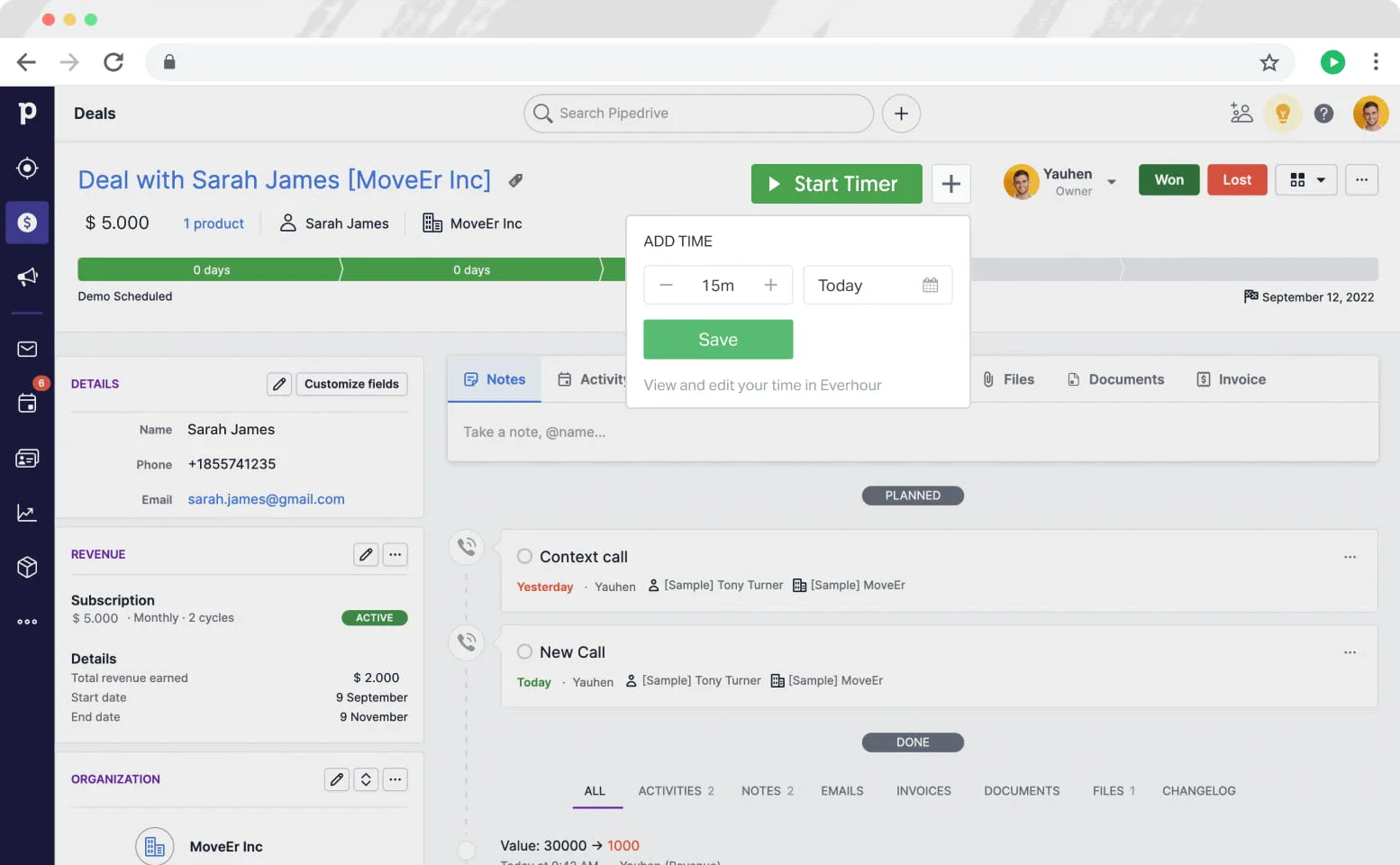
Pipedrive is what salespeople ask for when they hate their current CRM. The visual pipeline, drag-and-drop deal stages, and minimalist UI make it the rare CRM that sales reps actually open every day. Connect Everhour or TMetric, and you get billable-hour tracking attached to deals, but again, you’re paying for two tools and managing two logins.
Key Features
- Visual drag-and-drop sales pipeline (the original “Kanban for sales”)
- Email sync, automation rules, and AI-assisted deal nudges
- Lead scoring, web visitor tracking, chatbot (paid add-ons)
- Call tracking and click-to-dial
- Hundreds of integrations, including time trackers
Pricing
- Lite: ~$24/user/mo
- Growth: ~$49/user/mo
- Premium: ~$79/user/mo
- Ultimate: ~$99/user/mo
- Add Everhour: ~$10/user/mo
Pros
Cons
5. Zoho CRM – Best for Growing Teams on a Budget
Zoho CRM is the value play. You get most of what HubSpot offers (pipeline management, automation, AI, multi-channel outreach) at roughly half the per-seat price. The catch is that time tracking lives in a separate Zoho product (Zoho Projects), so you’re either paying for the bundle or buying both. Zoho’s depth at this price is unmatched, though the flexibility comes with a steeper learning curve than Pipedrive or HubSpot.
Key Features
- Sales force automation, multi-pipeline support, and territory management
- Zia AI assistant for lead scoring, anomaly detection, and workflow suggestions
- Customer journey orchestration and signals tracking (email opens, page views)
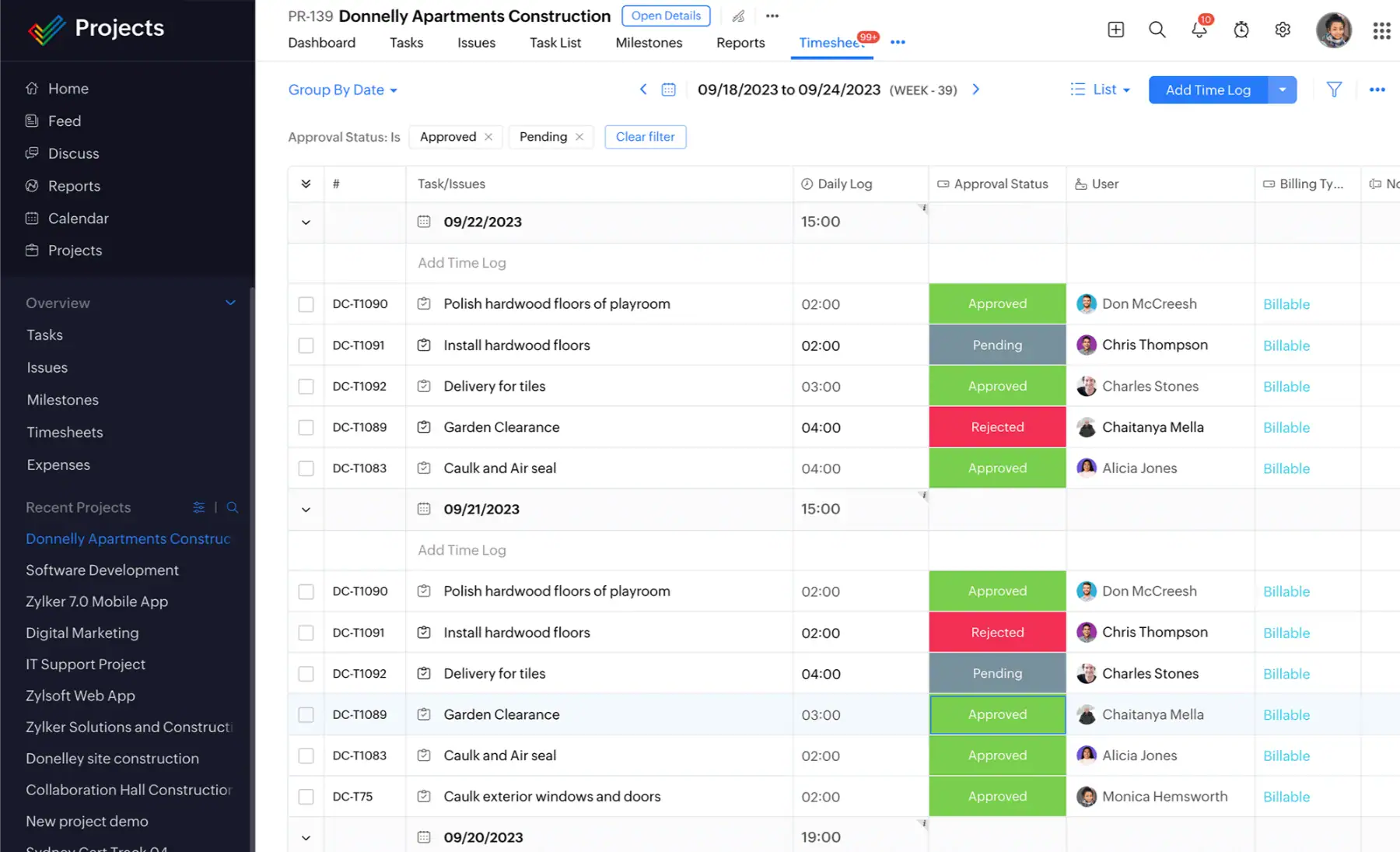
- Time tracking via Zoho Projects (separate product, ~$5 to $10/user/mo)
- Tight integration with the broader Zoho ecosystem (Books, Desk, Campaigns)
Pricing
- Standard: $20/user/mo
- Professional: $30/user/mo
- Enterprise: $50/user/mo
- Ultimate: $65/user/mo
- Zoho Projects (for time tracking): from ~$5/user/mo
Pros
Cons
6. Flowlu – Best Free Tier with Real-Time Tracking
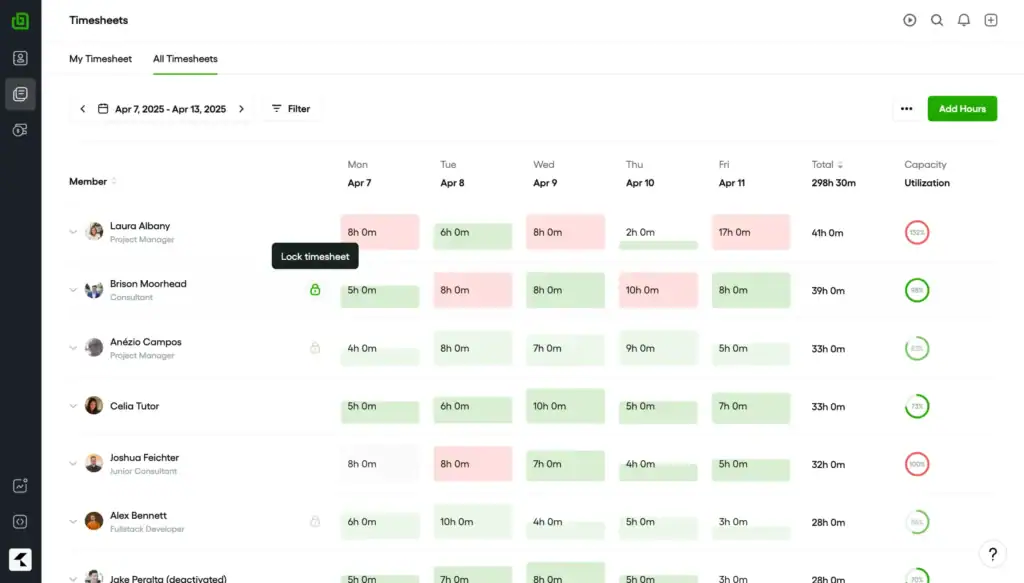
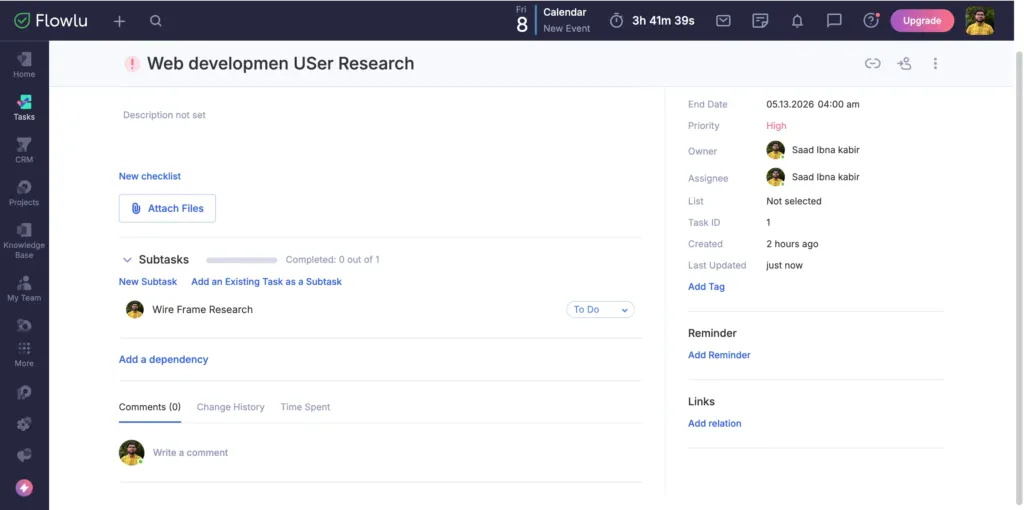
Flowlu is the quiet overachiever. The free tier covers two users with a real CRM, native time tracking, project management, and invoicing: features competitors gate behind paid plans. Paid tiers add billable hours, planned-vs-logged analysis, and custom rates per user.
Key Features
- Free tier for 2 users with full CRM, time tracking, and invoicing
- Multiple sales pipelines with custom stages
- Native task timer; billable hours and rate management on Advanced+
- Gantt charts, agile sprints, and project workspaces
Pricing
- Free: $0, 2 users, basic features
- Essential: $12/user/mo, adds task timer
- Advanced: $22/user/mo, adds billable hours and rates
- Ultimate: Custom pricing
Pros
Cons
7. Plutio – Best for Solo Operators & Tiny Agencies
Plutio takes the Bonsai approach (bundle everything a solo operator needs in one tool) but goes further on customization. White-label, custom-branded portals, AI workflow automation. The flat $19/month solo tier is the appeal: no per-user math, no surprise fees as you scale.
Key Features
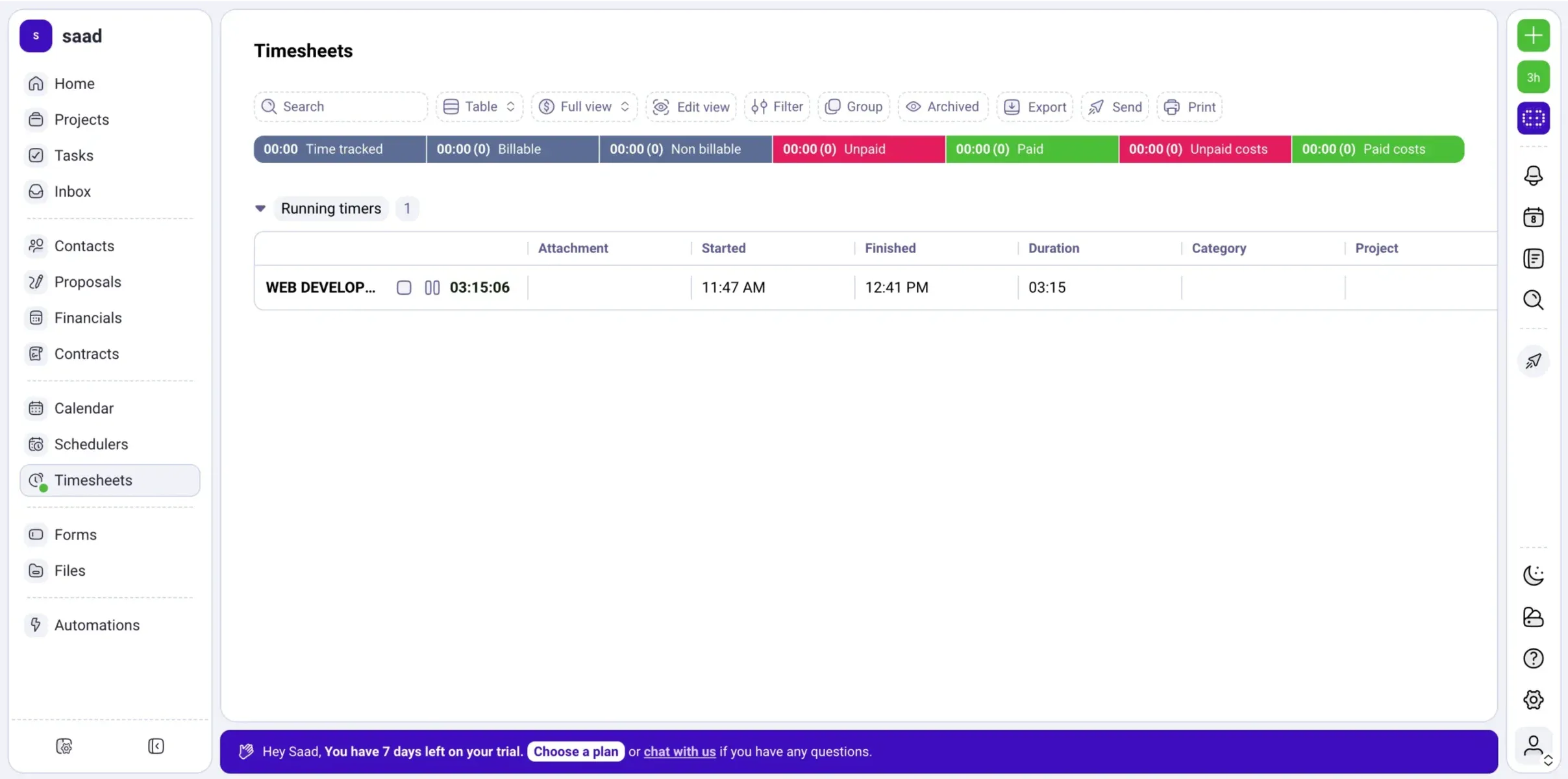
- Native one-click time tracking with billable toggle and weekly timesheets
- Unlimited projects, invoices, contracts, and proposals on every tier
- Built-in scheduler (Calendly-style) on all plans
- Workflow automation and AI credits per tier
Pricing
- Core: $19/mo, solo operator, up to 9 active clients
- Pro: $49/mo, unlimited clients, 30 contributors included
- Max: $199/mo, unlimited contributors, full white-label
Pros
Cons
Why Automated Time Tracking Beats Manual Entry
The ROI gap between manual time entry and automated timer-based tracking is wider than most teams realize.
| Tracking Method | Billable Hours Captured | Annual Revenue Impact (10-person agency) |
|---|---|---|
| Manual time entry (end-of-week recall) | ~68% | Baseline |
| Automated timer + native tracker | 91%+ | +$80,000 to +$150,000 estimated |
Source: TMetric Marketing Agency Profitability Benchmarks, 2025
The reason is well-documented in research. People overestimate time-on-task by about 45% when recalling it later, and they underestimate small interruptions that add up to hours per week. Timers don’t have this problem.
How to Choose the Right CRM with Time Tracking
Skip the analysis paralysis. Here’s a decision tree by scenario:
- Solo freelancer who bills hourly: Bonsai (templates) or Plutio (flat $19 pricing)
- 5 to 15-person agency that needs a client portal: OneSuite (flat-rate, all-in-one, portal included)
- Sales team that won’t use anything but Pipedrive: Pipedrive + Everhour
- 30+ person professional services firm with retainers: Scoro
- Growing fast and price-sensitive: Flowlu Free or Zoho CRM
- Already on HubSpot for marketing automation: HubSpot + Toggl
Two things to remember as you evaluate:
Run the math, not just the per-user price. A $20/user/month tool for 10 people is $200/month, the same as a $59/month flat-rate plan with 12 seats. The cheap-looking tool isn’t always cheaper. Test the time-to-invoice flow first. If you can’t get from “logged 4.5 hours” to “client received invoice” in fewer than three clicks like onesuite does, the tool will leak revenue.
The best CRM with time tracking for your business in 2026 depends on one question: do your sales and delivery teams work in the same tool, or different ones?
If the same humans handle leads and project work, go native. OneSuite wins for service agencies because flat-rate pricing scales without per-seat penalty. Bonsai and Plutio are picks for solo operators. Onesuite also wins on price. Scoro wins for mid-market firms with serious resourcing needs.
Frequently Asked Questions
What’s the difference between a CRM with time tracking and a project management tool with time tracking?
A CRM tracks the relationship (leads, deals, contacts, pipeline stages) and adds time tracking so billable hours attach to the right client. Project management software tracks the work (tasks, deadlines, deliverables) and adds time tracking for the same reason. Tools like OneSuite and Scoro increasingly do both.
Can I use HubSpot or Pipedrive without paying for a separate time tracker?
Technically yes, but you’ll be back to manual logging in a spreadsheet, which TMetric’s 2025 data shows captures only 68% of billable hours versus 91%+ for automated tracking. For most agencies, the cost of skipping the integration outweighs the savings.
Do I really need separate tools for CRM, time tracking, and invoicing?
No, and that’s the entire premise of this list. Tools like OneSuite, Bonsai, Plutio, Flowlu, and Scoro combine all three natively. The only reason to use separate tools is if your sales team is already locked into HubSpot or Pipedrive and won’t switch.
How accurate is timer-based time tracking versus manual entry?
Timer-based tracking captures roughly 91%+ of billable hours, while manual end-of-week recall captures only ~68%, according to TMetric’s 2025 benchmark. Research published in PLOS ONE also shows people overestimate time-on-task by about 45% when recalling it. Timers eliminate that drift.
Start exploring OneSuite today
No credit card is required