
7 Best ClickUp Alternatives in 2026 (Compared by Price, Features & Use Case)

September 8, 2026
Two years ago, I signed up for ClickUp. And honestly? It was amazing. Everything just fell into the right place. Tasks, docs, timelines, all of it in one tab. I remember telling a friend, “This is the best tool for managing my projects.”
Fast forward to today, and it’s a different story. Features kept stacking up. What started as “everything in one place” turned into “everything, everywhere, all at once” in a bad way.
So I put together this list. Seven alternatives to ClickUp that do what it does, some of them better depending on what you need.
Why Teams Look for a ClickUp Alternative
Before we get into the list, let’s be honest about what’s actually pushing people out the door. ClickUp isn’t a bad tool, it’s one of the most feature-complete platforms out there.
But that completeness is exactly the problem for a lot of teams. Somewhere between the automations, the custom fields, and the dozen different view types, the thing that was supposed to make work simpler starts adding friction of its own.
- The UI gets overwhelming. New hires need real onboarding time just to find where things live. What should take a five-minute walkthrough turns into a half-day of “wait, where’s that setting again?”
- Pricing scales awkwardly. What looks cheap at 5 users gets expensive fast once you add the features your team actually needs, and per-seat costs stack up quicker than most people budget for.
- No real client-facing tools. ClickUp was built for internal team management, not for sharing progress with clients. If you’re an agency or freelancer, you end up bolting on a separate CRM and invoicing tool anyway, which defeats the “one tool for everything” pitch that got you to sign up in the first place.
- Performance drops as your workspace grows. Custom fields, automations, and dashboards all add up, and the app starts to lag, especially noticeable once a workspace has been active for a year or more.
- Notifications become noise. With that many features running at once, alerts pile up fast, and teams either end up muting everything or missing the updates that actually matter.
- Support gets slower as you scale. Free and lower-tier plans report longer response times, which stings most exactly when a workflow breaks and you need an answer quickly.
Keep these in mind as you read through the list. The “best” alternative isn’t the one with the most features. It’s the one that fixes the specific thing that’s bothering you, without introducing five new problems in exchange.
The Best ClickUp Alternatives Compared
Below is a side-by-side comparison of the best ClickUp alternatives 2026 has to offer, highlighting their typical use case, availability of a free trial, and starting price (including seat minimums where they apply).
| Solution | Use Case | Free Trial? | Starting Price |
|---|---|---|---|
| OneSuite | Client work: projects, invoicing, and CRM in one place | Yes (14-day, no card) | From $9/user/month |
| SmartSuite | No-code database-driven project and ops management | Yes (14-day, no card) | From $15/user/month (3 seats minimum) |
| Scoro | Billing, budgeting, and profitability tracking for agencies | Yes (14-day, no card) | From $23.90/user/month (5 seats minimum) |
| Teamwork | Client-facing project delivery for agencies | Yes (30-day, free plan available) | From $10.99/user/month (no minimum) |
| Asana | Task and goal management for teams | Yes (free plan available) | From $10.99/user/month (no minimum) |
| Monday.com | Visual project tracking | Yes (free plan for 2 seats) | From $9/user/month (3 seats minimum) |
| Celoxis | Enterprise portfolio and resource management | Yes (14-day, no card, no free plan) | From $10/user/month (5 seats minimum, prepaid annually) |
Now let’s break each one down.
The 7 Best ClickUp Alternatives in 2026
We compared the top ClickUp alternatives based on features, pricing, flexibility, and best use cases to help you find the right platform for your team.
From all-in-one business management tools to focused project management solutions, these options offer different approaches for managing projects, clients, workflows, and collaboration.
1. OneSuite
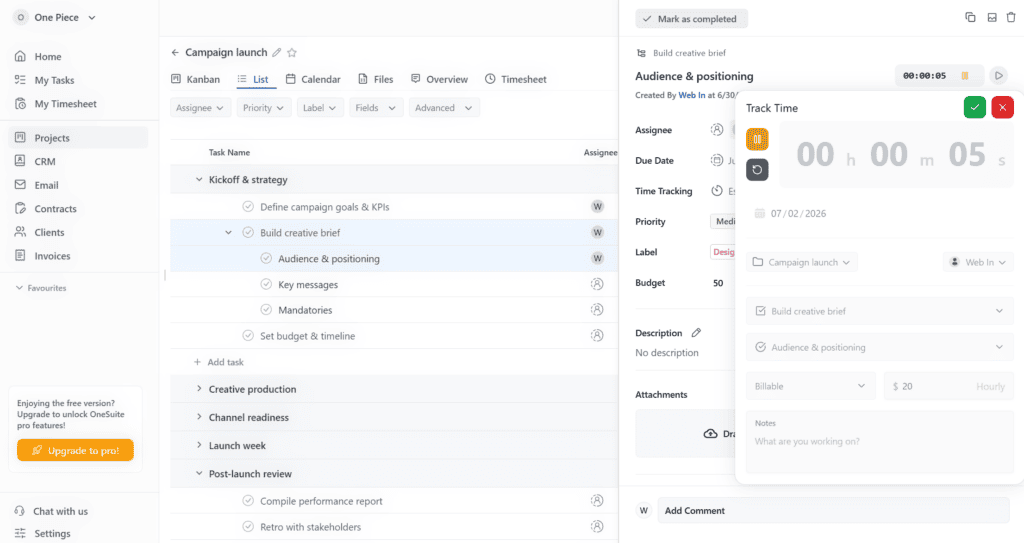
OneSuite closes a gap most project management tools leave wide open. It puts the client portal, invoicing, and CRM inside every single plan from day one, no add-on to unlock, no higher tier to reach for basic billing. For freelancers and small agencies that bill clients directly, that means one login instead of three.
Most tools on this list stop at tasks and docs. The moment you need to bill a client, share progress with them, or track them as a lead before they’re even a client, you’re bolting on a separate CRM and a separate invoicing tool, and now you’re paying for three subscriptions to run one workflow. OneSuite was built specifically to close that gap.
Full disclosure, this one’s ours, so it’s worth being upfront about who it isn’t for too: if your team is purely internal with no clients to bill or manage, half of what OneSuite offers goes unused.
Key Features
- Client portal for sharing progress and files without giving clients full workspace access
- Built-in invoicing, no need for a separate Stripe or QuickBooks setup for basic billing
- CRM to track leads and clients alongside active projects
- Time tracking tied directly to billing
Pros & Cons
Pricing
- Starting price: $9 per user/month
- Annual billing: $7 per user/month
- Free trial: 14 days with no credit card required
- Best value: All-in-one client management, projects, CRM, billing, and collaboration tools in one platform.
User Feedback:
“What I appreciate most is how the platform has reduced administrative overhead. By having everything in one place, our team spends less time switching between tools and more time focusing on delivering quality work to our clients.”
Luca P. – G2 Review
“Initially the individual project could not save files. That has been updated now.”
carlos c. – G2 Review
2. SmartSuite
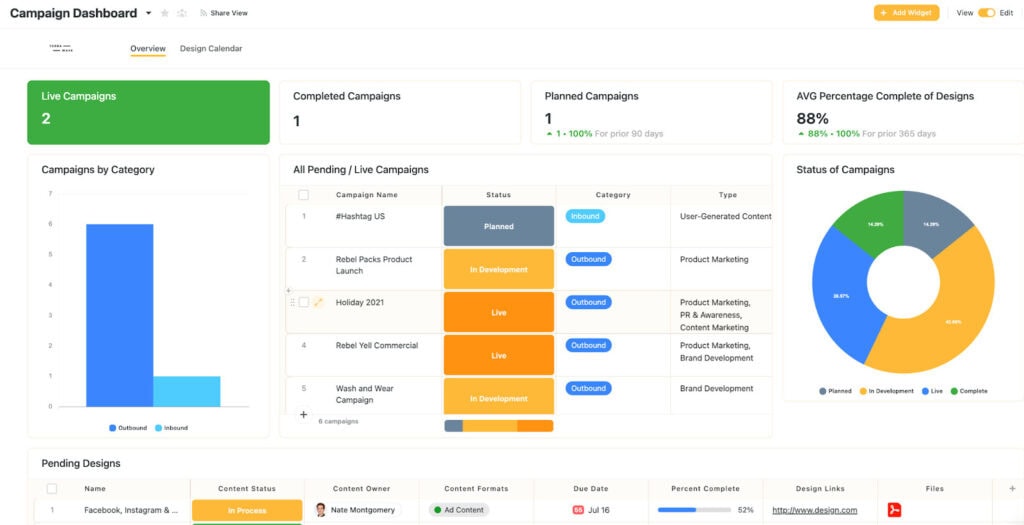
SmartSuite treats your work like a database you can actually shape, not a fixed list of tasks you’re forced to fit into. Clients, projects, and tasks all live as linked records that reference each other automatically, so nothing has to be re-typed or re-tagged across three different views.
Where SmartSuite gets you is the setup. That flexibility doesn’t come pre-built. You’re designing the data structure yourself, and a team that just wants to open the app and start assigning tasks will feel the learning curve before the payoff shows up.
For teams that already think in databases, ops, GRC, IT service delivery, or anyone replacing a messy spreadsheet system, that trade is worth it. For a team that wants simple task lists on day one, it’s more setup than they signed up for.
Key Features
- Fully customizable Solutions (SmartSuite’s term for workspaces) with 40+ field types
- Dashboards and reporting that pull from linked records across your whole workspace
- Native AI features for summarizing and generating content inside records
- 200+ pre-built workflow templates
Pros & Cons
Pricing
- Team Plan: $20/user/month, minimum 3 users, so $60/month. Annually it’s $15/user/month, $45/month.
- Professional Plan: $36/user/month, minimum 5 users, so $180/month. Annually it’s $32/user/month, $160/month.
- Enterprise Plan: No published rate. Contact sales.
Note: 14-day free trial, no credit card required.
User Feedback:
“It’s a snappier and smooth interface than Monday we migrated from, but not quite Asana-smooth either.”
Timothy D. – G2 Review
“It might be intimidating at first and not that easy to configure.”
Verified User in Education Management – G2 Review
3. Scoro
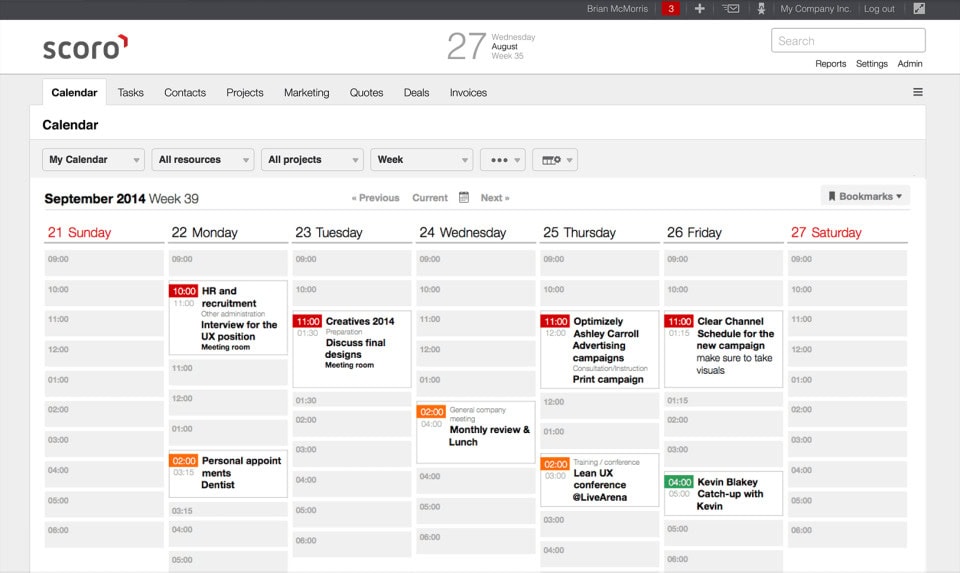
Scoro doesn’t pretend to be a general-purpose project tool with billing bolted on. It’s a billing and resourcing platform that happens to include project management, and the difference shows up in how hard it leans on profitability, not just task completion.
Where Scoro gets you is the door itself. Every single plan requires a minimum of 5 seats, so a 2-person consultancy pays for 5 licenses whether they use them or not, and the per-seat price at that floor is the steepest on this list.
For agencies and professional services firms where profitability per project matters as much as hitting deadlines, that cost is the trade for real financial visibility. For a solo freelancer or a 3-person shop, the seat minimum alone rules it out before the features even come into play.
Key Features
- Quotes, budgets, and invoices tied directly to project timelines
- Resource planning and utilization tracking across your whole team
- Real-time dashboards showing project profitability, not just task completion
- Native reporting for revenue forecasting
Pros & Cons
Pricing
- Essential Plan: $23.90/user/month, minimum 5 users, so $119.50/month. Annually it’s $19.90/user/month, $99.50/month.
- Standard Plan: $38.90/user/month, so $194.50/month at 5 users. Annually it’s $32.90/user/month, $164.50/month.
- Pro Plan: $59.90/user/month, so $299.50/month at 5 users. Annually it’s $49.90/user/month, $249.50/month.
Note: 14-day free trial, no credit card required.
User Feedback:
“We use Scoro to keep everything under one roof, giving clearer visibility across teams. It combines time tracking, project management, and billing, making us more effective as an agency.”
Heather E. – G2 Review
“Internal navigation, it’s hard to ‘go back’ to a previous screen, need to keep multiple tabs open to speed up work across multiple projects. A similar setup to having a root directory would be ideal, where you can click up one ‘folder level’”
Heidi H. – G2 Review
4. Teamwork
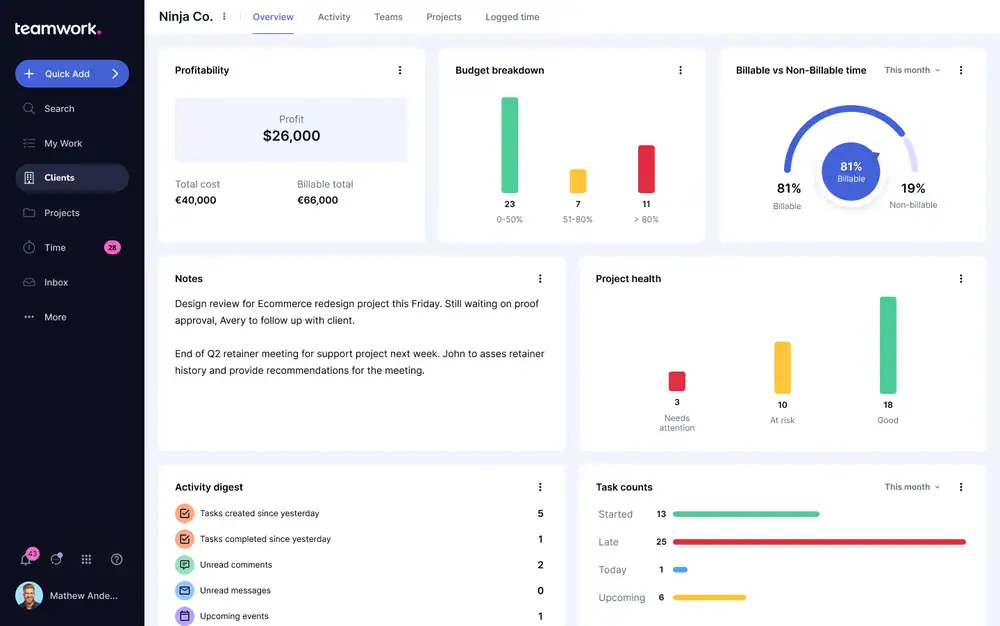
Teamwork doesn’t hide who it’s built for. Client-specific permissions, budget tracking, and billing are baked into the core product, so an agency delivering work for external clients doesn’t need to configure much before it fits how they already operate.
Where that focus costs you is everywhere else. Teamwork’s strongest features are all client-facing, which means an internal-only team ends up paying for a permission system and a billing setup they’ll never touch.
For marketing and creative agencies juggling multiple clients who need budget visibility without heavy setup, it’s one of the more direct ClickUp alternatives for agencies on this list. For a team with no external clients, that specialization becomes dead weight.
Key Features
- Client-specific permissions so you can share select projects without exposing your whole workspace
- Built-in time tracking tied to billing and invoicing
- Budget tracking so you can flag when a project is going over hours before it becomes a problem
- Free plan available for teams of up to 5 users
Pros & Cons
Pricing
- Free Plan: $0, capped at 5 users and 5 projects.
- Deliver Plan: $13.99/user/month, no minimum. At 5 users, $69.95/month. Annually it’s $10.99/user/month, $54.95/month.
- Grow Plan: $25.99/user/month. At 5 users, $129.95/month. Annually it’s $19.99/user/month, $99.95/month.
Note: 30-day free trial, no credit card required.
User Feedback:
“Teamwork feels like it was built for teams that work with clients, not just for moving tasks from one column to another. Time tracking, budgets, workload planning, and profitability are all part of the daily workflow instead of feeling like features that were bolted on later.”
Omar S. – G2 Review
“One limitation is that it does not fully support a complete product development lifecycle, particularly for teams following Agile methodologies. Features like sprint planning, user story management, and epic tracking are not as robust compared to dedicated Agile tools.”
Soumyajit B. – G2 Review
5. Asana
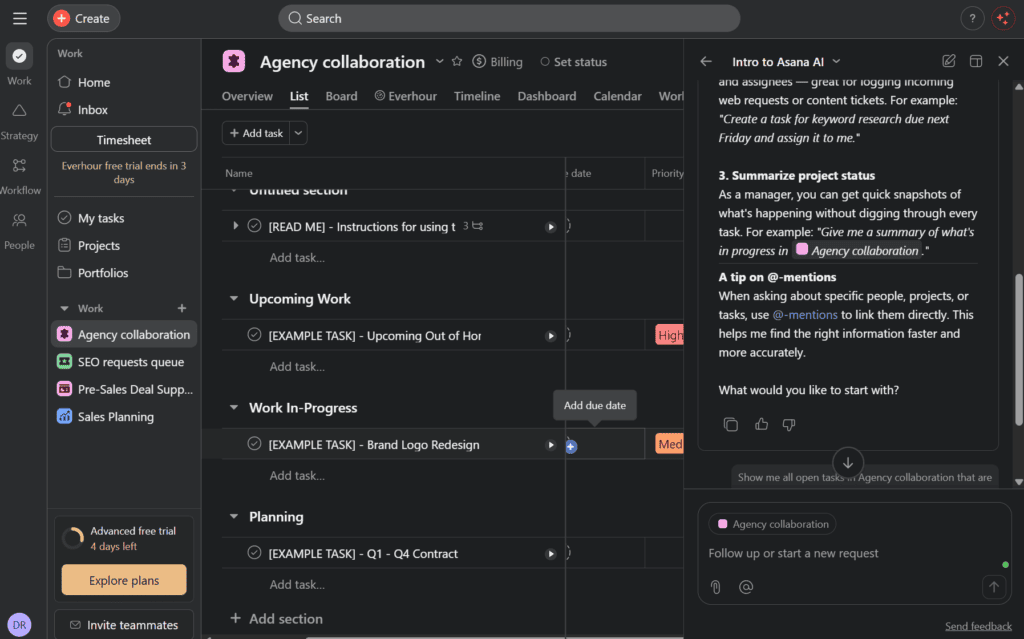
Asana is the name most people think of before they think of any other tool on this list, and that reputation is earned. It’s clean, fast, and doesn’t try to be everything at once, staying focused on task management, timelines, and cross-team alignment where ClickUp keeps piling on features.
Where Asana falls short is anything client-facing. There’s no built-in billing, no CRM, and no client portal, so an agency that bills clients directly will still need a separate tool for that half of the business.
For cross-functional teams that need structure and alignment across departments without a steep learning curve, Asana is hard to beat. For agencies needing client billing baked in, it’s only half the answer.
Key Features
- Goals and Portfolios to connect daily tasks to bigger strategic objectives
- Multiple views: list, board, timeline, and calendar
- Workflow Builder for setting up approval chains and automations without code
- Free plan available, capped at 2 users
Pros & Cons
Pricing
- Personal Plan: Free, capped at 2 users.
- Starter Plan: $13.49/user/month, minimum 2 seats. At 5 users, $67.45/month. Annually it’s $10.99/user/month, $54.95/month.
- Advanced Plan: $30.49/user/month. At 5 users, $152.45/month. Annually it’s $24.99/user/month, $124.95/month.
User Feedback:
“I love that you can customize your project so you can easily track progress and see which tasks are blocking others. The automations help a ton, too. Using forms to create structured data requests was a game-changer! The integration with Outlook allowing you to create a task directly from an email and to have the email body copied as comment = time-saver!”
Anne L. – G2 Review
“It’s too complicated for what it is. You shouldn’t need to go consult a YouTube video or dig through endless documentation just to figure out how to create a new tag, for example. It just needs to function more simply.”
Gabrielle Y. – G2 Review
6. Monday.com
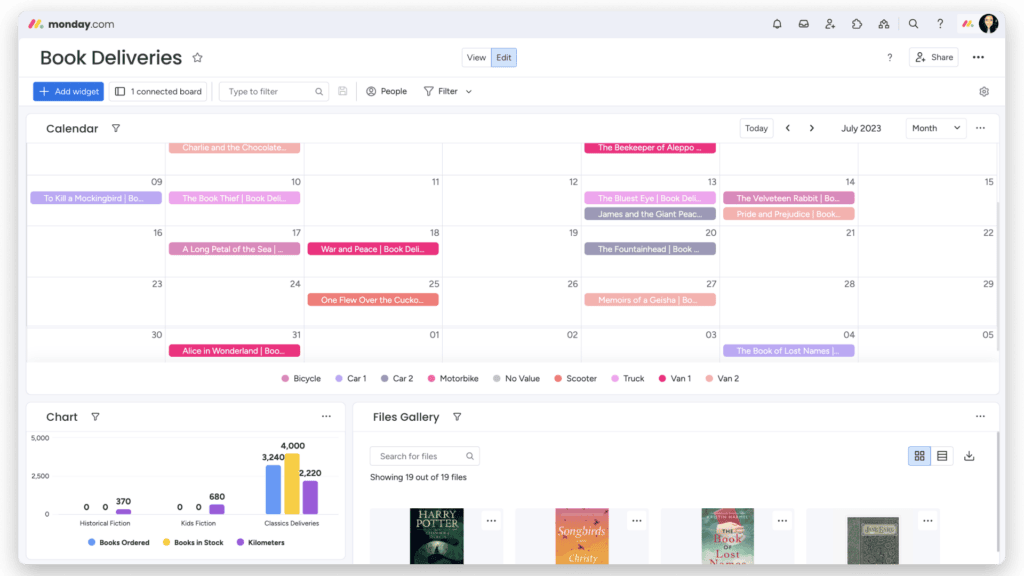
Monday.com bends to fit almost any workflow you throw at it. Boards can be reshaped for sales pipelines, editorial calendars, or sprint planning, and it’s one of the more approachable tools here for a team that isn’t deeply technical.
Where that flexibility runs out is structure. Push past visual boards into deep reporting or resource management, and Monday.com starts to feel thinner than tools built specifically around that need, and there’s no client billing or CRM baked in either.
For teams that want a highly visual, flexible workspace and don’t need billing or CRM features included, it’s an easy fit. For teams needing deep reporting or resource planning out of the box, that flexibility comes at the cost of some structure.
Key Features
- Highly customizable boards with 15+ view types (Gantt, Kanban, workload, calendar)
- 200+ integrations, including deep connections with Slack, Gmail, and Zoom
- Automation recipes you can build without any code
- Free plan for up to 2 seats
Pros & Cons
Pricing
- Free Plan: $0, capped at 2 seats.
- Basic Plan: $12/seat/month, minimum 3 seats, so $36/month. Annually it’s $9/seat/month, $27/month.
- Standard Plan: $14/seat/month, so $42/month at 3 seats. Annually it’s $12/seat/month, $36/month.
- Pro Plan: $24/seat/month, so $72/month at 3 seats. Annually it’s $19/seat/month, $57/month.
User Feedback:
“monday.com has become the central hub for managing marketing projects, campaigns, and cross-functional collaboration. What I like most is the flexibility. We can customise boards, workflows, automations, and dashboards to fit the way our team works rather than changing our processes to fit the software.”
Jenny E. – G2 Review
“The most consistent frustration our team has encountered with monday Work Management over our time using it at Alarm Masters is the learning curve tied to board structure and scalability. When we first implemented the platform, individual agents started creating their own boards organically for different task types — follow-up tracking, collections cases, account modification requests, escalation logs — and within a few weeks we had multiple boards doing almost the same thing with different status labels, different column structures, and no single place to see overall team progress.”
Diego Alejandro S. – G2 Review
7. Celoxis
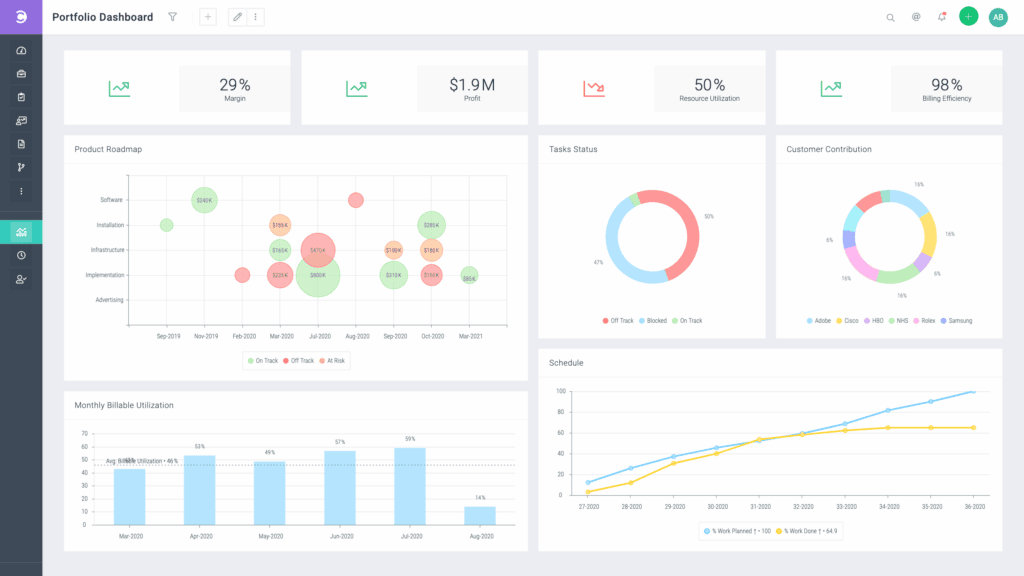
Celoxis is built for the kind of complexity most tools on this list don’t even attempt: multi-project portfolios with dependencies, resource leveling, and financial tracking all living in the same Gantt view.
Where that depth costs you is the entry price and structure. Every plan requires a minimum of 5 users, pricing is prepaid annually with no monthly option to fall back on, and the tier that actually includes billing and a client portal, Business, runs $225/month at that minimum before you’ve added a single client.
For mid-market and enterprise teams managing multiple complex projects at once, especially in engineering, construction, or IT services, that depth and cost are the trade. For a small team or startup, it’s more structure and expense than the work calls for.
Key Features
- Advanced Gantt charts with cross-project dependency tracking
- Resource management and workload leveling across teams
- Built-in financial tracking (budgets, costs, invoicing) tied to project timelines
- Client portal access for external stakeholders
Pros & Cons
Pricing
- Core Plan: $10/user/month, prepaid annually only, no monthly option. Minimum 5 Standard Users, so $50/month. Doesn’t support Team-Member or Timesheet seats.
- Essentials Plan: $25/user/month, prepaid annually. At the 5-user minimum, $125/month. Team-Member seats $18, Timesheet seats $12.
- Professional Plan: $35/user/month, prepaid annually. At the minimum, $175/month. Team-Member seats $24, Timesheet seats $12.
- Business Plan: $45/user/month, prepaid annually. At the minimum, $225/month. Includes billing and client portal. Team-Member seats $29, Timesheet seats $14.
- Enterprise Plan: No published rate. Contact sales.
14-day free trial, no credit card required, no free plan.
User Feedback:
“Before Celoxis, we struggled with a fragmented toolstack that caused major performance bottlenecks during our weekly reporting. But now, we can rely on Celoxis’s seamless integrations to pull all our cross-departmental data into one place without any platform lag. “
Shreyas N. – G2 Review
“What I dislike about Celoxis is that its extensive feature set can feel overwhelming during the initial setup. Since the platform includes deep customization and advanced project controls, new users may need extra time to get comfortable with the workflows, reporting options, and configuration settings before everything feels clear and fully usable.”
Shivam B. – G2 Review
How to Choose the Right ClickUp Alternative
With seven options on the table, here’s a quick cheat sheet on who each one actually fits:
SmartSuite if your work is genuinely relational, clients linked to projects linked to invoices, and you don’t mind a bit of setup time to get the database structure right.
Scoro if you’re a consultancy or agency where project profitability matters as much as task completion, and you’re fine with the 5-seat minimum that comes with it.
Teamwork if you’re a marketing or creative agency managing multiple clients and need budget visibility and client permissions without heavy setup.
Asana if you want clean, structured task management across departments without built-in billing or CRM, and your team fits under Asana’s per-seat pricing comfortably.
Monday.com if you want a highly visual, flexible workspace and don’t need client billing or CRM features baked in.
Celoxis if you’re managing complex, multi-project portfolios at a mid-market or enterprise scale, and the Business plan’s client portal and billing justify the higher entry cost.
Still Billing Clients Through a Separate Tool? Try OneSuite.
If you bill clients directly, you already know the drill: ClickUp for tasks, a separate CRM for leads, another app for invoices. OneSuite puts all three in one plan, flat pricing, no per-seat surprises, so growing your team doesn’t grow your bill the way it does with per-seat tools.
Don’t hesitate to make the switch, OneSuite offers free migration, so moving your existing projects, clients, and data over isn’t something you have to figure out alone. Start your 14-day free trial and see what one login instead of three actually feels like.
FAQs
What are the best ClickUp alternatives?
The best options depend on what you need. OneSuite and Teamwork suit client-facing agencies, Asana and Monday.com suit internal teams that want simplicity, SmartSuite suits ops-heavy teams, and Scoro and Celoxis suit larger organizations that need deep financial and resource tracking.
Is there a free ClickUp alternative?
Yes. Asana, Monday.com, and Teamwork all offer free plans for small teams. OneSuite, SmartSuite, Scoro, and Celoxis don’t have permanent free plans, but all offer 14-day (or 30-day, in Teamwork’s case) trials with no credit card required.
What’s the best ClickUp alternative for agencies or client work?
OneSuite and Teamwork are both built specifically around client-facing work, with client portals, permissions, and billing included. OneSuite goes a step further by including a CRM in every plan.
What’s the best ClickUp alternative for small teams?
Asana’s free plan, Monday.com’s low entry price, and OneSuite’s Freelancer plan are all built for teams under 10 people without heavy upfront cost.
Do any ClickUp alternatives include CRM or invoicing?
OneSuite includes both in every plan. Scoro includes billing and budgeting but not a dedicated CRM. Teamwork includes billing and client permissions, but no CRM.
Start exploring OneSuite today
No credit card is required