
8 Best Client Portals for Accountants in 2026

September 2, 2026
Accounting firms lose a lot of time chasing clients for documents, signatures, approvals, and payments. Email threads get messy. Files go missing. Clients forget what to send. Small tasks turn into daily follow-ups.
A client portal solves this problem by keeping everything in one secure place.
It gives clients a simple space to upload files, sign documents, check tasks, send messages, and make payments. For accountants, it keeps work organized from onboarding to offboarding.
After reviewing 20+ client portal tools, these 8 options stood out for accounting firms based on features, pricing, security, support, and real user feedback.
Key Features Every Accounting Client Portal Should Include
An exceptional accounting client portal is more than just a place for document sharing, it revolutionizes your firm’s client management and workflow.
After analyzing the needs of accounting firms and their clients, it’s clear that the following features are critical in driving efficiency, collaboration, and a seamless experience from onboarding to offboarding:
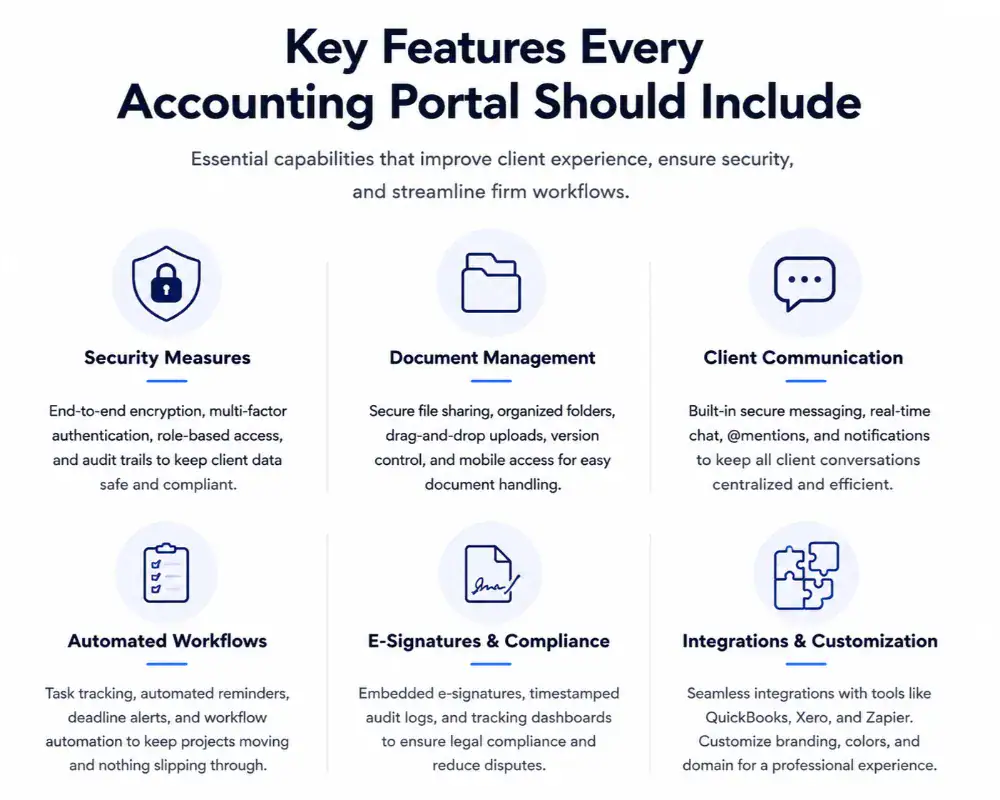
Strong Security — Protect sensitive financial info with encryption, multi‑factor authentication, role‑based access, and detailed audit logs that help meet GDPR, IRS, and industry standards.
Smart Document Management — Clients can upload, tag, and organize files without email back‑and‑forth. Version history and drag‑and‑drop uploads keep everything neat and accessible from any device.
Centralized Communication — Built‑in secure messaging and real‑time chat keeps all client conversations inside the portal, so nothing gets lost in email threads.
Workflow Automation — Automated task reminders, templates for onboarding and recurring jobs, and workflow boards ensure deadlines aren’t missed and reduce manual follow‑ups.
E‑Signatures & Compliance — Integrated e‑signatures with timestamps and audit trails make signing engagement letters and tax forms quick and legally sound.
Integrations & Customization — Sync data with tools like QuickBooks, Xero, and Zapier without double‑entry. White‑label branding (your logo/colors) gives clients a professional, seamless experience.
Quick Comparison: 8 Best Client Portals for Accountants
A good client portal helps accounting firms manage documents, communication, approvals, and client tasks in one place. Here’s a quick comparison of the best tools based on features, pricing, limitations, and overall fit.
8 Best Client Portals for Accountants: At a Glance
After reviewing 20+ client portal tools, I shortlisted 8 strong options for accounting firms based on features, pricing, security, support, and real user feedback.
These tools cover the essentials accountants need, including secure document sharing, client communication, workflow automation, and e-signatures.
Let’s look at the top client portals for managing clients from onboarding to offboarding.
1. OneSuite: Best for All-in-One Client Management
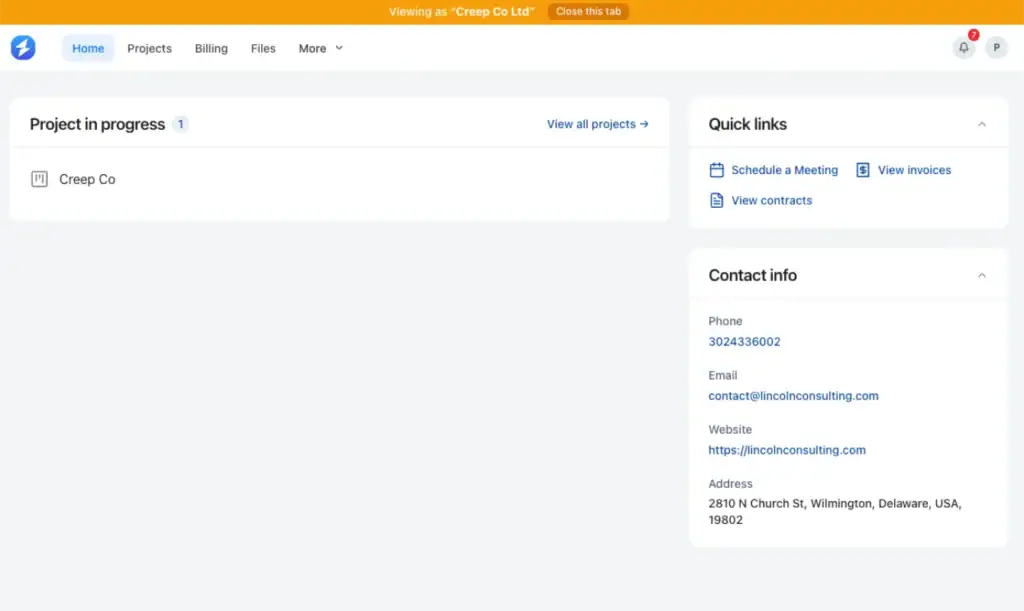
OneSuite is an all-in-one client portal that simplifies client management for accountants. It combines project tracking, client communication, invoicing, document sharing, and e-signatures into one easy-to-use platform.
With OneSuite, accountants can manage everything from client onboarding to offboarding in a branded, white-label portal.
Clients can track progress, approve work, upload documents, and make payments, all in one place. The platform also helps accountants securely share contracts and gather e-signatures, streamlining the entire client process.
What makes OneSuite stand out is its ability to integrate CRM, project management, and invoicing—all while saving time on admin tasks. It’s the perfect solution for accountants looking for an efficient, professional, and secure client portal.
Key Features
- Branded White-Label Client Portal: Fully customizable to match your brand, offering a professional experience for clients
- Real-Time Updates: Clients receive instant updates on project status, approvals, and payment tracking
- Document & E-Signature Management: Share contracts, NDAs, and other documents for legally binding, eIDAS-compliant signatures
- Invoice & Payment Integration: Create invoices, accept payments online, and track payment status in real-time
- Client Onboarding & Offboarding: Efficient onboarding process, followed by smooth offboarding workflows to wrap up projects
- Client Collaboration Tools: Clients can comment on tasks, send requests, and track project progress directly in the portal
- Multi-Business Management: Manage multiple clients or businesses under one account for more streamlined operations
- Custom Integrations: Integrate with popular tools like Slack, Google Drive, and more
Pricing
- OneSuite starts at $9 per user/month with monthly billing
- $7 per user/month with annual billing.
- 14-day free trial is available without a credit card.
OneSuite offers a cost-effective solution for small to mid-sized teams with flexible pricing that scales with your business.
Pros and Cons
| Pros | Cons |
| Easy-to-use, intuitive interface | Some features are in the upcoming roadmap |
| All-in-one client management solution | Limited customization for advanced workflows |
| White-label branding for a professional look | Newer platform with some growing pains |
| Time-saving automation for invoicing and payments | Some integration options are still developing |
| Secure document sharing and e-signatures | Learning curve for more advanced features |
User Feadback
“I have been using it for approximately 5 months to manage my clients’ projects and to assign tasks to my employees. I like how easy and intuitive it is, as you don’t need to explain to your employees where to find their assignments and documents. It is very functional.”
— Pedro C. G2 Review
“As any app that is in their early phase of development, Onesuite has some bugs that need to be ironed out. But none of them were breaking the operations. They are mostly UI related and I am already seeing them fixing them one by one.”
— Raabit H. G2 Review
2. FuseBase: Best for Collaboration and Client Engagement
FuseBase is an innovative client portal solution designed for businesses, including accountants, looking to streamline their workflows, improve client communication, and centralize data management.
It offers a robust platform for project management, client collaboration, secure file sharing, and easy integrations.
With FuseBase, accountants can provide a seamless, white-labeled portal to their clients, helping them stay organized and engaged throughout the entire client lifecycle.
The platform includes advanced features like AI agents, real-time communication, and powerful integrations with tools like Google Drive, Asana, and HubSpot.
Whether you’re managing client documents, handling contracts, or offering secure payment options, FuseBase provides everything in one place.

Key Features
- Customizable Client Portals
- AI Agents for task automation
- Real-time Communication (chat & updates)
- Secure File Sharing (end-to-end encryption)
- Client Onboarding (forms, e-signatures, automation)
- Integrations (CRM, email tools, Google Calendar, Zapier)
- White-label Support for personalized branding
Pricing
- Solo Plan: $32/month for 1 user
- Essentials Plan: $82/month for up to 5 users
- Advanced Plan: $266/month for up to 50 users
- Unlimited Plan: Custom pricing for unlimited users
Pros and Cons
| Pros | Cons |
| Easy to use interface, enhancing client interaction | Steep learning curve when exploring new features |
| Excellent client collaboration tools | Missing advanced templates and Excel-like tables |
| Centralized access control for better project management | Performance issues reported with slow updates |
| Secure file storage and live chat integration | Limited integrations with some tools |
| Highly customizable client portals | Users find it slightly expensive compared to other options |
User FeadBack
What started as a notepad app has quickly evolved into a brilliant product with client portals and AI agents. They’ve also introduced a couple of brilliant chrome extensions that give you access to your AI agents on whatever page you’re browsing, and so you can easily capture information and add it to your workspace.
– Mark D. G2
I liked them as nimbus. Then they changed their direction and it did not serve me well any longer. I canceled my account. The billed me again. I requested reimbursement. They have not responded to ANY of my communication. Fraud!@!
– Michael B. G2
3. Moxo: Best for High-Touch Client Experience

Moxo is a client portal platform designed to streamline client interactions by automating and simplifying key processes. It combines powerful AI, workflow automation, and collaboration tools in a client portal that enhances team coordination and client experience.
The platform allows businesses to manage everything from onboarding to project completion, all in one place. Moxo focuses on improving team productivity, eliminating manual tasks, and reducing operational inefficiencies.
As a client portal, Moxo simplifies the way businesses and their clients work together.
Whether it’s managing client onboarding, tracking projects, or ensuring seamless communication, Moxo acts as an all-in-one solution for various industries, including accounting.
Key Features
- Branded client portal for secure client access
- Workflow automation (onboarding, approvals, tasks)
- AI assistant for form checks and follow‑ups
- Real‑time communication & updates
- Secure file sharing with encryption
- Audit logs, SSO/SAML security
Pricing
- Free: $0 — basic usage with 2 workflows and limited AI credits
- Business: $99/month — mid‑tier with more workflows and features
- Pro: $499/month — advanced plan with higher limits and AI credits
- Enterprise: Custom — unlimited workflows and enterprise controls
Pros and Cons
| Pros | Cons |
| Easy to use and navigate | Initial setup can take time |
| Automates client workflows | Higher‑tier plans are pricey |
| Built‑in AI for task follow‑up | Some integrations could improve |
| Strong security features | Reports of occasional slower performance |
| Good for both client and internal teams | Customization options are limited |
User Feadback
👍 ” Moxo is my everyday App because it’s very easy to send message, documents signing, even video calls. Super clean and easy to use.”
– Evelyn L. Capterra
👎 ” For our clients who are less tech savvy, there was a learning curve. While I found it intuitive, some clients had to get used to using it rather than their go-to of email, Teams and text.”
– Abby L. Capterra
4. HoneyBook: Best for Proposals, Payments, and Client Communication
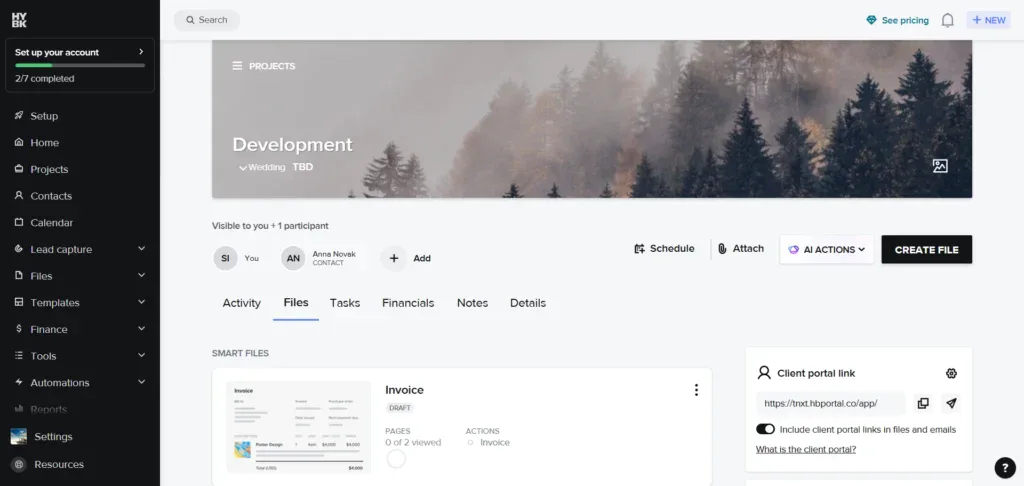
HoneyBook is an all-in-one client management platform designed for freelancers and small businesses. It simplifies the client journey by offering a centralized space for communication, proposals, contracts, invoicing, payments, and project management.
HoneyBook helps you streamline your workflows, save time with automation, and provide a seamless experience for both you and your clients.
It’s perfect for businesses looking to keep all client-related tasks in one place while maintaining a professional look with customizable branding.
Key Features of HoneyBook
- Client Portal: Secure access for clients to view project details and documents.
- Proposals & Contracts: Easily create and send contracts with e-signatures.
- Invoicing & Payments: Create invoices and accept payments online.
- Workflow Automation: Automate follow-ups, reminders, and task management.
- Scheduling & Calendar: Organize meetings and deadlines seamlessly.
- Reporting & Analytics: Track project and payment performance with reports.
- Custom Branding: Personalize your portal with your brand’s logo and colors.
Pricing (Annual)
- Starter: ~$29/month – Unlimited clients, invoices, proposals
- Essentials: ~$36.75/month – Adds automations, scheduling
- Premium: ~$81.75/month – Advanced reporting, priority support
(All plans start with a free trial and include core client portal tools.)
Pros and Cons
| Pros | Cons |
| Easy to use and intuitive | Can be expensive at higher tiers |
| All‑in‑one system for client workflows | Limited customization options |
| Good proposal/payment tools | Integration options can be limited |
| Strong customer support | Some features require higher plans |
| Useful for small teams/freelancers | Complex setup for larger workflows |
User Feadback
👍 “I really enjoyed their emailing abilities. I was able to batch emails ahead of time and see when they had been read.”
– Ricki T.
👎 “The price of there packages is expensive. Even the cheapest option is pretty high. Customer support is also a little slow to get back when there is an issue.”
– Desiree G.
5. Canopy — Client Portal & Practice Management for Accountants
Canopy is a client portal and practice management platform built specifically for accountants, tax professionals, and small bookkeeping teams. With a strong focus on secure client access, document handling, and automated workflows, Canopy helps firms keep client work organized and easy to manage.
It combines CRM, task tracking, time & billing, and portal communication all in one place. Users rate Canopy highly for usability and efficiency, reflected in its ~4.6/5 G2 rating based on real reviews.
Key Features
- Secure client portal access
- CRM and client engagement tools
- Document management and e‑signatures
- Automated workflows and task tracking
- Time tracking and billing tools
- Integrated payment processing
- Reporting and analytics
Pricing
- Standard: ~$74/user/month (billed annually) – Core features including CRM and documents
- Plus: ~$109/user/month (billed annually) – Adds automated and recurring workflows
- Premium: ~$149/user/month (billed annually) – Advanced automation and workflow tools
- Enterprise: Custom pricing – Tailored solutions for larger firms
Pros And Cons
| Pros | Cons |
| Strong, intuitive client portal and workflows | Some users find task management inconsistent |
| Excellent document handling and storage | Limited customization for some interface elements |
| Built‑in CRM and billing is useful for accounting work | Initial setup can be time‑consuming |
| Automation reduces manual follow‑ups | A few integrations could be stronger |
| High user satisfaction and solid security | Pricing is higher than basic portals |
User Feadback
👍”Organization of files in Canopy are very reliable and easy to go back and retrieve anything you need.”
– Leonid S.
👎 If/Then statements would be bice to have in Workflows and mass updating a workflow type when making a change.
– Carrie N.
6. Taxdome: Best for Tax and Bookkeeping Firms
TaxDome is a client portal and practice management tool built specifically for accountants. It simplifies managing client communication, document sharing, and project workflows. With a fully customizable, branded client portal, TaxDome allows you to securely share files, manage tasks, and collect e-signatures all in one place.
Designed to save you time, it streamlines client onboarding, automates repetitive tasks, and integrates seamlessly with other tools like QuickBooks.
Whether you’re in the office or on the go, TaxDome’s mobile app keeps you connected to your clients and your work.
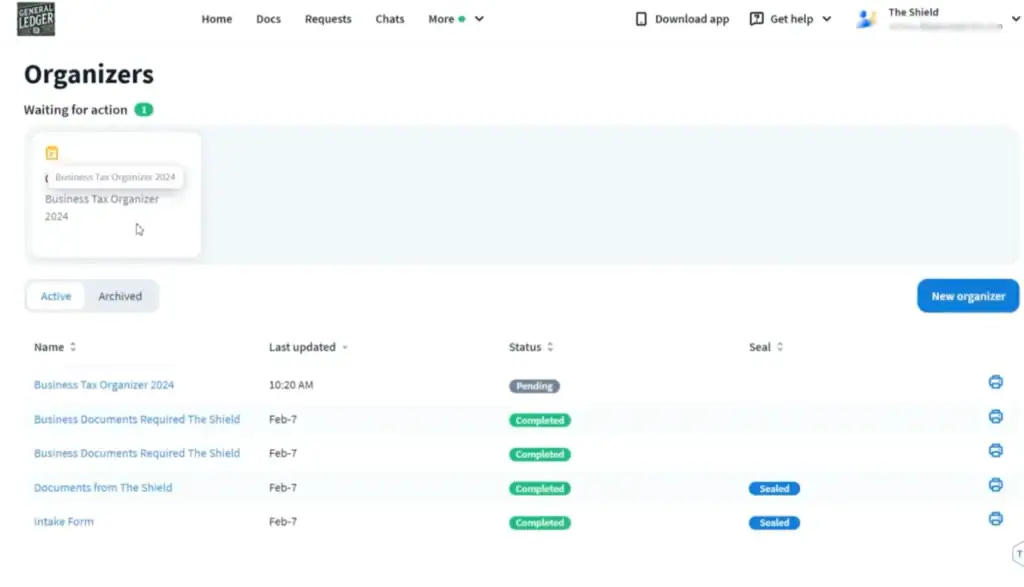
Key Features:
- Custom-Branded Client Portal: Tailor the portal with your firm’s logo and branding for a professional touch.
- Document Management: Secure file exchange with unlimited storage, e-signatures, and automated document workflows.
- Client Communication: Real-time chat, SMS, and secure email integration for better client interaction.
- Task Management: Easily create tasks for clients and track project progress with a to-do list.
- Client Onboarding: Smooth client intake process with customizable forms and automated reminders.
- Integrations: Sync with tools like QuickBooks, Zapier, and more to extend functionality.
- Mobile App: Access client portals and documents on the go via the TaxDome mobile app.
Pricing:
- Standard: $74/user/month (billed annually)
- Includes CRM, document management, and client portal
- Plus: $109/user/month (billed annually)
- Includes automated workflows, IRS integrations, and more
- Premium: $149/user/month (billed annually)
- Includes all Plus features with advanced workflow automation and additional client care tools
- Enterprise: Custom pricing
- For large firms requiring advanced customization and extra support
Pros and cons
| Pros | Cons |
| User-friendly interface and easy to use | Steep learning curve |
| Comprehensive document management | Missing advanced features for customization |
| Excellent client support | Requires significant setup time |
| Customizable portal with white-labeling | Some integration issues with external tools |
| Smooth task and project management | Complex features may be overwhelming for new users |
User Feadback
👍 “Very easy to use. Positive feedback from our clients and staff. Makes having all of our documents in one place very efficient and effective. Each year it gets better and better with their program enhancements.”
– Anthony T.
👎 “The interface can feel a bit overwhelming first and it takes some time to learn all the features. Also, some customisation are limited compared to what I expected.”
– Anonymous User
7. Karbon: Best for High-Volume Client Coordination
Karbon is a practice management platform designed for accounting firms that need strong workflow organization, communication, and client collaboration tools. It offers a centralized system to manage emails, tasks, documents, and team communication in one place.
With a high ~4.8/5 G2 rating from real users, Karbon is highly regarded for simplifying workload management and team coordination.
However, users note limitations around billing features and email handling that may require other tools for a full accounting workflow.
Key Features
- Centralized task and project management
- Integrated email and communication hub
- Workflow automation and task organization
- Team collaboration and shared inboxes
- Document storage and visibility
- Time tracking and client task boards
- Reporting dashboards
Pricing
- Team Plan: ~$59/user/month (billed annually)
Core workflow and collaboration tools for small accounting teams. - Business Plan: ~$89/user/month (billed annually)
Adds automation, client reminders, and industry integrations. - Enterprise: Custom pricing
Custom solution with enterprise platform, dedicated support, unlimited usage limits, and advanced controls.
Pros and Cons
| Pros | Cons |
| Very high user satisfaction (~4.8/5 on G2) | Billing & engagements tools are limited |
| Strong task and workflow management | Email organization features can be frustrating |
| Centralized team communication | Steep learning curve for new users |
| Good collaboration and visibility | Some usability issues reported |
| Helps reduce internal email overload | Not ideal as a standalone accounting billing system |
User Feadback
👍 “Work and Task visibility collaboration (within team and with clients). Karbon are also proactive with research and development and are always improving things which is great”
– Ryan G.
👎 “Sending emails can be patchy at times and slow at times and there are times when you’re just sitting there waiting for example a “Forward email” to load”
– Ziggy P.
8. Client Hub: Best Client Portal for Accountants
Client Hub is a re-imagined client portal tailored specifically for accounting firms, designed with the client experience at its core. Unlike traditional portals that focus primarily on internal teams, Client Hub prioritizes collaboration with clients by providing a simple, accessible, and mobile-friendly design.
This ensures accountants and clients can easily manage documents, communicate, and collaborate in real-time. The platform is built to streamline workflows, enhance client engagement, and simplify document management, making it an ideal solution for accountants looking to improve client satisfaction.
Key Features
- Client-Centered Design: A user-friendly interface that prioritizes client needs, making the portal easy for both accountants and clients to navigate.
- Document Management: Centralized storage for secure document sharing, ensuring clients and accountants can access, upload, and manage essential financial files easily.
- Real-Time Collaboration: Instant communication between clients and accountants with built-in chat and task management features.
- Mobile-Friendly Access: Secure, flexible access for clients and accountants on any device, ensuring you stay connected wherever you are.
- Client Portal Customization: Tailor the portal to reflect your brand, making it professional and aligned with your firm’s identity.
- Integration with Accounting Tools: Syncs seamlessly with tools like QuickBooks, ensuring smooth data management and reporting.
Pricing
- Standard Plan: $49/month for solo users with full feature access.
- Business Plan: Custom pricing, designed for small teams with added features like client portals and team collaboration tools.
Pros and cons
| Pros | Cons |
| User-Friendly Interface: Easy for both clients and teams to navigate. | Limited Advanced Features: May not cater to firms with complex workflows. |
| Secure Document Sharing: Helps in managing sensitive client information. | Limited Customization: Some users find customization options too basic. |
| Real-Time Collaboration: Facilitates quick decision-making and feedback. | No Advanced Integrations: Lacks deeper integration with other accounting tools. |
| Mobile Access: Clients can access the portal anytime, anywhere. | Basic Client Communication: Could offer more advanced communication features. |
User Feadback
👍 I like that it provides a clear and easy path for us to work directly with our clients in terms of sharing documents and communicating. Everything in one place!
– Kei.M
👎 I would like the ability to change the frequency with which the clients are reminded to complete a task.
– Candice K.
Pick the Right Client Portal for Your Accounting Firm
After reviewing and testing the top client portals for accountants, it’s clear that the best solution depends on your firm’s workflow, client needs, and how you manage documents, approvals, and communications.
Here are some top options based on specific needs:
- Canopy – best for practice management and tax workflow efficiency
- TaxDome – ideal for bookkeeping teams needing automation and secure file sharing
- Karbon – perfect for high-volume client coordination and team collaboration
- FuseBase – focused on branded client engagement and collaboration
- Moxo – built for firms that require structured client onboarding and workflows
- HoneyBook – great for solo accountants and small service businesses
- Client Hub – simple, client-friendly portal for smooth communication and document collection
But for a modern, all-in-one platform that combines client portals, CRM, projects, invoicing, documents, automation, and communication, OneSuite stands out as the top choice for accounting firms.
Starting at just $29/month for 5 users, it’s a cost-effective option for small and growing teams alike. OneSuite lets you manage everything from client onboarding and document requests to project delivery and client offboarding — all from one central dashboard.
That’s why OneSuite is one of the best client portals for accountants, helping firms save time, reduce errors, and deliver a better experience for their clients.
👉 Book a demo with OneSuite today and see how it can transform your firm’s client management.
FAQs
What is a client portal for accountants?
A client portal for accountants is a secure online space where clients can upload documents, sign files, send messages, view tasks, and make payments.
Why do accounting firms need a client portal?
It helps reduce messy email threads, missing files, manual follow-ups, and delayed approvals. Everything stays organized in one place.
What features should an accounting client portal include?
It should include secure file sharing, client communication, e-signatures, task tracking, workflow automation, payments, and access controls.
What is the best client portal for small accounting firms?
For small firms, OneSuite is a strong option because it includes client portal, CRM, invoicing, documents, projects, and time tracking in one platform.
Start exploring OneSuite today
No credit card is required