
7 Best Client Portals for Marketing Agencies in 2026

September 3, 2026
Managing client work should not feel more difficult than the work itself.
But for many marketing agencies, that is exactly what happens. Updates get buried in email. Feedback shows up in Slack or WhatsApp. Files sit in different folders. Approvals take too long. What should be a simple process starts turning into daily follow-up.
That is why client portals matter.
A good client portal gives your agency one clear place to manage communication, files, approvals, invoices, and project updates. It keeps clients informed without constant back-and-forth and helps your team stay organized as accounts grow.
In this guide, we compare the 7 best client portals for marketing agencies and break down which tools actually help agencies deliver a smoother client experience, reduce operational mess, and manage ongoing work more professionally.
- A client portal keeps communication, files, approvals, and billing in one place.
- The right portal should match your agency workflow.
- Client experience matters as much as features.
- White-label branding makes your agency look more professional.
- Not every portal is built for marketing agency work.
- OneSuite combines portal, projects, billing, and communication in one system.
- A good portal helps your agency grow without adding more mess.
What Is a Client Portal for Marketing Agencies?
“Customer experience is the next competitive battleground.”
— Jerry Gregoire
Before getting into the tools, it helps to understand what a client portal actually is.
A client portal for marketing agencies is a secure online space where agencies and clients can work together in one place. Instead of managing updates through email, Slack, shared drives, and random messages, everything stays organized inside one system.
This usually includes communication, file sharing, project updates, approvals, and reporting. In simple words, it gives both the agency and the client one place to check what’s happening, what needs attention, and what has already been completed.
For agencies, this makes day-to-day work easier to manage. For clients, it creates a smoother experience because they do not have to search through long email threads or ask for updates every time. They can log in, review progress, leave feedback, and stay informed without friction.
That is why a client portal is not just another tool. It becomes the working space that holds the client relationship together as the agency grows.
What to Consider Before Choosing a Client Portal for Your Marketing Agency
The right client portal should fit the way your agency works.
It is not just a tool for files and updates. It shapes communication, approvals, and day-to-day delivery. If it feels hard to use, your team will work around it. If clients get confused, they will go back to email. That defeats the purpose.
So do not judge a portal by features alone. Choose one that supports your real workflow.
Make Sure It Fits Your Workflow
A portal should match your real workflow, not force your team into a new one.
If your agency handles onboarding, approvals, creative feedback, reporting, and recurring client requests, the portal should support those tasks in a natural way. Tight integration with your lead management tools matters too, because onboarding works best when sales notes, prospect history, and signed proposals flow in automatically. It should help your team move work forward without relying on manual follow-ups, scattered messages, or extra spreadsheets.
The right portal keeps the important parts of client work in one place. That includes updates, files, approvals, requests, and reporting. When that system is clear, both your team and your clients know where things stand.
Check the Security Side Early
Security deserves attention from the start.
Client portals often store sensitive information such as digital marketing contract files, campaign data, budgets, brand assets, and account details. That means access control matters. A strong portal should let you control who sees what. It should also support features like two-factor authentication, secure file storage, and activity tracking.
If your agency works with larger clients, security becomes even more important. In that case, data handling and access control are not small details. They are part of the buying decision.
Look at the Client Experience
A portal only works when clients actually use it.
That is why ease of use matters just as much as features. Clients should be able to log in, find what they need, review work, and leave feedback without getting lost. If the layout is messy or the process feels slow, they will stop using it and fall back on email.
A simple client experience saves time on both sides. It also makes your agency look more organized and more professional.
Think About Reporting, Not Just Project Tracking
For a marketing agency, reporting is a core part of the client relationship.
Clients want to see results clearly. They want updates that make sense. A good portal should help you present campaign performance in a way that is easy to review and easy to understand. It should not just show charts. It should support clear visibility into what is happening and what comes next.
If reporting is part of your monthly delivery, this should not be treated as an extra feature. It should be part of the main evaluation.
Check How Well It Scales
What works for five clients does not always work for fifty.
Some portals feel fine at the beginning but become limiting as your agency grows. You may run into user caps, storage limits, weak automation, or expensive upgrades. That is why scalability matters early, even if your team is still small.
A good portal should support more clients, more projects, and more internal structure without creating more admin work.
Review the Integrations Carefully
Your portal should work well with the rest of your stack.
That includes tools for project management, file storage, billing, analytics, CRM, and communication. Strong integrations reduce duplicate work and keep information connected. Weak integrations create another disconnected system your team has to manage.
A portal is supposed to simplify operations. If it adds another layer of manual work, it is not solving the problem.
Client Portal Comparison Table
7 Best Client Portals for Marketing Agencies (2026)
After going through the options, I found that not every client portal fits the way a marketing agency works.
Some are better for branding. Some are better for collaboration. Some do a better job of handling projects, approvals, and billing together.
Here are the 9 best client portals for marketing agencies in 2026 based on my research and what each one does best.
1. OneSuite
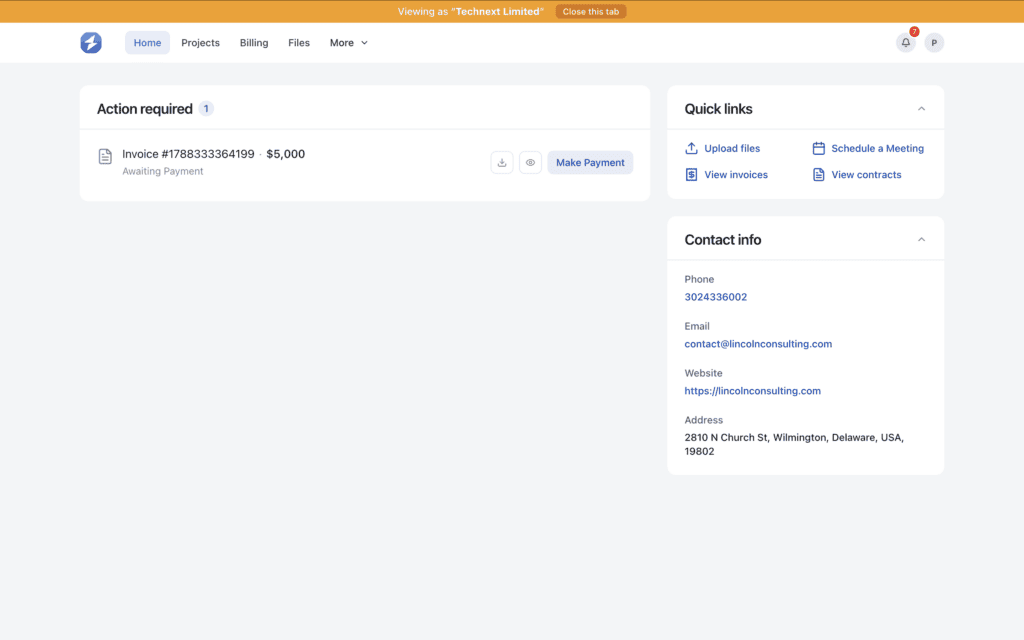
OneSuite is one of the most powerful client portal platforms for marketing agencies, built to keep communication, project delivery, approvals, and billing in one place.
Most agencies reach a point where managing clients becomes harder than doing the actual work. Messages are spread across tools, approvals get delayed, and simple updates take too long. OneSuite solves that by giving agencies a structured system where everything stays organized.
Inside OneSuite, agencies can manage the full client journey. From onboarding and project setup to feedback, approvals, invoicing, and follow-ups, everything happens in one workspace. Clients can log in, check progress, review deliverables, approve work, and access invoices without needing constant reminders.
What makes it a strong fit for marketing agencies is how naturally it supports ongoing work. Whether it is SEO, content, ads, or design, agencies can manage recurring tasks, client communication, and reporting workflows without switching between tools. The result is a smoother process, clearer communication, and a more professional client experience.
Standout features
- White-label client portal: Present your portal under your own brand, including custom domain and emails, so clients see your agency, not third-party software.
- Client dashboard: Give clients a clear view of projects, files, updates, and invoices in one place.
- Task and approval system: Share deliverables, collect feedback, and get approvals without long email threads.
- All-in-one workflow: Manage projects, documents, communication, invoices, and payments from a single platform.
- Built-in invoicing and payments: Send invoices, track payments, and let clients pay directly through the portal.
- Secure document sharing and eSignatures: Store contracts, NDAs, and project files securely, and collect signatures without external tools.
- Client communication inside tasks: Keep discussions tied to specific work so nothing gets lost.
- Easy onboarding: Invite clients and give them instant access to everything they need from day one.
Pricing
- Monthly billing: $9 per user per month
- Annual billing: $7 per user per month
Every plan includes a 14-day free trial, white-glove onboarding, unlimited clients and projects, and a 30-day money-back guarantee. Annual billing saves 20%.
Pros and cons
| Pros | Cons |
|---|---|
| Easy for agencies to use | All-in-one tools take time to fully adopt |
| Combines client portal, projects, invoices, and timesheets | Smaller teams may not use every feature at first |
| Helps manage multiple clients in one place | Custom processes may need adjustments |
| White-label portal looks professional | No forever free plan |
| Pricing is simpler than using many separate tools |
OneSuite’s User Feedback: 4.8/5
👍“The developer team has thought about every aspect of a team’s day to day need. While using the app, I never felt like I am missing anything. On top of that, there are some features that even changed the way our company is being managed now. Kudos to the devs.”
— Trusted Review on G2
👎 “OneSuite has revolutionized our agency’s workflow, integrating project, lead pipeline, and invoice management into a seamless experience. With its document management system and digital signing feature, client interactions are now smoother and more professional.”
— Trusted Review on G2
2. Assembly
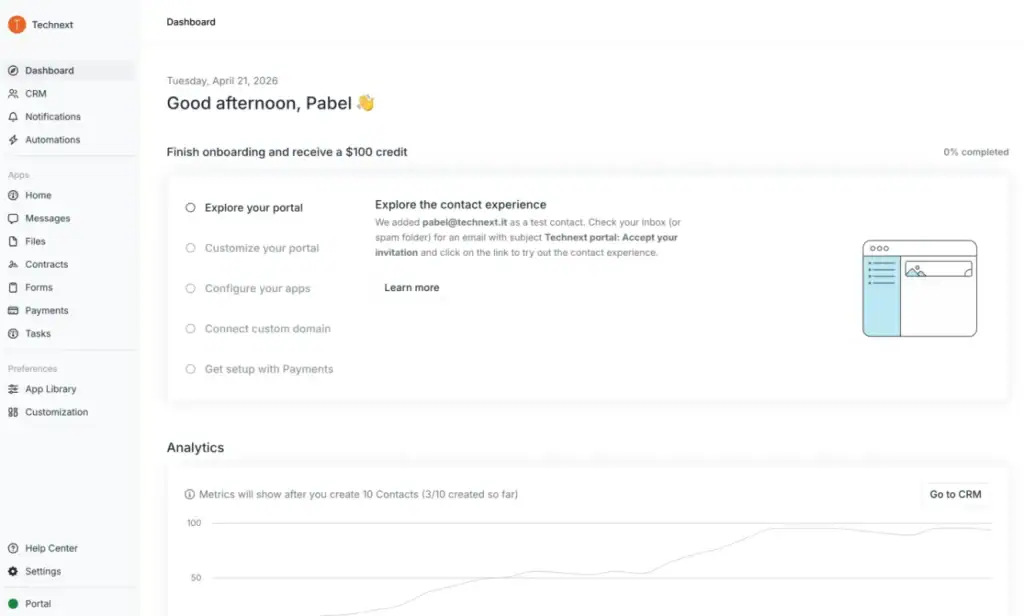
Assembly is a modern client portal for marketing agencies that want a clean, white-labeled client experience.
It works well for agencies that want to manage onboarding, client communication, contracts, invoices, and file sharing in one branded space. Assembly stands out for making the client side feel simple and polished.
Agencies that care most about client experience, branding, and smooth onboarding.
It is stronger on the client-facing side than deep agency operations. Some users also mention missing features, limited customization in some areas, and pricing that increases as teams grow.
Standout features
- White-label client portal
- Passwordless login and reply-by-email
- Invoicing and recurring subscriptions
- Contracts with eSignatures
- Forms, tasks, and client messaging
Pricing
- Starter — $39/month, 1 internal user
- Professional — $149/month, 3 internal users
- Advanced — $399/month, 5 internal users
- Enterprise — $2,000/month, custom internal users
- Extra users: Professional +$39/user, Advanced +$59/user
Pros and cons
| Pros | Cons |
| Easy to use | Missing features for some teams |
| Clean white-label portal | Limited customization in some areas |
| Smooth client onboarding | Integration issues reported |
| Reply-by-email reduces friction | No strong mobile app advantage |
| Built-in contracts and invoicing | Pricing rises with more users |
User Review: G2- 4.7/5
Automation, pipelines, team clarity now!
– G2, Adrianna M.
One of the main drawbacks of Assembly, in my opinion, is that the platform is still relatively new. Because of this, it currently lacks some features that I expect will be introduced in the future. These missing elements make the experience less helpful for me at the moment.
– G2 Christian H.
3. SuiteDash
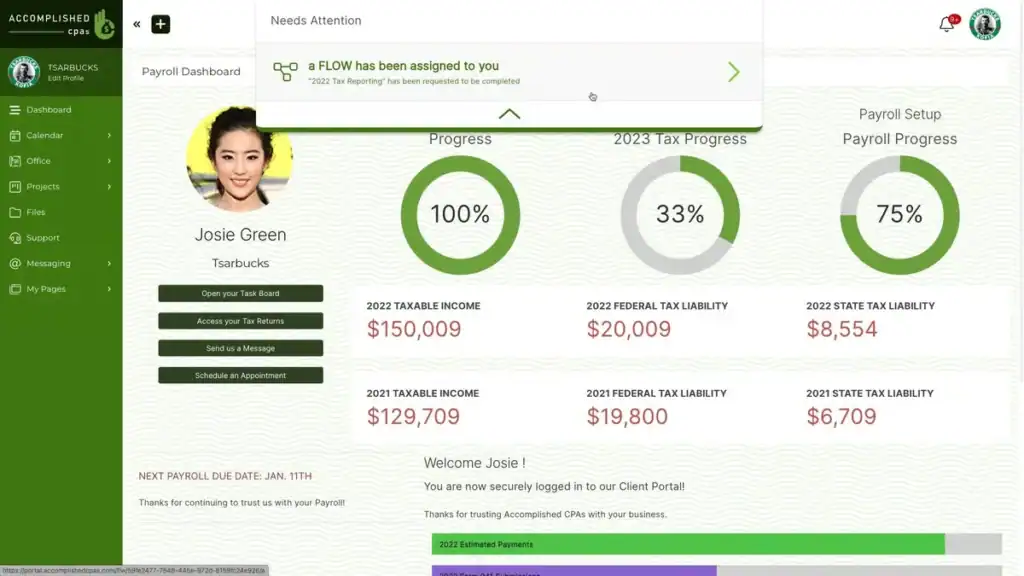
SuiteDash is an all-in-one client portal for marketing agencies that want more control, more customization, and more tools in one place.
Some agencies outgrow simple client portals pretty quickly. They need more than file sharing and basic updates. They need a system that can handle onboarding, CRM, billing, projects, automation, and client communication together. That is where SuiteDash makes sense.
For marketing agencies, it works well as a central system for managing both client experience and internal operations. The trade-off is simple. SuiteDash gives you a lot to work with, so it takes more time to learn and set up properly.
Standout features
- White-label client portal
- Custom dashboards and dynamic content blocks
- CRM, projects, billing, and automation in one system
- Magic link login for easier client access
- Forms, file sharing, support tickets, and secure messaging
Pricing
- Start — $180/year
- Thrive — $480/year
- Pinnacle — $960/year
Pros and Cons
| Pros | Cons |
| All-in-one platform | Steeper learning curve |
| Strong white-label options | Setup can feel complex |
| Good customization | Not the simplest tool for beginners |
| Built-in automation | Too many features for some small teams |
| Strong value for the price | Takes time to configure properly |
User Review: G2-4.8/5
👍 The sheer number of possibilities offered by the app
–G2, Benjamin H.
👎 The software has so many features that sometimes I feel like I need to go through a course to truly learn them all!
–G2, Ryan L.
4. Clinked
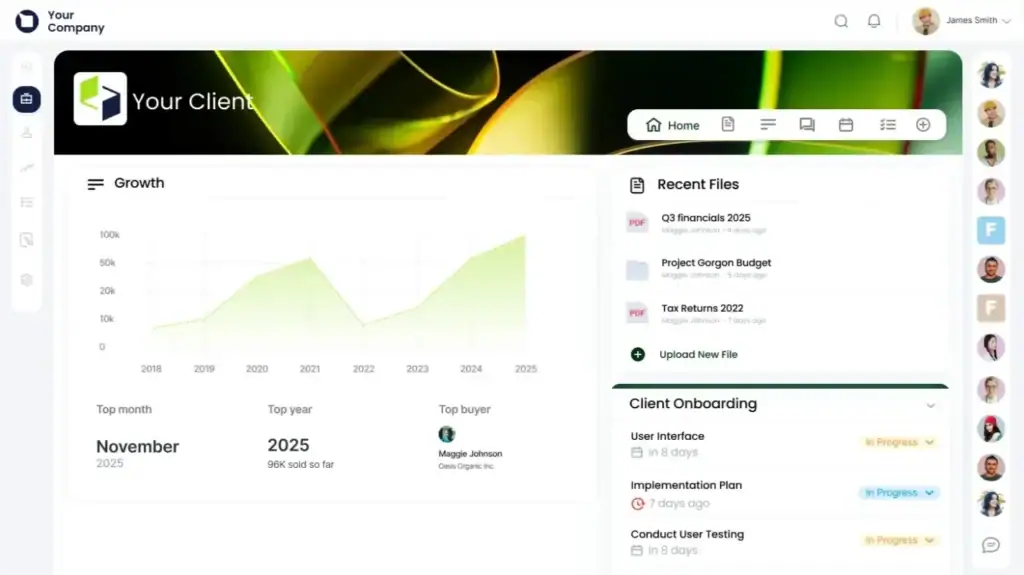
Clinked is a strong client portal choice for marketing agencies that want secure collaboration without making the client experience feel heavy.
A lot of agencies do not need a huge all-in-one system. They just need a clean, branded space where clients can access files, review updates, share feedback, and stay aligned without endless email threads. That is where Clinked fits well.
For marketing agencies, Clinked works best when document sharing, client communication, and secure access matter more than deep business management features. It feels more like a focused collaboration portal than a full agency operating system.
Standout features
- White-label client portal
- Secure document and file sharing
- Task and project collaboration
- Mobile app access
- Strong security and permissions controls
Pricing
- Standard — $239/month, 100 members included, 1 TB storage
- Premium — $479/month, 250 members included, 3 TB storage
- Enterprise — Custom pricing, 1000+ members included, 5 TB+ storage
Pros and cons
| Pros | Cons |
| Easy to use | Limited customization |
| Strong collaboration tools | Some integration issues |
| Good file sharing | Slow performance for some users |
| Branded client spaces | Missing features in some areas |
| Strong security setup | Notification controls can improve |
User Review: G2- 4.8/5
👍 I appreciate Clinked’s white-label branding that allows me to make the portal truly reflect my brand. The fact that there is no Clinked branding is critical for maintaining a professional image and reinforcing my brand identity with clients. Setting up Clinked was relatively simple and convenient, which was a nice boost.
–G2, Terry W.
👎 The design of this product is very outdated. I think the team should work hard to improve the overall UI. Sometimes, I also feel the servers are a bit slow while trying to upload big files.
–G2, Binaya A.
4. Accelo

Accelo is a strong client portal option for marketing agencies that want client work, billing, and delivery tied together in one system.
Some agencies need more than a place to share files or send updates. They need a portal that connects client requests, project progress, quotes, billing, and ongoing work in a more structured way. That is where Accelo fits best.
For marketing agencies, Accelo works well when the business runs on retainers, recurring services, and clear workflows. Clients can check project status, approve quotes, submit requests, and view billing history in one place, which makes the relationship easier to manage as work scales.
Standout features
- Client portal with project and ticket status
- Quote acceptance and change order signoffs
- Billing history and credit card processing
- Retainer usage visibility
- Request submission forms
Pricing
- Custom pricing
- Book a demo to get a quote
Pros and cons
| Pros | Cons |
| Combines client portal, CRM, projects, and billing | Learning curve can feel steep |
| Good for retainer-based agency work | Some users mention missing features |
| Strong request and quote management | Limited customization in some areas |
| Helps improve operational efficiency | Can feel complex for smaller teams |
| Good client visibility into work and billing | Occasional glitches reported |
User Feadback: G2-4.3/5
👍 Accelo really shines with its automated workflows, real-time collaboration, and smooth integration with other tools, making everything run much smoother. What’s awesome is how easy it is to use, how you can tweak it to fit your needs, and how it pulls all your client and project info into one place, giving you a clearer view of the big picture.
– Chelsea-Jade D.
👎 Sometimes client emails don’t feed directly into Accelo, which is frustrating because visibility across the rest of the team is important.
–Nate S.
6. Softr
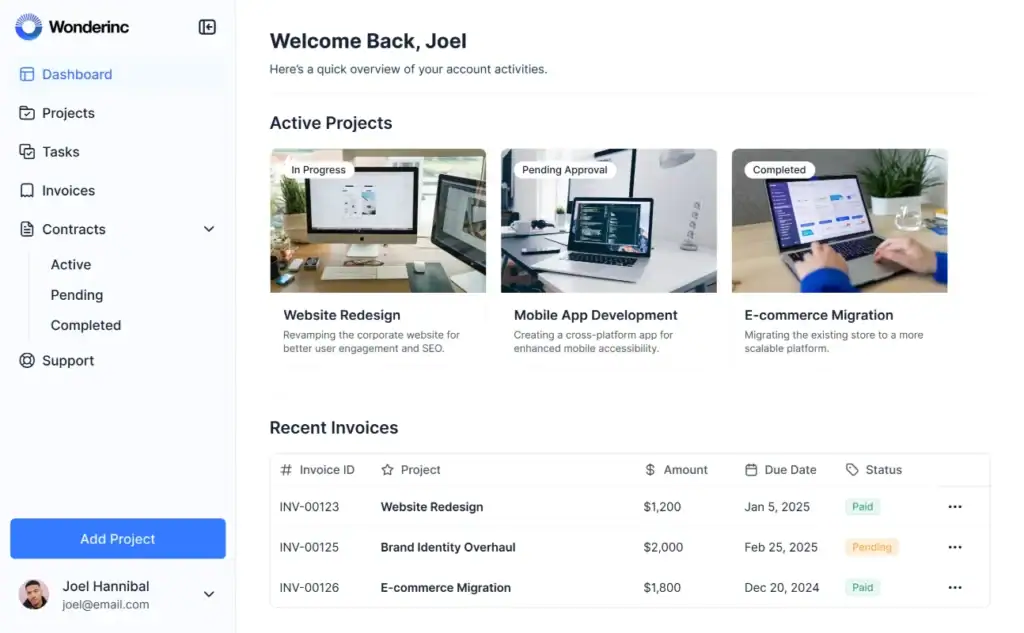
Softr is a flexible client portal for marketing agencies that want more control without a complex setup.
Some agency tools feel too fixed. Softr takes a different approach. It lets agencies build a portal around their own workflow instead of adjusting their workflow to the software.
For marketing agencies, that means a cleaner way to handle onboarding, project tracking, reporting, content delivery, and client communication in one custom space.
Marketing agencies do not all work the same way. Softr fits that reality well. You can connect your existing tools, organize client data, and create a portal that matches how your agency actually delivers work.
It gives clients a simple experience while giving your team more flexibility behind the scenes.
Standout features
- No-code client portal builder
- Connects with Airtable, Google Sheets, Notion, HubSpot, and more
- Client onboarding, dashboards, and document sharing
- Workflow automation and permissions control
- Mobile-ready portal with app-like experience
Pricing
- Free — $0/month
- Basic — $49/month
- Professional — $139/month
- Business — $269/month
- Enterprise — Custom pricing
Pros and cons
| Pros | Cons |
| Easy to use | Limited customization in some areas |
| Fast to launch | Missing advanced features for some agencies |
| Strong integrations | Higher plans can feel expensive |
| Flexible for different workflows | Needs setup to match your process |
| Good for non-technical teams | Not fully agency-specific out of the box |
User Review: G2 – 4.7/5
👍 I love how you can create your own software without knowing coding. I also love how I’m not charged for every user like a lot of other software.
– G2 Review
👎 The primary improvement that I would like to see is the ability to run a custom code block that has react.js or some other styling support. There have been a couple of situation that it made more sense to write my own code for a section and the styling support is essentially vanilla css and js.
–G2, Review
7. FuseBase

FuseBase is a strong client portal option for marketing agencies that want a more polished and collaborative way to manage client work.
Some agencies need more than a simple place to share files. They need a branded space where clients can check updates, review documents, stay aligned, and collaborate without constant back-and-forth. That is where FuseBase fits well.
For marketing agencies, it works best as a client-facing workspace that keeps projects, documents, communication, and collaboration in one place. It feels more premium than a basic portal and more focused on client experience than a typical project tool.
If you want, I can now rewrite all your tool overviews in one fully consistent tone so the whole article sounds like it was written in one pass.
Standout features
- White-label branded client portals
- Project and task collaboration
- Secure file sharing and access control
- Built-in eSignatures, forms, and surveys
- AI agents and knowledge base support
Pricing
- Solo — $32/month
- Essentials — $82/month
- Advanced — $266/month
- Unlimited — Custom pricing
Pros and cons
| Pros | Cons |
|---|---|
| Strong client portals | Some users mention slow performance |
| Good collaboration tools | Customer support concerns appear in some reviews |
| Clean workspace for docs and projects | UX improvements are still needed in some areas |
| Useful AI and knowledge base features | Learning curve for some teams |
| Good fit for internal and external collaboration | Deeper integrations may still be needed |
User Review: G2- 4.7/5
👍 What started as a notepad app has quickly evolved into a brilliant product with client portals and AI agents. They’ve also introduced a couple of brilliant chrome extensions that give you access to your AI agents on whatever page you’re browsing, and so you can easily capture information and add it to your workspace.
– G2, Mark D.
👎 They promised to optimize tables. I am really waiting for this feature. Go team!
It is very handy to manage documents, notes etc in a simple way and saves time and collaborate with my team.
–G2, Review
How to Choose the Right Client Portal for Your Agency
Most agencies do not start looking for a client portal because they want new software. They start looking because client work begins to feel harder to manage than it should.
Updates are shared in one place. Files are stored somewhere else. Feedback comes through email, Slack, or WhatsApp. Approvals get delayed. Clients ask for things your team already sent. That kind of mess slows delivery and makes the agency look less organized than it really is.
That is why choosing the right client portal matters. It is not just about features. It is about fixing the parts of client management that keep wasting time.
Start with your agency’s actual problem
Before comparing tools, be honest about where things break.
Some agencies struggle with approvals. Some lose time chasing files. Some have no clear way to show progress. Others need a better system for onboarding, invoicing, and monthly client communication.
If you do not know what problem you are trying to fix, every portal starts to look good on paper.
A useful portal should solve the pressure points your team deals with every week. It should reduce back-and-forth, make work easier to follow, and help clients stay informed without asking for updates all the time.
Choose a portal that fits marketing agency work
Marketing agencies need more than a login area.
Clients often need to review creatives, check campaign progress, approve deliverables, access reports, and stay on top of billing. A good portal should support that flow naturally. It should not feel like a storage folder with a nicer design.
That is where OneSuite feels practical for agencies. Its client portal is built around the full client workflow, not just one part of it. Agencies can manage projects, documents, approvals, invoices, payments, and client communication in one branded place. That makes daily work easier to manage and easier for clients to follow.
Think about the client side, not just your side
A portal only works if clients actually use it.
That sounds obvious, but this is where many agencies choose wrong. They focus on internal features and forget that clients want something simple. They want to log in, find what they need, review work, and move on.
If the portal feels confusing, clients go back to email. Once that happens, the tool stops helping.
A better portal should make the client experience feel easy. Clear updates. Easy approvals. Quick access to files, invoices, and project status. That is what makes the relationship feel smoother.
White-label matters more than people think
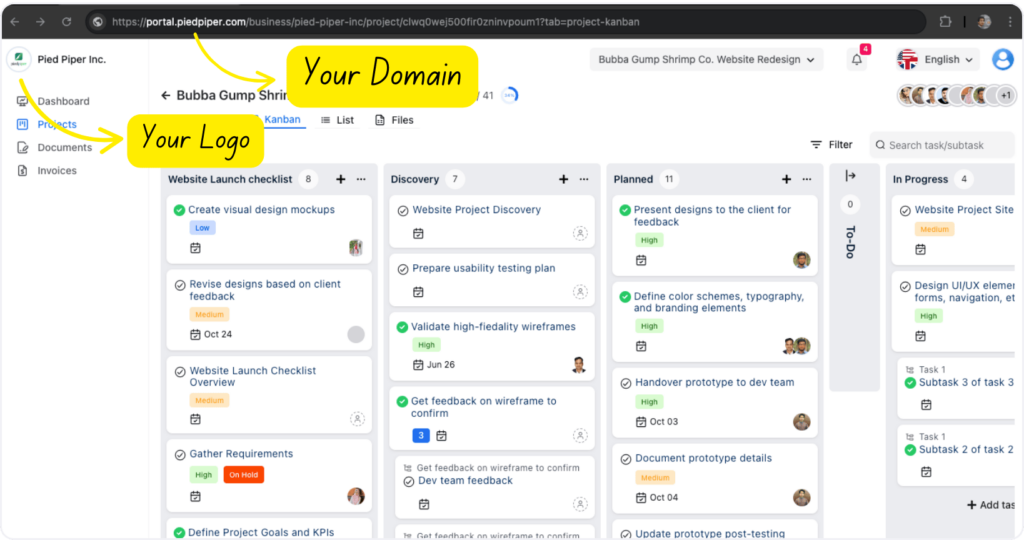
Branding is not just about appearance. It affects trust.
A white-label client portal makes the agency look more established because the client sees a consistent experience from start to finish. Instead of landing inside random third-party software, they stay inside your branded environment.
For marketing agencies, this matters because presentation is part of the service. A branded portal makes reporting, approvals, documents, and billing feel more professional.
OneSuite does this well because it gives agencies a white-labeled portal experience that feels like part of their own service, not someone else’s tool sitting in the middle.
Focus on the features that remove friction
Not every feature matters equally.
For most marketing agencies, the useful features are the ones that reduce follow-up work and keep clients aligned. That usually includes:
- client dashboard
- approval workflows
- secure document sharing
- project and task visibility
- invoice and payment access
- onboarding support
- branded communication
These are the features that help agencies move faster without looking rushed.
OneSuite stands out here because it combines those pieces in one system. That is useful for agencies that are tired of stitching together separate tools for projects, billing, files, and client updates.
Think beyond today
A portal might feel fine with five clients and start breaking with twenty.
That is why scalability matters early. You want something that still feels organized when you add more accounts, more contacts, and more active work.
Check whether the platform can handle multiple clients, multiple people under one account, different permissions, and repeatable workflows. Those things matter a lot once the agency grows.
The right client portal should make your agency easier to run and easier to trust.
It should clean up communication, speed up approvals, organize files, and give clients a better experience without adding more complexity for your team.
For marketing agencies that want a branded portal with practical workflow features, OneSuite is a strong option because it covers the parts that matter most in real client work.
Why OneSuite Is a Strong Choice for Marketing Agencies
Most tools handle one part of client work, not the full process.
OneSuite brings everything into one system — client portal, projects, approvals, communication, invoices, payments, time tracking, and even email inbox. So your team is not switching between tools just to keep work moving.
For marketing agencies, that matters because client work flows across onboarding, delivery, reporting, feedback, and billing. OneSuite keeps that flow connected.
The white-label client portal adds another layer. Clients log into a branded space that feels like your agency, not third-party software. That makes the experience look cleaner and more professional.
It also supports productized services, which helps agencies standardize delivery and manage recurring work more easily.
For most teams, the Growing Agency Plan is the best fit. It gives enough room to manage multiple clients and scale without constant upgrades.
That is why OneSuite stands out. It is not just a portal. It is a more complete system for managing client work as your agency grows.
FAQs
Why Most Agencies Struggle Without a Proper Portal
Agencies struggle without a client portal because work is not centralized. Communication, files, and feedback stay scattered. This leads to delays and missed updates. Teams lose time on manual follow-ups instead of focusing on delivery.
Are client portals the same as project management tools?
Client portals focus on client access, communication, and approvals. Project management tools focus on internal task tracking. Some tools combine both, but many require customization.
Can client portals handle billing and payments?
Many client portals include invoicing and payment features. Tools like SuiteDash and Copilot support billing directly within the portal, reducing the need for separate tools.
Why do client portals fail at scale?
Client portals fail when they are not aligned with agency workflows. Poor setup, lack of automation, and fragmented tools create confusion and reduce adoption
Start exploring OneSuite today
No credit card is required