

Monday.com is genuinely good. But good for everyone rarely means perfect for you. Some teams hit the pricing wall. Others realize they need a client portal, invoicing, or a CRM that Monday simply does not offer at any price.
Monday.com was built for every kind of team. This guide is for the ones looking for something built closer to the way their business actually runs.
I spent time inside each of these tools, checking real pricing, reading G2 and Capterra reviews, and comparing the features that Monday locks behind upgrades, to find the 7 best Monday.com alternatives in 2026.
Why Teams Look for Monday.com Alternatives
Monday.com is one of the most popular work management platforms available today. It brings project management, task tracking, team collaboration, and workflow automation into one visually polished platform. The UI is clean, onboarding is fast, and for many teams it genuinely works well.
But the 3-seat minimum means a solopreneur cannot buy a single seat without paying for two they do not need. Time tracking is locked behind Pro at $19 per user per month. And if you want a CRM, that is a separate product with a separate subscription.
These are not edge cases. They are the reasons agencies, freelancers, and small businesses start looking elsewhere.
Key Limitations of Monday.com
Ask any agency that switched away from Monday.com why they left. The answers are almost always the same.
1. Seat minimums mean freelancers and small teams always overpay The minimum is 3 seats on any paid plan. A freelancer cannot buy one. A 4-person team pays for 5. Your bill jumps in steps, not smoothly.
2. CRM, Dev, and Service are separate products They are not features inside Monday. They are separate subscriptions. An agency needing project management plus CRM pays for two products.
3. No client portal or invoicing exists at any price Monday is built for internal teams. Clients cannot view updates, approve work, or receive invoices anywhere on the platform. You still need separate tools for that.
4. The free plan is too limited to be useful 2 seats. 3 boards. Enough to try the product, not enough to run a real workflow.
5. Time tracking is a Pro-only feature It sits behind the Pro plan at $19 per seat per month. For agencies and freelancers billing by the hour, that is an expensive unlock for a basic feature.
6. The learning curve is steeper than it looks The UI is clean but configuration takes time. Most non-technical teams need 2 to 3 weeks to get fully productive.
7. Leaving is harder than joining Users consistently report that cancellation is frustrating. Limited self-serve options and support that pushes back before letting you leave.
7 Best Monday Alternatives at a Glance
Not every Monday.com alternative is built for the same team. Some are better for agencies, some for freelancers, and some for growing businesses. Here is a quick look at how they compare before we get into the details.
7 Best Monday.com Alternatives in 2026
Finding the right tool depends on your team size, how you work with clients, and what Monday has been leaving out of your workflow. Here is a detailed look at each alternative.
1. OneSuite — Best All-in-One Monday.com Alternative for Agencies
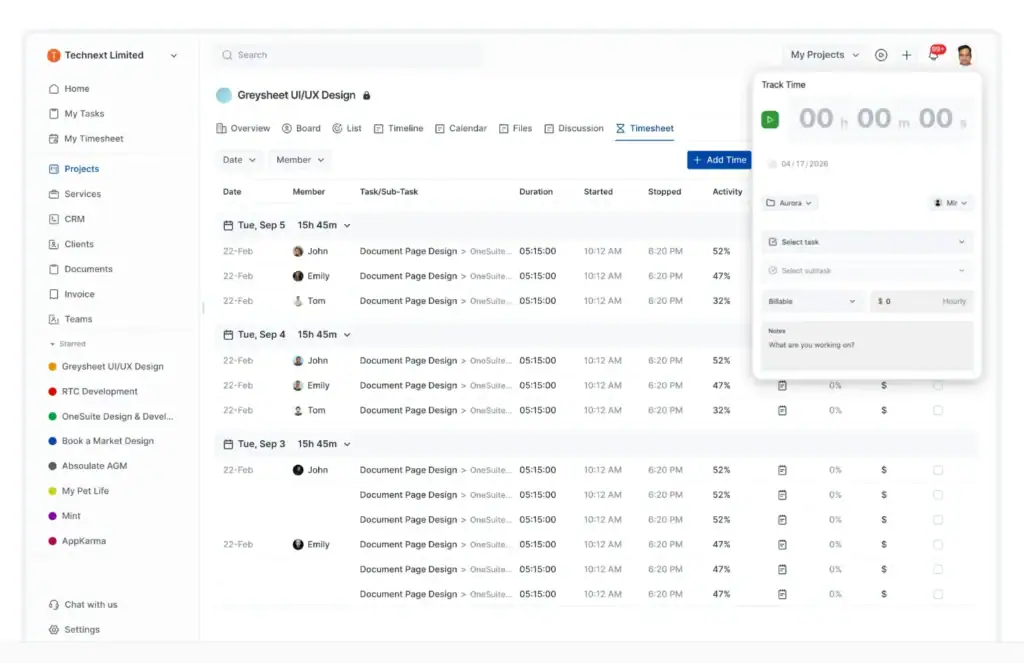
OneSuite is an all-in-one platform built specifically for agencies and freelancers. It covers CRM, project management, client portal, time tracking, invoicing, proposals, and e-signatures under one login. Where Monday manages internal tasks, OneSuite manages the entire client lifecycle from lead to payment.
The comparison with Monday is direct. Monday gives you a project board with core features gated behind expensive tiers and no client-facing tools at any price. OneSuite includes a white-label client portal, built-in invoicing, and time tracking on every plan without add-ons or upgrades.
The pricing math also tells a different story. Monday charges $12 per seat with a 3-seat minimum. A 12-person agency pays $144 per month for project management only. OneSuite’s Solopreneur plan covers the same team at $59 per month and includes every feature across the platform.
Best for: Agencies and freelancers who want to replace Monday plus their CRM, invoicing, and client portal tools with one flat-rate platform.
Key Features
- White-label client portal Your clients never have to wonder what is happening with their project. Give them a branded portal under your own domain where they can check progress, approve work, download files, and pay invoices. It looks like your product, not someone else’s software.
- Built-in CRM with lead pipeline OneSuite gives you a visual pipeline where you can move leads through stages, capture contact details, and turn a closed deal into an active client in one click. Your sales process and your project process finally live in the same place.
- Project and task management Create projects, assign tasks, set deadlines, and track progress without jumping between tools. Whether you prefer Kanban boards or a simple list view, your team stays aligned and your clients stay updated.
- Time tracking connected to billing Log hours against any project or client directly inside OneSuite. When it is time to invoice, those hours are already there. No exports, no manual entry, no chasing timesheets at the end of the month.
- Invoicing and payments Create an invoice in minutes, send it to the client, and get paid through Stripe, PayPal, or Razorpay. Set up payment reminders so you are not the one following up every time a due date passes.
- Proposals, contracts, and e-signatures Write a proposal, send it for approval, and collect a legally binding signature, all without leaving OneSuite. Fewer tools in the loop means fewer delays between winning a client and starting the work.
- Built-in email inbox Keep all your client communication in one place. No switching between your inbox and your project tools, trying to remember what was agreed. Everything is connected to the right client and the right project.
- Document management Store contracts, NDAs, briefs, and project files in a secure space your clients can access anytime. Nothing gets lost in email threads or shared drives that only half the team can find.
Pricing
- Freelancer: $29/month (5 members) — $5.80/user/month
- Solopreneur: $59/month (12 members) — $4.92/user/month
- Growing Agency: $149/month (35 members) — $4.26/user/month
- Enterprise: Custom
Annual billing available at $24 / $49 / $124 per month. All plans include every feature with no gating between tiers.
👉 Compared to Monday’s $12/seat/month with a 3-seat minimum, OneSuite costs less per user and includes client portal, invoicing, and CRM that Monday does not offer at any price.
Pros and Cons
| Pros | Cons |
| Easy to use and clean interface | Some features still evolving |
| All-in-one system (CRM + PM + Billing) | No forever free plan |
| Great for managing multiple client projects | All-in-one tools take time to fully adopt |
| Built-in automation saves time | |
| Cost-effective for teams (multi-user plans) |
User Review 🌟4.8/5
👍
– Jacquelyn L. G2 Review
“Always improving; Great support! Thank you!”
👎
– Raabit H. G2 Review
“As any app that is in their early phase of development, Onesuite has some bugs that needs to be ironed out. But none of that them were breaking the operations. They are mostly UI related and I am already seeing them fixing them one be one.”
2. Wrike — Best for Mid-Size Agencies With Complex Workflows
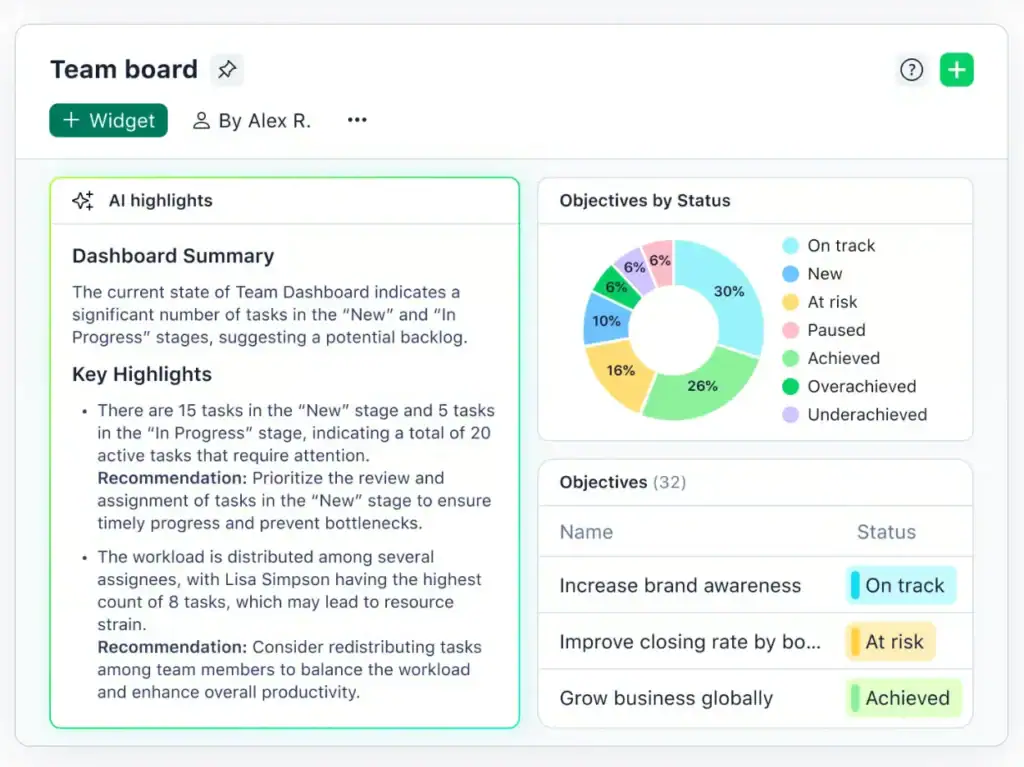
Wrike is built for teams managing high volumes of work across multiple departments or client accounts. Its standout feature is cross-tagging a single task can live in multiple projects simultaneously without duplication. For agencies managing several clients where the same team touches every account, this removes the constant “which project is this in?” confusion.
Compared to Monday, Wrike handles resource management and creative proofing more thoroughly at comparable price points. Built-in visual proofing lets teams annotate images, videos, and PDFs directly inside Wrike without exporting to a separate review tool.
Best for: Agencies running retainers and tracking billable hours closely. If time-to-invoice is your biggest operational headache, Teamwork handles it better than anything else in this list.
Key Features
- Cross-tagging — one task visible across multiple projects simultaneously
- Built-in visual proofing for images, videos, and PDFs
- Custom item types beyond standard tasks
- Resource management and workload views on the Business plan
- Advanced request intake forms
- Strong cross-project analytics and reporting
- Interactive Gantt charts on the Team plan
Pricing
- Free: $0 — unlimited users
- Team: $10/user/month — Gantt, custom fields, shareable dashboards (2-15 users)
- Business: $25/user/month — resource planning, workflow customizations (5-200 users)
- Pinnacle and Apex: Custom
👉 Wrike’s Team plan at $10/user/month is cheaper than Monday’s Standard at $12/seat, but the Business plan at $25 is a significant jump for smaller agencies.
Pros and Cons
| Pros | Cons |
| Strong project and task management | Steep learning curve for new users |
| Powerful team collaboration features | Interface can feel complex |
| Flexible and customizable workflows | Some missing built-in features |
| Advanced dashboards and reporting | Limited templates in some workflows |
| Good for managing large projects | Higher pricing for advanced features |
User Review 🌟 4.2/5
👍
– G2 review
“Wrike feels like a complete package when it comes to project management and work collaboration tools. On top of that, it’s by far one of the most leading-edge options in terms of AI and innovation, helping revolutionize how we work every day.”
👎
– G2 review
“It can be a bit overwhelming to keep track of all the different windows and areas of the system. A little too complex when many different teams are involved.”
3. Teamwork — Best for Agencies Tracking Billable Hours
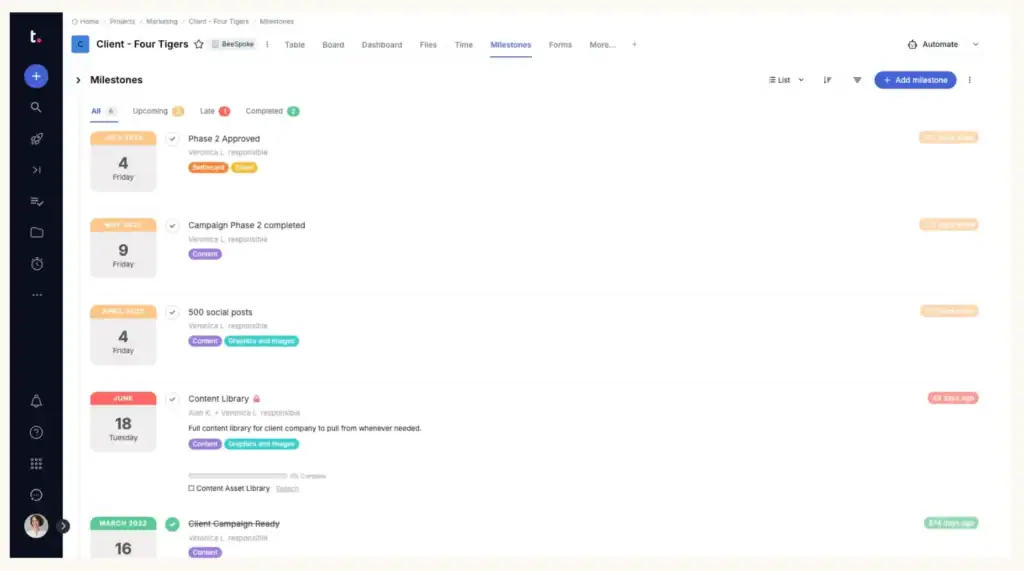
Teamwork is one of the few tools in this list purpose-built for client-services work. It combines project management, time tracking, billable hours, retainer management, and client collaboration in one platform. Unlike Monday, clients can be invited to projects for free with customizable permissions.
The difference from Monday is clear on billing. Monday has no invoicing or retainer management at any price. Teamwork tracks billable hours, manages retainers, and connects those numbers directly to project budgets. For agencies running client retainers, that gap alone is enough reason to switch.
Best for: Agencies running retainers and tracking billable hours closely. If time-to-invoice is your biggest operational headache, Teamwork handles it better than anything else in this list.
Key Features
- Billable hours and retainer management
- Time tracking and budget visibility connected to projects
- Client portal with customizable permissions
- Free client access at no extra cost
- Intake forms for client onboarding
- Resource planning and workload views
- Built-in chat, docs, and proofing tools
Pricing
- Free: Up to 5 users, 5 projects — time tracking and Gantt included
- Basics: $9.99/user/month (annual) / $13.99/user/month (monthly)
- Accelerate: $24.99/user/month (annual) / $29.99/user/month (monthly)
- Optimize: Custom
- Enterprise: Custom
30-day free trial on paid plans. No credit card required.
👉 Teamwork’s free plan includes time tracking and Gantt, two features Monday locks behind its $19/seat Pro plan.
Pros and Cons
| Pros | Cons |
| Profitability tracking built in, no spreadsheet exports needed | Interface can feel overwhelming with many menus and tabs |
| Granular client permissions so clients see only their work | New users report it takes time to find advanced features |
| Strong retainer management for monthly recurring engagements | Pricing climbs fast for advanced reporting and resource management |
| Customer support consistently rated as helpful and responsive | Reporting consistency is a recurring complaint in user reviews |
User Review 🌟 4.4/5
👍
— Maya V. Capterra Review
“Organizational management and task tracking are most useful to me personally. As an organization, we also appreciate the good customer support.”
👎
— Anonymous User Capterra Review
“The interface is complex and UI adjustments happen somewhat regularly. Predictably, this is good when I like the changes and bad when I don’t. Some features I use often can become buried under layers of menus, or made to require a long and challenging hover-interaction.”
4. ClickUp — Best for Teams Wanting Maximum Flexibility
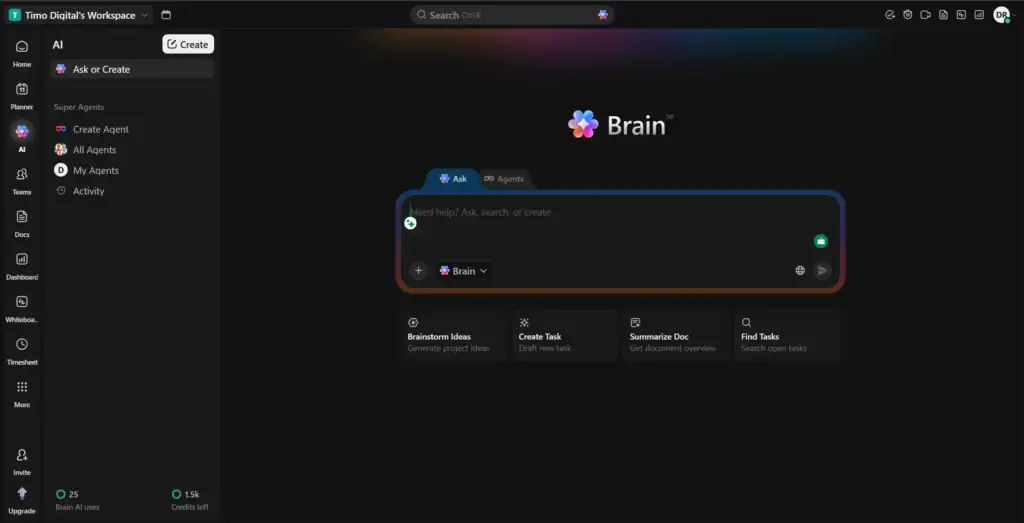
ClickUp is Monday’s most direct competitor on features. It offers more views, a better free plan, a lower starting price, and native time tracking included from the Unlimited plan. The tradeoff is complexity. Non-technical teams typically get up and running on Monday 2 to 3 times faster than ClickUp.
For agencies and startups willing to invest time in setup, ClickUp delivers more features per dollar than any other tool in this list. For teams that need to be productive within a week, the learning curve is a real cost to factor in.
Best for: Tech-savvy agencies, startups, and growing teams that want maximum features at minimum cost and are willing to invest time in configuration.
Key Features
- Unlimited members on the free plan
- Unlimited Gantt charts from the Unlimited plan
- Native time tracking on all paid plans
- Goals and portfolio management
- Resource management and workload views
- Built-in docs, chat, and email
- Unlimited integrations with Slack, HubSpot, Google Drive, and more
Pricing
- Free Forever: $0 — unlimited members, unlimited tasks, Kanban, docs
- Unlimited: $7/user/month (annual) — Gantt, native time tracking, resource management
- Business: $12/user/month (annual) — unlimited dashboards, proofing, 5K automations
- Enterprise: Custom
👉 At $7/user/month with no seat minimum and unlimited users on the free plan, ClickUp is significantly more accessible than Monday at every price point.
Pros and Cons
| Pros | Cons |
| Native time tracking included on every plan, including free | Steep learning curve, expect setup to take days not hours |
| Massive customization potential adapts to almost any workflow | Feature overload, you will spend the first week disabling things you do not need |
| Connects with 100+ tools through native integrations | Native invoicing is missing, requires Zapier to connect to invoicing tools |
| Includes docs, chat, and whiteboards so you can consolidate your stack | AI features are a separate paid add-on starting at $9/user/month |
User Review 🌟 4.6/5
👍
— Sherrise E. G2 Review
“I absolutely love the task management system of ClickUp and really love the easily structured files and folders. It has provided one place to keep everything, which helps me continue building, changing, and adapting as I progress. ClickUp allows me to easily share information with others who might help me on a project and keeps all my business details and tasks organized.”
👎
— Patrick S. G2 Review
“Ticket search is pretty bad, it’s hard to find what I’m looking for. Searching for ‘created by’ would be helpful, so tighter search and filters would be really good. Making tags easier to be applied. Sometimes if we drop a UI tag from a ticket, we can’t find the ticket anymore in what feels like a huge backlog. Creating tickets is also annoying since dragging from all the way at the bottom to the next ‘status’ of our flow takes a long time and can easily mess up.”
5. Smartsheet — Best for Teams With Heavy Spreadsheet Workflows
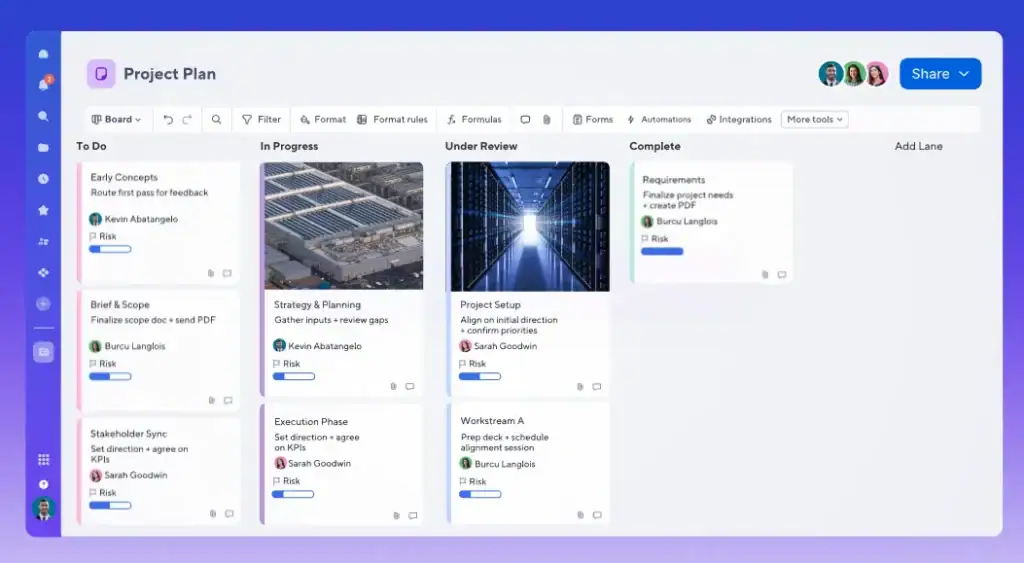
Smartsheet is the answer for teams whose instinct is to open Excel for project tracking. It is a project management tool built on a familiar grid interface: Gantt charts, dependencies, automations, and dashboards all work within a spreadsheet-style layout. Finance teams and operations managers who have run projects in Excel for years often adapt to Smartsheet faster than any modern visual PM tool.
Where Monday feels like a colorful visual app, Smartsheet feels like a supercharged spreadsheet. That is a feature for the right team, not a limitation. But for creative agencies or small businesses looking for an intuitive visual tool, Smartsheet will feel cold and overly structured.
Best for: Operations, finance, and data-heavy teams with strong Excel backgrounds. Not the right fit for small creative agencies or businesses looking for a client-facing platform.
Key Features
- Grid, Gantt, Calendar, and Card views built on spreadsheet logic
- Rich formulas and functions for data-heavy planning
- Unlimited sheets, forms, and reports on Pro plan
- Workload tracking and timeline view on Business plan
- Portfolio management on Enterprise plan
- 250 automations per month on Pro, unlimited on Business
Pricing
- Pro: $9/member/month (annual) — 1-10 members, Gantt included, 250 automations/month
- Business: $19/member/month (annual) — 3+ members, unlimited automations, workload tracking
- Enterprise: Custom
- Advanced Work Management: Custom
👉 Smartsheet has no free plan . Only a 30-day trial. Monday at least offers a limited free tier. But Smartsheet’s Pro plan at $9 undercuts Monday’s Standard at $12.
Pros and Cons
| Pros | Cons |
| Flexible and intuitive for diverse use cases | Long learning curve for formulas |
| Strong customization and project organization | Non-intuitive interface can feel overwhelming |
| Good team collaboration and integration options | Missing features compared to Google Sheets and Excel |
| Easy automation for reminders and workflows | Limited customization options for complex workflows |
| Efficient project tracking with quick data insights | Functionality feels limited compared to spreadsheet tools |
User Review 🌟 4.4/5
👍
— Eduardo D. G2 Review
“What I like most about Smartsheet is how simple it makes it to keep projects organized and everyone on the same page. I really like being able to track tasks, updates, and deadlines all in one place instead of digging through emails or multiple spreadsheets. It’s also super helpful for team collaboration and makes project management feel a lot less overwhelming.”
👎
— Gesabel G. G2 Review
“It has some limitations for customization. Customization of the sheets toolbar is limited, you can only make certain changes to the whole row versus individual cells and vice versa. I think it lacks a little in the timeline aspect as well, in order to automize it.”
6. Nifty — Best for Creative Agencies Managing Multiple Projects
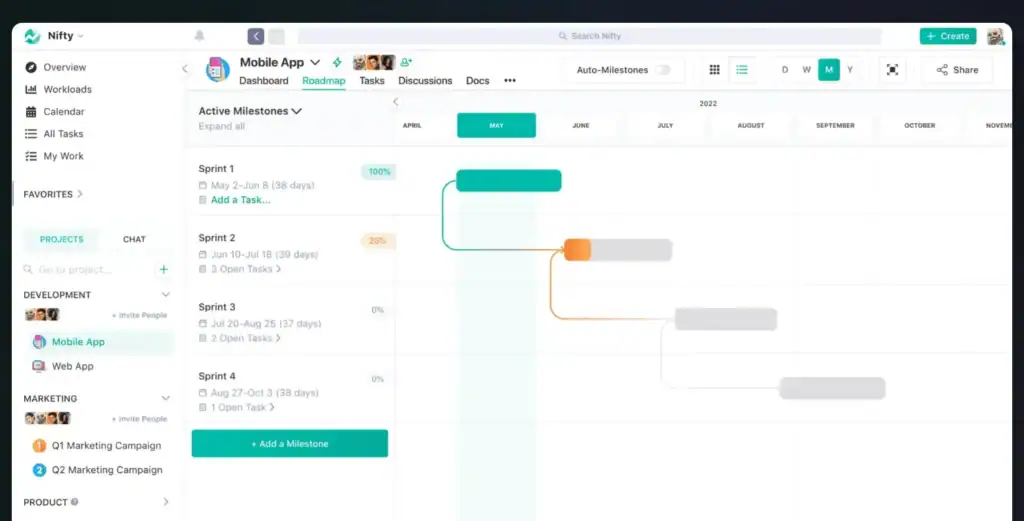
Nifty is built around milestone-driven project roadmaps. Every project gets a visual timeline showing milestones, dependencies, and completion rates in real time. For creative agencies juggling multiple client timelines, this gives instant clarity on what is on track and what is slipping without having to dig through individual task lists.
Compared to Monday, Nifty is easier to adopt and more focused on showing project-level progress at a glance. Its flat-rate pricing also makes it friendlier for growing teams; you pay per workspace, not per seat, which means adding a team member does not automatically increase your bill.
Best for: Small creative agencies and marketing teams managing multiple client projects at once who need milestone clarity without paying enterprise-level prices.
Key Features
- Milestone-driven project roadmaps with visual timelines
- Portfolio view for managing multiple client projects simultaneously
- Kanban, list, swimlane, and calendar views
- Built-in team chat and discussion threads per project
- Time tracking and budget tracking on Starter plan
- File proofing on Business plan
- Docs and file sharing centralized per project
- Unlimited guests and clients on all paid plans
Pricing
- Free: $0 — unlimited members, 2 active projects, 100MB storage
- Starter: $39/month (annual) — 10 members, 40 projects, time tracking included
- Business: $124/month (annual) — 50 members, unlimited projects, file proofing
- Unlimited: $399/month (annual) — unlimited everything
👉 Nifty’s flat-rate pricing means a 10-person agency pays $39/month total. The same team on Monday’s Standard plan would pay $120/month minimum.
Pros and Cons
| Pros | Cons |
| Easy to use and clean interface | Some missing advanced features |
| All-in-one collaboration system | Reporting flexibility can be limited |
| Strong task and project tracking | Notification system can be unreliable |
| Built-in chat and document sharing | App functionality issues reported |
| Good for small to mid-sized teams | Can become expensive at higher tiers |
User Review 🌟 4.7/5
👍
– Nancy S. G2 Review
“Clean and simple interface, with great tutorials and customer support. The implementation is amazing and the day to day usage saves me so much time with my team.”
👎
– Gunjan B. G2 Review
“It didnt not provide us with voice notes, it would be great if they start adding voice notes in it as it will become easier to convey the task easily to all group members altogether”
7. Hive — Best for Small Teams That Prioritize Daily Collaboration
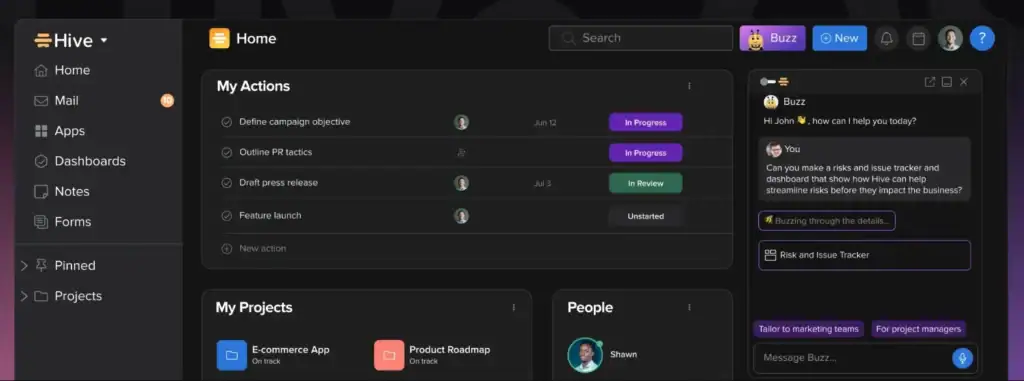
Hive is a collaboration-first project management tool with strong built-in communication features. Native chat, email in Hive, and Gantt charts are all available from the Starter plan, making it one of the more accessible tools in this list for small teams that want structure without complexity.
Compared to Monday, Hive is more affordable at the entry level and includes Gantt charts without an upgrade. The gap shows up in time tracking, which only unlocks at the Teams plan at $12/user/month, and in the absence of invoicing or client portal features at any tier.
Best for: Small agency teams under 10 people that want daily collaboration tools and Gantt visibility without a large budget. Not the right fit if invoicing or client portal features are a priority.
Key Features
- Gantt view available from the Starter plan
- Native chat messaging and email in Hive
- Up to 10 workspace members on the free plan
- Time tracking on Teams plan
- Portfolio view on Teams plan
- Custom fields, labels, and statuses on Teams plan
- Integrations with Zoom, Slack, Google Drive, and more
Pricing
- Free: $0 — up to 10 members, unlimited tasks, native chat
- Starter: $5/user/month (annual) — up to 10 members, 10 projects, Gantt included
- Teams: $12/user/month (annual) — unlimited members, time tracking, portfolios
- Enterprise: Custom
👉 Hive’s Starter plan at $5/user/month is the most affordable paid option in this list. But time tracking only unlocks at Teams ($12), which is the same as Monday’s standard plan.
Pros and Cons
| Pros | Cons |
| Easy to use and quick to set up | Missing features — particularly calendar view limitations and no auto-save on notes |
| Strong collaboration and team communication features | Steep learning curve, especially coming from other PM tools |
| Excellent organizational capabilities for managing projects and timelines | Interface not always intuitive, especially on mobile |
| Flexible views — Kanban, Gantt, calendar, timeline | Limited customization options |
| Good customer support and onboarding experience | Mobile app feels underpowered compared to desktop |
User Review 🌟 4.6/5
👍
— Leonardo N. G2 Review
“The best things about working with hive are the organizational part, the possibility to schedule working hours and, without a doubt, the platform’s intuitiveness to open, schedule, organize and optimize your work time.”
👎
— Verified User in Oil & Energy G2 Review
“Though this platform is very feature-rich, for new users, it is very complex to set up the initial structure. Their workflow structuring is very effective but needs wider options, and these platform integrations are hidden behind the high-tier plans, which are not that adaptable for smaller teams. There are certain roadblocks in the integration systems.”
Which Monday.com Alternative Should You Choose?
Most tools in this list solve one problem well. The question is how many problems you are trying to solve at once.
If your team just needs simple task boards and nothing else, Hive gets you there at $5 per user per month with Gantt included from day one.
If you need milestone tracking across multiple client projects, Nifty adds that layer with visual roadmaps and a flat-rate pricing structure.
If your workflow is data-heavy and your team thinks in spreadsheets, Smartsheet is the natural home with its grid-first interface and powerful reporting.
If creative proofing and multi-team visibility matter, Wrike handles both better than Monday ever did.
If tracking billable hours and retainers is the priority, Teamwork is the strongest option in the list for client billing.
If you want maximum features at the lowest possible price, ClickUp wins that race with its generous free plan and $7 starting price.
But if your agency is managing leads, running projects, sending invoices, and trying to give clients a professional place to view their work, you are not looking for one tool from this list. You are looking for all of them in one place. That is what OneSuite is built for.
How to Migrate from Monday.com
Switching tools feels overwhelming until you break it down into steps. Here is how to move off Monday.com without losing data or disrupting active work.
Step 1: Export your data from Monday.com
Go to your Monday.com account settings and export your boards as CSV files. Do this for every active board before you do anything else. This is your safety net.
Step 2: Map your boards to the new tool
Before importing anything, open your new tool and plan how your Monday boards will translate. A Monday board becomes a project. Columns become custom fields. Groups become task sections. Spending 30 minutes on this mapping saves hours of cleanup later.
Step 3: Start with one project
Do not migrate everything at once. Pick one active project and set it up in the new tool first. Run it there for a week alongside Monday. This gives your team time to adjust without putting live client work at risk.
Step 4: Move the team gradually
Once the test project feels stable, brief your team on the new tool. Assign one person to manage the transition. Set a clear cutoff date after which Monday will no longer be the primary tool.
Step 5: Migrate remaining projects
Move the rest of your projects across one by one. Prioritize active client work first and archive completed projects last.
Step 6: Cancel Monday only after full adoption
Do not cancel Monday until your entire team has been working in the new tool for at least two weeks without reverting back. Once you are confident, cancel your Monday subscription.
FAQs
Is OneSuite cheaper than Monday.com?
What is the best Monday.com alternative for freelancers?
OneSuite is the strongest pick for freelancers with client portal, invoicing, time tracking, and CRM at $29/month flat. Freelancers on a tight budget can also consider ClickUp’s free plan, and those prioritizing billable hour tracking will find Teamwork’s free plan a solid option.
What is the best Monday.com alternative for agencies?
OneSuite is the most complete platform for agencies covering CRM, project management, client portal, and invoicing under one flat-rate subscription. Agencies focused on retainer management will find Teamwork a strong second, and agencies handling multiple client accounts with shared teams should look at Wrike.
Ready to Replace Monday.com?
Most teams that switch from Monday.com are not looking for a cheaper board tool. They are looking for something built around the way their business actually runs with clients, invoices, and projects all connected in one place.
OneSuite is built for exactly that. Agencies and freelancers use it to manage leads, run projects, send invoices, and give clients a professional portal, all under one login, at a price that does not scale against them as they grow.
No per-seat pricing surprises. No feature gating. No bolting on three other tools to cover the gaps.
Start your 14-day free trial | no credit card required
Final Thoughts
Monday.com is a strong tool. For many teams it works well and will continue to. But if you are an agency, a freelancer, or a growing business that needs more than a project board, a client portal, invoicing, CRM, or simply fairer pricing, there are better options built closer to the way you actually work.
The 7 tools in this guide each solve a different piece of that puzzle. The right one depends on your team size, how you bill clients, and how many tools you are willing to manage.
If you want one platform that covers everything Monday leaves out, OneSuite is worth a look.
Start exploring OneSuite today
No credit card is required