
7 Best Smartsheet Alternatives Tested and Reviewed in 2026

September 8, 2026
Smartsheet is one of the leading work management platforms for project planning, workflow automation, and team collaboration. Its spreadsheet-style interface makes it a popular choice for managing complex projects, tracking tasks, and organizing large amounts of data.
However, as businesses grow, many teams realize they need more than project management. Essential capabilities like CRM, client portals, invoicing, e-signatures, and lead management often require additional software, increasing costs and making day-to-day workflows more complicated.
If you’re looking for a platform that combines project management with the tools to manage clients, teams, and business operations, you’re in the right place. In this guide, we’ve reviewed the best Smartsheet alternatives for 2026, comparing their features, pricing, pros, cons, and ideal use cases to help you find the right solution for your business.
- Smartsheet has no native time tracking or invoicing, which is a real problem for agencies and freelancers who bill by the hour
- Most alternatives on this list are cheaper than Smartsheet’s per-user pricing at scale
- OneSuite is my top pick for freelancers and small agencies who need an all-in-one client portal, invoicing, and time tracking
- If you run a larger professional services firm, Scoro and Productive.io are worth a serious look
- Every tool on this list was evaluated on project management capability, time tracking, invoicing, pricing, and ease of use
Why Look for a Smartsheet Alternative?
Smartsheet has a clear strength. It takes the spreadsheet format most people already know and layers project management on top of it. For certain teams, that’s exactly what they need and nothing more.
But if you’re running a client-facing business, the cracks start to show pretty quickly.
- Your tool stack grows around it. Smartsheet doesn’t track time, send invoices, or give clients a place to check in. So you end up stitching together three or four extra tools just to cover the basics of running a client-facing business
- Clients have no visibility. There’s no native way to give a client a live view of their project. You’re either sending manual status updates or exporting reports and emailing them.
- The interface isn’t for everyone. If you live in Excel, Smartsheet feels natural. But bring in a designer, a copywriter, or a client and the grid-based interface creates friction fast. Modern teams expect Kanban boards, timeline views, and dashboards.
- Reporting costs more. Cross-project visibility and meaningful dashboards are locked behind higher plans. For a tool already priced at the premium end, that’s a lot to ask.
- The learning curve is real. Non-spreadsheet users take longer to get comfortable than you’d expect from a modern project management tool. That slows down adoption across the team.
- Per-user pricing adds up. Smartsheet has no free plan. As your team grows, costs climb fast, and you’re still paying for features that aren’t there.
These aren’t minor inconveniences. For freelancers and agencies managing multiple clients, they add up to real hours lost every week. The tools on this list are built differently, and that’s exactly what we’re going to get into.
Best Smartsheet Alternatives at a Glance
If you’re short on time, here’s a quick look at all seven tools side by side before we get into the details.
Best Smartsheet Alternatives Reviewed
1. OneSuite

OneSuite is an all-in-one business management platform that combines project management, CRM, client portals, time tracking, invoicing, proposals, e-signatures, and team collaboration in a single workspace. Instead of managing projects and client operations across multiple apps, you can handle everything from lead management to project delivery and payment within one platform.
Unlike Smartsheet, which focuses primarily on work management, OneSuite helps businesses manage both projects and the operational side of their business. Its built-in CRM, invoicing, client communication, and document management eliminate the need for multiple integrations, making it one of the best Smartsheet alternatives for businesses looking to simplify their workflows while reducing software costs.
OneSuite is particularly well suited for freelancers, agencies, consultants, and service-based businesses that want an all-in-one platform to manage clients, projects, and day-to-day business operations without switching between multiple tools.
Key Features
- White-label client portal where clients can check progress, approve work, and communicate without emailing you
- Built-in invoicing tied directly to projects, so billing takes minutes not hours
- Time tracking logged against specific clients and projects for accurate billing
- Document hub with e-signatures built in, no separate DocuSign subscription needed
- CRM and lead pipeline to manage prospects before they become paying clients
- Productized service packages so you can sell fixed-scope services without custom quoting every time
- Team collaboration with task assignments, deadlines, and project views
- Email inbox to manage client communication without leaving the platform
Pricing
OneSuite pricing starts at $9 per user/month, or $7 per user/month with annual billing. A 14-day free trial is available with no credit card required.
Note: All plans include unlimited projects, unlimited clients, unlimited invoices, and unlimited documents. The Freelancer plan works out to $5.80 per user per month, making it one of the most affordable picks on this list.
Pros and Cons
User Review 🌟 4.8/5 (G2 Ratings)
👍
– Jacquelyn L. G2 Review
“Always improving; Great support! Thank you!”
👎
– Raabit H. G2 Review
“As any app that is in their early phase of development, Onesuite has some bugs that needs to be ironed out. But none of that them were breaking the operations. They are mostly UI related and I am already seeing them fixing them one be one.”
2. Scoro
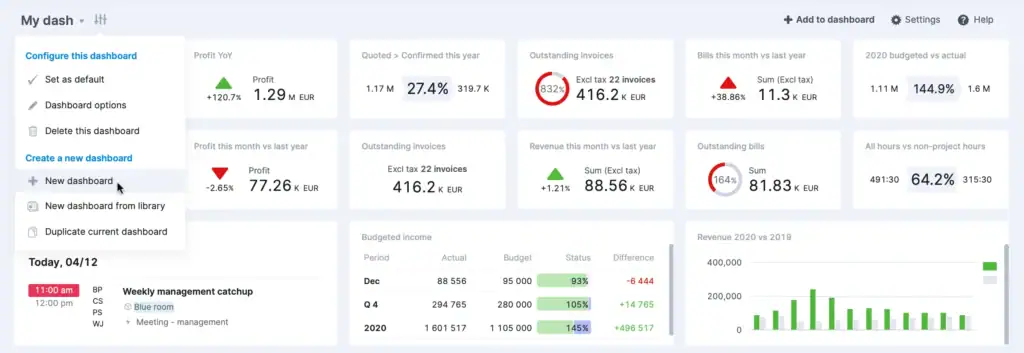
Scoro is a business management platform that combines project management, CRM, resource planning, budgeting, billing, and reporting into a single solution. It helps businesses manage client projects while keeping track of financial performance, team utilization, and overall business operations.
Compared to Smartsheet, Scoro offers more advanced business management capabilities, particularly for teams that need detailed budgeting, resource allocation, and profitability tracking. Instead of using separate tools for project planning and financial management, businesses can manage the entire project lifecycle from quote to invoice in one platform.
Scoro is best suited for consulting firms, professional service providers, and larger agencies that manage multiple client projects and need comprehensive financial reporting alongside project management.
Key Features
- Gantt charts, Kanban boards, task dependencies, milestone tracking
- Time tracking for billable and non-billable hours tied directly to invoices
- Quoting and budgeting with margin visibility by role and hours
- Automated invoicing with recurring billing for retainers
- CRM and sales pipeline
- Resource planning with utilization heatmaps
- Real-time profitability dashboards at project, client, and company level
- 60+ integrations including Xero, QuickBooks, HubSpot, and Stripe
Pricing
Note: Scoro requires a minimum of 5 paid seats on every plan, so the entry point is $99.50 per month regardless of team size.
Pros and Cons
User Review 🌟 4.5/5 (G2 Ratings)
👍
— Heather E. G2 Review
“I like that everything with Scoro is in the same place. It includes timesheets, planners, projects, and the reporting, which makes management much more streamlined. We used to work with separate software for time tracking, project management, and billing, so having all this together in Scoro has made us more effective as an agency.”
👎
— Heather E. G2 Review
“I can’t allocate time allocations to specific services within projects. It would be helpful to see the pace per service throughout the month. Also, during the onboarding, I felt that the onboarding person didn’t really understand our business, and a lot of the onboarding was generic rather than tailored to us.”
3. Airtable
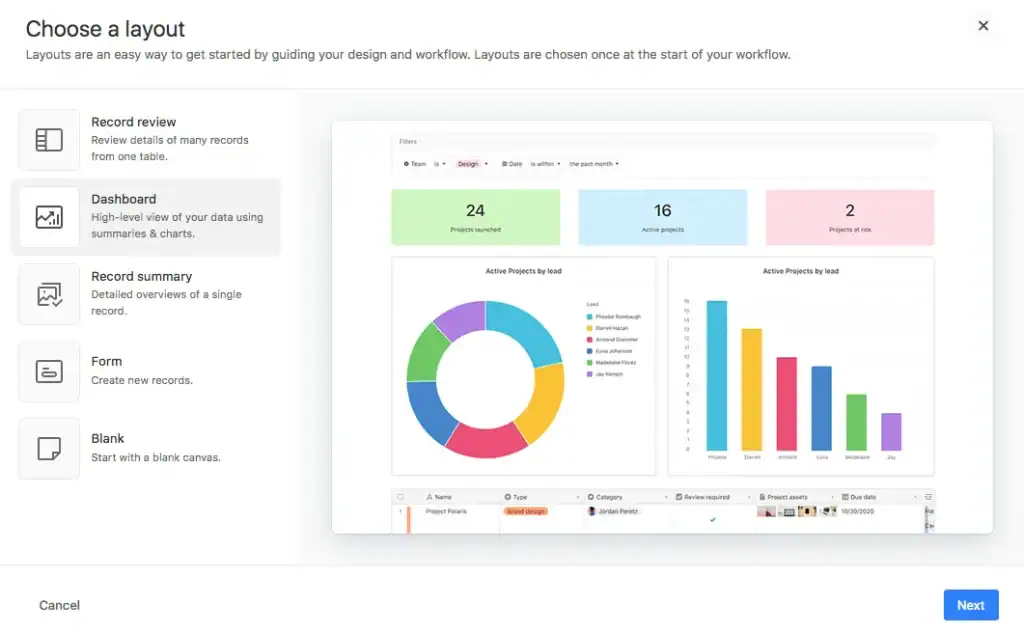
Airtable is a flexible work management platform that combines the simplicity of spreadsheets with the power of a relational database. Teams can build custom workflows for project management, content planning, CRM, inventory management, product development, and virtually any business process without writing code.
If you like Smartsheet’s spreadsheet-style interface but want greater flexibility and customization, Airtable is one of the strongest Smartsheet alternatives available. Its linked databases, multiple project views, and powerful automation allow businesses to create workflows tailored to their exact needs, although more advanced setups may require additional configuration.
Airtable is ideal for startups, marketing teams, operations departments, and businesses that need highly customizable workflows rather than a traditional project management solution.
Key Features
- Relational databases with linked records across tables
- Grid, Kanban, calendar, timeline, and gallery views
- Custom field types including formulas, attachments, and rollups
- Workflow automations with triggers and chained actions
- Interface designer to build custom front-ends on your data
- 1000+ integrations via native connectors and Zapier
Pricing
Pros and Cons
User Review 🌟 4.6/5 (G2 Ratings)
👍
— Nis J. Capterra Review
“It’s like an enhanced version of excel, but much more intuitive and not relying on formulas.”
👎
— Sean N. Capterra Review
“It can be a little Frankenstein-like in how much things can or need to be connected, and it can often overcomplicate matters. It’s also pretty expensive, especially when you often have people who need access who aren’t on your team.”
4. Monday.com
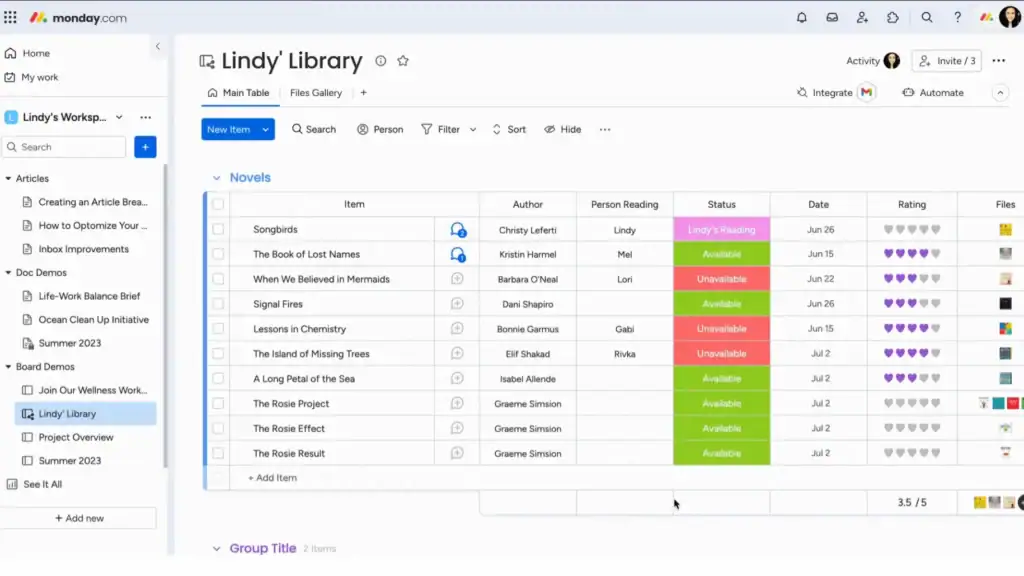
Monday.com is a visual work management platform that helps teams plan projects, automate repetitive tasks, and collaborate through customizable boards, timelines, dashboards, and multiple project views. Its intuitive interface makes it easy for teams to organize work without relying on complex spreadsheets.
As a Smartsheet alternative, Monday.com stands out for its ease of use and flexibility. While Smartsheet is built around spreadsheet-based workflows, Monday.com offers a more visual approach to project management with extensive templates, automation, and integrations that help teams get started quickly without a steep learning curve.
Monday.com is a great choice for marketing teams, operations, HR, product teams, and businesses looking for an easy-to-use project management platform that can scale as their workflows grow.
Key Features
- Boards with Kanban, timeline, calendar, Gantt, and chart views
- Customizable columns, statuses, and workflow automations
- Dashboards that pull data from multiple boards in one view
- Time tracking on Pro plan and above
- Guest access so clients can view specific boards
- 200+ templates across industries and team types
- 1000+ integrations including Slack, Google Workspace, and Salesforce
Pricing
Note: Time tracking is only available on the Pro plan and above.
Pros and Cons
User Review 🌟 4.7/5 (G2 Review)
👍
– Mouhsine D. G2 Review
“I’m a land investor and I use Monday on all my business aspects, starting with tracking our inventory and tracking our deals, and it’s very easy to track everything, all in one place. easy to use with plenty of features that are very easy to personalize as required.”
👎
– Bibhishan D. G2 Review
“Pricing can get steep as you scale the team, especially to unlock some of the more advanced automation and reporting features. The mobile app, while functional, doesn’t quite match the desktop experience, navigating complex boards on mobile feels a bit clunky.”
5. Wrike
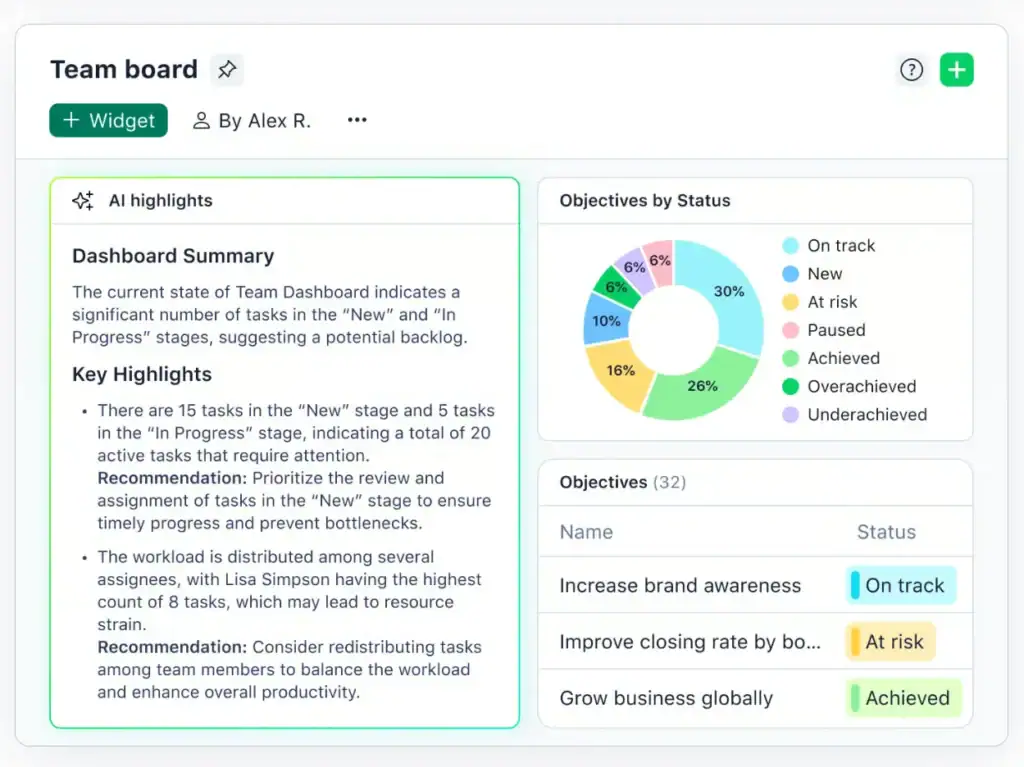
Wrike is an enterprise-grade project management platform designed to help organizations manage complex projects, cross-functional collaboration, and large-scale workflows. It offers advanced features such as workload management, workflow automation, approval processes, resource planning, and detailed reporting.
For businesses that have outgrown Smartsheet, Wrike provides more advanced project governance and enterprise-level controls. Its customizable workflows and reporting capabilities make it easier to standardize processes, manage multiple teams, and gain deeper visibility into project performance across an organization.
Wrike is best suited for enterprise businesses, IT teams, PMOs, and large organizations that need advanced project management, resource planning, and workflow automation.
Key Features
- Gantt charts, Kanban boards, calendar, and table views
- Custom workflows and approval processes
- Advanced automation with custom triggers and chained actions
- Resource management and workload planning
- Time tracking on Team plan and above
- Detailed reporting and customizable dashboards
- AI agents and AI priority inbox included on all plans
- 400+ integrations including Salesforce, Adobe Creative Cloud, and Microsoft Teams
Pricing
Note: Business plan requires a minimum of 5 seats, putting the floor at $125 per month.
Pros and Cons
User Review 🌟 4.2/5 (G2 Ratings)
👍
– G2 review
“Wrike feels like a complete package when it comes to project management and work collaboration tools. On top of that, it’s by far one of the most leading-edge options in terms of AI and innovation, helping revolutionize how we work every day.”
👎
– G2 review
“It can be a bit overwhelming to keep track of all the different windows and areas of the system. A little too complex when many different teams are involved.”
6. Teamwork
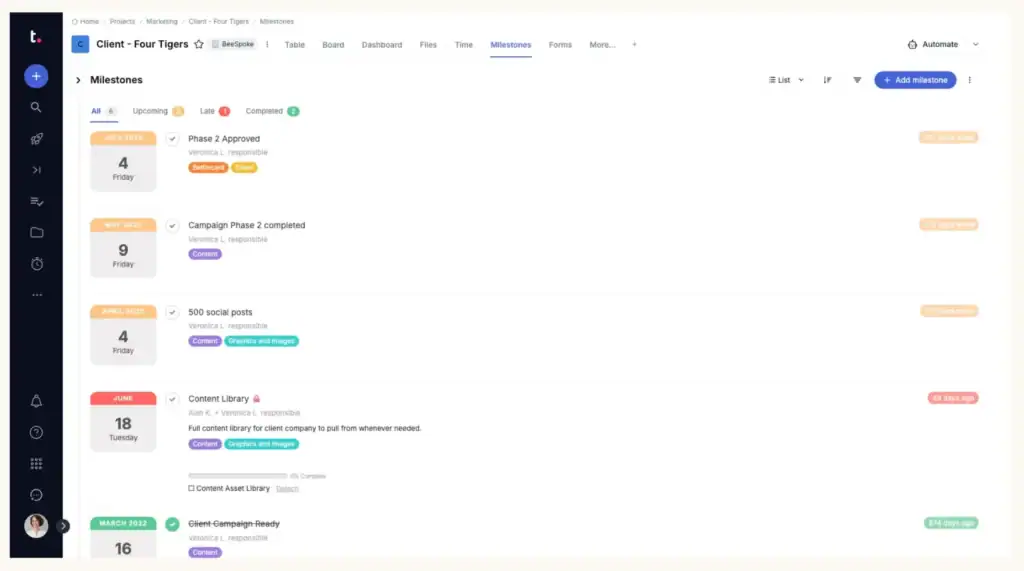
Teamwork is a project management platform built specifically for agencies and client-service businesses. In addition to task and project management, it includes built-in time tracking, budgeting, invoicing, workload management, and client collaboration, making it easier to manage projects from kickoff to payment.
Unlike Smartsheet, Teamwork focuses on the needs of businesses that deliver client work. Its native billing, time tracking, and client management features reduce the need for third-party integrations, making it one of the best Smartsheet alternatives for agencies that want to streamline project delivery and improve profitability.
Teamwork is ideal for marketing agencies, creative studios, consultants, software development teams, and other service-based businesses managing multiple client projects and billable work.
Key Features
- Project and task management with subtasks, dependencies, and milestones
- Time tracking tied to billable and non-billable hours
- Invoicing and budget tracking per project
- Retainer management for recurring client work
- Client portal with guest access so clients can view projects without seeing other accounts
- Resource planning and workload management
- Profitability reporting on higher plans
- 150+ integrations including Slack, HubSpot, and Google Drive
Pricing
Pros and Cons
User Review 🌟 4.4/5 (G2 Review)
👍
— Soumyajit B. G2 Review
“The integrations with other tools and the customizable workflows make it flexible enough to adapt to different business needs. Overall, Teamwork.com helps improve productivity, transparency, and team coordination in a very streamlined way.”
👎
— Jordan D. G2 Review
“The overall UI/UX is overly complex for our daily e-commerce and marketing operations. There are simply too many places to click, which makes it unnecessarily difficult to locate specific tasks quickly. I often waste time clicking back and forth between ‘My Work,’ ‘My Projects,’ and my inbox just to figure out where a Shopify asset or product description is living.”
7. Productive.io
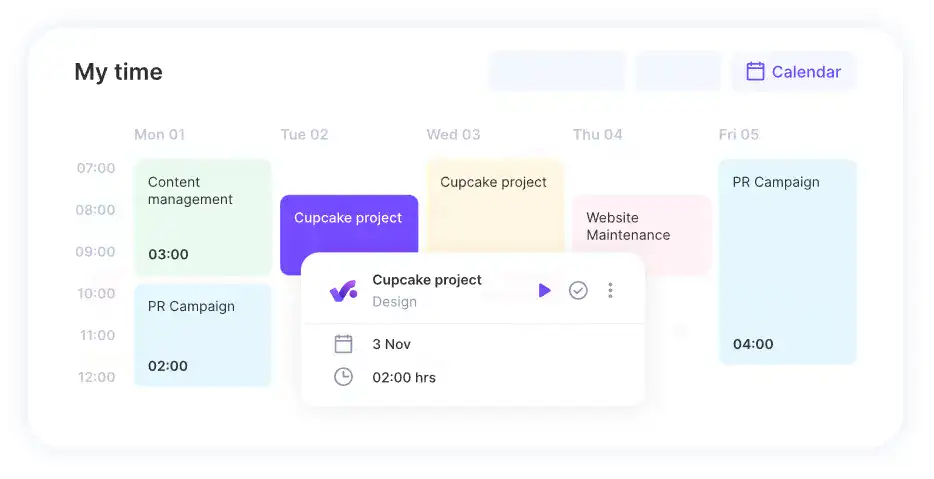
Productive is an all-in-one agency management platform that combines project management, resource planning, time tracking, budgeting, forecasting, invoicing, and profitability reporting. It gives agencies complete visibility into their projects, finances, and team utilization from a single platform.
Compared to Smartsheet, Productive places a much stronger emphasis on agency operations and financial performance. Its built-in forecasting, budgeting, and resource management tools help businesses optimize team capacity, improve project profitability, and make more informed business decisions without relying on separate financial software.
Productive is best suited for growing agencies, consulting firms, and professional service businesses that need advanced resource planning, financial management, and project tracking in one centralized workspace.
Key Features
- Project and task management with flexible board and list views
- Time tracking for billable and non-billable hours with timesheet approval workflows
- Budgeting and profitability tracking at project, client, and company level
- Invoicing with recurring billing support for retainers
- Resource planning and capacity forecasting
- Sales pipeline and CRM for managing leads and converting to projects
- Advanced reporting with custom fields, formula support, and CSV or PDF export
- 1000+ integrations including Xero, QuickBooks, Jira, Slack, and Zapier
Pricing
Note: Minimum of 3 seats required. No free plan, but a 14-day trial is available.
Pros and Cons
User Review 🌟 4.6/5 (G2 Review)
👍
— Capterra Review
“Easy to keep track of daily tasks, managing internal resources for projects, holidays.”
👎
— Capterra Review
“There are bugs littered throughout the product especially in critical modules like timesheets and invoicing which makes us very hesitant to switch over to it. Their support team is slow to answer if you are in the US since they are in Europe, and they don’t fix bugs quickly.”
What to Look for in a Smartsheet Alternative
Not every tool on this list will work for every team. Before you commit to a trial, here are the things worth checking.
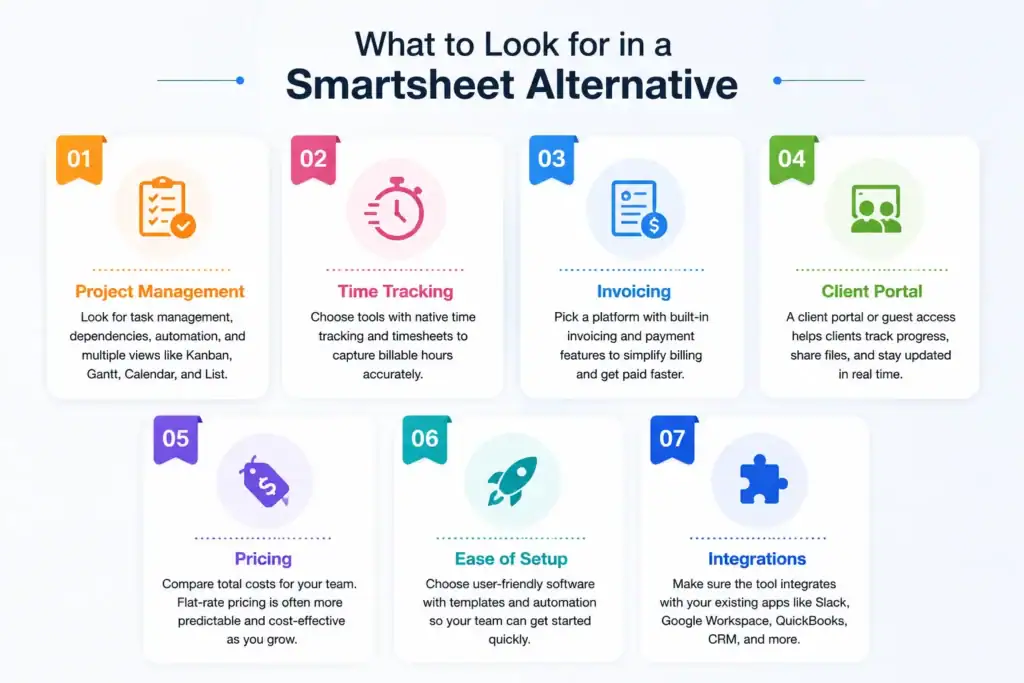
Project management fundamentals. Make sure the tool covers the basics your team actually uses. Task management, deadlines, dependencies, and multiple project views like Kanban, Gantt, and list. These should be available without needing to upgrade to a higher plan.
Time tracking. If you bill clients by the hour, time tracking needs to be native, not a third-party integration. Check which plan it sits on. Several tools on this list lock time tracking behind mid or upper tier plans.
Invoicing. This is where most project management tools fall short. Only four of the seven tools on this list have built-in invoicing. If billing is part of your workflow, this matters more than any other feature.
Client visibility. Can your clients log in and see project progress without you sending manual updates? A client portal or guest access feature saves hours every week for anyone managing multiple client accounts.
Pricing model. Per-user pricing sounds straightforward until your team grows. Flat-seat pricing like OneSuite’s is more predictable and often cheaper at scale. Always calculate the real cost for your actual team size before deciding.
Ease of setup. Some tools on this list take days to configure properly. Others are usable within an hour. If you don’t have a dedicated project manager or ops person to handle implementation, lean toward tools with faster onboarding.
Integration with your existing stack. Check whether the tool connects natively with the apps you already use. Accounting tools, communication platforms, and CRMs are the most common integration needs for small agencies and freelancers.
How to Choose the Right Smartsheet Alternative for Your Business
The right tool depends on what your team actually does every day, not just what looks good in a feature list.
Choose OneSuite if you are a freelancer or small agency owner who wants one platform to handle client management, project delivery, time tracking, and invoicing without stitching tools together. The flat-seat pricing also makes it one of the most cost-effective options as your team grows.
Choose Scoro if you run a professional services firm where financial visibility matters as much as project delivery. Quote to cash in one platform, deep profitability reporting, and strong resource planning make it worth the price for the right team. Just be ready for the 5-seat minimum and the setup time it requires.
Choose Airtable if your work is heavily data-driven and you need the flexibility to build custom workflows from scratch. It is not a traditional project management tool, but in the right hands it is one of the most powerful options on this list.
Choose Monday.com if you want something your whole team can pick up quickly without training. It is the most accessible tool on this list and works well across different team types and project styles. Just know that invoicing is not on the table.
Choose Wrike if you are managing a mid-size or enterprise team with complex workflows, multiple stakeholders, and a need for structured reporting and approval processes. It is not built for small teams, but it is very good at what it does.
Choose Teamwork if you run a client-facing agency that bills by the hour and needs project management, time tracking, invoicing, and retainer management in one place without the complexity of Scoro or Productive.io.
Choose Productive.io if agency profitability is your main concern. If you need to track not just project hours but also team utilization, overhead costs, and profit margins across multiple clients, Productive.io gives you that level of financial clarity better than anything else on this list.
FAQs
Is Smartsheet good for agencies?
Smartsheet works for internal tracking but falls short for agency work. No time tracking, no invoicing, and no client visibility means you end up stitching together extra tools just to cover the basics.
Can I import my Smartsheet data into another platform?
Yes. Most Smartsheet alternatives allow you to import projects, tasks, and spreadsheets using CSV or Excel files. Some platforms also offer dedicated migration tools or onboarding assistance to make the transition easier.
Does Smartsheet include built-in invoicing?
No. Smartsheet doesn’t offer native invoicing or payment collection. Businesses that bill clients typically rely on integrations with accounting software or separate invoicing tools. If invoicing is a core part of your workflow, choosing software with built-in billing can simplify operations.
Ready to Replace Smartsheet?
Smartsheet is a capable tool, but it was built around a spreadsheet workflow that doesn’t fit every team. If you’re managing client projects, tracking billable hours, and sending invoices, you’ve probably already felt the gaps.
The good news is that every tool on this list solves at least some of those problems. The right pick comes down to your team size, your workflow, and how much complexity you’re willing to take on.
If you’re a freelancer or small agency owner looking for the most complete switch, OneSuite covers the full client lifecycle in one workspace from the first lead to the final invoice at a price that makes sense for smaller teams.
Start exploring OneSuite today
No credit card is required