

9 Best Client Portal for Law Firms in 2026

September 2, 2026
Client expectations have changed. Most people no longer want to call a law office for every update, search old emails for documents, or wait days to sign paperwork.
They want a simple place to check case updates, upload files, review invoices, and communicate securely.
That is why more law firms are investing in client portals.
A good legal client portal does more than store documents. It can reduce follow-ups, improve client experience, organize communication, and help firms handle billing, signatures, and case-related tasks more efficiently.
The challenge is choosing the right one. Some tools focus on legal case management. Others focus on client experience, automation, or branded portals.
In this guide, we compare 9 of the best client portals for law firms, including OneSuite, Clio, MyCase, PracticePanther, Smokeball, Lawmatics, Moxo, SuiteDash, and Softr, based on pricing, features, usability, and which type of law firm they fit best.
What Makes a Client Portal Useful for Law Firms?
A client portal becomes useful for law firms when it saves time and protects client trust. It should not just store files. It should help lawyers manage communication, documents, billing, signatures, and case updates in one secure place.
For law firms, the most important features are:
- Secure communication so sensitive client details do not get lost in email.
- Matter-based file sharing so every document stays tied to the right case.
- Document collection and approvals so clients know exactly what to upload or sign.
- Billing and payment visibility so clients can view invoices, retainers, and payment history.
- E-signatures for engagement letters, agreements, and approvals.
- Simple client experience so clients can use the portal without confusion.
- Role-based access so attorneys, staff, and clients only see what they should.
A strong legal client portal makes the firm look organized and helps clients feel informed.

Common Mistakes Lawyers Make When Choosing a Client Portal
Choosing a client portal sounds easy until the firm starts using it with real clients. These are the mistakes that usually cause problems later.
1. Choosing only based on price
A cheap portal can look good at first. But if it does not include secure messaging, billing, signatures, permissions, or proper file organization, the firm ends up using extra tools anyway.
Better approach: Compare total value, not only monthly cost.
2. Ignoring the client experience
Lawyers often check the admin side first. But clients are the ones who need to upload files, sign documents, view invoices, and check updates.
If the portal feels confusing, clients will go back to email.
Better approach: Choose a portal clients can use without training.
3. Using Google Drive or Dropbox as a portal
File storage is not the same as a legal client portal. It does not manage matter updates, secure messages, approvals, billing, or access control in one workflow.
Better approach: Use a portal built for client communication and legal document flow.
4. Forgetting permissions
Legal work needs strict access control. Not every staff member, client, co-counsel, or outside party should see the same files.
Better approach: Look for role-based access and clear permission settings.
5. Choosing a tool that cannot grow
A simple portal may work for one lawyer. But it may fail when the firm adds more clients, staff, matters, or practice areas.
Better approach: Pick a system that can support your firm as it grows.
6. Picking too many features without workflow fit
A long feature list does not mean the tool fits your firm. Too many unused features can make setup harder and reduce adoption.
Better approach: Choose the portal that matches how your firm actually works.
Quick Comparison of the Best Client Portals for Lawyers
| Tool | Starting Price | Best For | Limitations of Client Portal |
|---|---|---|---|
| OneSuite | $9/user/month | Solo lawyers, small firms, legal consultants | Not a dedicated legal case management system |
| Clio | $49/user/month | Law firms needing full practice management | Can get expensive as users grow |
| MyCase | $39/user/month | Small firms needing case management & billing | Some users mention billing and UI issues |
| PracticePanther | $49/user/month | Growing firms needing automation | Advanced features increase costs |
| Smokeball | Custom pricing | Document-heavy firms | Pricing not transparent |
| Lawmatics | Custom pricing | Intake, CRM & lead follow-up | Setup can take time |
| Moxo | Custom pricing | Complex onboarding workflows | May feel heavy for small firms |
| SuiteDash | $19/month | Budget-friendly white-label portal | Learning curve & not legal-specific |
| Softr | Free / $59+ month | Custom legal portals & dashboards | Needs manual setup |
9 Best Client Portals for Lawyers in 2026
We reviewed 15+ client portal and legal management tools to find the best options for lawyers.
Then, we compared each tool one by one based on security, document sharing, client communication, billing, e-signatures, ease of use, and pricing.
Here are the 9 best client portals for law firms in 2026.
1. OneSuite
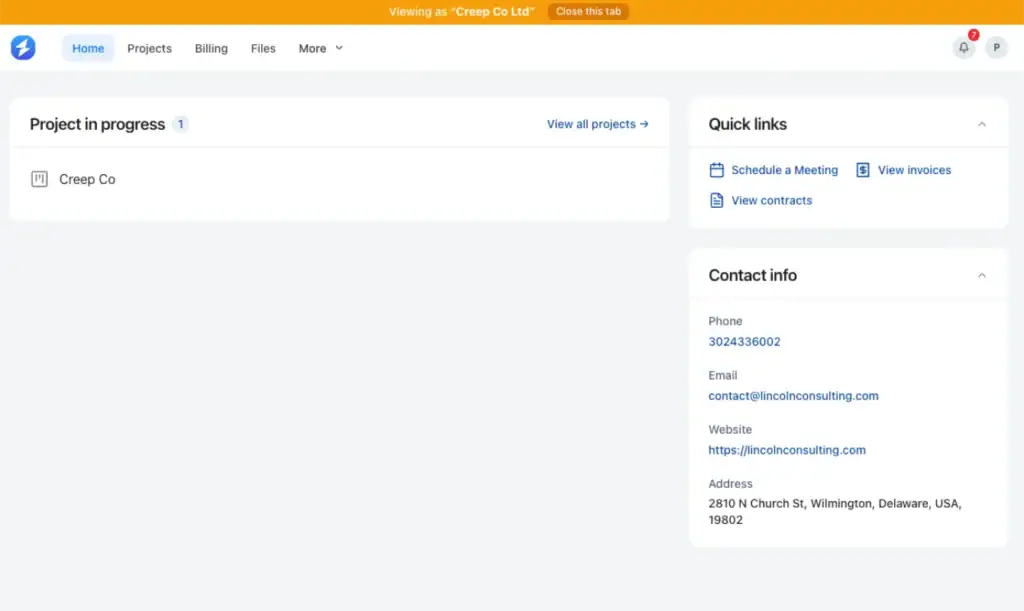
OneSuite gives solo lawyers and small law firms a professional place to manage client relationships. Instead of searching through long email threads, each client receives one branded portal with access to their active matters, files, contracts, invoices, and contact information.
Clients can upload requested documents and follow the progress of their work. They can also review deliverables, request changes, sign agreements, schedule meetings, and make payments. Quick links help them reach important actions without contacting the firm for routine updates.
Lawyers can organize each matter as a project and control what every client can access. The firm can assign a relationship manager, manage several contacts under one client, and keep signed documents connected to the correct profile.
OneSuite is a strong choice because it supports the client from onboarding through final payment. It reduces repetitive communication while giving the firm a clearer and more professional client experience through one connected client portal.
Key Features
- Branded white-label client portal
- Real-time matter and project updates
- Client document uploads and file sharing
- Contracts, agreements, and e-signatures
- Deliverable review and client approvals
- Invoice access and online payments
- Client meeting scheduling
- Matter-related task collaboration
- Individual and company client profiles
- Multiple contacts under one client
- Dedicated relationship manager assignment
- Custom client access permissions
Pricing
- Monthly billing: $9 per user/month
- Annual billing: $7 per user/month
- Free trial: 14 days with no credit card required
Pros and cons
| Pros | Cons |
| Strong white-label client portal | Not a dedicated legal case management system |
| Documents, e-signatures, invoices, and payments in one place | Legal-specific templates may need setup |
| Good for solo lawyers and small firms | Advanced legal workflows may need customization |
| CRM helps manage client records and contacts | Not built only for law firms |
| Pricing is practical for growing teams | Mobile app is still upcoming |
User Feadback
👍 “Always improving; Great support! Thank you!”
– Jacquelyn L. G2 Review
👎 “As any app that is in their early phase of development, Onesuite has some bugs that needs to be ironed out. But none of that them were breaking the operations. They are mostly UI related and I am already seeing them fixing them one be one.”
– Raabit H. G2 Review
2. Clio
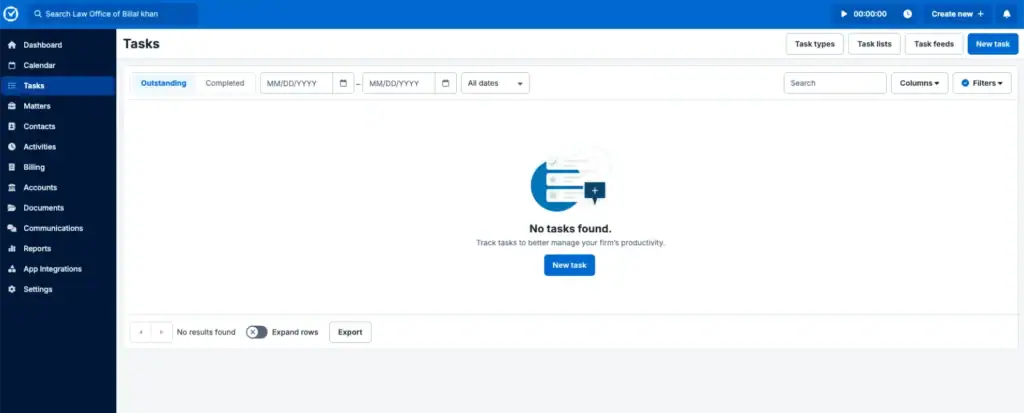
Clio is one of the most recognized legal practice management platforms built specifically for law firms. Unlike general client portal software, Clio focuses on legal workflows including case management, secure client communication, billing, document storage, intake, and court-related scheduling.
For firms handling many cases at once, Clio helps keep matters, documents, payments, and client conversations in one place. The client portal (Clio for Clients) lets clients review updates, upload documents, sign forms, send messages, and pay invoices without relying on long email threads.
Clio works best for growing law firms that need dedicated legal software rather than a general business client portal.
Key Features
- Secure client portal for messages and case updates
- Document sharing between lawyer and client
- Invoice viewing and online payments
- Calendar events and client notifications
- Mobile app access for clients
Pricing
Clio pricing starts at around $49/user/month for the EasyStart plan.
Other plans include:
- Essentials — for growing firms that need stronger case and client tools
- Advanced — for firms that need automation and reporting
- Expand — for firms that need intake, CRM, and growth tools
Pricing increases as you add more users and advanced features.
Pros and Cons
| Pros | Cons |
| Built specifically for law firms | Can get expensive as the team grows |
| Strong client portal with documents, messages, and payments | Some users mention billing and customization limits |
| Good for case management and client communication | May feel too much for very small firms |
| Strong reviews and legal-focused features | Best value usually needs higher plans |
User Feadback
👍 Clio makes it really easy for me to bill my clients and get paid. I also really like how simple it is to docket, which used to be a huge pain point for me. The client portal is especially helpful, since I absolutely hate email.
– Rachel S. G2
👎 I do not like the process of moving documents around, and I do not like that they changed the layout and icons to be rounded. It looks too bubbly and that annoys me.
– Bailey L. G2
3. MyCase
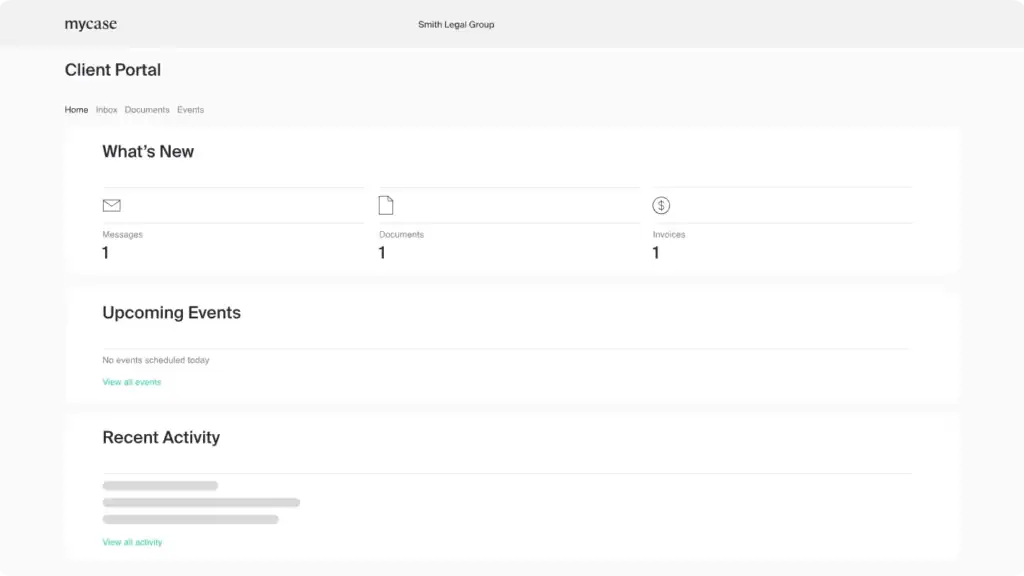
MyCase is a legal practice management platform built for law firms that want client communication, billing, case management, and a secure client portal in one place.
It works well for solo lawyers and small to mid-sized firms that need a simple way to manage cases and keep clients updated without using multiple tools.
The client portal is one of MyCase’s strongest features because clients can view documents, messages, invoices, and case updates from one secure dashboard.
Key Features
- Secure client portal
- Case and document management
- Client messaging and updates
- Online invoices and payments
- Calendar and task tracking
- Mobile access for lawyers and clients
- Intake and contact management
Pricing
MyCase pricing starts at around $39/user/month for the Basic plan.
- Basic – $39/user/month
Includes case management, billing, payments, and client communication tools. - Pro – $89/user/month
Adds client intake, legal AI tools, integrations, and more workflow features. - Advanced – $109/user/month
Includes advanced document management, automation, and expanded AI capabilities.
Pros and cons
| Pros | Cons |
| Easy-to-use client portal | Can become expensive for larger firms |
| Built for legal case management | Limited customization options |
| Strong billing and payment tools | Some users report billing issues |
| Good document and client communication features | UI can feel outdated in some areas |
| Mobile-friendly for lawyers and clients | Advanced workflows need higher plans |
User FeadBack
👍 Makes keeping close track of everything related to the client and case easy. Don’t know how I did it for so long without MyCase.
– Jim Husen TrustPilot
👎 Simply awful. I moved from Clio to My are in order to preserve my Lawpay integration. From start to finish, it has been a disaster. Customer service is non existent. Absolutely miserable.
– Gina Smalley TrustPilot
4. PracticePanther
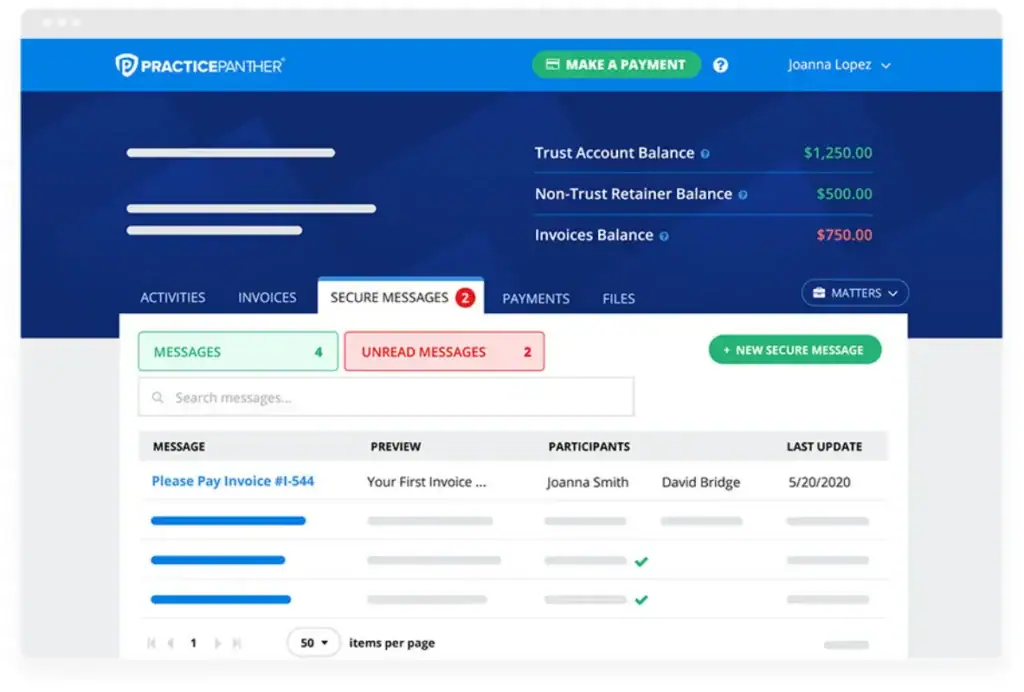
PracticePanther is a legal practice management platform for law firms that want client communication, payments, documents, and daily case work in one place.
Its client portal is useful because it keeps clients updated without long email threads. Lawyers can share files, send messages, create tasks, set reminders, and let clients view important case updates from a secure portal.
It also helps with billing. Firms can send invoices, set payment reminders, accept online payments, and create payment plans. For small and mid-sized law firms, PracticePanther is a good fit when the goal is to reduce admin work and keep clients informed through one organized system.
Key Features
- Secure client portal
- Two-way client messaging
- Online payments and invoicing
- Document sharing
- Task and workflow automation
- SMS and email notifications
- Case and calendar management
- Custom branding for client portal
Pricing
PracticePanther pricing starts at around $49/user/month for the Solo plan.
- Solo – $49/user/month
Includes client portal, payments, document templates, workflows, and notifications. - Essential – $69/user/month
Adds custom fields, invoice alerts, and security roles. - Business – $89/user/month
Includes eSignature, intake forms, and advanced billing tools. - Business Pro – $114/user/month
Adds accounting and advanced financial management features.
Pros and Cons
| Pros | Cons |
| Easy client communication tools | Pricing can get expensive |
| Strong billing and payment features | Mobile app needs improvement |
| Good workflow automation | Some users report billing issues |
| Secure document and message sharing | Learning curve for new users |
| Custom-branded client portal | Advanced features require higher plans |
User Feadback
👍 An efficient case management option that includes features other CM services charge extra for. The invoice management tools and case-flow features are especially convenient for day-to-day practice management.The integrations are plentiful, or at least meet that which is offered through other case management services that I have utilized in the past. Overall, PracticePanther is a good option for running a law practice.
– Nils W. G2
👎 Considering the domain that the product handles lots of legal formalities, the product documentation could have been written well for everyone to understand, easy to use products be more attached by the customers.
– Gayathri E. G2
5. Smokeball
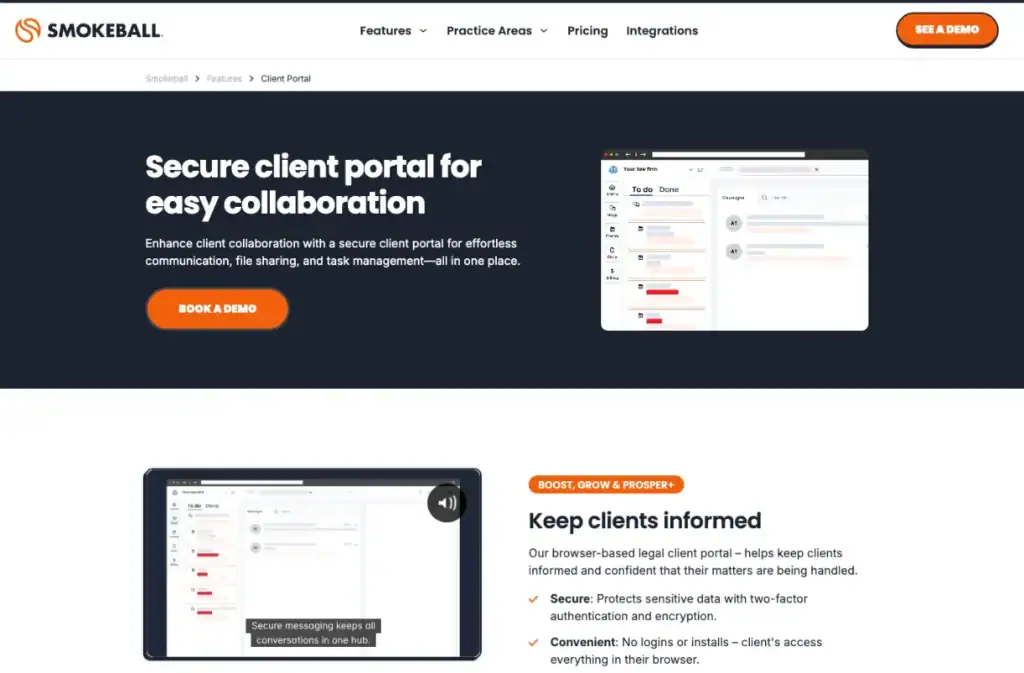
Smokeball is a legal practice management platform built for law firms that want stronger automation, document management, and client communication in one system.
Its client portal helps lawyers keep clients updated through secure messaging, shared documents, billing access, calendars, and task tracking. The platform focuses heavily on workflow efficiency, especially for firms handling large amounts of legal documents and repetitive processes.
Smokeball is also known for its built-in legal forms, automation tools, and Microsoft Word/Outlook integrations, which make it useful for firms that manage high document volume every day.
Key Features
- Secure client portal
- Client messaging and updates
- Document sharing and intake forms
- Billing and invoice access
- Calendar and event tracking
- Workflow automation
- eSignatures
- Microsoft Word and Outlook integration
- Custom portal branding
Pricing
Smokeball pricing is custom, but its plans are mainly structured into:
- Bill– Focused on invoicing, payments, and accounting tools.
- Boost– Adds client portal, case management, workflows, eSignature, and integrations.
- Grow– Includes advanced automation, templates, email management, and AI-powered communication tools.
- Prosper+– Built for larger firms needing advanced reporting, intake workflows, and profitability tracking.
Pros and cons
| Pros | Cons |
| Strong document automation | Pricing is not transparent |
| Secure and organized client portal | Some users report slow performance |
| Good workflow and case tracking tools | Occasional integration issues |
| Helpful Microsoft integrations | Can feel complex for smaller firms |
| Strong legal form library | Some users mention software bugs |
User Feadback
👍 The cloud-based system means I can access client matters securely from anywhere, and the built-in automation eliminates repetitive administrative tasks.
– Brad A , Capterra
👎 I don’t have many complaints, but one challenge we’ve encountered is with scheduling across different time zones. When an appointment is created in one time zone and someone in another time zone views it, the time can shift incorrectly, leading to confusion.
– Whitney S, Capterra
6. Lawmatics
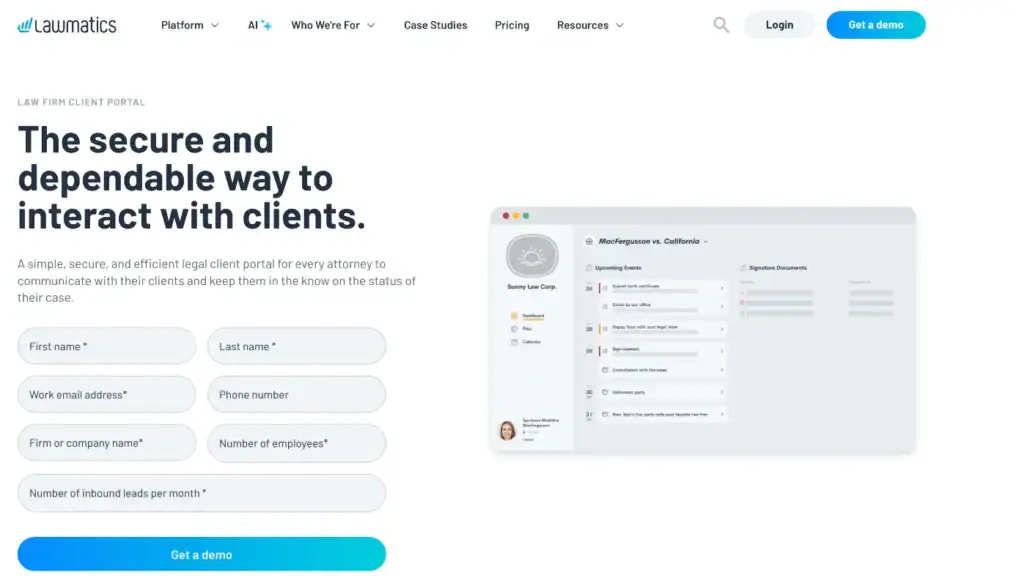
Lawmatics is a client portal and legal CRM platform built for law firms that want to manage intake, communication, follow-ups, and client relationships more smoothly.
It is not only for sharing files. Lawmatics is stronger when a firm wants to turn new inquiries into clients and keep the communication process organized after that. Clients can access documents, calendar events, messages, tasks, and e-signatures through a secure portal.
What makes Lawmatics useful is its focus on automation. Firms can automate intake forms, appointment reminders, email follow-ups, SMS messages, and client workflows. That makes it a good fit for law firms that receive a steady flow of leads and want fewer manual follow-ups.
Key Features
- Secure client portal
- Document sharing
- E-signatures
- Client intake forms
- Legal CRM and pipeline tracking
- Appointment booking and reminders
- Email and SMS communication
- Workflow automation
- Billing and online payments
- Reporting and dashboards
Pricing
Lawmatics uses custom pricing based on firm size, contacts, and workflow needs.
Main plans include:
- Essential — for firms that need CRM, intake, calendaring, forms, and client management
- Premium — for firms that need stronger automation, marketing workflows, advanced conflict checking, and more contacts
- Enterprise — for larger firms that need custom workflows, higher limits, and advanced support
You need to request a quote for exact pricing.
Pros And Cons
| Pros | Cons |
| Strong CRM and intake automation | Pricing is not public |
| Good for lead follow-up and client onboarding | Setup can take time |
| Secure portal with documents, messages, and e-signatures | Some users mention usability issues |
| Helpful for email and SMS automation | Better for growth-focused firms than simple portal needs |
User Feadback
👍 Lawmatics is an all-in-one platform that helps streamline our client communication, automate follow-ups, and track leads effectively. The interface is intuitive, and it’s easy to customize workflows to match our firm’s processes. Their customer support team is responsive and helpful whenever we have questions.
– Sara P. G2
👎 I wish it was more customizable and dynamic. There are a lot of fields I don’t use that I wish I could hide. Most of the legal matters my firm deals with don’t require quite as much personal info up front. I wish I could hide those fields.
– Colleen B. G2
7. Moxo

Moxo is a client portal and workflow platform for firms that manage detailed client processes, not just simple file sharing.
For law firms, it works best when the client journey has many steps. Think onboarding, document collection, approvals, signatures, follow-ups, and status updates. Moxo gives the firm one place to build that process and gives clients a clear space to complete their part.
The strong side of Moxo is client collaboration. Reviews often mention its user-friendly interface, support, messaging, file sharing, e-signatures, and workflows. The trade-off is that setup can take time, pricing is not public, and smaller firms may find it more than they need. Law firms comparing other client collaboration platforms can explore these Moxo alternatives to compare client portals, document sharing, workflow management, billing, and pricing.
Key Features
- Secure client portal for keeping client work in one controlled space
- Client messaging to reduce scattered email and text follow-ups
- File sharing for documents, forms, and matter-related files
- eSignatures for approvals, agreements, and client sign-offs
- Workflow automation to move clients through onboarding or case steps
- AI follow-ups to check missing files and remind the right people
- Progress tracking so firms can see what is done, pending, or blocked
- Audit logs and permissions for better control over sensitive information
- Integrations with tools like Google Drive, Slack, Gmail, Dropbox, and Microsoft Teams
Pricing
Moxo does not show fixed pricing publicly.
- Pricing: Custom quote
- Free trial: Not publicly listed
- Best approach: Contact sales for firm-specific pricing
Pros and cons
| Pros | Cons |
| Strong for structured client workflows | Pricing is not transparent |
| Good messaging, files, and e-signatures | Setup can feel heavy |
| Helpful for onboarding and approvals | May be too much for small firms |
| Strong security and audit controls | Some users mention missing features |
User Feedback
👍 The client portal is hands down my favorite part. Being able to white-label it makes my one-person operation look way more professional
–Aniket A.
👎 The learning curve is steep and it takes time to get everything running. My advice is to take it slow, learn as you go, and keep at it.
–Jen M.
8. SuiteDash
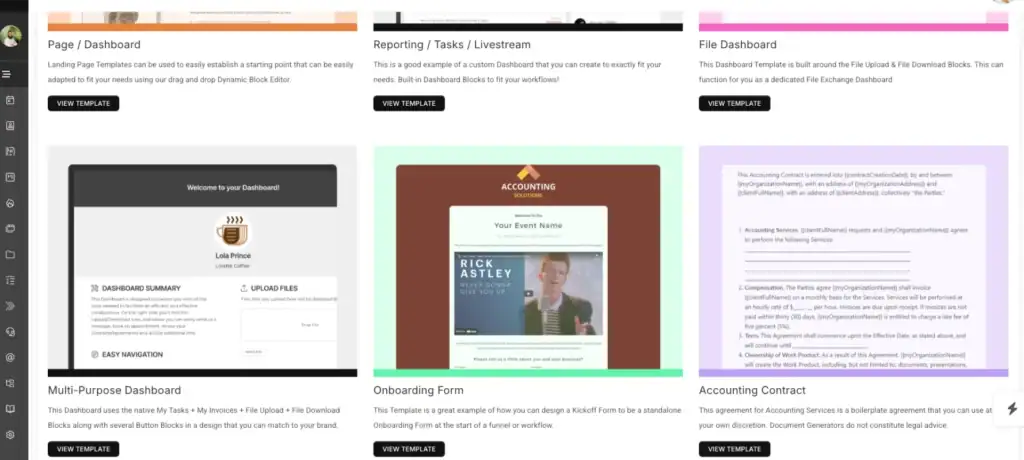
SuiteDash is an all-in-one client portal platform for firms that want deep customization and flat-rate pricing.
For law firms, it can work well as a branded client portal where clients can access files, forms, invoices, messages, tasks, and onboarding steps from one place. It is not legal-specific like Clio or MyCase, but it gives strong portal control, white labeling, permissions, forms, billing, and secure messaging.
The main trade-off is setup. SuiteDash has many features, so it can take time to configure properly. But for firms that want a highly branded portal without paying per user, it can be a strong option.
Key Features
- White-label client portal to show your firm’s own branding
- Custom client dashboards for files, tasks, invoices, and updates
- Secure file sharing with client-specific access control
- Forms and onboarding workflows for intake, requests, and approvals
- Client messaging to keep conversations inside the portal
- Invoices and recurring billing for payments and subscriptions
- Contracts and e-signatures for agreements and approvals
- Task and project management to track client work internally
- Client permissions and custom menus to control what each client can see
- Magic link login so clients can access the portal without passwords
Pricing
SuiteDash uses flat monthly pricing, not per-user pricing.
- Start — $19/month
- Thrive — $49/month
- Pinnacle — $99/month
A 14-day free trial is available.
Pros and Cons
| Pros | Cons |
| Flat pricing, not per user | Setup can feel complex |
| Strong white-label portal | Not built only for law firms |
| Many tools in one platform | Learning curve for new users |
| Good customization options | Interface can feel crowded |
User Feedback
👍 The client portal is hands down my favorite part. Being able to white-label it makes my one-person operation look way more professional
–Aniket A.
👎 The learning curve is steep and it takes time to get everything running. My advice is to take it slow, learn as you go, and keep at it.
–Jen M.
9. Softr
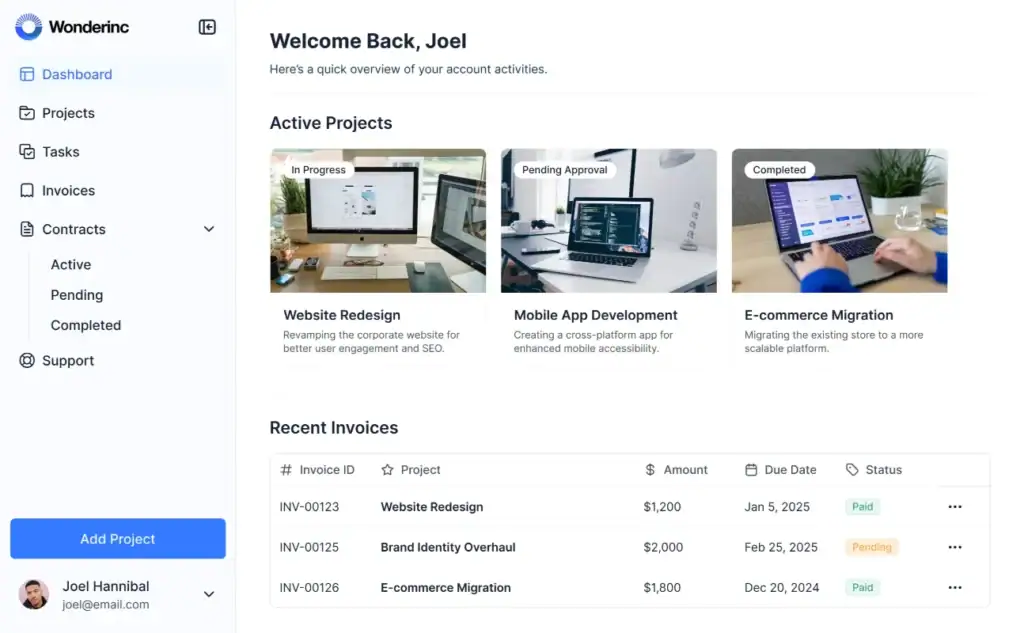
Softr is a no-code platform for building custom client portals, internal tools, dashboards, and business apps.
For law firms, Softr can work well if you want to build a custom legal portal around your own workflow. You can create client dashboards, intake forms, document areas, status pages, and permission-based access without hiring a developer.
The main difference is that Softr is not legal-specific. It gives you flexibility, but you need to set up the legal workflow yourself. That makes it better for firms that want control and customization, not a ready-made legal practice system.
“If you want to explore more options, read our guide on the 6 best Softr alternatives for small agencies.”
Key Features
- No-code client portal builder
- Custom dashboards and internal tools
- Forms and intake pages
- User roles and permissions
- Database and spreadsheet integrations
- Workflow automation
- Secure login and access control
- Client-facing pages and portals
- Integrations with tools like Airtable, Google Sheets, HubSpot, Notion, and ClickUp
Pricing
Softr offers a free plan for testing and basic use.
- Free — $0/month
- Basic — starts around $59/month
- Professional — starts around $167/month
- Business — starts around $323/month
- Enterprise — custom pricing
Pros and cons
| Pros | Cons |
| Flexible no-code portal builder | Not built specifically for law firms |
| Good for custom dashboards and workflows | Legal workflows need manual setup |
| Strong integrations with databases and tools | Pricing rises with advanced features |
| Easy to start without developers | May need extra tools for billing or legal case management |
User Review:
👍 I love how you can create your own software without knowing coding. I also love how I’m not charged for every user like a lot of other software.
– G2 Review
👎 The primary improvement that I would like to see is the ability to run a custom code block that has react.js or some other styling support. There have been a couple of situation that it made more sense to write my own code for a section and the styling support is essentially vanilla css and js.
–G2, Review
How to Choose the Right Client Portal for Your Law Firm
Choosing a client portal is not just a software decision. It changes how your firm communicates with clients, collects documents, sends bills, and manages trust.
The first thing to check is your daily client workflow. If most of your time goes into chasing documents, answering status questions, or sending invoice reminders, your portal should directly reduce those tasks.
Next, look at the client side. A portal only works if clients use it. They should be able to log in, upload files, view updates, sign documents, and pay invoices without asking your team for help.
Security also matters. Law firms handle sensitive information, so choose a portal with secure file sharing, clear permissions, and controlled client access.
Then compare the real cost. Some legal tools look strong but become expensive as you add more users. Broader platforms like OneSuite can be useful for small firms because they combine client portal, CRM, documents, e-signature, invoices, and workflow management in one place.
The right choice should make your firm easier to work with. Fewer emails. Fewer missing files. Fewer payment follow-ups. A better client experience from intake to final invoice.
Why OneSuite Is a Strong Client Portal Choice for Lawyers
OneSuite makes sense for lawyers who want a cleaner way to manage clients without building a heavy legal tech stack.
From what I’ve seen, many small firms do not struggle because they lack tools. They struggle because the tools are scattered. Documents are in email. Invoices are in another app. Signatures need a separate tool. Client updates happen manually.
OneSuite helps bring those pieces together.
Lawyers can use it to share documents, collect e-signatures, send invoices, manage client details, and keep work organized inside one branded portal. Clients also get a simple place to check updates, upload files, approve work, and make payments.
The white-label portal is useful too. It makes the experience feel like part of the law firm, not another random software login. That small detail matters when clients are already dealing with stressful legal issues.
OneSuite is not a full legal case management system like Clio or MyCase. But for solo lawyers, legal consultants, and small firms that want an affordable client portal with CRM, documents, billing, and communication in one place, it is a strong practical choice.
New to OneSuite? Get answers from the community and start with confidence.
FAQs
What is the cheapest client portal for lawyers?
For a single user or solo lawyer, SuiteDash is one of the cheapest options, starting at $19/month. OneSuite starts at $29/month for 5 users, so it can be cheaper per user if a small firm has multiple team members.
Why do lawyers need a client portal now?
Lawyers need a client portal because clients expect faster updates, secure document sharing, and easier communication. Email alone often creates missed files, long threads, and repeated status questions. A client portal keeps messages, documents, invoices, signatures, and case updates in one place.
Which client portal is best for small law firms?
OneSuite is a strong choice for small law firms that want a simple client portal with documents, e-signatures, invoices, CRM, and client communication in one place. Clio and MyCase are better if the firm needs legal-specific case management.
Start exploring OneSuite today
No credit card is required