
7 Best CRM for SaaS Companies in 2026 (Ranked By Stage)

June 18, 2026
Picking a CRM as a SaaS company is its own kind of problem. You’re not just tracking deals. You’re tracking trials that turn into paid accounts, long sales cycles with multiple stakeholders, and a customer relationship that keeps going long after the contract is signed. The CRM that fits a 4-person seed-stage startup is rarely the one that fits a 200-person Series C company, and most “best CRM” lists pretend that difference doesn’t exist.
This one doesn’t. Below are seven CRMs ranked by how well they actually fit the typical SaaS company, with a clear note on who each one is for and, just as important, who it isn’t for. The global CRM SaaS market was worth about $90.3 billion in 2024 and is growing at roughly 12.2% a year, so there’s no shortage of options. The hard part is matching one to your stage and your motion.
We’ll tell you where each tool is genuinely strong, where it falls, and what you’ll really pay when you’re billed monthly (not the discounted annual sticker price). One of the picks, OneSuite, is ours, and we’ve ranked it where it actually belongs rather than at the top, because pretending it beats Salesforce for an enterprise RevOps team would help nobody.
- HubSpot is the safest default for most SaaS teams that want sales, marketing, and service in one place, but the cost compounds fast as you add seats.
- Attio is the strongest pick for modern, data-native startups that want their CRM to mirror product usage.
- Salesforce still wins for enterprise SaaS with complex RevOps, at a price and setup burden to match.
- Close and Pipedrive are the lean, sales-first options for small teams that just want a pipeline that works.
- OneSuite fits early-stage and service-led SaaS that also has to onboard, deliver, and invoice clients, not just close deals. It isn't built for usage-based billing or churn analytics.
- Per-seat pricing quietly becomes your biggest line item as you scale. Flat-rate tools change that math once you pass a handful of users.
Quick Comparison
Here’s the short version before we get into each tool. All prices are per month when billed monthly.
| Tool | CRM Type | Starting Price (monthly) | Best For | Standout Feature |
|---|---|---|---|---|
| HubSpot | All-in-one | Free, then $20/seat | Most SaaS teams scaling sales + marketing | Free tier that actually works |
| Attio | Data-native | Free, then $36/seat | Modern, product-led startups | Syncs with product and data sources |
| Salesforce | Enterprise | $25/user (Starter Suite) | Complex enterprise RevOps | Unmatched customization |
| Close | Sales-first | $19/user (Solo) | High-velocity inside sales | Built-in calling and sequences |
| Pipedrive | Pipeline-first | $24/seat (Lite) | SMB SaaS wants simple pipelines | Visual drag-and-drop pipeline |
| OneSuite | All-in-one ops | $29/mo flat (5 members) | Early-stage, service-led SaaS | Deal connects to project to invoice |
| Zoho CRM | Budget all-in-one | $20/user | Cost-conscious teams in the Zoho stack | Cheapest broad feature set |
1. HubSpot [ALL-IN-ONE]: The default that scales with you
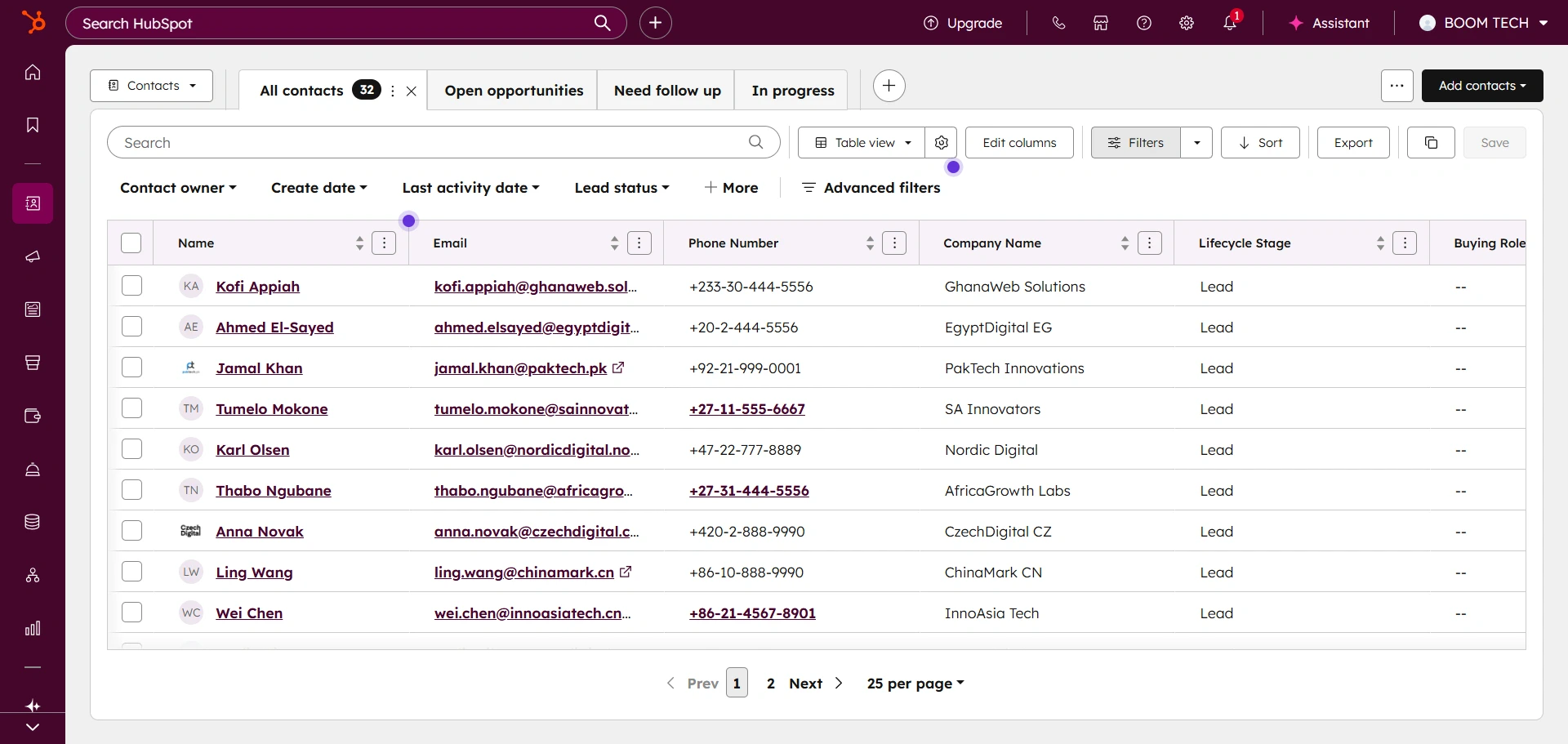
If you asked ten SaaS founders which CRM to start with, most would say HubSpot, and they wouldn’t be wrong. It’s the closest thing the category has to a safe default. The free tier is genuinely useful, not a crippled demo, and you can run real sales and marketing on it before paying a cent.
What you don’t see at that free tier is how quickly the bill accelerates. Move past Starter, and the per-seat price multiplies; HubSpot also tacks a one-time onboarding fee onto Professional plans, which catches many teams off guard.
What makes it work for SaaS is the breadth. You get contact management, deal pipelines, email sequences, landing pages, and reporting that connect seamlessly, rather than living in separate tools. For a team that wants marketing and sales to speak the same language, that integration is the whole point.
Key Features
- Free CRM with contact management, deals, and email tracking
- Sales sequences, meeting scheduling, and quotes
- Marketing tools: landing pages, forms, email campaigns
- Service Hub for support tickets and knowledge base
- Deep reporting and revenue attribution
Pricing
- Free: $0, core CRM for unlimited users
- Starter: $20/seat/mo
- Professional: $1450/month( 6 seats ), plus a one-time $1,500 onboarding fee
- Enterprise: custom, roughly $4200/month ( 8 seats)
Pros
Cons
User Feedback
🟢
I appreciated HubSpot’s user-friendly design, powerful automation workflows, robust reporting, and seamless alignment between marketing and sales teams. It provided a single source of truth for customer data while remaining flexible enough to support growing business needs.
– Christian G.
🔴
Finding specific information or switching between tools may take more time, especially when managing large amounts of data. Despite this, the platform remains powerful and functional for growing businesses.
– Estela G.
Most SaaS teams can start free on HubSpot and grow into real sales and marketing workflows without changing tools. Budget for the jump, though: Professional runs $100 a seat per month plus a $1,500 onboarding fee, and the per-seat model keeps compounding every time you hire.
2. Attio [DATA-NATIVE]: The CRM modern startups actually want to use
Attio looks and moves like software built in this decade, and for product-led SaaS startups, that counts for more than a feature checklist suggests.
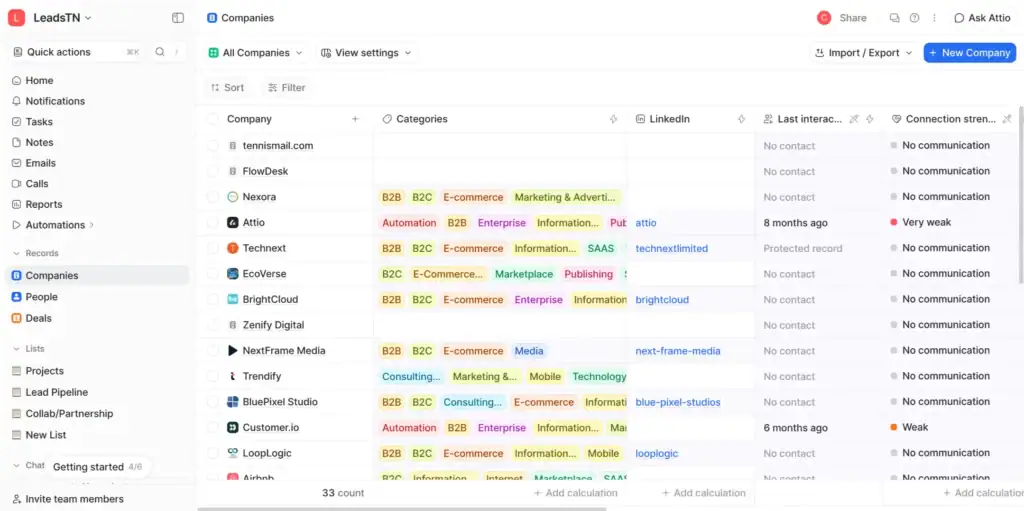
It treats your data like a real database you can shape around your business instead of forcing you into a fixed deal-stage model, and it syncs with your product, your data warehouse, and your communication tools so the CRM reflects what customers are actually doing.
Where Attio gets you is the invoice. It stacks usage-based credits for AI and automation on top of per-seat fees, so a workspace that opened at $36 a head creeps upward the more your team automates, and the monthly rate already sits above the annual one Attio leads with.
Key Features
- A flexible data model you can customize without a developer
- Native syncs with email, calendar, and product data
- Powerful filtering and list-building across records
- Automation and AI research features
- Clean, fast interface built for daily use
Pricing (monthly when paid monthly)
- Free: $0 for small teams
- Plus: $36/seat/mo billed monthly ($29 annual)
- Pro: $86/seat/mo billed monthly ($69 annual)
- Enterprise: custom
Pros
Cons
User Feedback
🟢
I first switched just to avoid the outrageous pricing structure of Hubspot, but I soon fell in love with the simplicity of the design and how configurable it is compared to Hubspot and others.
– Chris G.
🔴
Due to system limitations, we cannot enrol more than 10 people in our email sequences at a time, that does not make any sense for an outreach tool
– Francisco O.
For a data-native startup that wants its CRM wired to real product usage, Attio is the modern choice, and the one reps won’t fight you on. Keep an eye on the credits: the hybrid billing means heavy automation users end up paying more than the $36 monthly seat price implies.
3. Salesforce [ENTERPRISE]: The heavyweight for complex RevOps
Salesforce can be configured to run almost any revenue process a SaaS company can dream up. That depth is why enterprise RevOps teams standardize on it, and also why a five-person startup will drown in it.
If you have a real revenue operations function, multiple sales motions, and the budget to configure it properly, nothing matches its customization, reporting, and ecosystem. If you don’t, you’ll spend months and a consultant’s fee rebuilding what a simpler tool gives you on day one.
For SaaS companies that have outgrown lighter tools, the appeal is control. You can model any sales process, automate complex approvals, and report on revenue in ways that satisfy a board. Two things temper that power, though: paid plans lock you into annual contracts, and the per-user cost climbs steeply as you move up tiers.
Key Features
- Endlessly customizable objects, fields, and workflows
- Advanced forecasting and pipeline management
- AppExchange marketplace with thousands of integrations
- Conversation intelligence and opportunity scoring on higher tiers
- Enterprise-grade permissions and governance
Pricing
- Starter Suite: $25/user/mo, can be billed monthly
- Pro Suite: $100/user/mo
- Enterprise: $175/user/mo
- Unlimited: $350/user/mo
Pros
Cons
User Feedback
🟢
Salesforce sales cloud is very helpful for who are looking for start a new small or big business and growing in market. service cloud provides for tools like data analysis of sales, new sales opportunity handling, lead generation from web, Also gives chatter feature for seamless communication with customers, Ease of setup us very easy with their training modules help. [sic]
– Dev M.
🔴
The primary issue is that it is actually very large and with the numerous buttons. It could be a bit over-weight at times and at the beginning new members on my team struggle with learning. I believe the small teams looking for basic features should be paying less for the price. [sic]
– Vikram P.
If you’ve got a dedicated RevOps team and a process too complex for lighter tools, Salesforce will bend to fit it like nothing else can. Expect to pay for that reach in annual contracts, $175-per-user Enterprise pricing, and usually a consultant to get it set up the way you need.
4. Close [SALES-FIRST]: Built for teams that live on the phone
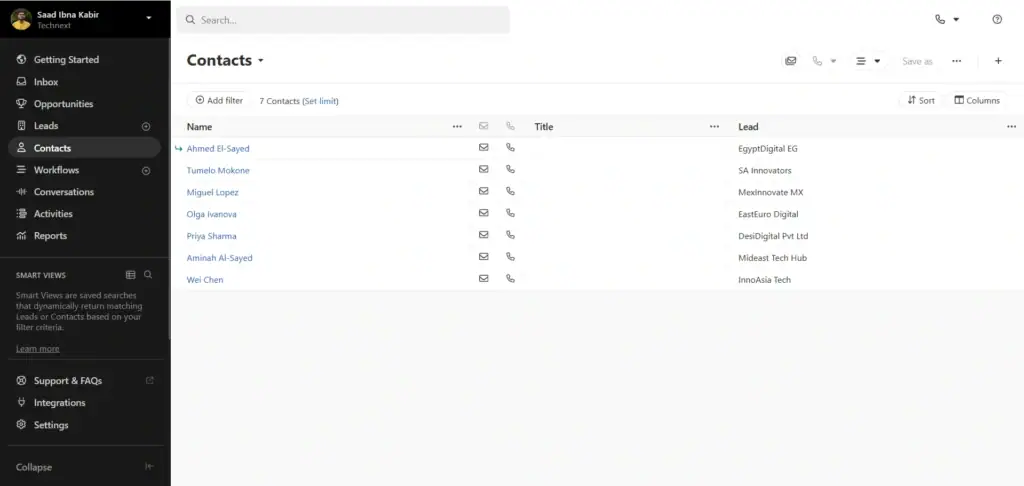
Close makes no apology for being a sales tool and nothing else, and high-velocity inside-sales teams love it for exactly that reason. Calling, SMS, and email sequencing are built into the core product, allowing a representative to work a list of leads without needing to bounce between multiple tabs.
If your motion is outbound or fast-moving inbound with a lot of conversations, Close strips out friction better than almost anything else. It pays off by leaving the rest of the lifecycle to other tools. Marketing automation, customer success tooling, a service desk: none of it lives here.
For a SaaS company whose CRM has to stretch across the whole customer journey, that means stacking other tools alongside it. For a pure sales team, it’s a fair trade.
Key Features
- Built-in calling, SMS, and email in one interface
- Powerful sequences and automated follow-up
- Predictive dialer on higher tiers
- Reporting focused on sales activity and outcomes
- Fast onboarding with little setup
Pricing
- Solo: $19/user/mo, one user
- Essentials: $49/user/mo
- Growth: $109/user/mo
- Scale: $149/user/mo
Pros
Cons
User Feedback
🟢
The dashboard is very useful and practical. It gives a clear, real-time overview of all sales activities, making it easy to prioritize follow-ups and track progress at a glance. I especially appreciate how intuitive the interface is even new team members can get up to speed quick
– Mehmet Ali T.
🔴
The reporting functionality leaves a lot to be desired. It’s easy to pull slices of data through the search tool, but hard to compare those against each other or look at change over time. Many of the reports they do have around things like Opportunity pipelines aren’t customizable enough to be useful
– Verified Reviewer
Reps get productive in Close on day one, because the dialer and sequences already live in the screen they’re working from. It’s sales-only by design, so a team that needs marketing or customer-success features will run it next to other tools, but for outbound velocity it’s tough to beat.
5. Pipedrive [PIPELINE-FIRST]: Simple, visual, and easy to adopt
Pipedrive earned its following by doing one thing well: making a sales pipeline you can actually see and move deals through without a manual.
For SMB SaaS teams that find HubSpot too much and Salesforce far too much, it lands in a sweet spot of capable without complicated. Reps adopt it quickly because the drag-and-drop pipeline matches how they already picture their deals.
But when you push past the pipeline, though, the gaps show. Marketing automation and customer-success features stay thin next to HubSpot, and after Pipedrive renamed its plans in 2025, the monthly rates run well above the annual prices it advertises. For a team that wants a clean pipeline and not much else, none of that is a dealbreaker.
Key Features
- Visual, drag-and-drop deal pipeline
- Email sync, templates, and basic automation
- Activity reminders so nothing slips
- Customizable stages and fields
- Mobile app that’s genuinely usable

Pricing
- Lite: $24/seat/mo ($14 annual)
- Growth: $49/seat/mo
- Premium: $79/seat/mo
- Ultimate: $99/seat/mo
Pros
Cons
User Feedback
🟢
The Kanban-Style work board create a easy to use workflow which allows staff to provide customer & client support. It integrates with other software used which includes email management especially. Features include AI Sales Assistant too! [sic]
– Luciano N.
🔴
One downside is that reporting and customization can feel somewhat limited, especially if you’re looking for more advanced analytics or complex workflows. Some features also require add-ons, which can increase the cost as your needs grow. It’s great for straightforward sales processes, but larger teams may outgrow some of the built-in capabilities over time.
– Jonathon B.
At $14 a seat on annual billing for the entry Lite plan, Pipedrive is the cheapest way to give an SMB SaaS team a pipeline it’ll actually keep using. Pay monthly and that figure jumps to $24, and most teams bump into its thin marketing tools well before they outgrow the pipeline itself.
6. OneSuite [ALL-IN-ONE OPS]: Best for early-stage, service-led SaaS
Full disclosure, this one’s ours, so we’ll lead with where it doesn’t fit. OneSuite isn’t a churn analytics, MRR-tracking, usage-based billing platform, and if that’s the engine your SaaS runs on, pick something else on this list. Where it earns a place is a specific and common situation: you’re an early-stage or bootstrapped SaaS team, often selling with a human touch and running real onboarding or implementation, and your “CRM” also has to handle the project work and the invoicing that follows the sale.
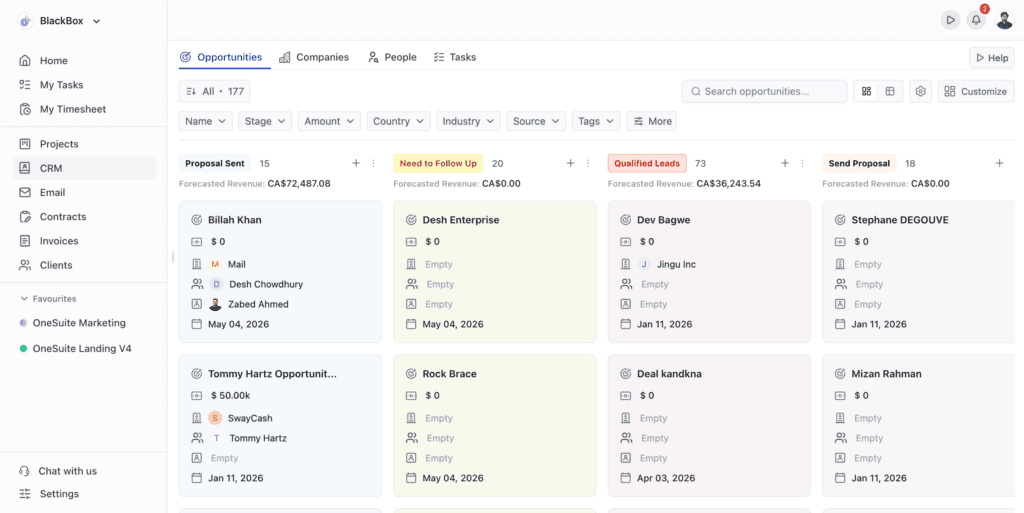
That’s the gap most SaaS CRMs leave open. They close the deal and stop. OneSuite keeps going. When you win a deal in the lead pipeline, it connects to the onboarding project, which connects to the client portal your new customer logs into, which connects to the invoice you send. For a founder-led team trying to avoid stitching together a CRM, a PM tool, and a billing tool in month one, that’s the draw.
The other piece is the pricing model. OneSuite is flat-rate, not per-seat, so growing the team doesn’t grow the bill the way it does everywhere else on this list. A 12-person team on the Solopreneur plan pays $59/mo total, where a $20/seat tool would run $240/mo for the same headcount.
Key Features
- Lead pipeline and CRM with custom stages
- Built-in project management and onboarding workflows
- Client portal for customer communication and files
- Invoicing with recurring billing and multiple currencies
- Time tracking, documents, and team management in one place
Pricing (monthly when paid monthly, flat-rate)
- Freelancer: $29/mo for 5 members
- Solopreneur: $59/mo for 12 members (most popular)
- Growing Agency: $149/mo for 35 members
- Enterprise: custom, self-hosted, zero-trust available
Pros
Cons
User Feedback
🟢
I appreciated HubSpot’s user-friendly design, powerful automation workflows, robust reporting, and seamless alignment between marketing and sales teams. It provided a single source of truth for customer data while remaining flexible enough to support growing business needs.
– Christian G.
🔴
Finding specific information or switching between tools may take more time, especially when managing large amounts of data. Despite this, the platform remains powerful and functional for growing businesses.
– Estela G.
OneSuite suits early-stage and service-led SaaS teams that have to sell, onboard, deliver, and invoice in one place, on flat-rate pricing rather than per seat. Skip it if you need product-led growth or MRR analytics, but for a founder-led team otherwise juggling three apps, the pipeline-to-invoice workflow is the reason to look.
7. Zoho CRM [BUDGET ALL-IN-ONE]: The most features per dollar
Zoho CRM is the value pick, and if your SaaS team is watching every dollar, it covers a remarkable amount of ground for the price. You get pipeline management, automation, and a long list of features that would cost far more elsewhere, plus the pull of the wider Zoho ecosystem if you want email, books, and support tools from the same vendor.
You pay for the low price in Polish. The interface trails newer rivals like Attio and Pipedrive by a few design generations, support gets thinner on the cheaper plans, and there’s a steady nudge to adopt more of the Zoho suite, which is great if you want an all-Zoho stack and less so if you don’t. For teams that prize price over shine, it’s still a strong fit.
Key Features
- Pipeline management with automation and workflows
- AI assistant for predictions and suggestions
- Multichannel: email, phone, social, and chat
- Deep customization across modules
- Tight integration with the wider Zoho suite
Pricing
- Standard: $20/user/mo
- Professional: $35/user/mo
- Enterprise: $50/user/mo
- Ultimate: higher tier with advanced analytics
Pros
Cons
User Feedback
🟢
The Value for Money is exceptional, especially if you utilize the broader Zoho ecosystem. Contact Management is incredibly robust, making it easy to track the entire lifecycle of a lead centrally. The Workflow Management tools are highly customizable—you can automate almost any repetitive task if you take the time to map it out.
– Sourav M.
🔴
It can be a bit difficult at the beginning of learning for people with little experience. But we are working on training them on their first day of work
– John R.
Few CRMs hand you this much for $20 a user, and the free tier covers up to three people, so a bootstrapped team can run real pipeline management without paying anything. The compromises are a dated interface and uneven support, which tends to be the going rate for the value tier.
How to Choose the Right CRM for Your SaaS Company
The right CRM really comes down to two things: your stage and your motion.
If you’re product-led and self-serve, you want a CRM that connects to product data, which points you toward Attio or HubSpot. If you’re sales-led and high-velocity, Close or Pipedrive keeps reps moving. If you’re an enterprise with a real RevOps function, Salesforce is built for you. If you’re early-stage and service-led, where every new customer means onboarding, project work, and an invoice, OneSuite covers the whole arc in one flat-rate tool. And if you’re simply watching the budget, Zoho gives you the most for the least.
Two cost traps are worth calling out. First, the gap between monthly and annual pricing is real across almost every tool here, often large enough to change your decision, so settle on how you want to commit before you compare stickers. Second, per-seat pricing quietly becomes your biggest line item as you grow. A tool that’s $20 a seat feels cheap at three people and stings at thirty, which is exactly when a flat-rate option starts to look very different on the invoice.
There’s no single best CRM for SaaS companies, only the best one for where you are right now. Map your stage and motion to the list above, and the choice gets a lot clearer.
Frequently Asked Questions
What’s the best CRM for an early-stage SaaS startup?
It depends on your motion. For a lean, sales-led startup, Pipedrive or Close keeps things simple and cheap. For a product-led startup that wants its CRM tied to product data, Attio is the modern choice. For a service-led startup that also has to onboard and invoice customers, OneSuite handles the full arc on flat-rate pricing instead of charging per seat.
Is HubSpot or Salesforce better for SaaS?
HubSpot is better for most small and mid-sized SaaS teams because of its free tier and easier setup. Salesforce is better for enterprise SaaS with dedicated RevOps teams and complex sales processes that need deep customization. The deciding factors are usually company size and whether you have someone to configure and maintain the system.
Why does per-seat CRM pricing get expensive for SaaS teams?
Per-seat pricing charges you for every user, so your CRM bill grows in lockstep with your headcount. A $20-a-seat plan is $60/mo for three people but $240/mo for twelve. Flat-rate tools like OneSuite charge one price regardless of team size, which changes the math as you scale.
Do SaaS companies need a CRM built specifically for SaaS?
Not always. Many SaaS teams run perfectly well on general-purpose CRMs like HubSpot or Pipedrive. You only need SaaS-specific features, like usage-based billing or MRR and churn analytics, if your business model depends on them. If your CRM mainly needs to manage deals, onboarding, and invoicing, a general or all-in-one tool is often the better value.
What’s the cheapest CRM for a SaaS company?
Zoho CRM is the cheapest broad CRM at $20/user per month, billed monthly, with a free tier for up to three users. HubSpot’s free plan is also a real option for very small teams. For growing teams, flat-rate pricing like OneSuite’s $59/mo for twelve members can work out cheaper than any per-seat plan once you pass a handful of users.
Start exploring OneSuite today
No credit card is required