
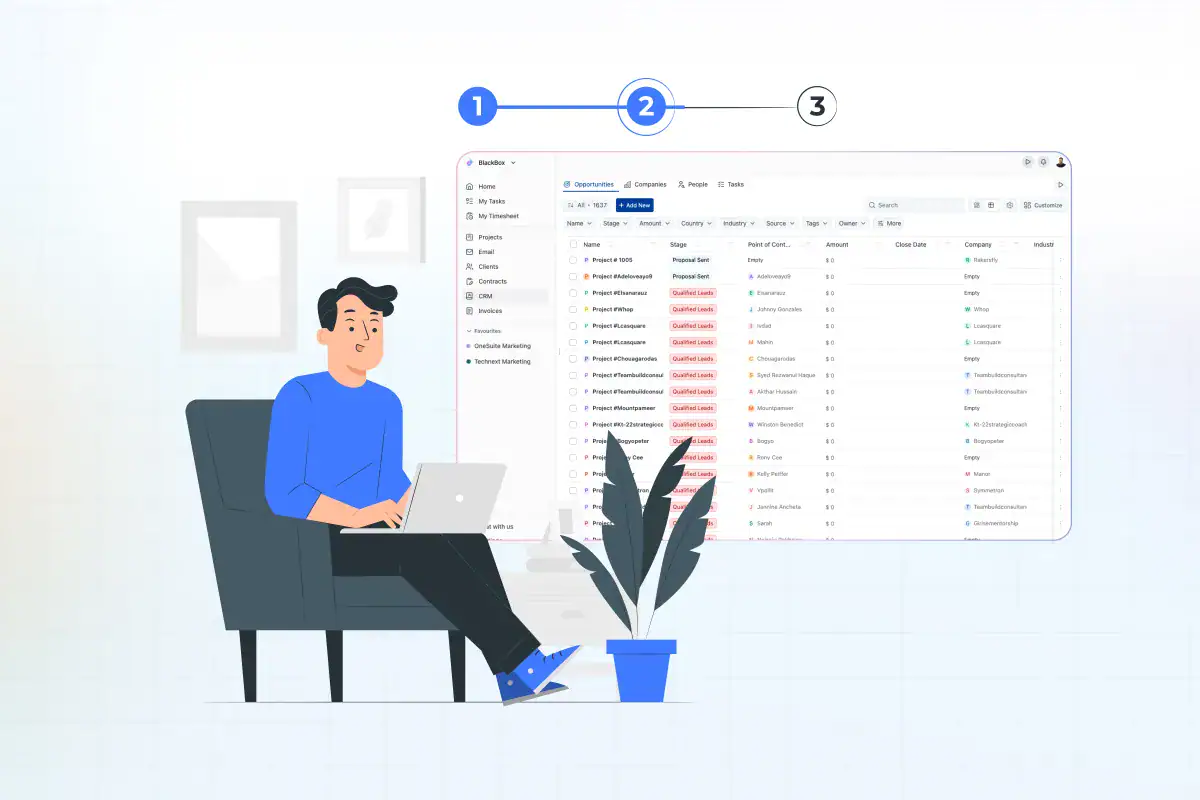
How to Choose CRM Software for Small Business (2026 Guide)

July 17, 2026
- Start with your problems, not feature lists. A CRM exists to fix a specific bottleneck, not to impress you with options.
- Adoption beats features. The most common reason a CRM project disappoints is that people don’t use it, not that it lacked a feature.
- The pricing model matters as much as the price. Per-seat plans grow with your headcount; flat-rate plans don’t.
- Decide early whether you want one all-in-one tool or a best-of-breed CRM you’ll connect to other apps.
- Always trial with your real team before committing. A polished demo is not the same as daily adoption.
Choosing CRM software sounds simple until you open twenty tabs and every tool claims to be the easiest, the most powerful, and the best value all at once. Because at the end of the day, there’s no single best CRM. The best one is the one that actually suits how your business actually works.
This article walks you through how to choose CRM software step by step, so you end up with a tool your team actually uses instead of one that quietly dies in a browser tab.
The short version: To choose CRM software, define the problems you need it to solve, involve the people who’ll use it, list your must-have features and integrations, set a realistic budget and pricing model, then shortlist two or three tools and trial them with real work before you commit. The rest of this guide expands each of those steps, adds a cost comparison most buyers skip, and ends with the mistakes that quietly sink CRM projects.
What a CRM actually does for a small business
A CRM (Customer Relationship Management tool) is the single place your business keeps track of leads, customers, and every interaction with them. Instead of contacts scattered across inboxes, spreadsheets, and sticky notes, you get one view of who’s who, what stage each deal is in, and what needs to happen next.
CRM is no longer a niche purchase, either. The global CRM market is projected to reach approximately $163 billion by 2030, with the small and midsize segment experiencing the fastest growth, at a rate of roughly 16% per year.
In other words, the tools have never been more capable or more aimed at teams your size. That’s exactly why a clear selection process matters: more good options also mean more ways to pick wrong.
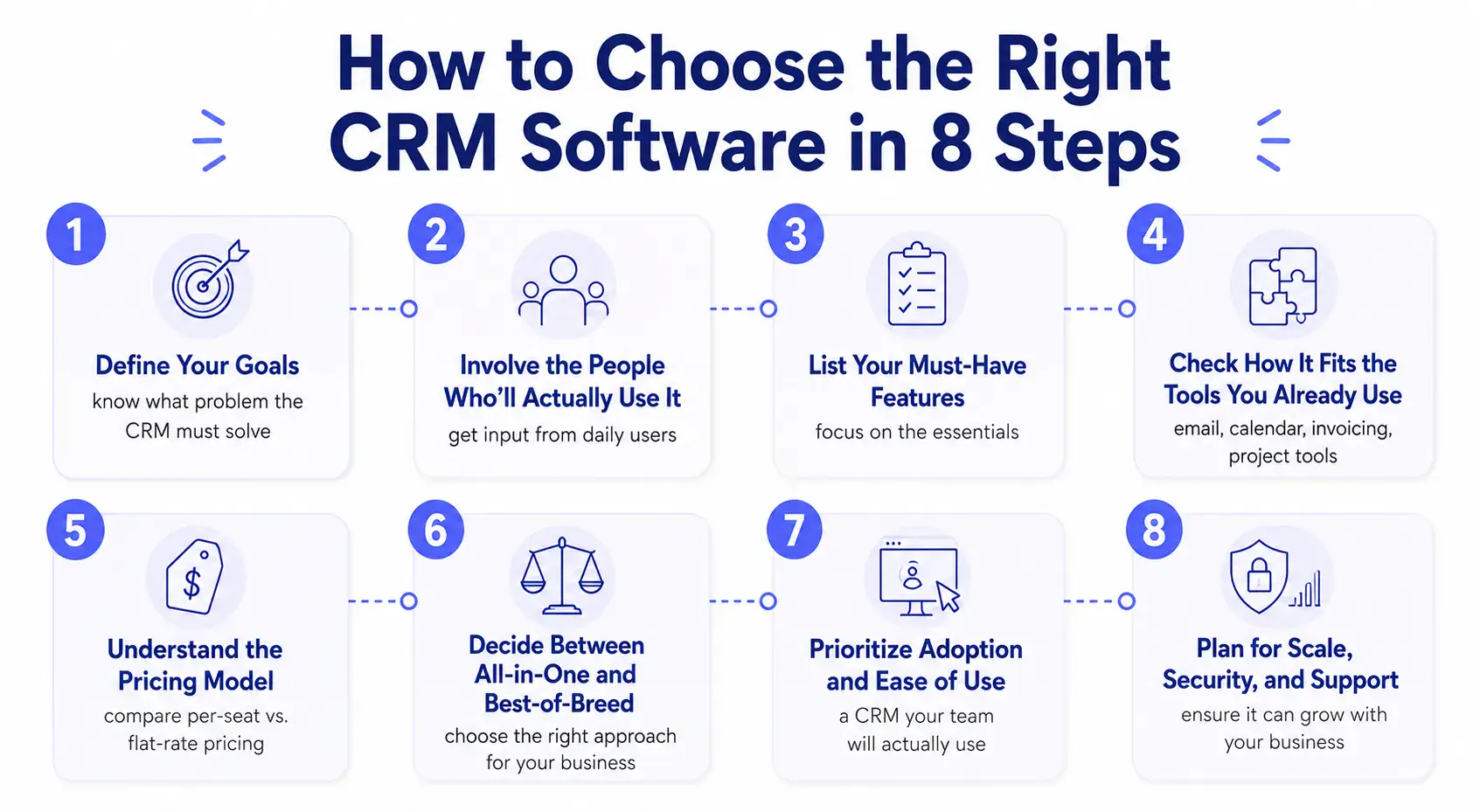
How to choose CRM software in 8 steps
Step 1 : Start with the problem, not the product
The most expensive mistake you can make is shopping for features before you’ve named the problem. So before you look at a single tool, write down the two or three things a CRM has to fix for you.
That short, honest list is your scorecard. Every later decision gets easier when you can hold a tool up to it and ask, “Does this solve my actual problem?” instead of “Ooh, what does this button do?”
Step 2 : Involve the people who’ll actually use it
Most buyers skip this step and pay for it later. The person choosing the CRM is rarely the person living in it all day. So before you fall for a slick demo, pull in whoever handles sales, talks to clients, and sends invoices. They know where the current process leaks, and they’ll tell you in ten minutes whether a tool feels workable or painful.
This isn’t a courtesy. It’s the single best predictor of whether the CRM survives past month three. A tool the team helped pick is a tool the team will actually open.
Step 3 : List your must-have features, and ignore the rest
Once you understand the problem, features can be categorized into two types: must-haves and nice-to-haves. Be ruthless about which is which.
For most small businesses, the genuine must-haves are short:
- Contact and pipeline management: a clear view of every lead and deal, and what stage it’s in.
- Email and calendar sync: so conversations and meetings are automatically recorded in the CRM without manual entry.
- Basic automation: reminders and follow-up nudges that don’t rely on someone remembering.
- Reporting you’ll actually read: a simple pipeline and activity view beats a dashboard nobody opens.
Almost everything else (advanced forecasting, custom objects, AI scoring) is a nice-to-have until you’ve proven you need it.
It’s tempting to chase the flashiest AI features, but pipeline clarity, clean permissions, and the ability to export your own data matter far more on day one. You can grow into the fancy stuff. You can’t grow out of a tool that fumbles the basics.
Step 4 : Check how it fits the tools you already use
Your CRM doesn’t live alone. You’re probably already running email, a calendar, maybe invoicing, project management, or scheduling. Before you commit, map that stack and check the CRM connects to it, either natively or through a reliable integration.
This is where small teams underestimate the hidden cost. Tool sprawl is real: the average company now runs around 106 different software apps, and 63% of organizations say too many unused or overlapping tools are pushing them to consolidate. Every integration you bolt on is one more thing to set up, pay for, and fix when it breaks. If you find yourself sketching a diagram with five tools and a tangle of arrows between them, that’s a signal worth noticing, and it leads straight to the next two decisions.
Step 5 : Understand the pricing model, not just the sticker price
Two CRMs can advertise the same monthly number and cost you wildly different amounts a year from now. The reason is the pricing model.
- Per-seat pricing charges you per user. It looks cheap at three people and adds up fast as you hire.
- Flat-rate pricing charges a price depending on the functionalities that are available with a set team size.
But that doesn’t mean you can’t add more team members than that set value. You can actually add more. But adding a member in the flat-rate pricing model generally costs way less compared to the per-seat rate pricing model.
For example, if you want a 7-member team in Hellobonsai, it’s gonna cost you $245 per month, but the same 7-member team in OneSuite will cost you $43/month, which itself is a huge difference.
Step 6 : Decide between all-in-one and best-of-breed
This is the real fork in the road, and it’s worth slowing down for.
Best-of-breed means picking the single best CRM and connecting it to your other tools: a separate invoicing app, a separate project manager, a separate client portal. The upside is a specialist tool for each job. The downside is that you become the systems integrator, paying for and maintaining the connections between them.
All-in-one means a single platform that handles the CRM alongside the work that surrounds it. For a service business, this often means that the deal, project, time tracking, invoice, and client portal all reside in the same place.
OneSuite is one example of this approach, built so that a new client in your pipeline flows into the project, which flows into the invoice, without exporting anything between tools.
The trade-off runs the other way: no single module is usually as deep as a dedicated specialist tool, in exchange for everything being connected and billed once. (Our guide on CRM with invoicing goes deeper on how that connected setup works in practice.)
Neither path is automatically right. If you have deep, specialized needs in one area, best-of-breed wins. If your real problem is that running the business across five disconnected apps is eating your week, an all-in-one deserves a serious look.2
Step 7 : Prioritize adoption and ease of use
Most disappointing CRM projects share a root cause, and it usually isn’t the software. When a CRM underdelivers, it tends to be a people-and-process problem (weak training, messy data, low buy-in) rather than a missing feature. A powerful CRM your team finds confusing will lose to a simpler one they’ll actually open every morning.
So weigh ease of use as heavily as any feature. Can a new hire find their way around without a training course? Is logging an activity quick enough that people will bother? Put the tool in front of the people who’ll use it, and trust their gut reaction in the first ten minutes more than any feature comparison.
Step 8 : Plan for scale, security, and support
The last step is to think a couple of years ahead, because switching CRMs later is painful.
- Scalability: Will this still fit when you’ve doubled your team or your client list? The biggest small-business mistake is choosing on today’s needs without asking whether the tool grows with you.
- Data ownership: make sure you can export your own contacts and history whenever you want. Your data should never be held hostage.
- Permissions and security: as you grow, you’ll want control over who sees what. Check that’s available on a plan you can afford, not just the enterprise tier.
- Support and onboarding: when something breaks, how do you get help, and how fast? For a small team without an IT department, this matters more than it looks.
Your CRM selection checklist
Before you commit, run your shortlist against this. If a tool can’t tick most of these, keep looking.
- It solves the two or three problems you wrote down in Step 1.
- The people who’ll use it daily have tried it and didn’t groan.
- It covers your must-have features without forcing a pricey upgrade.
- It connects to the tools you already rely on.
- You know the real cost at the team size you’ll be in a year.
- You can export all your data on your own, anytime.
- Permissions and support fit a plan you can actually afford.
- It still makes sense if your team doubles.
What it really costs to switch CRMs later
One cost rarely mentioned upfront: changing CRMs down the road is rarely just a data export. You’re migrating contacts and history, rebuilding automations and reports, reconnecting integrations, and retraining the team, all while the old and new systems run in parallel for a while. The work is real, and the disruption is realer.
That’s the whole reason these eight steps are worth the hour they take. A careful choice now is far cheaper than a do-over in eighteen months. It’s also why scalability and data ownership in Step 8 aren’t afterthoughts: the easier it is to grow with a tool and to get your data out, the less a future switch can hurt you.
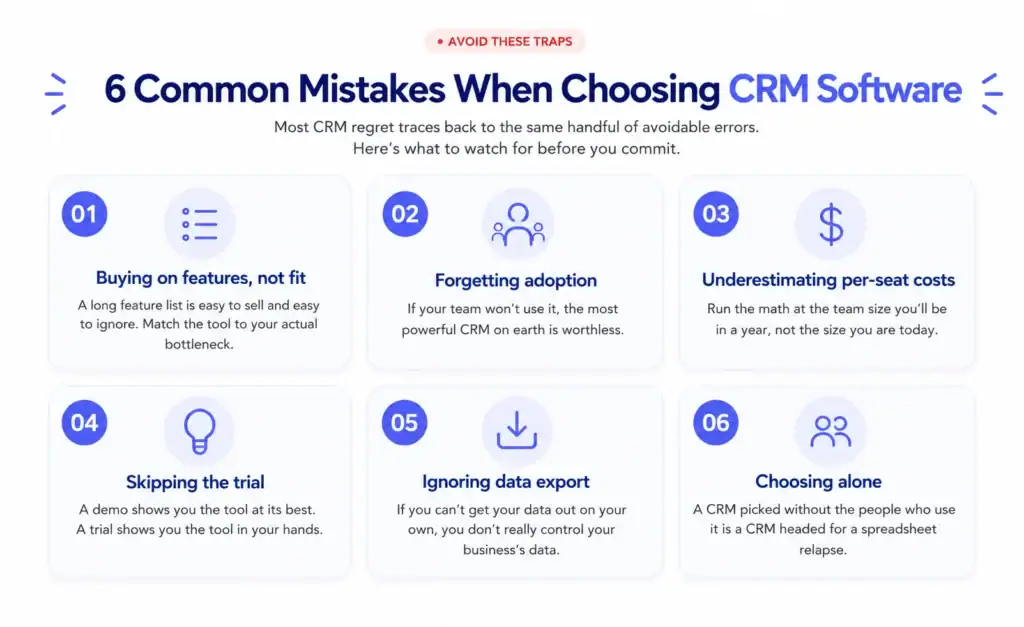
Common mistakes when choosing CRM software
- Buying on features instead of fit. A long feature list is easy to sell and easy to ignore. Match the tool to your actual bottleneck.
- Forgetting adoption. If your team won’t use it, the most powerful CRM on earth is worthless.
- Underestimating per-seat costs. Run the math at the team size you’ll be in a year, not today.
- Skipping the trial. A demo shows you the tool at its best. A trial shows you the tool in your hands.
- Ignoring data export. If you can’t get your data out on your own, you don’t really control your own business’s data.
- Choosing alone. A CRM picked without the people who use it is a CRM headed for a spreadsheet relapse.
The bottom line
Learning how to choose CRM software well comes down to two things more than any feature list: fit and adoption. Match the tool to the problems you actually have, bring the people who’ll use it into the decision, and check the real cost at the size you’ll be next year, not today. Do that, and you’ll land on a CRM your team keeps using, which is the only definition of the right one.
Frequently asked questions
How do I select the right CRM software for my small business?
Start by writing down the two or three problems you need it to solve, then involve the people who’ll use it daily. List your must-have features and the tools it has to integrate with, set a budget and check the pricing model, then shortlist two or three options and trial them with real data before deciding. Fit and adoption matter more than the longest feature list.
What features does a small business CRM actually need?
At minimum: contact and pipeline management, email and calendar sync, simple automation for follow-ups, and reporting you’ll actually use. Advanced features like AI scoring or custom objects are nice to have, but they shouldn’t drive the decision until you’ve confirmed the basics are solid.
How much should a small business pay for CRM software?
It depends more on the pricing model than the headline number. Per-seat plans charge per user and scale with your team, while flat-rate plans charge one price for a set team size. Calculate the cost at the team size you expect in a year, not today, and watch for hidden upgrade walls and onboarding fees.
Should a small business use an all-in-one CRM or separate tools?
Use separate best-of-breed tools if you have deep, specialized needs in one area and don’t mind maintaining the integrations. Choose an all-in-one platform if your main pain is juggling several disconnected apps, since keeping your CRM, projects, and invoicing in one place removes a lot of manual work for service businesses.
Why do so many CRM projects disappoint?
The usual reason isn’t the software, it’s adoption. If the tool is hard to use or wasn’t matched to the team’s real workflow, people quietly go back to spreadsheets and inboxes. Choosing for ease of use and involving your team in the decision is the best way to avoid it.
How often should a small business review its CRM choice?
A light review once a year is sensible: check whether your team has grown, whether you’re paying for seats or features you don’t use, and whether the tool still fits your workflow. Switching is costly, so the goal is to catch a bad fit early rather than to change tools often.
Start exploring OneSuite today
No credit card is required