

9 best Sales Team Management Software for Growing Teams in 2026

September 3, 2026
“Great things in business are never done by one person. They are done by a team of people.” — Steve Jobs
The problem is, great teams fall apart without the right system behind them.
Here is what that looks like in real life. Your best rep is juggling twelve open deals but cannot remember which ones need a follow-up today. A hot lead goes cold because nobody realised it had been sitting untouched for five days. Your manager is spending every morning asking for updates that should already be visible somewhere.
This is not a people problem. It is a systems problem.
The right sales team management software fixes all of it. One place for leads, pipelines, follow-ups, tasks and team visibility. Managers get clarity without chasing. Reps get focus without confusion. Deals stop falling through gaps nobody knew existed.
We reviewed the 9 best options for growing teams in 2026. Here is what actually works.
Key Takeaways
- Sales team management software centralizes leads, deals, follow-ups, tasks, communication, and performance data so teams can manage the complete sales process efficiently.
- The best platform gives sales representatives clear next steps while helping managers identify active opportunities, delayed follow-ups, pipeline gaps, and team support needs.
- Essential features include CRM, visual pipeline tracking, task reminders, communication history, team visibility, reporting, automation, document management, integrations, and billing.
- Choose software based on your sales process, team size, budget, ease of use, reporting needs, integrations, and whether work must continue from the closed deal into client delivery.
What is sales team management software?
Sales team management software is a tool that helps businesses manage their leads, deals, follow-ups, tasks and team performance in one organized place.
For sales managers, it removes the guesswork. Open one dashboard and see which leads are active, which deals are moving and where the team needs support — without chasing anyone for updates.
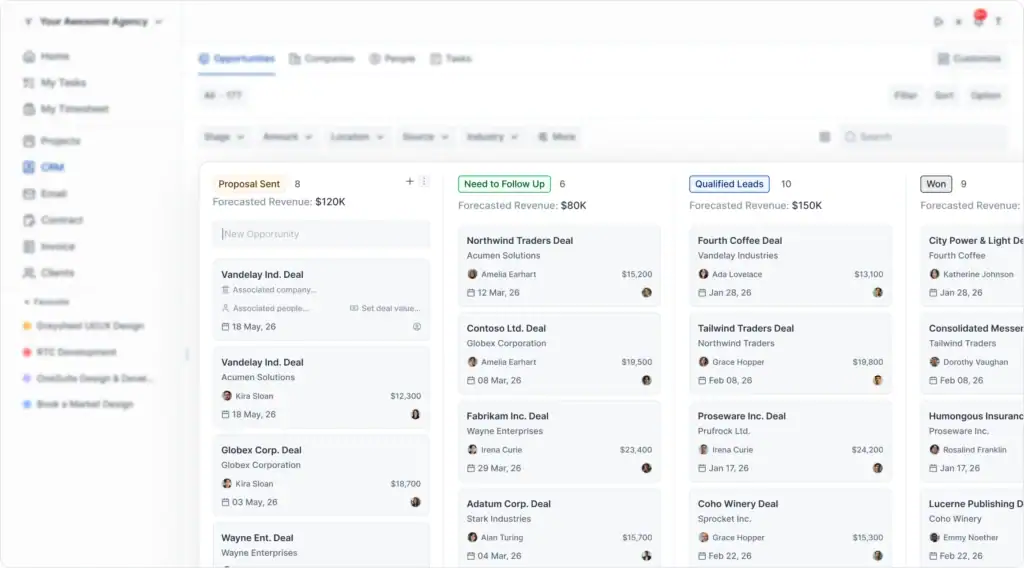
For sales reps, it simplifies daily work. Assigned leads, follow-up reminders, client details and next steps are all visible without jumping between emails, spreadsheets and chat messages.
The difference between good sales software and a spreadsheet is not just storage. A spreadsheet holds data but cannot remind reps to follow up, show live pipeline movement or connect sales conversations with task management and reporting. The right tool turns scattered sales activity into a repeatable system everyone can follow.
At a Glance: The 9 Best Sales Team Management Tools for 2026
Before we dive into the details, here is everything you need to compare fast.
Top 9 best sales team management software in 2026: quick comparison
After exploring 20+ sales team management tools, we selected the top 9 based on CRM, pipeline tracking, tasks, automation, reporting, sales content, client communication, and ease of use.
Some tools are best for simple pipeline tracking. Others work better for task management, automation, content, or agency-style sales workflows.
Here is a quick comparison to help you choose the right fit.
1. OneSuite — Best overall sales team management software
OneSuite is built for small sales teams that need more than lead tracking. It brings CRM, tasks, projects, time tracking, invoices, documents, and client communication into one workspace.
For sales teams, this is helpful because the work usually does not end when a deal is marked closed. After the sale, teams often need to send documents, manage client tasks, track time, share updates, and issue invoices. OneSuite keeps those steps connected instead of spreading them across separate tools.
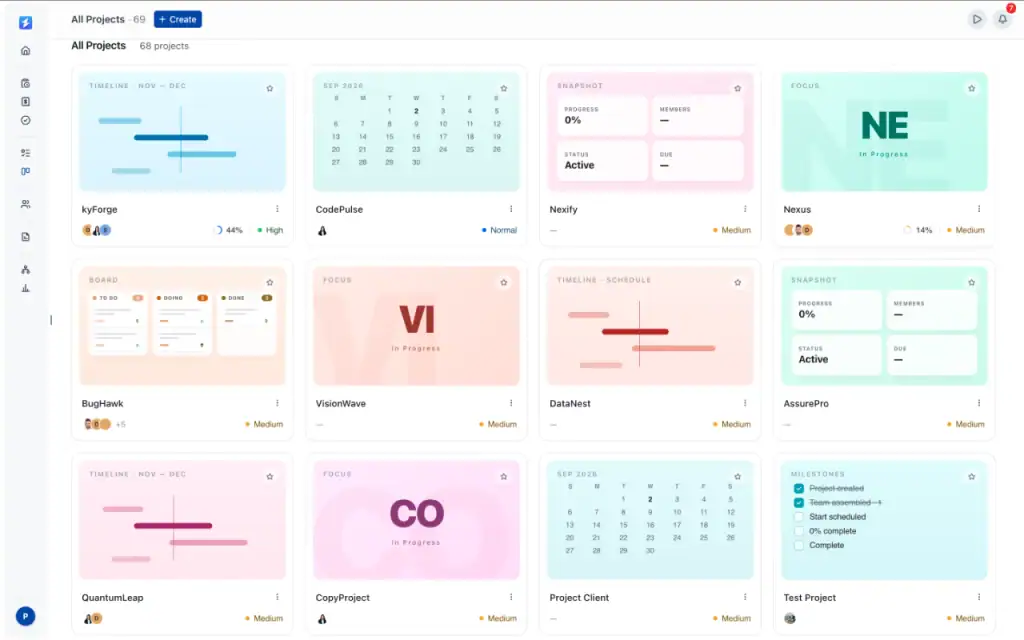
Its main advantage is the all-in-one setup. Sales managers can track leads and team tasks, while reps can manage follow-ups, client details, and related project work from the same place.
This makes OneSuite a practical option for agencies, consultants, service businesses, and growing teams that want a simple system to manage the full sales-to-delivery workflow.
Key Features of OneSuite for Sales Teams
- Visual CRM pipeline with customizable deal stages
- Lead, company, contact, and opportunity management
- Deal values, expected close dates, and revenue forecasting
- Custom CRM fields, filters, and editable list views
- Automatic opportunity creation from contacts and meetings
- Sales tasks, follow-ups, notes, files, and activity history
- Shared email inbox and custom SMTP email delivery
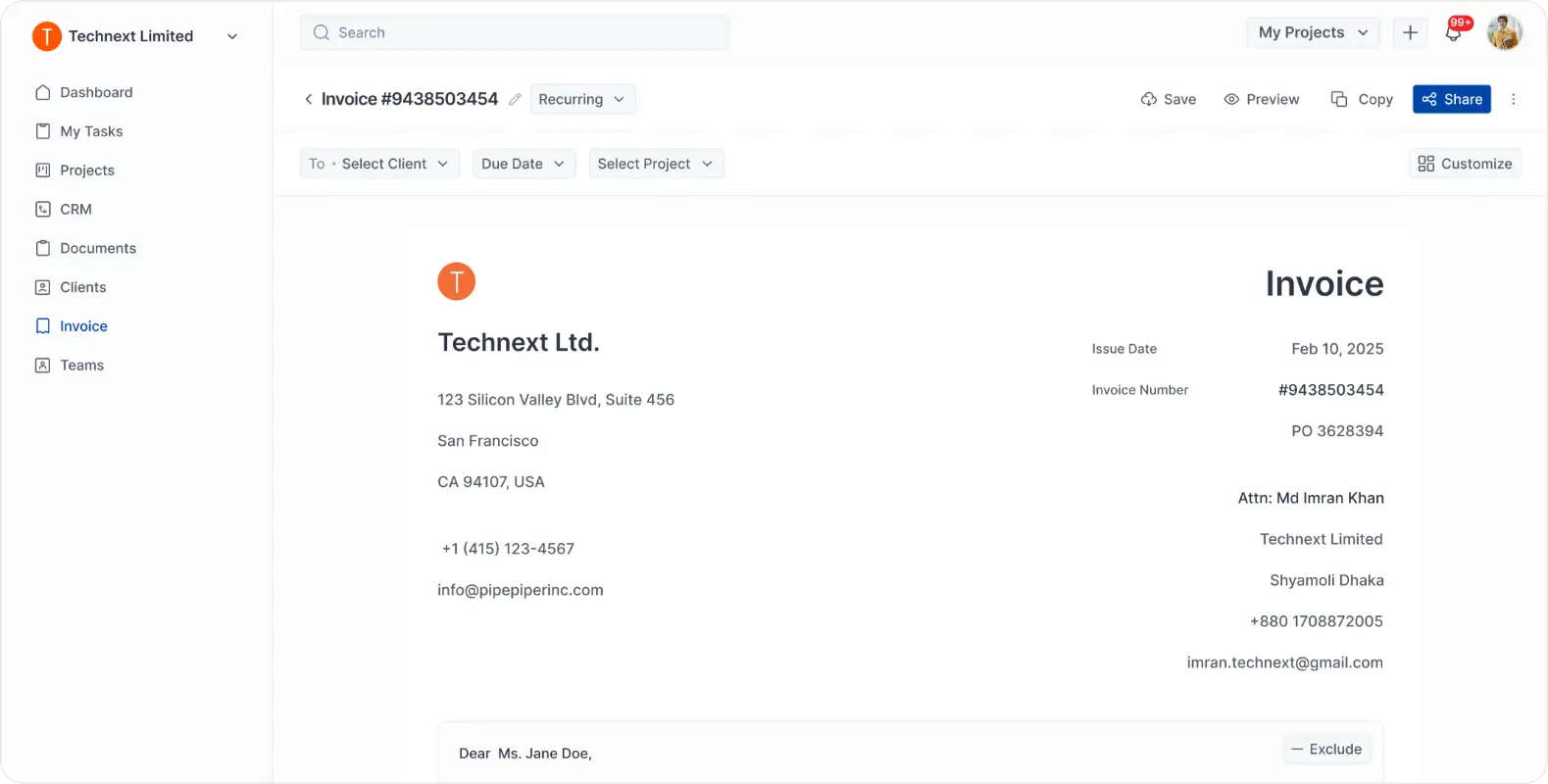
- Proposals, contracts, invoices, payments, and e-signatures
- One-click conversion from opportunities to company or individual clients
- Team roles, permissions, assignments, and collaboration
- Connected handoff from closed deals to projects and client portals
Pros and Cons
| Pros | Cons |
| Combines CRM, tasks, projects, invoices, and client portal | Newer platform (limited reviews vs. established players) |
| Good for small and growing service teams | Still at early development phase. |
| Useful for managing sales and post-sale work together | Smaller community (fewer templates/tutorials available) |
| Includes invoices, documents, and e-signatures | Not designed for large enterprise sales teams |
| Client portal helps keep communication organized |
Pricing
- Monthly billing: $9 per user per month
- Annual billing: $7 per user per month
All plans include a 14-day free trial. The pricing page also mentions white-glove onboarding, a 30-day money-back guarantee, and annual savings.
User feedback
👍 The functionality that allows us to show our clients the processes we use to do the work, were we are in the process and what the next steps are. having client communication with our clients is super important and One Suite has made that much easier.
– Jude . G2
👎 Need more updates and more features according to user experience
– Shah Razi S. G2
2. Monday — Best for visual sales pipeline management
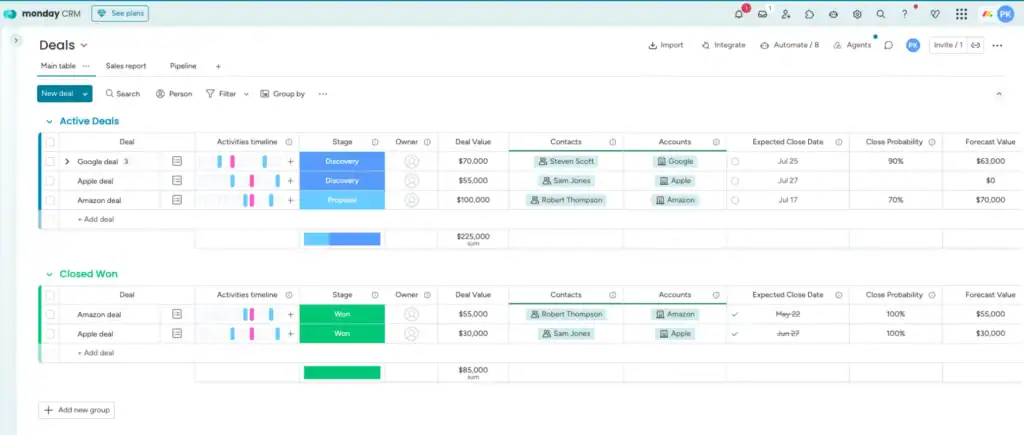
monday keeps sales work easy to follow. Instead of digging through spreadsheets or asking reps for updates, managers can open one board and see what is happening with leads, deals, tasks, and follow-ups.
It works well for teams that like a visual setup. Deals can move through pipeline stages, reps can see what needs to be done next, and managers can quickly spot slow-moving opportunities.
For daily sales work, it feels practical. A rep can update a deal, add a note, schedule a follow-up, or check a task without jumping between different tools.
The best part is clarity. monday makes the sales pipeline easier to read, so the team knows where each deal stands and what action should happen next
Key Features
- Visual boards to manage leads and deals
- Custom sales pipelines to track every deal stage
- Lead and contact management for customer details
- Deal ownership to assign leads to the right sales reps
- Task assignment for daily sales activities
- Follow-up reminders to avoid missed opportunities
- Sales dashboards to track pipeline and performance
- Workflow automation for lead updates and sales tasks
- Email and calendar integrations for smoother follow-ups
- Sales activity tracking for calls, meetings, notes, and updates
- Team collaboration for deal discussions and internal updates
- Multiple views like Kanban, timeline, and calendar for sales tracking
- Mobile access for managing sales work anywhere
Pros and cons
| Pros | Cons |
| Easy to use visual boards | Some CRM features may feel limited |
| Good for pipeline tracking | Setup can take time |
| Strong team collaboration | Some users mention a learning curve |
| Useful task management | Reporting may need extra setup |
| Automations help reduce manual work | Pricing increases with more seats |
| Good for sales and project workflows | Not built for advanced commission tracking |
Pricing
- Free: $0, up to 2 seats
- Basic: $9 per seat/month
- Standard: $12 per seat/month
- Pro: $19 per seat/month
- Enterprise: Custom pricing
User feedback
👍Honestly, what I like most about ClickUp is that it doesn’t force my team into a rigid way of working, it adapts to us. The combination of Spaces, Folders and Lists with the different views (I switch between board and Gantt all the time) makes it easy to organize everything from a quick sprint to broader project planning.
– Pedro A. G2
👎 One thing you managed really well, but one problem is that you didn’t mention how to use it. I also faced an issue because I don’t know how to use some features. I suggest you make videos for every feature so people can easily learn how to use them. Also, please create a section where people can find and watch these videos to learn.
– Awais S. G2
3. Pipedrive — Best sales management CRM for simple pipeline tracking
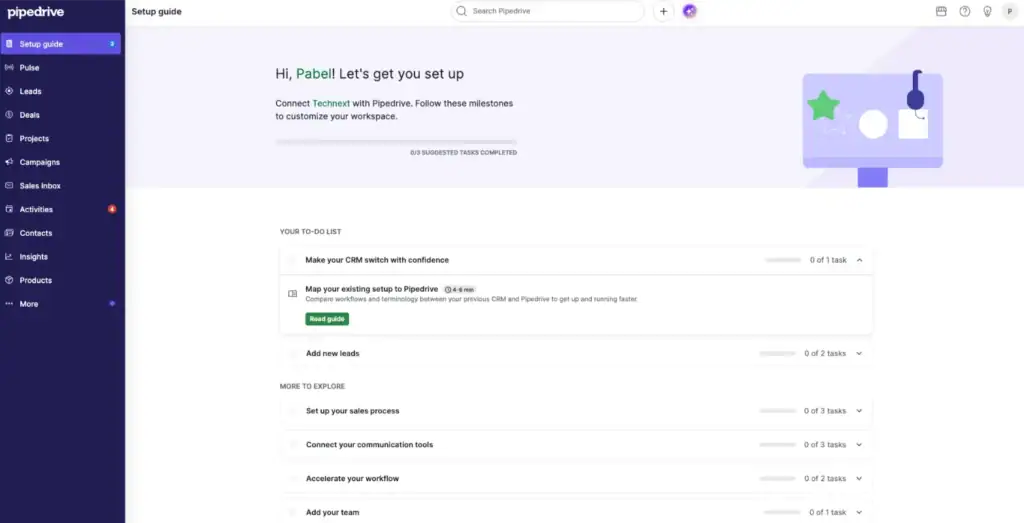
Pipedrive gives sales teams a simple way to manage leads, deals, and follow-ups. It is built around a visual pipeline, so reps can quickly see where each deal is and what needs to happen next.
For managers, Pipedrive makes sales activity easier to track. They can review open deals, check rep activity, monitor forecasts, and understand pipeline value from one place.
Its main strength is focus. Pipedrive does not try to be a full agency management platform. It keeps sales work clear with lead tracking, deal stages, activity reminders, emails, and reports.
This makes it a good choice for teams that need a clean sales CRM for pipeline control without too many extra features.
Key features of Pipedrive
- Visual sales pipeline for tracking deals by stage
- Lead and contact management for organizing prospects
- Deal management with owner, value, and status
- Activity tracking for calls, meetings, emails, and tasks
- Follow-up reminders to keep sales conversations moving
- Email sync and tracking for sales communication
- Calendar and meeting scheduler for booking sales calls
- Sales automation for repetitive follow-up tasks
- Real-time sales feed for team updates
- Sales reports and dashboards for performance tracking
- Forecast reports to estimate future revenue
- Lead generation and routing on higher plans
- Custom scoring and data enrichment on advanced plans
- Contracts and e-signatures on Premium plan
- 500+ integrations with other business tools
- Mobile CRM app for managing sales on the go
- AI-powered report creation and sales productivity features
Pros & Cons
| Pros | Cons |
| Easy to use for sales teams | No free plan |
| Strong visual pipeline tracking | Lower plans have limited advanced features |
| Good for follow-ups and sales activity tracking | Automation and customization improve on higher plans |
| Useful email, calendar, and meeting tools | Add-ons can increase total cost |
| Good integrations with other tools | Not ideal for full project or client management |
Pricing
- Lite: US$19 per seat/month, billed monthly
- Growth: US$34 per seat/month, billed monthly
- Premium: US$64 per seat/month, billed monthly
- Ultimate: US$89 per seat/month, billed monthly
Pipedrive also offers a free 14-day trial. Annual billing may reduce the monthly cost.
User feedback
👎 The Best part of Pipedrive is simplicity and ease to use compare to others CRM in the market with complex workflow to manage, track and find opportunities at given time. Instead of doing all manual spreadsheet entry and update we can focus on sales pipeline building and help to focus on other task
– Karthick P. G2
👍 They mislead you regarding email marketing campaigns. They tout all the amazing features in the marketing materials but fail to disclose their double opt-in process they require. If you want to email your contacts in a campaign where you can see performance metrics, they can require you to get every single one of those people to “opt-in” to your emails even if you have been emailing with a person for 20 years. It’s very misleading and if these features are important to you, know this before you invest a lot of time, money and energy into the platform.
– Mark F. G2
4. Keap — Best for small business sales automation
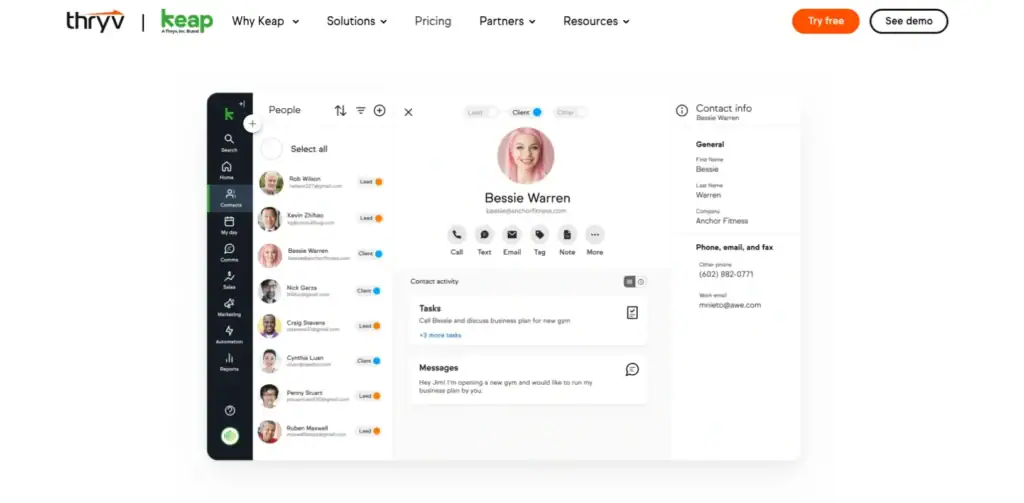
Keap is built for small businesses that need more than a basic CRM. It helps teams manage leads, follow-ups, client messages, appointments, invoices, and sales tasks in one place.
The strongest part of Keap is its automation. A sales team can capture a lead, send follow-up emails or texts, organize the contact, and move the conversation forward with less manual work.
It fits businesses where sales and client nurturing happen together. For example, service providers, consultants, agencies, and small teams can use Keap to manage new leads, stay in touch with prospects, book calls, and handle payments after the sale.
Keap may feel too much for teams that only need simple pipeline tracking. But for small businesses that want CRM, automation, communication, and billing together, it can be a useful option.
Key features of Keap
- CRM to manage leads and contacts
- Sales pipeline to track deal progress
- Lead capture and follow-up automation
- Email and SMS follow-up tools
- Appointment scheduling for sales calls
- Task reminders for next sales actions
- Contact segmentation for better targeting
- Communication history for each lead
- Quotes and invoices for sales deals
- Payment collection after closing
- Sales reports for tracking performance
- Automation templates for common workflows
- Mobile app for managing sales on the go
Pros & Cons
| Pros | Cons |
| Strong automation features | Expensive starting price |
| Good for small business follow-ups | Can feel complex for new users |
| CRM, email, invoices, and payments in one place | Limited flexibility for some workflows |
| Helpful for lead nurturing | Mixed customer review ratings |
Pricing
- Starting price: $299/month
- Billing: Monthly
- Included setup shown: 2 users and 1,500 contacts
- Promotional offers: Available by contacting Keap
- Pricing style: One main platform price instead of feature-based plans
User feedback
👎 Its ease of use, drag and drop email editor, the agging system, the dashboard where i can get counts of automated campaigns
–Craig Paul T. G2
👍 Keap does not offer enough flexibility for complete customization. I found that getting the most out of Keap required a lot of effort during the onboarding process. To really make the tools work the way you want, you need a dedicated team to handle everything.
– Christian E. G2
5. Asana — Best for sales task and workflow management
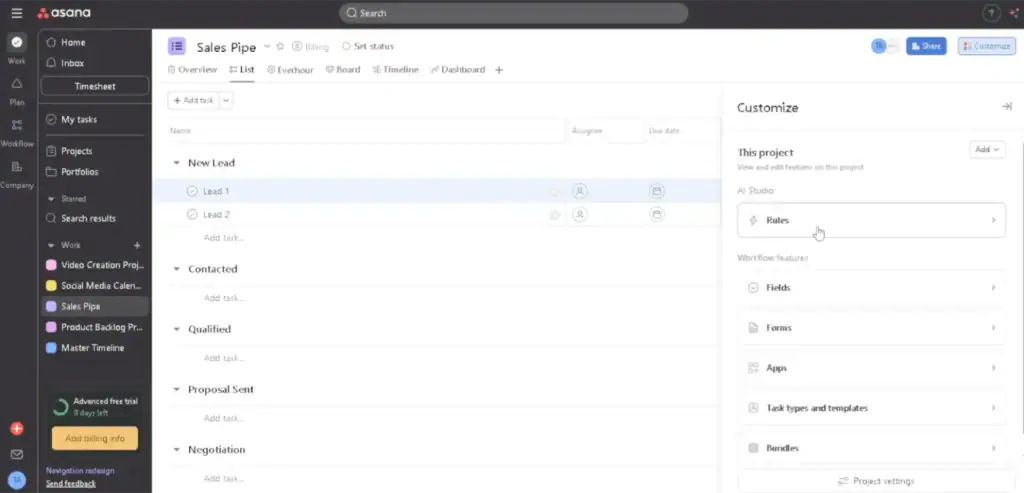
Asana is not a traditional sales CRM. It is a work management tool that sales teams can use to organize tasks, follow-ups, handoffs, and internal sales workflows.
It works best when a team already has a CRM but needs a cleaner way to manage the work around sales. For example, sales reps can track follow-up tasks, proposal steps, meeting actions, onboarding requests, and post-sale handoffs.
The main difference is workflow control. Asana helps sales teams stay on top of deadlines, responsibilities, and next steps, but it is not built mainly for deep pipeline or commission management.
Key features of Asana
- Task management for daily sales work
- Sales workflow boards for tracking steps
- Due dates and reminders for follow-ups
- Assignees for clear task ownership
- Custom fields for deal status or priority
- Forms for collecting sales requests
- Templates for repeat sales workflows
- Project dashboards for team progress
- Timeline and calendar views
- Automation rules for routine updates
- Team comments and file sharing
- Goals and portfolio tracking on higher plans
- 100+ integrations with tools like Google Workspace, Microsoft 365, and Slack
- Mobile app access for remote sales teams
Pros & Cons
| Pros | Cons |
|---|---|
| Very good for sales tasks and workflows | Not a full sales CRM |
| Easy to assign work and track deadlines | No built-in deal pipeline like CRM tools |
| Good for follow-ups and handoffs | Limited sales reporting compared to CRMs |
| Useful templates and automation rules | Commission tracking is not included |
Pricing
- Personal — $0 forever (up to 2 users)
- Starter — $10.99/user/month (billed annually)
- Advanced — $24.99/user/month (billed annually)
- Enterprise — Custom pricing
Asana’s official pricing page lists Personal, Starter, Advanced, Enterprise, and Enterprise+ plans, with yearly billing savings and a free Personal plan for up to 2 users.
User feedback
👍“I like the user-friendly interface, ease of use, and pleasant ‘social network style’ flow. One of my favorite feature is the project templates.”
“Asana is a great software—it keeps things easy and clear to follow… the way it has listings and timeline helps to navigate through the activities. I also like how it tracks milestones of a project.”
– Software Advice
👎 “I strongly advise against using Asana. Their pricing model is deceptive, and their customer service is completely unhelpful. … I was charged an outrageous amount … they refused to give any refund … their support team offers nothing but copy-paste responses.”
– A user at Reddit
6. Trello — Best simple sales board for small teams
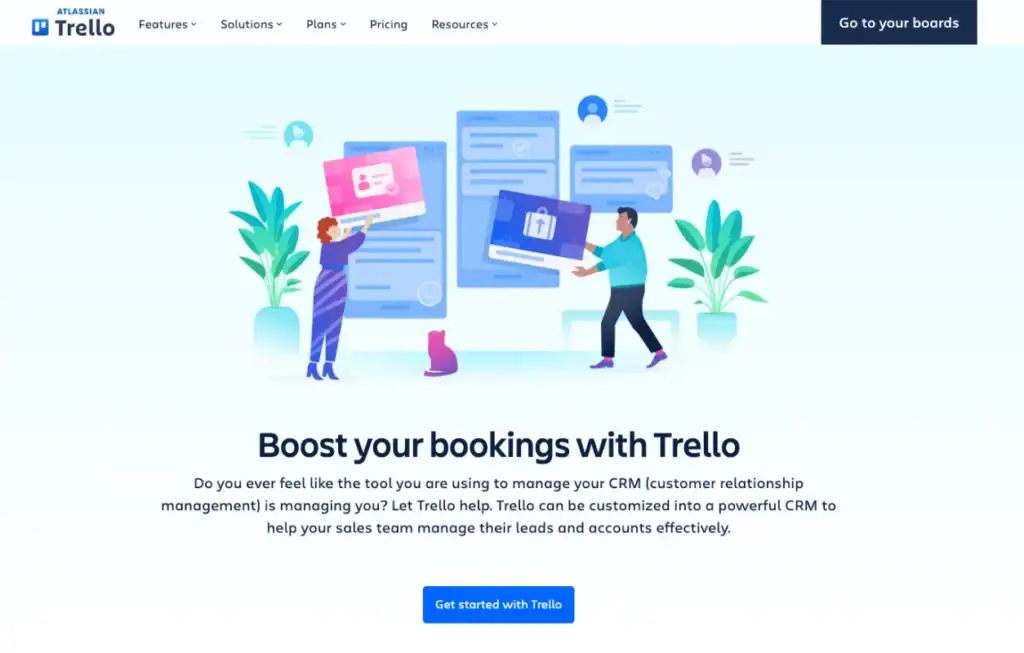
Trello gives small sales teams a quick way to organize leads and follow-ups using simple boards and cards.
A team can build a basic sales pipeline with stages such as new lead, contacted, proposal sent, negotiation, and closed. Each lead can be added as a card with notes, tasks, files, due dates, and comments.
Its strength is simplicity. Trello does not work like a full CRM with advanced forecasting or detailed sales reports. Instead, it helps small teams see what is in progress, who is handling each lead, and what needs to happen next.
For teams with a light sales process, Trello is easy to set up and simple to maintain.
Key features of Trello
- Kanban boards for tracking leads and deals
- Custom lists for each sales pipeline stage
- Cards for lead details, notes, and updates
- Checklists for sales tasks and follow-ups
- Due dates for calls, emails, and next steps
- Labels for lead status, priority, or deal type
- Comments for internal sales discussions
- File attachments for proposals and documents
- Automation with Butler for routine sales actions
- Power-Ups to connect sales tools and apps
- Calendar view for follow-up planning
- Mobile app for managing sales boards anywhere
Pros and cons
| Pros | Cons |
| Very easy to use | Not a full sales CRM |
| Good for simple sales pipelines | Limited sales reporting |
| Quick setup for small teams | No built-in forecasting |
| Useful for task and follow-up tracking | Contact management is basic |
Pricing
- Free: $0
- Standard: $5 per user/month, billed annually
- Premium: $10 per user/month, billed annually
- Enterprise: Starts around $17.50 per user/month, billed annually
Trello also offers a Premium trial, and its official support page lists four plans: Free, Standard, Premium, and Enterprise.
User feedback
👍 As a software engineer, I like Trello because it keeps project tasks organized in a simple and visual way. The boards, lists, and cards make it easy to track features, bugs, and development tasks. I also like the flexibility of adding checklists, comments, attachments, and labels, which helps with team collaboration and keeping work details in one place.
–Akash Y. G2
👎 To be honest, I wasn’t particularly fond of Trello. I’ve used other software in the past for managing workflows, both individually and with my team. In comparison, I didn’t find Trello to be the most user-friendly option.
– David L. G2
7. Notion — Best content management software for sales teams
Notion helps sales teams keep their knowledge, documents, and sales resources easy to find. Instead of saving scripts, proposals, notes, and client files across different folders, teams can build one shared workspace.
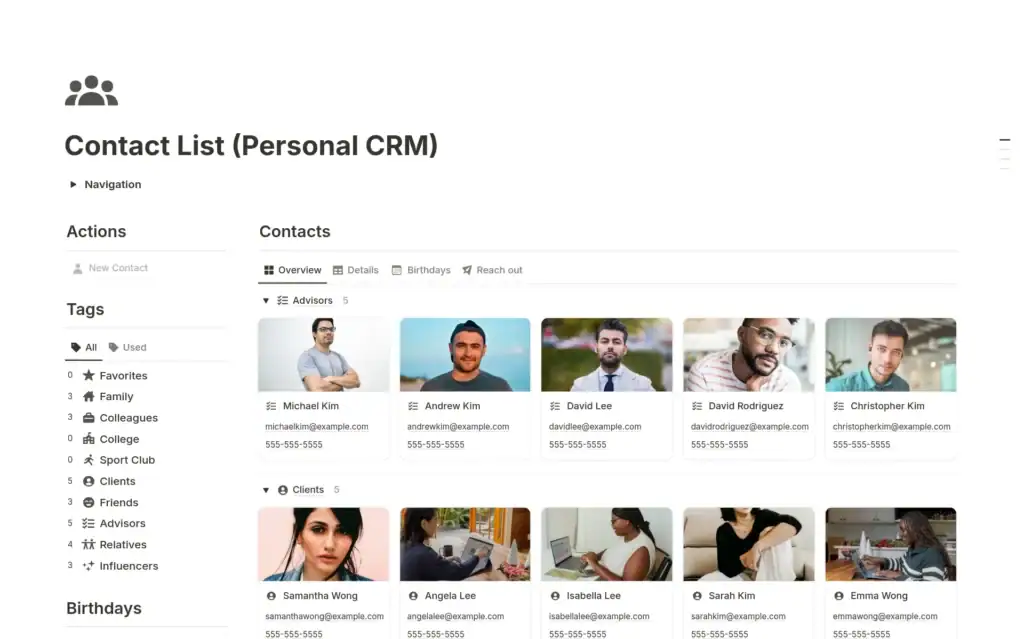
Sales teams can also use Notion databases to track leads, sales tasks, accounts, and follow-ups. This makes it helpful for teams that want a simple system without setting up a full CRM.
Its value comes from organization. Notion is not the best choice for advanced pipeline tracking or forecasting, but it is useful when sales teams need a clean place to manage content and internal sales processes. Notion also offers CRM templates that can be customized for lead tracking and deal organization.
Key features of Notion
- Sales content library for playbooks and documents
- Databases for leads, accounts, and sales tasks
- Notes for calls, meetings, and client updates
- Templates for sales processes and checklists
- Kanban boards for simple deal or task tracking
- Shared team workspace for sales collaboration
- Internal wiki for scripts, FAQs, and training content
- File and document storage for proposals and assets
- AI features for summaries, drafts, and notes
- Calendar and task views for planning follow-ups
- Permission controls for team access
- Integrations with common work tools
Pros and Cons
| Pros | Cons |
| Very flexible for sales content management | Not a full sales CRM |
| Good for playbooks, notes, and documents | Pipeline tracking needs manual setup |
| Easy to organize team knowledge | Can become messy without structure |
| Useful AI features for writing and summaries | Some users mention a learning curve |
Pricing
- Free: $0, for individual use with limited features
- Plus: $10 per user/month
- Business: $15 per user/month
- Enterprise: Custom pricing
User feedback
👍 For me, the best use is taking rough text and turning it into something I can actually work with: quick summaries, clearer rewrites, and “pull out the action items” when I’ve done a brain dump. It doesn’t replace my voice, but it does take away some of the friction—especially when I’m revising or trying to figure out what really matters on the page.
– Megan S. G2
👎 For me? No. For the future? Keeping their word and not treating users like dirt. But, again, it’s their loss ultimately. I’m happy with Obsidian. If they are happy with $0 from me, then fine.
– John R. G2
8. Wrike — Best for sales operations and team visibility
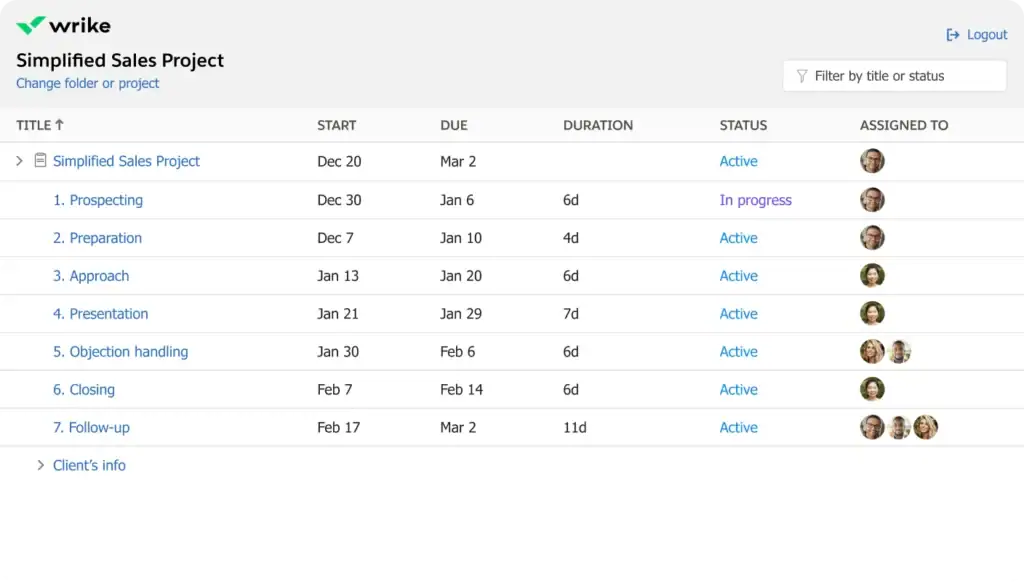
Wrike is a work management platform that helps sales teams stay organised across tasks, handoffs, timelines and operations in one place.
It is not a traditional CRM. Its value is in structuring the work around the sale. Proposal tasks, client onboarding, internal approvals and post-sale delivery all stay visible, assigned and moving without anything getting lost in email or chat.
Wrike connects natively with Salesforce and HubSpot, and its Wrike Integrate feature extends connectivity to almost any other business tool your team already uses.
Key features of Wrike
- Task management for sales activities and follow-ups
- Project boards for sales workflows and handoffs
- Custom fields for deal status, priority, or owner
- Dashboards to track team progress and workload
- Gantt charts for campaign and project timelines
- Workflow automation for repeated sales tasks
- Collaboration tools for comments, files, and updates
- Request forms for sales or client requests
- Table and board views for tracking work clearly
- Resource planning for team capacity
- Reporting tools for activity and performance visibility
- Integrations with tools like Slack, Google Drive, and Microsoft Teams
- AI features on selected plans
Pros and Cons
| Pros | Cons |
| Strong task and project management | Not a full sales CRM |
| Good team visibility and collaboration | No built-in sales pipeline like CRM tools |
| Useful for sales operations and handoffs | Can feel complex for new users |
| Flexible dashboards and workflows | Some advanced features need higher plans |
Pricing
- Free: $0 per user/month
- Team: $10 per user/month
- Business: $25 per user/month
- Pinnacle: Custom pricing
- Apex: Custom pricing
Wrike also offers a 14-day free trial with no credit card required.
User feedback
👍 What I like most about Wrike is that small delays became much easier to notice before they turned into bigger issues. I regularly use dashboards, request forms, and custom workflows, and I like that everything stays visible without needing constant follow-ups. The best helpful thing was that minor pending work rarely stayed unnoticed for long, which helped maintain consistency throughout the academic schedule.
– Manoj S. G2
👎 Some settings require extra navigation, and larger workspaces can take time to configure properly. I have also noticed that understanding certain advanced options takes some experimentation. More simplified administration settings would make the experience easier.
– Manoj S. G2
9. Pipeliner CRM — Best for sales process management and forecasting
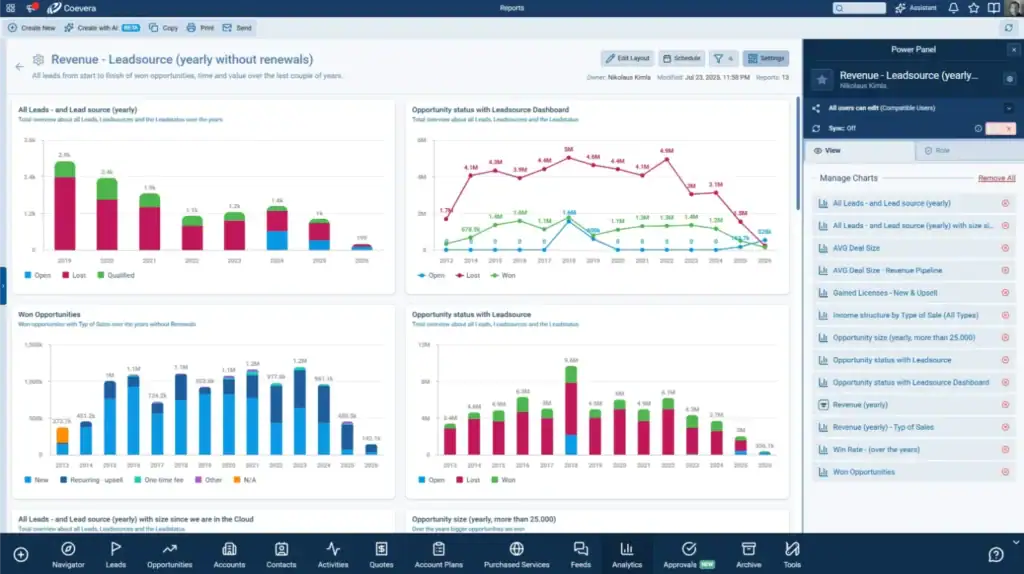
Pipeliner CRM, now known as Coevera, is built for sales teams that want better control over their pipeline, forecasting, and sales process.
It gives managers a clear view of deals, activities, targets, and team performance. Reps can track opportunities, update deal stages, manage follow-ups, and keep sales work moving in a structured way.
Its main strength is visual sales management. Coevera helps teams understand where deals stand, what needs attention, and how future revenue may look. It is a good fit for teams that want more than basic contact tracking but still need a sales-focused CRM.
Key features of Pipeliner CRM
- Visual sales pipeline for tracking deal stages
- Lead and contact management for sales teams
- Opportunity tracking with deal value and owner
- Sales forecasting for future revenue planning
- Task and activity management for reps
- Sales dashboards and visual reports
- Workflow automation for repeated sales steps
- Lead scoring and qualification support
- Account and customer relationship tracking
- Mobile CRM access for field sales teams
- AI-powered insights and next-step guidance
- Integrations with email and business tools
Pros and Cons
| Pros | Cons |
| Strong visual pipeline management | Higher starting price than many CRMs |
| Good for sales forecasting | Can feel complex for smaller teams |
| Useful dashboards and sales reports | Limited customization mentioned by some users |
| Good lead and opportunity tracking | Some users report integration issues |
Pricing
- Starter: $65/user/month, billed annually
- Business: $85/user/month, billed annually
- Enterprise: $115/user/month, billed annually
- Unlimited: $150/user/month, billed annually
The Starter plan requires a minimum of 3 users.
User feedback
👍 “The overall ease of use and how your able to train new users. I enjoy the how fast I am able to receive the information that I need that helps move forward. The total cost for the system is affordable. I have enjoyed using this with others and the AI aspect of the system is great.”
– Brandon L. G2
👎 “Some advanced reporting and automation features are limited and deeper customization options would be helpful. For more complex sales workflows, it can feel a bit basic.”
– Sanjeev S. G2
Which features should sales team management software have?
Good sales team management software should make the sales process easier to follow, not harder to manage.
A sales manager should be able to open the system and quickly understand what is happening. Which leads are active? Which deals are stuck? Who needs to follow up? What tasks are due today? The software should give clear answers without forcing the team to search through spreadsheets, emails, or chat messages.
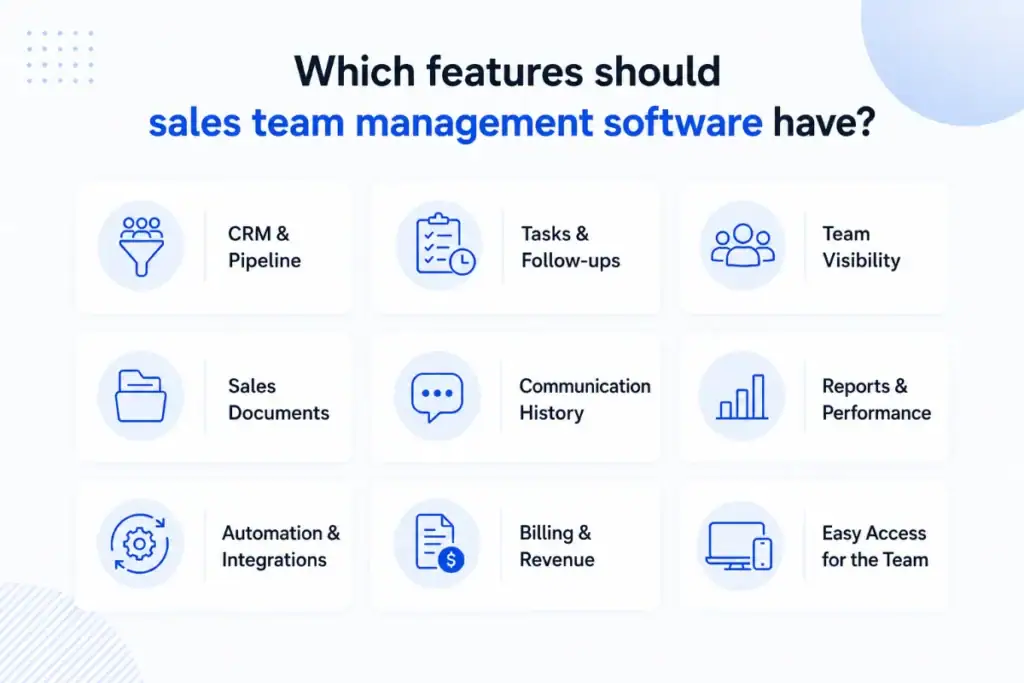
CRM and Pipeline Tracking: The software should keep leads, contacts, deals and client details in one place. A clear pipeline helps the team see where each deal stands, who owns it and what the next step should be.
Task and Follow-up Management: Follow-ups are one of the easiest things to miss in sales. The right tool lets managers assign tasks, set deadlines and create reminders so reps always know what to do next.
Team Visibility: Sales managers should not need to ask for updates all day. A good system shows deal progress, team activity and workload in one view so managers can see where support is needed.
Sales Documents and Content: Teams need proposals, contracts and client files easy to find and share. Look for document storage, e-signatures and file access built into the platform.
Communication History: Every lead has a story. The software should keep emails, notes, calls and meeting updates connected to the right lead so any team member can pick up the conversation without starting over.
Reporting and Performance Tracking: Managers need more than a lead count. Pipeline value, deal progress, team activity and revenue visibility help managers find weak points and make better decisions.
Automation and Integrations: Simple automation for reminders, task creation and follow-ups removes daily manual work. The tool should also connect with email, calendar, invoicing and project tools your team already uses.
Billing and Revenue Tracking: For agencies and service teams, the sale does not end at the close. Invoices, payments and revenue tracking built into the platform saves time and keeps everything connected.
How to choose the best software to manage your sales team
The best tool depends on how your sales team works. One of the most useful sales team management tips is to choose software that fits your daily workflow, not just the tool with the biggest feature list.
- Choose Pipedrive if your main need is simple pipeline tracking.
- Choose monday CRM if your team prefers visual sales boards and flexible sales workflows.
- Choose Keap if you need automation, lead nurturing, email, and SMS follow-ups.
- Choose Notion if your team needs a place to organize sales content, playbooks, notes, and documents.
- Choose Asana, Trello, or Wrike if your main focus is task management, team workflow, and internal coordination.
- Choose Pipeliner CRM/Coevera if forecasting, sales process control, and pipeline visibility are most important.
For small agencies and service-based sales teams, a basic CRM may not be enough. These teams usually need to manage leads, tasks, client communication, documents, invoices, and delivery work after the deal is closed.
In that case, OneSuite is a practical all-in-one option. It connects sales management with client work, billing, documents, and team collaboration in one workspace. This makes it a strong fit for teams that want to manage the full sales workflow from lead to delivery without using too many separate tools.
FAQs
What is the difference between CRM and sales team management software?
A CRM mainly helps you manage leads, contacts, deals, and customer communication.
Sales team management software can include CRM features, but it also helps with tasks, team workflows, documents, reporting, automation, invoices, and post-sale work.
Can sales team management software help with follow-ups?
Yes. Good sales management software helps teams set reminders, assign tasks, track activity, and automate follow-ups.
This reduces missed opportunities and helps reps know what action they need to take next.
Is OneSuite good for sales team management?
Yes, OneSuite is a good fit for small agencies, consultants, and service-based sales teams.
It helps manage leads, tasks, projects, invoices, documents, client communication, and team collaboration from one workspace. This is helpful when your team needs to manage both sales and client delivery.
How to manage a sales team?
To manage a sales team well, start with a clear sales process. Your team should know how leads are assigned, how follow-ups happen, when deals move to the next stage, and what targets they need to reach.
You also need the right software to track leads, tasks, deals, communication, and performance. This helps managers see what is working and where the team needs support.
Start exploring OneSuite today
No credit card is required