
7 Best Invoicing Software for freelancers (2026)

June 9, 2026
Your invoice is the last thing a client sees from you every month, and it quietly answers a question they’d never ask out loud: Did I hire a professional, or someone winging it?
A late invoice with mathematical errors and spelling mistakes says a lot of things. A clean one that lands the day the work wraps, with a card link built in, says another. The stakes aren’t only cosmetic.
This post ranks seven invoicing tools freelancers actually use in 2026, with current pricing checked against each vendor’s live page and ratings pulled from real G2 and Capterra reviews. Here’s how they stack up, and how to choose the right one for the way you work.
- The cheapest tool isn’t always the cheapest to get paid through. A “free” invoicer charging 2.9% + $0.60 per card payment can cost a busy freelancer more than a $29/month plan with a 0% extra fees other than gateway fees
- Late payment is the real problem, not invoice design. Automated reminders and clear terms matter more than templates.
- Match the tool to your volume. Sending 2–5 invoices a month? A free plan (Wave, Zoho Invoice) is plenty. Juggling 20+ retainer clients or billing hourly? You’ll want paid automation and time tracking.
- OneSuite fits freelancers who want invoicing wired into their projects and clients, not bolted on as a separate app and it’s flat-rate, so the bill doesn’t climb every time you add a teammate.
How to Choose the Right Invoicing Tool
Skip the feature checklists for a second. The right tool comes down to three questions about how you actually work.
How many invoices do you send a month? If it’s 2 to 5, a free plan covers you completely. Wave and Zoho Invoice both handle low volume without costing any extra cents. Once you’re past 15 to 20 invoices a month, or you bill the same retainer clients repeatedly, paid automation pays for itself in time saved. If recurring billing is the bulk of your work, it’s worth looking at tools built specifically for recurring invoices.
How do you bill? If you charge by the hour, a tool that lets you connect time tracking to invoicing means your invoices build themselves from logged time instead of you reconstructing hours from memory. If you bill flat project fees, almost any tool works, so optimize for cost and client experience instead.
How many clients and teammates? Solo with a handful of clients points you toward free or low-cost single-user tools. Growing toward a small team makes flat-rate pricing ( like OneSuite) cheaper than per-seat models ( like Bonsai) that charge for every person you add. If you’d rather run delivery and billing together, look at project management software with invoicing built in.
Comparison Table
Prices are the rate when you pay monthly, unless noted.
1. OneSuite – Invoicing that’s connected to the work it bills for
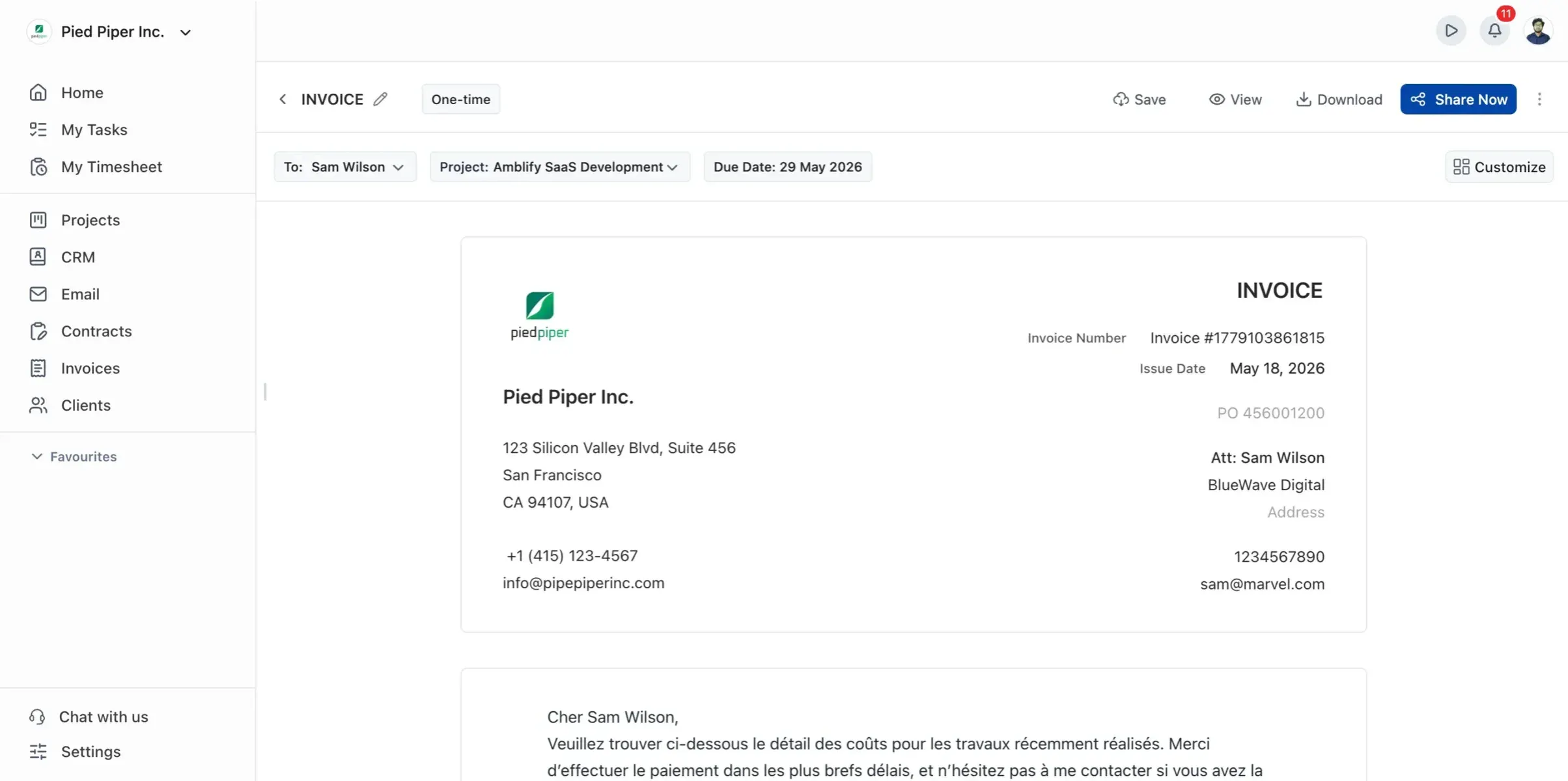
Most invoicing tools begin with a blank invoice and prompt you to fill it in. OneSuite starts from the work. It bundles a CRM, project management, time tracking, a client portal, and invoicing into one platform at an affordable price point.
When you log hours in OneSuite, they are automatically connected to the project, which in turn is connected to the client, and ultimately to the invoice. You’re not rebuilding last month’s billable time from memory, because the platform already has it.
That’s the honest case for OneSuite at the top of this list: it isn’t the cheapest way to send a one-off invoice, and if you only bill a single client now and then, a free tool will do.
Where it earns its spot is for the freelancer outgrowing the “five apps held together with copy-paste” stage who wants the pipeline, the project, and the payment in one place.
Key Features
- Recurring invoicing with 8 billing cadences, set to auto-send on a schedule (it sends the invoice for you; it doesn’t silently charge a client’s card without consent)
- Time tracking that turns logged hours directly into invoice line items
- A client portal where clients view projects, approve work, and pay invoices in one spot
- Multiple payment gateways and multi-currency support for international clients
- A built-in lead pipeline, so the same tool that wins the client also bills them
Pricing
- Freelancer: $29/mo, up to 5 members
- Solopreneur: $59/mo, up to 12 members, the most popular tier
- Growing Agency: $149/mo, up to 35 members
- Enterprise: custom, with self-hosted zero-trust available
Pros
Cons
User FeedBack
🟢
I have been using it for approximately 5 months to manage my clients’ projects and to assign tasks to my employees. I like how easy and intuitive it is, as you don’t need to explain to your employees where to find their assignments and documents. It is very functional.
– Pedro C.
🔴
As any app that is in their early phase of development, Onesuite has some bugs that needs to be ironed out. But none of that them were breaking the operations. They are mostly UI related and I am already seeing them fixing them one be one.
– Raabit H.
2. Wave – The genuinely free option
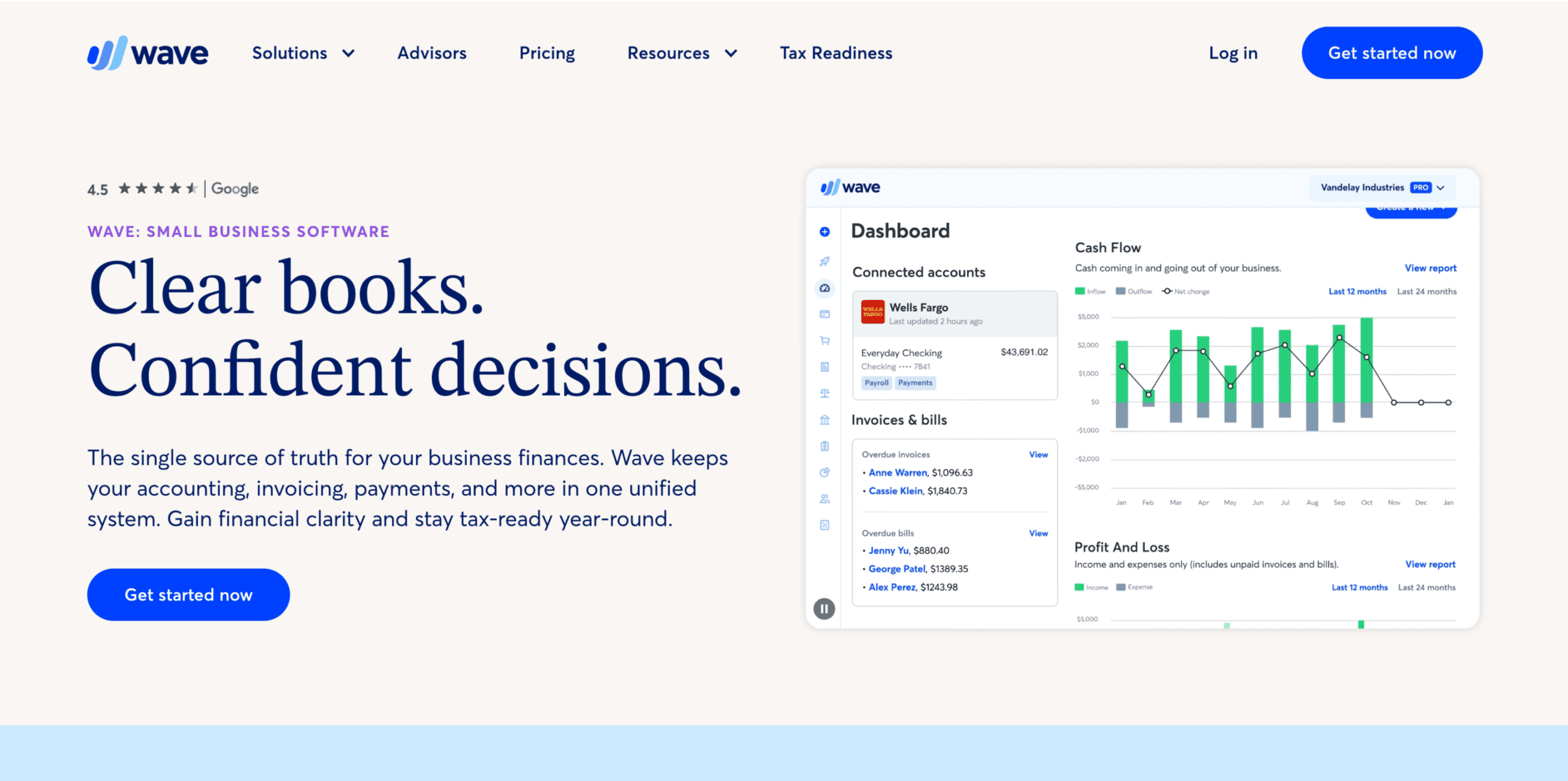
Wave is the rare tool whose free plan is the actual product, not a teaser. You get unlimited invoices and full double-entry accounting for $0, which is why it’s the default pick for side-hustlers watching every dollar.
But support is the most-cited complaint (free users lean on a chatbot and can wait days for a human), and the $0.60 per-card fee, versus the $0.30 most rivals charge, adds up on smaller invoices.
Key Features
- Unlimited invoices and estimates on the free plan
- Full accounting with income and expense tracking included
- Recurring invoices and automatic payment reminders
- Optional receipt scanning (add-on on the free tier)
Pricing
- Starter: $0, unlimited invoicing and accounting
- Pro: $19/mo, adds bundled features and lower per-transaction costs
Pros
Cons
User FeedBack
🟢
I use Wave as my accounting/bookkeeping program. As a nonprofit, I was excited to learn that Wave can be used for free for basic accounting. Its interface is easy to understand from an actual accounting perspective. As someone with a background in accounting, I don’t have to guess what the program is doing when I input information.
– Barb B.
🔴
I don’t like that they removed the feature to file 1099s for a small fee. Now, you have to subscribe to their payroll service for the whole year, which I don’t need. This feels like a money-grabbing move, and it’s a huge negative for me. Their customer service hours are also very limited compared to before, and communication about changes was poor. You can’t reach a human easily, which is frustrating.
– Justin V.
3. Zoho Invoice – Free, but with real automation
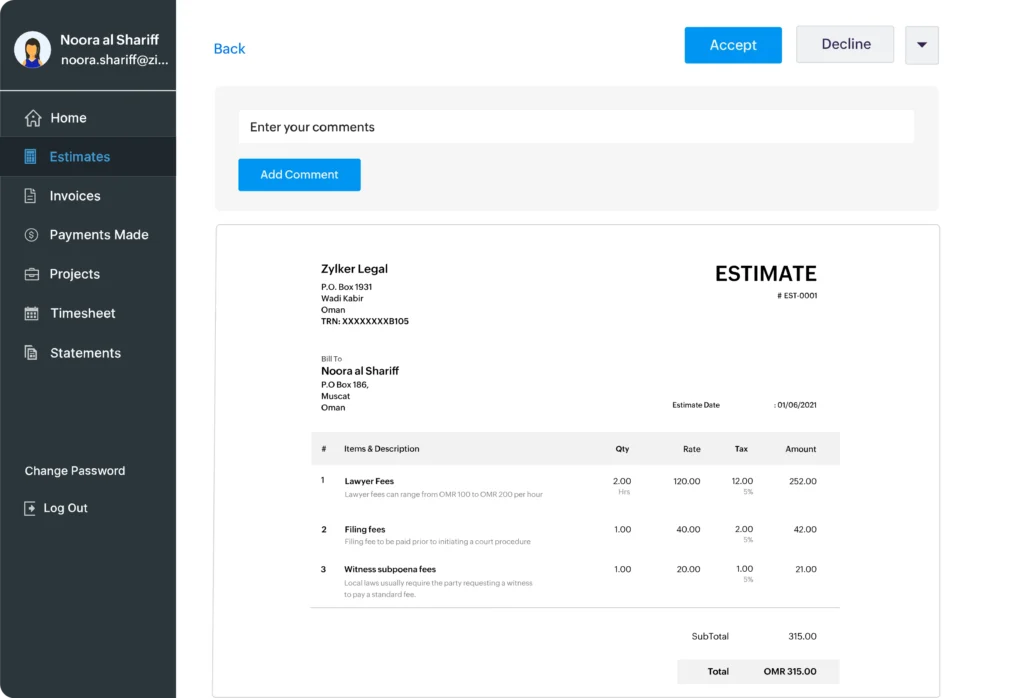
Zoho Invoice is completely free and surprisingly capable, offering features such as recurring invoices, time tracking, a client portal, and automated reminders that many paid tools charge for. It earns the highest review scores in this roundup.
The limits are a 500-invoice-per-year cap and the pull of the wider Zoho ecosystem: it’s at its best if you already use, or will adopt, other Zoho apps. Some users also report issues with connecting to external payment gateways.
Key Features
- Recurring invoices, reminders, and a client portal, all free
- Built-in time and expense tracking
- Multi-currency support for international clients
- Deep integration with the Zoho suite
Pricing
- Zoho Invoice: $0, up to 500 invoices/year and 2 users, per Zoho’s pricing page
Pros
Cons
User FeedBack
🟢
I love that they have a free plan for individuals like me. Their invoicing has transformed the way I work. Everything is easy to do, UI is simple but functional. Nothing gets in the way of doing my thing. Although I use it only for monthly invoicing but it still is a big part of my workflow.
– Gaurav N.
🔴
I wish there was an “hours” setting that I could replace “units” with. I’m not selling goods, but hours of services. It feels a little bit off and I hope clients don’t notice it.
– Eos C.
Zoho Invoice scores 4.7 on both G2 and Capterra, the best in this roundup, and it’s free. The 500-invoice yearly cap and Zoho-ecosystem pull are the catches. Ideal for freelancers who want paid-tier features at zero cost.
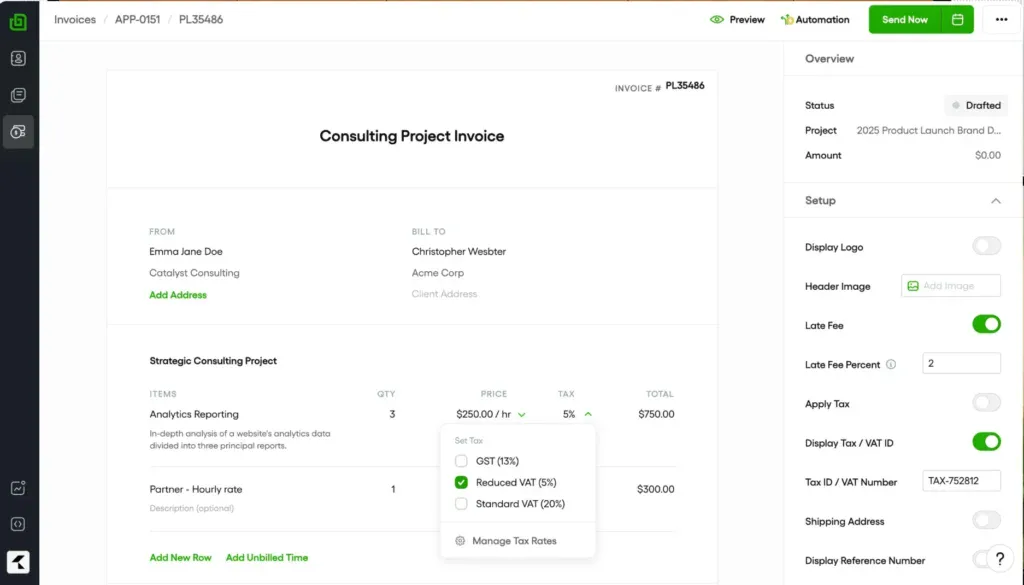
4. Bonsai – Proposals, contracts, and invoices together
Bonsai aims at the solo creative who wants to send a proposal, sign a contract, and bill from one tool. For a single-user freelancer, that bundle is genuinely useful.
Two things to watch: Bonsai moved to per-seat pricing, so costs climb as soon as you add anyone, and freelancers report initial payouts being held 7 to 10 business days, which can sting if you’re counting on that money. Tax features live in a separate paid add-on.
Key Features
- Proposals, contracts, and e-signatures alongside invoicing
- Client CRM and project tracking
- Automated invoices and payment reminders
- Bonsai Tax is available as an add-on
Pricing
- Basic: $15/user, core invoicing and contracts
- Essentials: $25/user, adds CRM and workflow features
- Premium: $39/user, for small teams
Pros
Cons
User FeedBack
🟢
Ever since I started using Bonsai, I’ve had the three best consecutive months in my business to date. The proposals I’m creating are just next level in comparison to the platform I was using before. The designs are beautiful and on-brand, and the ability to create templates using saved services is such a massive time-saver. Bookkeeping is a breast. I also love the overall design aesthetic of the platform. [sic]
– Elaine Skylar N.
🔴
Customer support can be difficult to work with, whether it’s their staff not knowing how some features work, providing incorrect responses, or giving canned answers for the wrong issue. I feel like they’ve improved over the past year, but it’s still a challenge. The chat experience still feels like you’re just a ticket in their queue, not like you’re having a real conversation with a human.
– Braden E.
Bonsai rates 4.3 on G2 and 4.6 on Capterra across a smaller review base. It shines for single-user creatives who want contracts and invoices in one tool, but per-seat pricing and payout delays are real considerations as you grow.
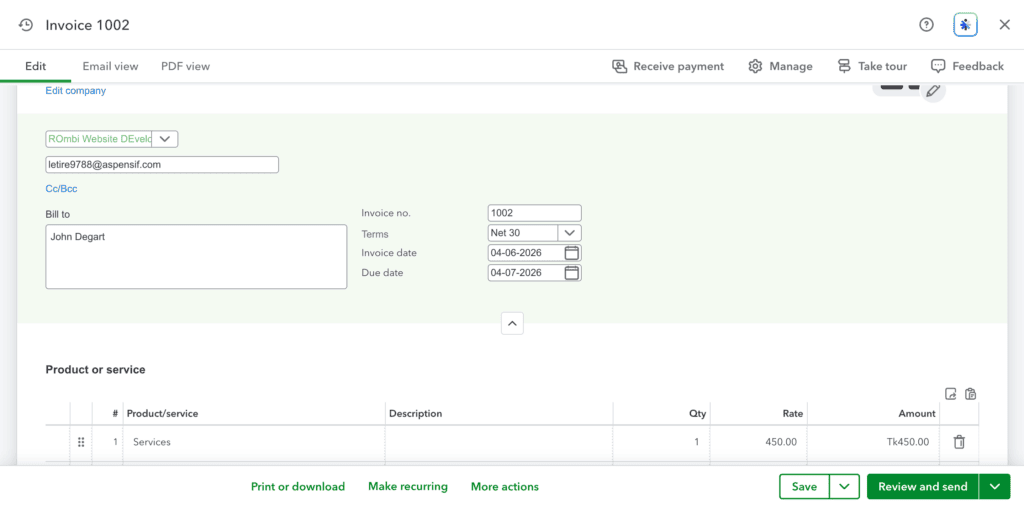
5. QuickBooks Solopreneur – Built for tax time
If staying on good terms with your accountant matters, QuickBooks is hard to ignore, because most US accountants already work in it. The Solopreneur plan ($20/month) targets one-person businesses with mileage tracking and tax estimates. But read the fine print: on Solopreneur, recurring invoices and reminders aren’t fully automated.
They save as drafts you review and send yourself, and automatic reminders are reserved for higher-tier plans, which is exactly the hands-off automation a freelancer with repeat clients leans on. Outgrowing it means jumping to the $38/month Simple Start plan.
Key Features
- Built-in tax and quarterly estimate tracking
- Mileage tracking for deductions
- Accountant-friendly data and reports
- Basic invoicing and expense categorization
Pricing
- Solopreneur: $20/mo, 1 user
- Simple Start: $38/mo, adds fuller invoicing and reporting
Pros
Cons
User FeedBack
🟢
Accessibility from mobile devices, easy excel sheet upload for bulk adding bills, and the very user-friendly UI are my favorite features. Its the easiest one to train inexperienced staff on by far.
– Lilly W.
🔴
There are some downsides that come with using an invoice ninja. One of the least helpful ones is that it can be easy to get overwhelmed with all the features the app has to offer. It can be difficult to navigate all the options and find the ones that are the most useful for you
– Ana T.
QuickBooks Online rates around 4.0 to 4.3 across review sites on thousands of reviews. The Solopreneur tier is built for tax-time simplicity, not invoicing depth, so freelancers who bill repeat clients should test whether the missing recurring invoices and reminders are a dealbreaker.
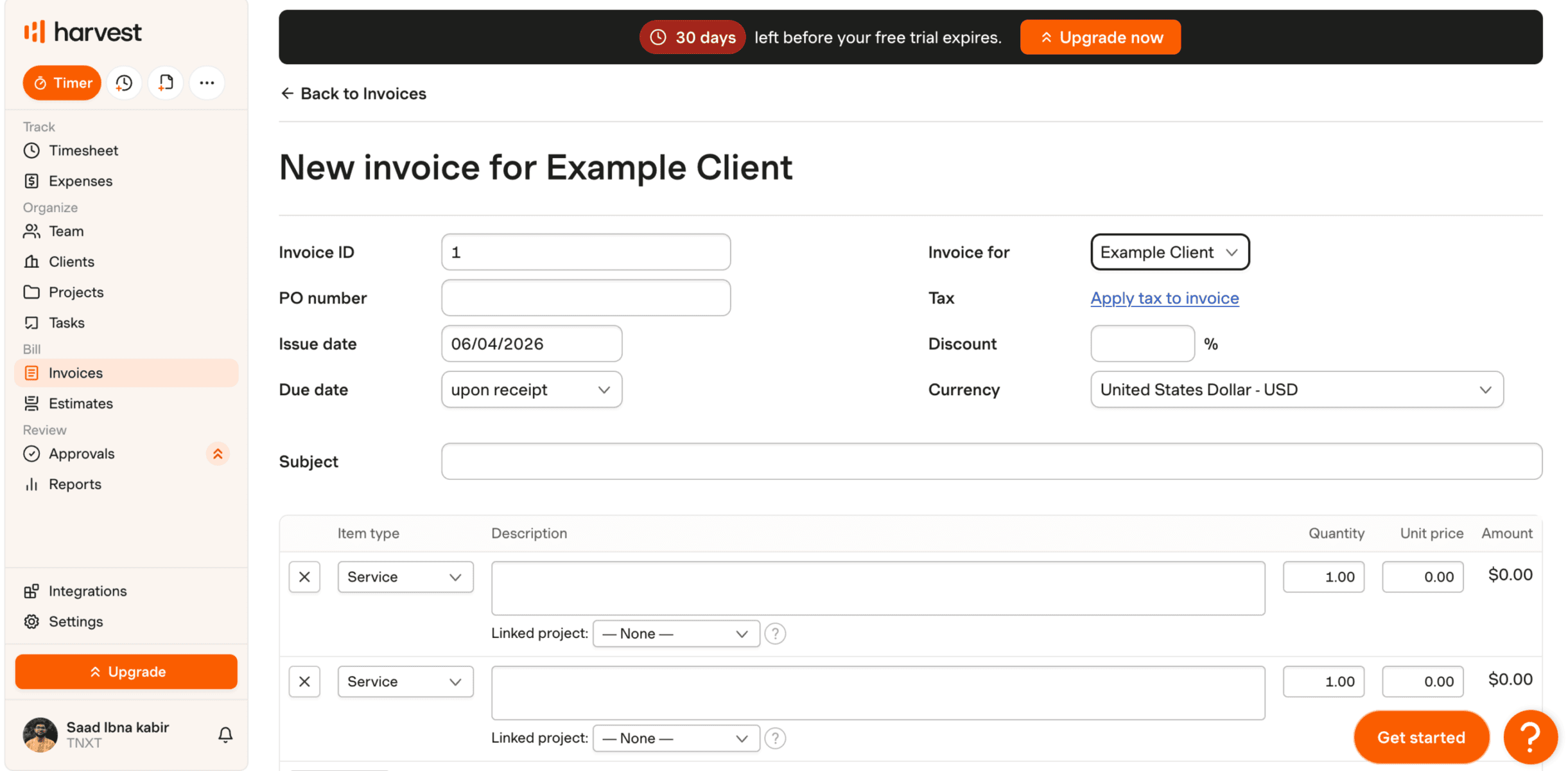
6. Harvest – Time tracking that becomes an invoice
Harvest is the pick for freelancers who bill by the hour. Its time tracking is excellent, and turning tracked hours into an invoice takes a couple of clicks. The free plan covers one seat and two projects, including invoicing, which is enough for many solo consultants to run on for $0.
The main limitation is invoice customization, which is basic next to FreshBooks, so if a branded, designed invoice matters to you, Harvest may feel plain.
Key Features
- Best-in-class time tracking with timers and timesheets
- One-click conversion of tracked time into invoices
- Expense tracking and simple reporting
- Integrates with Stripe and PayPal for payments
Pricing
- Free: $0, 1 seat, 2 projects, invoicing included
- Teams: $9/seat per month, per Harvest’s pricing page
- Enterprise: $14/seat per month
Pros
Cons
User FeedBack
🟢
Harvest is a useful and versatile work system that facilitates business collaboration and digital support for all your operations and work projects in real time, giving you control over the development of all your team’s activities.
– Martin P.
🔴
The number one thing is the recent private equity acquisition of Harvest increased the price by 600%. It increased 6x overnight for us without warning. The minimum to use the product now with “unlimited” usage of the app is $1,500 per month, plus $14/mo/user. So unless you’re ready to spent $20k+ per year on time tracking and invoicing, look elsewhere [sic]
– Timothy D.
Harvest scores 4.6 on both G2 and Capterra across thousands of reviews. It’s the standout for hourly billers who want tracked time to flow straight into invoices. Just don’t expect richly designed, branded invoice templates.
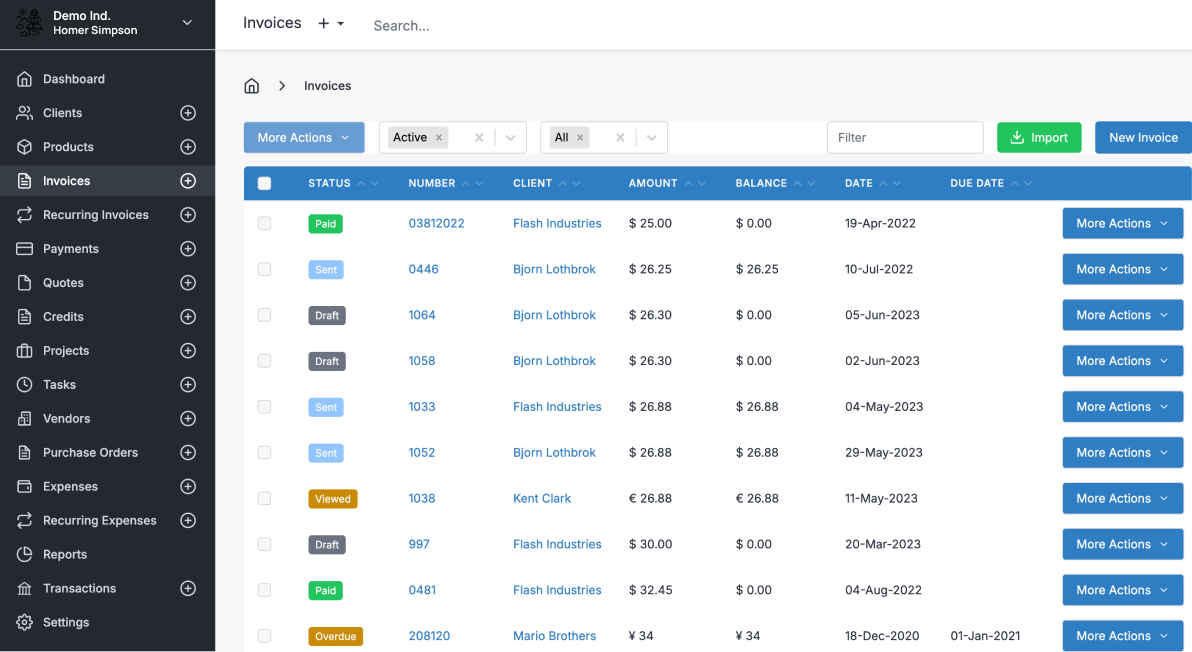
7. Invoice Ninja – Low cost, with a self-hosted option
Invoice Ninja is the value and control pick. The Pro plan is $14/month, the free tier covers five clients with unlimited invoices, and the open-source self-hosted version lets technically comfortable freelancers own their data outright.
Note that pricing changed at the start of 2026, so older blog posts are out of date. The flip side of all that flexibility: self-hosting needs real technical comfort, and the past v4-to-v5 migration was rocky for some users.
Key Features
- Unlimited invoices, even on the free plan
- Self-hosted open-source option for full data ownership
- Client portal, project tracking, and recurring invoices
- Connects to dozens of payment gateways
Pricing
- Free: $0, 5 clients, unlimited invoices
- Pro: $14/mo, unlimited clients, 1 user
- Enterprise: from $18/mo, multiple users
Pros
Cons
🟢
Best thing of invoice ninja is, OpenSource. It is totally trasp. & secure platform who want to own invoice creation software. User Also can host invoice ninja in there own server. [sic]
– Mansi C.
🔴
What I dislike about QuickBooks Online is that it can feel limiting for more complex accounting needs. Reporting customization isn’t very flexible, and performance can slow down with large data sets. Also, pricing tends to increase over time, and customer support isn’t always consistent.
– vipin k
Invoice Ninja rates around 4.5 on G2 and 4.7 on Capterra. It’s the budget and data-ownership champion, with a self-hosted open-source build. Best suited to developers and technically confident freelancers, not those who want zero setup.
The “free” trap: count the cost of getting paid, not the sticker price
Here’s the part the comparison tables tend to bury. The headline price is rarely what a tool actually costs you, because the real money leaks out through payment fees.
Picture a freelancer collecting $4,000 a month, mostly paid by card. On a “free” tool charging 2.9% + $0.60 per card payment, ten $400 invoices cost about $122 a month in fees.
The “free” option is nearly twice as expensive once a real client load runs through it. If your clients pay by bank transfer, a tool with cheap ACH or pass-through gateway fees usually beats a free tool with a fat per-card charge. Always do the fee math on your real volume before you call something “free.”
Getting Paid Faster: Terms, Reminders, and Late Fees
Picking software is half the battle. The other half is the system around it. That gap between doing the work and seeing the money is what sinks freelance cash flow.
A few habits, all supported by the tools above, close that gap:
- Set clear payment terms on every invoice. “Net 15” means payment is due 15 days from the invoice date; “Net 30” means payment is due 30. Shorter terms get you paid sooner, and there’s nothing wrong with Net 7 or “due on receipt” for small jobs.
- Automate reminders. Tools like FreshBooks, Zoho Invoice, and OneSuite send polite nudges automatically before and after the due date, so you’re not the one writing awkward “just checking in” emails.
- Add a late fee, and state it upfront. A common norm is 1.5% per month (about 18% annually) on overdue balances. Put it in your contract and on the invoice so it’s expected, not a surprise.
- Invoice the day the work ships. The biggest lever is speed. An invoice sent the moment a milestone is done gets paid faster than one you batch at month-end, which is exactly where connected tools help: when your tracked hours and project status already live in the system, the invoice is ready to send immediately.
Working With International Clients: Multi-Currency
If you take on clients abroad, currency handling moves from “nice to have” to essential. Three things to look for:
- Billing in the client’s currency. Tools like Zoho Invoice, FreshBooks, and OneSuite let you create invoices in multiple currencies, so a client in London sees pounds, not a dollar figure they have to convert.
- Understanding the FX spread. When money converts between currencies, the processor takes a cut through the exchange rate, on top of the headline fee. PayPal, for example, adds a cross-border fee that can push effective costs past 4 to 5% on international payments. Factor that into what you charge.
- Offering payment methods your client can actually use. A US-only ACH option is useless to an overseas client. Card payments and PayPal have near-universal reach, which is why they’re often worth the higher fee for international work specifically.
Frequently Asked Questions
How do I invoice as a freelancer?
Pick an invoicing tool, add your business details and the client’s, list each service with a quantity and rate, set a clear due date (like Net 15), and send it as soon as the work is done. Using software instead of a manual document means you can accept online payments and automate reminders, which gets you paid faster.
What’s the best free invoicing software for freelancers?
Wave and Zoho Invoice are the strongest free options. Wave offers unlimited invoices and full accounting at no cost, while Zoho Invoice adds automation like recurring invoices and reminders, capped at 500 invoices a year. Both are genuinely free, not trials, though Wave makes its money on payment processing fees.
Do freelancers need to charge sales tax on services?
It depends on your state and what you sell. Many US states don’t tax professional services, but some do, and rules for digital products vary. Check your state’s specific rules or consult an accountant rather than assuming, and choose a tool that lets you apply tax per line item when required.
What late fee can a freelancer charge?
A common standard is 1.5% per month (roughly 18% per year) on the overdue balance. Whatever you choose, state it in your contract and on the invoice itself so the client expects it. Many invoicing tools can apply late fees automatically once an invoice passes its due date.
How do I invoice international clients?
Use a tool with multi-currency support so you can bill in your client’s currency, and offer a payment method they can actually use, usually a card or PayPal rather than a US-only bank transfer. Be aware that currency conversion and cross-border fees can add several percent to the cost, so price accordingly.
The Bottom Line
There’s no single best invoicing tool, only the best one for how you work. Want $0 and low volume? Wave or Zoho Invoice. Care about client-facing polish? FreshBooks. Bill by the hour? Harvest turns time into invoices cleanly. And if you’re tired of stitching five apps together and want your pipeline, projects, tracked hours, and invoices in one connected place, OneSuite is built for that, at a flat rate that doesn’t climb as you grow.
Whatever you choose, the real goal isn’t a prettier invoice. It’s a shorter distance between finishing the work and getting paid for it. Pick the tool that closes that gap, set clear terms, automate reminders, and send the invoice the day the work is done.
Ready to connect your invoicing to the rest of your business? See OneSuite’s plans.
Start exploring OneSuite today
No credit card is required