
Best Recurring Invoice Software: 7 Picks for 2026

June 3, 2026
According to FreshBooks’ April 2026 State of Financial Flow report, small business owners who spend 5+ hours a month on manual invoicing are nearly 3× more likely to face cash flow problems. And the Predictable Profits 2025 Agency Growth Benchmark found that 90% of digital agencies now use retainer-based pricing, with the most common retainer under $5,000/month. So the average agency has predictable revenue that depends entirely on a tool sending the right invoice on the right day, every month, without anyone touching it.
This post covers the 7 best recurring invoice software in 2026 for freelancers and small agencies. We tested each on what actually matters for retainer billing: cadence options, auto-charge vs auto-send, multi-currency support, the plan tier where recurring actually lives, and how well the recurring invoice connects to the rest of your client workflow.
- Small business owners who spend 5+ hours a month on manual invoicing are nearly 3× more likely to face cash flow problems (FreshBooks, 2026), and 90% of digital agencies now run on retainers (Predictable Profits, 2025) – so revenue depends on the right invoice going out on the right day, untouched.
- “Supports recurring invoices” means two different things: auto-send emails the invoice and the client pays manually each cycle, while auto-charge stores the card and runs the charge automatically. Knowing which fits your client relationship matters more than the feature checkbox.
- We ranked 7 tools – OneSuite, FreshBooks, Bonsai, Zoho Invoice, Invoice Ninja, Wave, and Harvest – weighting how well the recurring invoice connects to the rest of the client workflow above raw feature count.
- The cheapest true auto-charge options are Zoho Invoice (free, 500-invoice/year cap)
- OneSuite leads this ranking for tying each recurring invoice to its project, client record, and logged hours on a flat-rate plan that doesn’t punish team growth — built for freelancers and small agencies billing retainers.
Auto-Send vs Auto-Charge: The Distinction Most Tools Don’t Make Clear
Every tool on this list “supports recurring invoices,” but the term covers two very different things.
Auto-send generates and emails the invoice on a schedule. Your client receives it and pays each cycle manually via a payment link. OneSuite, FreshBooks (Lite/Plus/Premium), and Zoho Invoice’s free plan all work this way.
Auto-charge stores the client’s card or bank details and runs the charge automatically. The client authorizes once at setup. Bonsai (Essentials+), Wave Pro, Hiveage (with Authorize.Net or Stripe), Zoho Invoice (via Stripe), and Invoice Ninja support this. FreshBooks supports it only on its custom Select enterprise tier.
How We Ranked These Tools
We scored each tool on six criteria: recurring invoice depth (cadences, end conditions, auto-send vs auto-charge), payment gateway breadth, the plan tier where recurring actually lives, value for money on monthly-billed pricing, multi-currency support, and how well the recurring invoice connects to the rest of your client workflow. The last point carried the most weight, because for retainer billing, the invoice is rarely the only thing happening with that client that month.
Best Invoicing Software for Sending Recurring Invoices
1. OneSuite: Best All-in-One Recurring Invoice Tool for Freelancers and Agencies
OneSuite doesn’t position itself as a recurring invoice tool. It positions itself as an all-in-one platform for service businesses, where recurring billing is one feature among many. That framing is actually why it lands at the top of this list for retainer billers.
Most standalone recurring invoice tools run in isolation. Your monthly retainer invoice goes out on the 1st, but the work shipped to that client lives in a different tool, the time logged against it in a third, and the client conversation in your inbox. The invoice arrives with no connection to what your team actually did that month
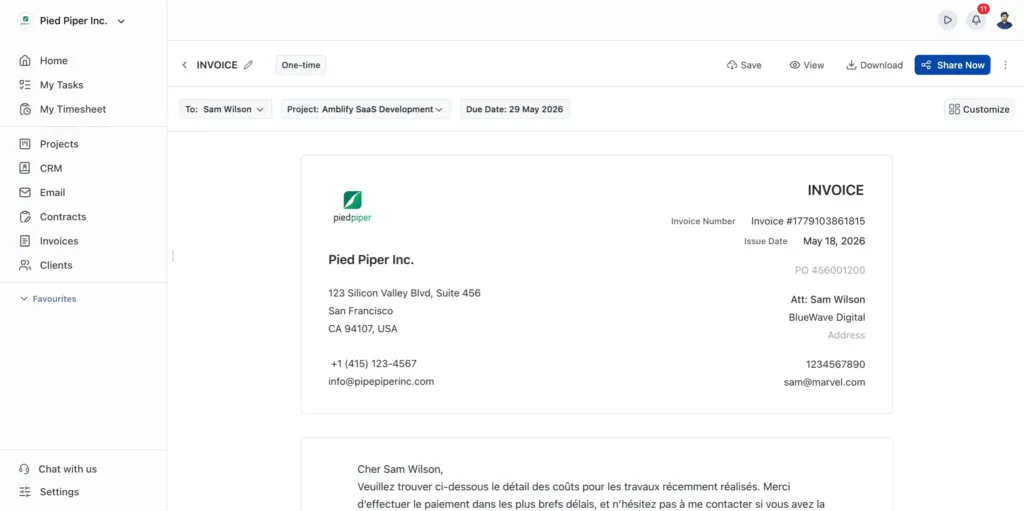
OneSuite collapses that. When you log hours in OneSuite, they connect to the project, which connects to the client, which connects to the invoice. Each recurring series can be linked to the project it bills against, so your client’s questions about scope, hours, and progress are one click away from the invoice itself.
OneSuite’s recurring invoices auto-send on schedule, but they don’t auto-charge saved cards. Your client receives the invoice and pays via the gateway link each cycle. That’s the right fit for most retainer relationships where you want client visibility each month.
Key Features
- Recurring invoices with configurable start/end conditions
- Lead pipeline with Kanban deal tracking and one-click lead-to-client conversion
- Native time tracking that feeds directly into one-off and recurring invoices
- Multi-gateway invoicing supporting 135+ currencies via Stripe, PayPal, Razorpay, QuickPay
- White-label client portal with eSignatures
Pricing
- Freelancer: $29/mo, 5 members, 3,000 leads, 10GB storage
- Solopreneur: $59/mo (most popular), 12 members, 10,000 leads, 30GB storage
- Growing Agency: $149/mo, 35 members, unlimited leads, 60GB storage
- Enterprise: Custom Plan with Custom rates
Pros
Cons
2. FreshBooks – Best Polished Experience for Solo Professionals
FreshBooks has been the default invoicing tool for solo professionals for over a decade, and the UX shows. Recurring invoices and automated late-payment reminders are included with the Lite plan ($19/month, billed monthly).
For freelancers who care how invoices look in a client’s inbox, FreshBooks is genuinely best-in-class. A few constraints are worth knowing before you commit. Recurring on Lite, Plus, and Premium is auto-send, not auto-charge, despite the marketing language. True auto-charge of saved cards lives only on the custom Select enterprise tier.
The 5-billable-client cap on Lite pushes solo freelancers onto Plus as soon as a sixth retainer arrives, and team members are an $11/user/month add-on on every plan, so a 5-person setup on Plus runs $43 + $44 = $87/month before any other extras.
Key Features
- Recurring invoices on every plan (daily, weekly, monthly, yearly)
- Automated late-payment reminders are included with Lite
- Multi-currency invoicing
- Two-level retry on failed recurring auto-charges (Select tier only)
- Polished client-facing invoice and payment experience
Pricing
- Lite: $23/mo, 5 billable clients
- Plus: $43/mo, 50 billable clients
- Premium: $70/mo, unlimited clients
- Select: Custom, adds auto-charge of saved cards
Pros
Cons
3. Bonsai – Best All-in-One for Solo Freelancers
Bonsai is the closest thing to a freelancer operating system on this list. Proposals, contracts with e-signatures, time tracking, recurring invoices with auto-charge, and tax reporting all live in one tool. In January 2026, Zoom announced it would acquire Bonsai.
Two things to know up front. Invoicing is not included in Bonsai’s Basic plan ($15/user/month); it starts at Essentials ($25/user/month), which is more suitable for many buyers. Pricing is per seat, so a 5-person agency on Essentials lands at $125/month before any add-ons.
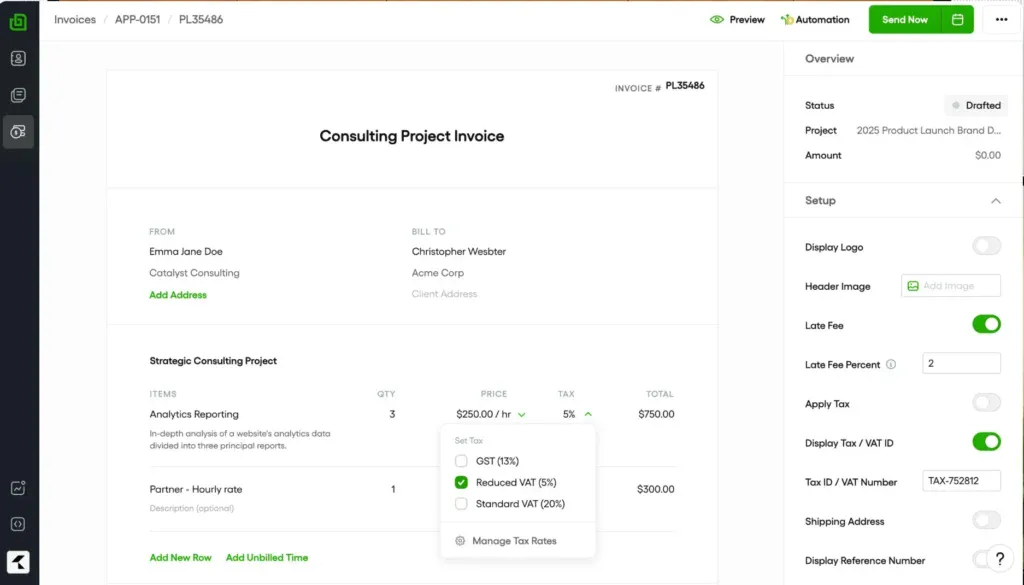
Bonsai distinguishes between “recurring invoices” (auto-send) and “subscription invoices” (auto-charge from saved cards), supporting both, with proration and metered billing options available at this price.
Key Features
- Recurring and subscription invoices from Essentials+
- Proposals with e-signatures and automated payment schedules
- Native time tracker with per-client billable rates
- US tax tracking and 1099-ready expense reports
- Client CRM with pipeline view
Pricing
- Basic: $15/user/mo, NO invoicing
- Essentials: $25/user/mo, invoicing and recurring/subscription invoices
- Premium: $39/user/mo, profit and productivity reporting
- Elite: $59/user/mo, 3-user minimum, custom permissions
Pros
Cons
4. Zoho Invoice – Best Free Recurring Invoice Tool
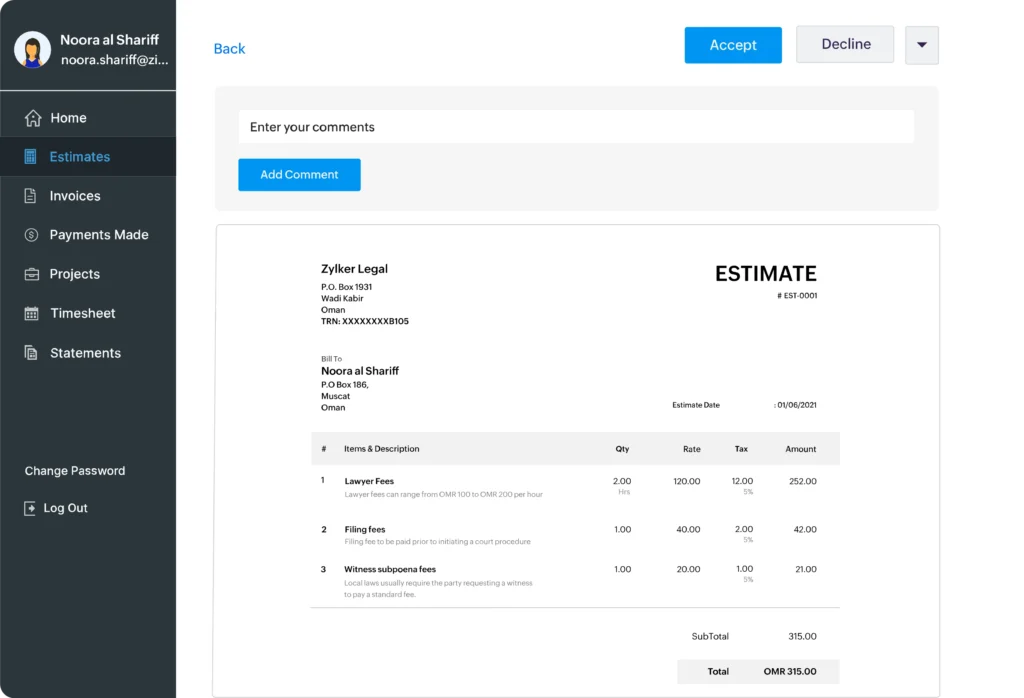
Zoho Invoice is genuinely, fully free, with no trial expiration, no recurring billing paywall. Unlimited recurring invoices, auto-charge via Stripe or Authorize.Net, 135+ currencies, all at $0/month.
The catch is the 500-invoice annual cap, which counts every recurring invoice generated. A freelancer billing 15 retainer clients monthly burns 180 of those before touching one-off project bills. The free plan also limits you to 2 users and 3 projects, and once you outgrow them, the only path is migrating to paid Zoho products like Zoho Books.
Note that Zoho Payments (Zoho’s own gateway) is restricted to US- and India-registered businesses, so international users need a third-party gateway.
Key Features
- Recurring invoices with auto-charge via Stripe and Authorize.Net
- 135+ currencies on the free plan
- Project linking, time tracking, and expense tracking are included
- Client portal with payment history
- Mobile app for iOS and Android
Pricing
- Free: $0, 2 users, 3 projects, 500 invoices/year cap, all features
Pros
Cons
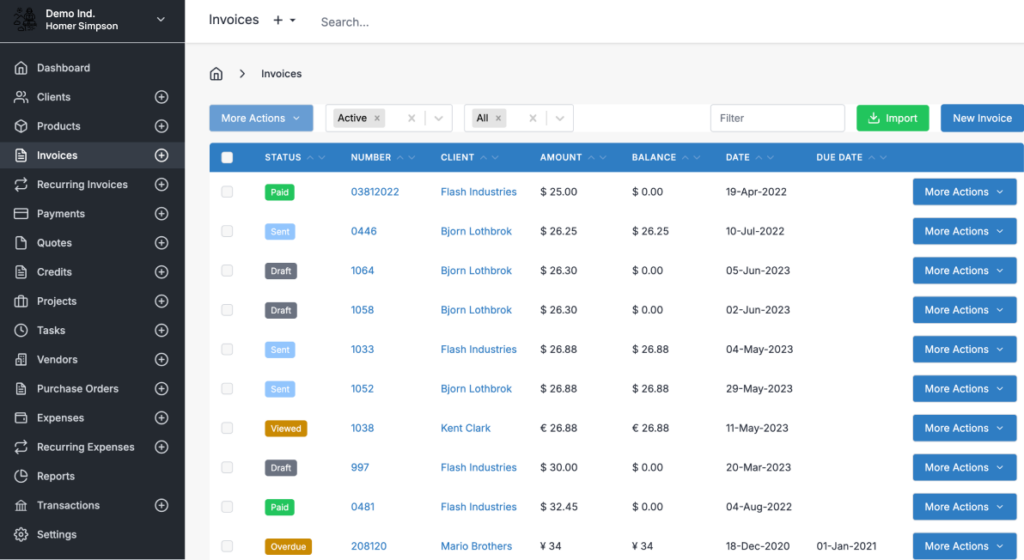
5. Invoice Ninja – Best for Self-Hosters and Gateway Flexibility
Invoice Ninja is the open-source option, and it does two things no other tool on this list does. First, 50+ payment gateways, far more than any competitor. Second, the self-hosted version is free, full Enterprise features included, with no user or client caps beyond what your server can handle.
The UI is functional rather than polished, and the breadth of features overwhelms first-time users coming from FreshBooks or Bonsai. Self-hosting requires comfort with Docker or PHP/MySQL, and support for paid users runs slower than FreshBooks.
If your buying priority is “cheap and flexible,” it’s hard to beat. If it’s “looks great in front of clients,” you’ll feel the gap.
Key Features
- 50+ payment gateways with recurring auto-billing across all
- Self-hosted Enterprise feature version available for free
- Recurring invoices with daily/weekly/monthly/yearly plus custom intervals
- 100+ currencies
Pricing
- Free hosted: $0, 5 clients, unlimited invoices, recurring included
- Ninja Pro: $14/mo, unlimited clients, recurring auto-billing
- Enterprise: $18/mo and up, tiered by user count
- Self-hosted: Free (your server costs); optional ~$30/year white-label license
Pros
Cons
6. Wave – Best Low-Cost Auto-Charge for US and Canadian Freelancers
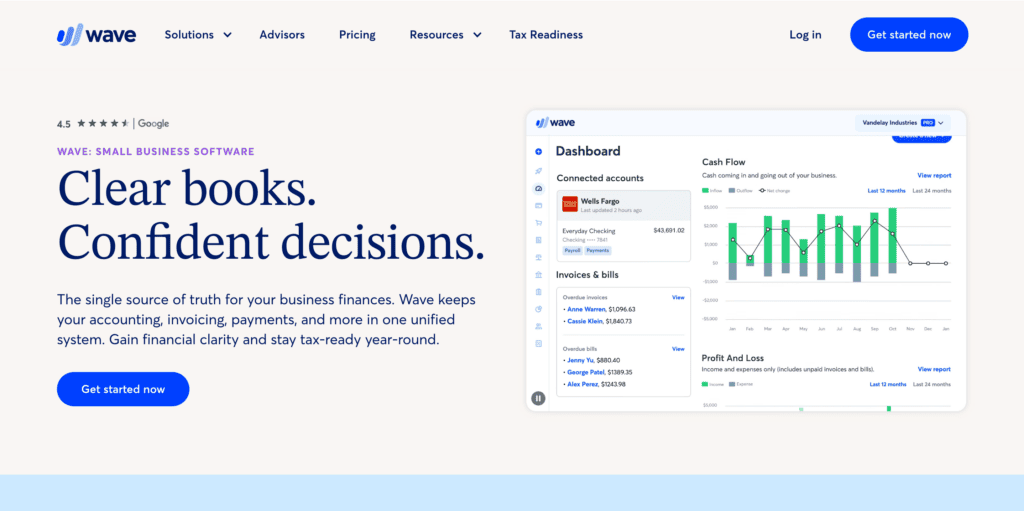
Wave has been the free-tier accounting alternative for over a decade. Recurring billing on Pro includes daily, weekly, monthly, and yearly cadences with true auto-charge on saved credit cards, plus automated late-payment reminders.
The constraints are geographic and structural. Wave Payments processes credit cards and ACH only for businesses registered in the US and Canada, so international freelancers can send invoices but can’t accept Wave-processed payments.
Key Features
- Recurring invoices with auto-charge on saved cards (Pro)
- Automated late-payment reminders at 3, 7, 14 days past due (Pro)
- Built-in double-entry bookkeeping
- First 10 monthly card transactions are fee-free on Pro
Pricing
- Starter: $0, unlimited one-off invoices, no recurring, no auto-reminders
- Pro: $19/mo, recurring billing, auto-reminders, transaction imports
Pros
Cons
7. Harvest – Best Recurring Invoicing for Teams That Bill by Tracked Hours
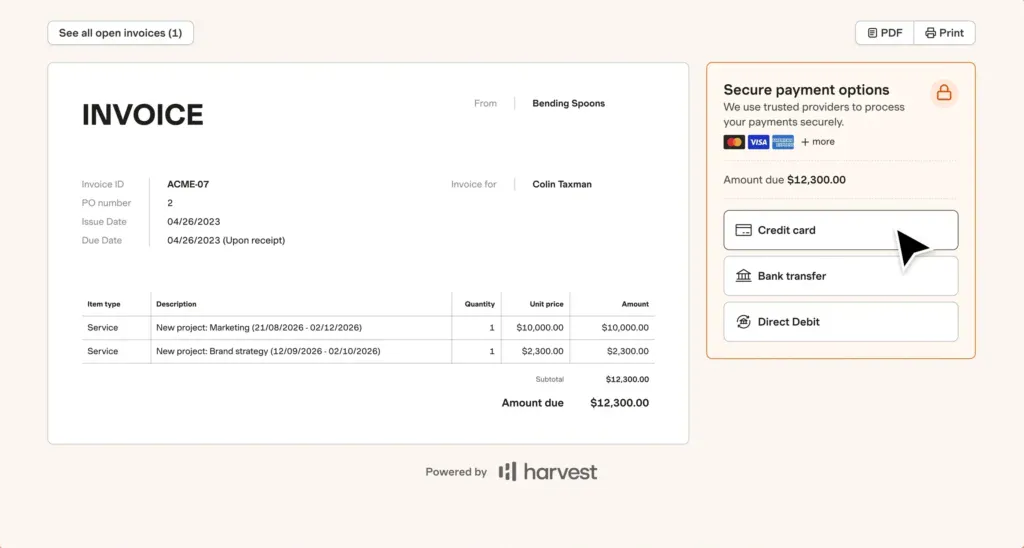
Harvest has been around since 2006, and this is evident in the tight integration between invoicing and time tracking. If your team logs billable hours, Harvest turns those hours into a recurring invoice without you rekeying anything (apart from all the tools on the list, OneSuite Harvest does it smoothly)
Recurring invoices are generated on a schedule you set (monthly, yearly, or a custom interval) and either send automatically or sit as a draft for review before they go out
The trade-offs show up around payments and price. True auto-charge works through Stripe only, not PayPal, and your client has to opt into recurring payments themselves the first time they pay. Pricing is per seat rather than flat, so the monthly cost climbs with every person you add.
Key Features
- Recurring invoices generated directly from tracked billable hours
- Auto-send or draft-first recurring workflow
- Stripe auto-charge of saved cards (client opt-in), with automatic retry on failed payments
- Per-client default currency (no in-app currency conversion)
Pricing
- Free: $0, 1 seat, 2 projects, basic invoicing
- Teams: $11.25/seat/mo, unlimited seats, recurring invoices, accounting and payment integrations ($9/seat/mo billed annually)
- Enterprise: $17.50/seat/mo, profitability reporting, timesheet approvals, SSO ($14/seat/mo billed annually)
Pros
Cons
Which Recurring Invoice Tool Is Right for You?
- Small agency with 3 to 12 people billing retainers tied to actual projects: OneSuite. The recurring invoice connecting to the project, client record, and logged hours is the differentiator, and flat-rate pricing keeps the math simple.
- Solo freelancer who cares about how invoices look: FreshBooks. The polish is the product.
- One tool for proposals, contracts, and recurring invoices: Bonsai, with the caveat that invoicing requires Essentials at $25/user/month.
- Zero budget, fewer than 500 invoices per year: Zoho Invoice. Though we have to pay a handsome amount for the other connected Zoho apps and tools
- Need 50+ payment gateways or want to self-host: Invoice Ninja.
- US or Canadian freelancer wanting the cheapest real auto-charge: Wave Pro at $19/month.
The Bottom Line
Recurring invoices look simple. Pick a tool, set a schedule, and the invoice goes out on the 1st. But “the tool sent the invoice” and “your client paid promptly with no chasing” are different outcomes, and the gap between them is where retainer revenue quietly disappears.
Three things close that gap. First, the recurring invoice needs to live in the same system as your client record, your project work, and your team’s logged hours, so when a client asks “what did you do this month?” the answer is one click away. Second, the right model (auto-send vs auto-charge) for the client relationship you actually have. Third, multi-currency, multi-gateway flexibility, so the payment friction your client feels is zero.
OneSuite delivers all three on a flat-rate plan that doesn’t punish team growth. For freelancers and small agencies running retainers in 2026, that’s the package worth starting with.
Try OneSuite free for 14 days, no credit card required →
FAQs
Does OneSuite have recurring invoicing?
Yes. OneSuite supports recurring invoices with eight cadences (daily, weekly, every two weeks, every four weeks, monthly, every two months, quarterly, yearly), configurable start and end conditions, and multi-gateway payment via Stripe, PayPal, Razorpay, and QuickPay. Each recurring series can be linked to the project and the client record it bills against.
What’s the difference between auto-send and auto-charge recurring invoices?
Auto-send means the tool emails the invoice on schedule, and the client pays manually each time via a payment link. Auto-charge means the tool stores the client’s card and runs the charge automatically.
OneSuite, FreshBooks (Lite/Plus/Premium), and Zoho Invoice (without Stripe auto-pay) use auto-send. Bonsai (Essentials+), Wave Pro, Hiveage, and FreshBooks Select support auto-charge
What’s the cheapest recurring invoice tool with auto-charge?
Zoho Invoice (free, with auto-charge via Stripe, capped at 500 invoices/year), then Invoice Ninja Pro ($14/month, monthly-billed), then Wave Pro ($19/month) for US and Canadian businesses. Bonsai’s Essentials at $25/user/month is the cheapest per-user option with subscription invoices and proration.
Does FreshBooks automatically charge clients on recurring invoices?
Only on the Select plan, FreshBooks’ custom enterprise tier. The Lite ($19/mo), Plus ($33/mo), and Premium ($60/mo) plans auto-send invoices on schedule, but the client still pays manually through the FreshBooks payment page each cycle.
Should I pick a recurring invoice tool or an all-in-one platform?
If your retainer work is independent of any other client context (productized services, fixed-fee retainers, subscriptions), a standalone tool with strong auto-charge is fine. If your retainer is tied to ongoing project work, team time, and client communication, an all-in-one platform like OneSuite saves you the integration tax later.
Start exploring OneSuite today
No credit card is required