
Top 6 Bloom Alternatives for Client Portal & Task Management in 2026

September 8, 2026
Bloom’s UI draws you in, but the functionality doesn’t follow.
Hollow task management, unreliable syncs, invoices reaching the wrong client, and support that goes quiet when you need it most. And for a tool that promises to replace your entire business stack, that’s a lot to get wrong.
Whether it’s reliability, actual task depth, or just a tool that does what it promises, searching for a better business stack often leads to exploring Bloom alternatives.
In this blog, we’ll dive into six of the best alternatives to Bloom, comparing features, pricing, and usability to help you make an informed decision.
Let’s find the one that fits you best!
Bloom Reviews: Why Look for Bloom Alternatives?
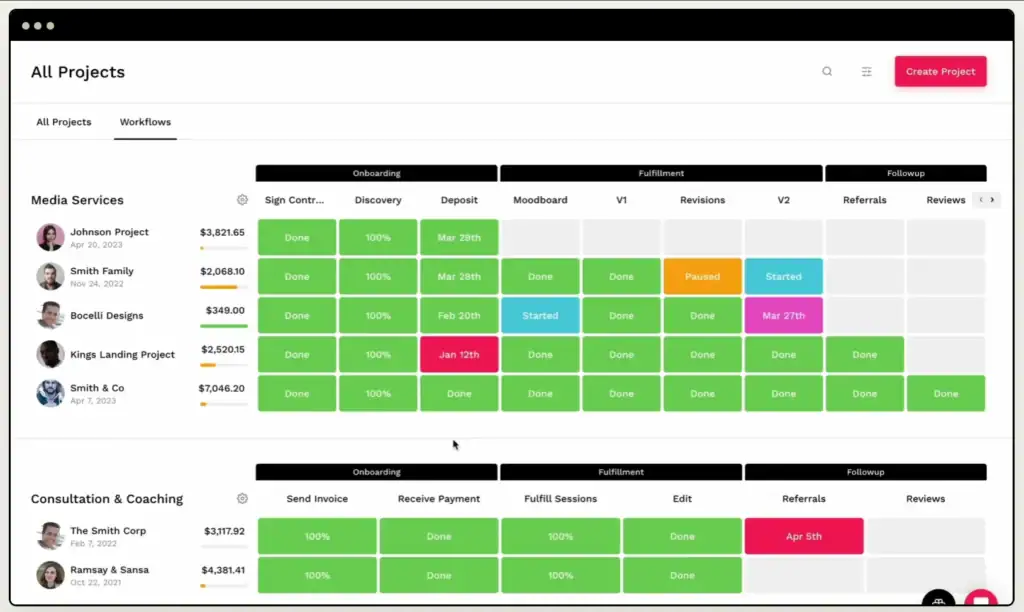
Bloom looks the part. Clean UI, a solid feature list on paper, and a pitch that promises to replace your entire business stack. But once you start running real client work through it, the gaps show up fast.
Here is what users actually run into after a few weeks on the platform:
1. Task Management Is Surface-Level: Bloom tracks projects, but it does not manage tasks. There are no subtasks, no real workflow depth, and no way to handle complex deliverables. Users describe it as project tracking dressed up as project management.
2. Calendar Sync Is Unreliable: Google Calendar integration breaks without warning. Appointments that should sync simply do not, with no error message and no clear fix. For client-facing scheduling, that is a real liability.
3. Invoicing and Contracts Lack Control: Invoice and contract templates offer almost no customization. Worse, client replies to messages route back to Gmail instead of staying inside Bloom, so your communication history ends up split across two platforms.
4. Broken Delivery Has Cost Users Client: This is the one that hurts most. Invoices that never send, double charges, and lost client replies have caused real embarrassment for users. These are not edge cases — they are patterns that show up repeatedly in community discussions.
5. Support Goes Quiet When It Matters: When issues get flagged, the initial response is often prompt. But follow-through is inconsistent. Users report waiting months with no resolution, no update, and no confidence the problem is actually being worked on.
These are not minor UX complaints. They are workflow failures that cost time, money, and client trust. If any of these sound familiar, the tools below are worth a close look.
How I Picked the Top 6 Bloom Alternatives
Not every tool that calls itself an all-in-one actually delivers where Bloom falls short. I filtered this list based on three things Bloom users keep running into: a proper client portal, real task management depth, and a built-in lead pipeline, so you are not bolting on extra tools just to manage your own growth.
OneSuite is the only tool on this list that covers all three out of the box: a client portal, real task management, and a dedicated lead pipeline, without paying a premium price or adding separate tools to fill the gaps.
Top 6 Bloom Alternatives: Detailed Reviews
I researched and compared several tools to find the best Bloom alternatives for client portals and task management.
After reviewing features, pricing, user feedback, and common Bloom limitations, I shortlisted 6 tools that offer better options for agencies, freelancers, service teams, and growing businesses.
Let’s see
1. OneSuite
🏆 Best For: Freelancers, small teams, and agencies who need a client portal, task management, and lead pipeline in one place.

Managing clients, projects, and payments across multiple tools is exactly the problem OneSuite was built to solve. It brings leads, projects, documents, invoices, and client communication into one platform so freelancers, consultants, small teams, and growing agencies can run their entire business without switching apps.
Compared to Bloom, OneSuite delivers what Bloom promises but fails to execute. A reliable client portal, real task management depth, and a dedicated lead pipeline that actually works.
At just $9 per user per month on the entry plan, it is one of the most cost-effective tools on this list. Actively developed with new features shipping regularly and available in 21 languages, it is a strong fit for businesses anywhere in the world.
Key Features:
- Client Portal: White-label portal with custom branding, client self-service capabilities, and secure document sharing.
- Project Management: Flexible Kanban and List views, task templates, subtask management, and smart team workload distribution.
- Lead Pipeline: Multi-source lead capture, including a Chrome extension that pulls leads directly from Gmail, custom pipeline stages, and automated follow-up reminders.
- Invoicing & Payments: Multi-payment gateway support including Stripe, automated payment tracking, multiple currencies, and professional PDF invoice generation.
- Document Hub: Built-in e-signatures, over 100 customizable templates, and secure file storage linked to specific clients and projects.
- Time Tracking: Track billable hours directly against tasks and projects — now fully built in, no third-party tool needed.
- Email Inbox: Manage all client emails in one place without switching to Gmail or Outlook.
- Productized Service: Package and sell your services directly through OneSuite. Ideal for agencies running retainers or fixed-scope packages.
Pricing
- Monthly billing: $9 per user per month
- Annual billing: $7 per user per month
All plans include a 14-day free trial. The pricing page also mentions white-glove onboarding, a 30-day money-back guarantee, and annual savings.
User Feedback: ⭐ 4.8/5 on G2 review
👍
Luca P., Marketing & Advertising, G2 review
“The client portal has white-label branding and self-service capabilities, the project tools are flexible with Kanban and list views, and the lead management system handles multi-source capture with custom pipeline configuration. After several months of use, no significant issues encountered.”
👎
Shatveer B., Technical Recruiter, G2 review
“There is nothing to dislike, but they can reduce cost.”
Pros & Cons:
| Pros | Cons |
| 👍 Dedicated lead pipeline — unique on this list | 👎 No forever free plan |
| 👍 White-label client portal on all plans | 👎 Still in active development — some features are newer |
| 👍 Actively developed with regular updates |
2. ManyRequests
🏆 Best For: Subscription-based and productized agencies that prioritize a branded client portal.
Overview:
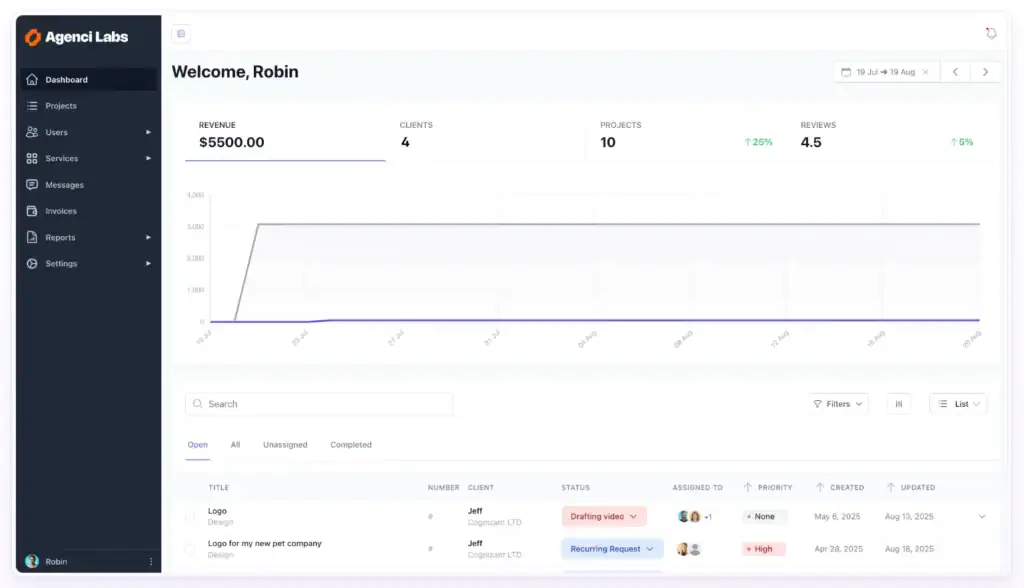
ManyRequests is a client portal and request management platform built for creative and service-based agencies. It brings client requests, files, payments, and service listings into one workspace so agencies can manage work and deliver without juggling multiple tools.
Compared to Bloom, it offers a more reliable client communication system. Structured request forms reduce back-and-forth, subscription billing handles recurring payments cleanly, and the branded portal gives clients a dedicated space to track their work and submit new requests.
Key Features:
- Client Portal: Branded portal where clients submit requests, review files, and track service activity.
- Project Management: Kanban-style request tracking, checklists, and internal notes.
- Time Tracking: Record hours directly against tasks and projects.
- Billing & Subscriptions: Stripe-powered subscriptions, one-time purchases, and invoicing in one place.
- Reporting: Agency-level reporting on workload, finances, and client performance.
Pricing:
- Core Plan: $59/month
- Pro Plan: $99/month
- Enterprise: Custom pricing
14-day free trial, no credit card required.
User Feedback: ⭐ 4.5/5 on G2 review
👍
Sharon J.,G2 review
“Almost a year of use, covers time tracking, checklists, ticketing, and client feedback all in one place.”
👎
Sharon J., G2 review
“Full white-labeling requires upgrading — should be available on the core plan.”
Pros & Cons:
| Pros | Cons |
| 👍 Strong branded client portal | 👎 White-labeling locked behind Pro plan |
| 👍 Built-in subscriptions for productized agencies | 👎 Pricing climbs with extra team seats |
| 👍 Unlimited clients on all plans | 👎 10GB file storage limit |
3. Plutio
🏆 Best For: Solo freelancers who want an affordable all-in-one tool with AI-powered automation.
Overview:
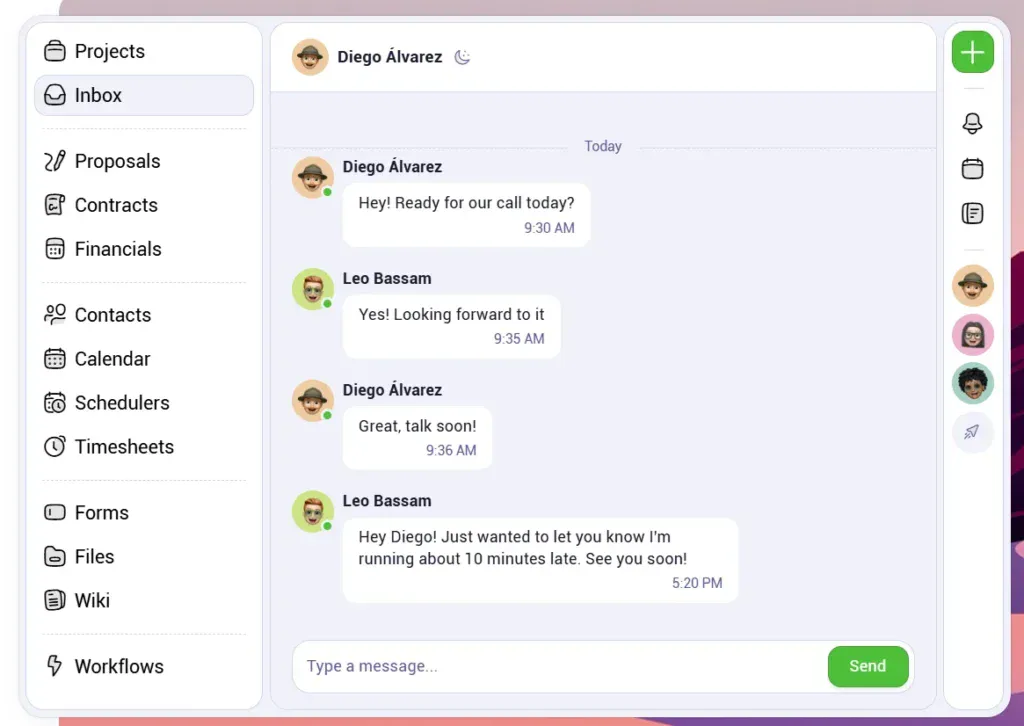
Plutio is an all-in-one business management platform built for solo freelancers and small businesses. It covers project management, invoicing, proposals, contracts, time tracking, and client communication in one workspace.
Compared to Bloom, it handles task management more reliably and adds built-in time tracking and AI-powered automation through Super Work AI. For solo operators who want to consolidate their tools without paying for features they do not need, it is a practical option at a low starting price.
Key Features:
- Project Management: Kanban, List, Timeline, and Gantt views with task templates and subtask management.
- Time Tracking: Built-in time tracking linked directly to projects and client billing.
- Proposals & Contracts: Branded proposals, legally binding e-signatures, and contract management in one place.
- Invoicing & Payments: Professional invoicing with online payment support and subscription management.
- Inbox & Messaging: Unified inbox for client and team communication without switching apps.
Pricing:
- Solo Plan: $19/month
- Studio Plan: $49/month
- Agency Plan: $199/month
White-labeling available as an add-on on Solo and Studio, included free on the Agency plan. Free trial available.
User Feedback: ⭐ 4.3/5 on G2 (57 reviews)
👍
Mark D., G2
“Covers project management, client communication, invoicing, proposals, scheduling, and time tracking — it genuinely simplifies the chaos of juggling multiple apps.”
👎
Mark D., G2
“Development has stalled at times and a previous major rollout caused significant issues for users — the core functionality is solid but the team’s release process needs more caution.”
Pros & Cons:
| Pros | Cons |
| 👍 Lowest starting price on this list at $19/month | 👎 White-labeling is a paid add-on on lower plans |
| 👍 AI-powered automation via Super Work AI | 👎 Development pace has been inconsistent |
| 👍 Strong task management with multiple views | 👎 Support can be slow for smaller plan users |
4. ClickUp
🏆 Best For: Task-heavy teams that need deep project management without client-facing features.
Overview:
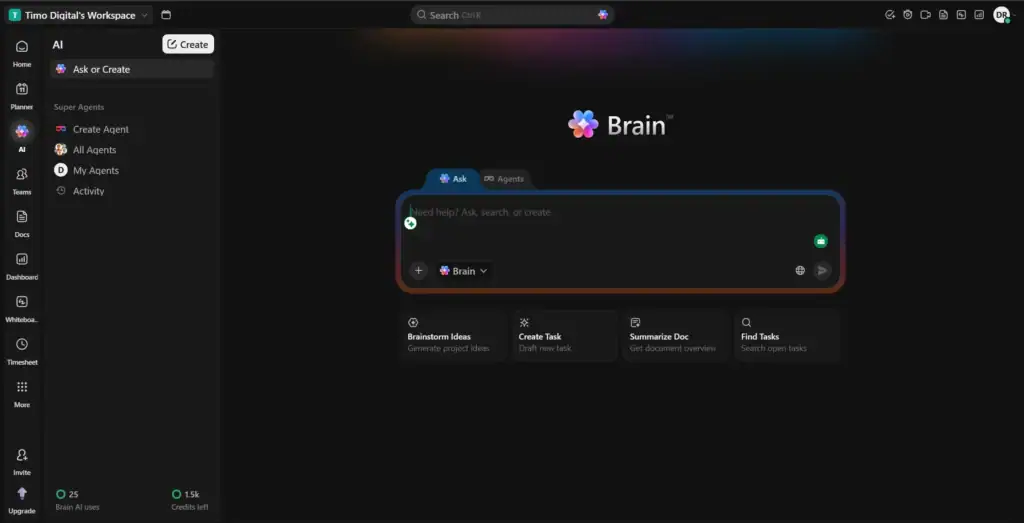
ClickUp is one of the most powerful task and project management platforms available today. Compared to Bloom, it solves the task management problem completely with deeper workflows, automation, and AI than any other tool on this list. The trade-off is clear though: no client portal, no invoicing, and a steep learning curve for new users.
Key Features:
- Task Management: Kanban, List, Gantt, Timeline, and Calendar views with custom fields, priorities, and subtasks.
- Automations: Built-in workflow automations for recurring tasks, reminders, and status updates.
- AI Brain MAX: AI knowledge base, task summaries, content support, and workflow intelligence built directly into the platform.
- Time Tracking: Native time tracking linked to tasks and team workloads.
- Docs & Collaboration: Built-in docs, whiteboards, team chat, and file sharing — all connected to tasks.
Pricing:
- Free Forever: Limited features, no credit card required
- Unlimited: $7/member/month
- Business: $12/member/month
- Enterprise: Custom pricing
White-labeling available on Enterprise only.
User Feedback: ⭐ 4.7/5 on G2 (12,155 reviews)
👍
Juan Pablo A., Content Developer, G2
“Flexible and centralized — covers projects, SOPs, onboarding, QA processes, and day-to-day operations all in one place. It keeps teams aligned, reduces manual follow-ups, and gives clear visibility across tasks without feeling overly complicated.”
👎
Matt B., G2
“The user interface feels overly complicated for people who just want to get in and use the software — many team members end up lost because there is no clear navigation path, and the recurring task functionality needs a complete overhaul.“
Pros & Cons:
| Pros | Cons |
| 👍 Deepest task management on this list | 👎 No client portal — not suitable for client-facing work |
| 👍 Free forever plan available | 👎 Steep learning curve for new users |
| 👍 AI Brain MAX built in natively | 👎 Slow loading reported by multiple users |
5. HoneyBook
🏆 Best For: Creative freelancers in the US and Canada who prioritize client flow, contracts, and invoicing.
Overview:
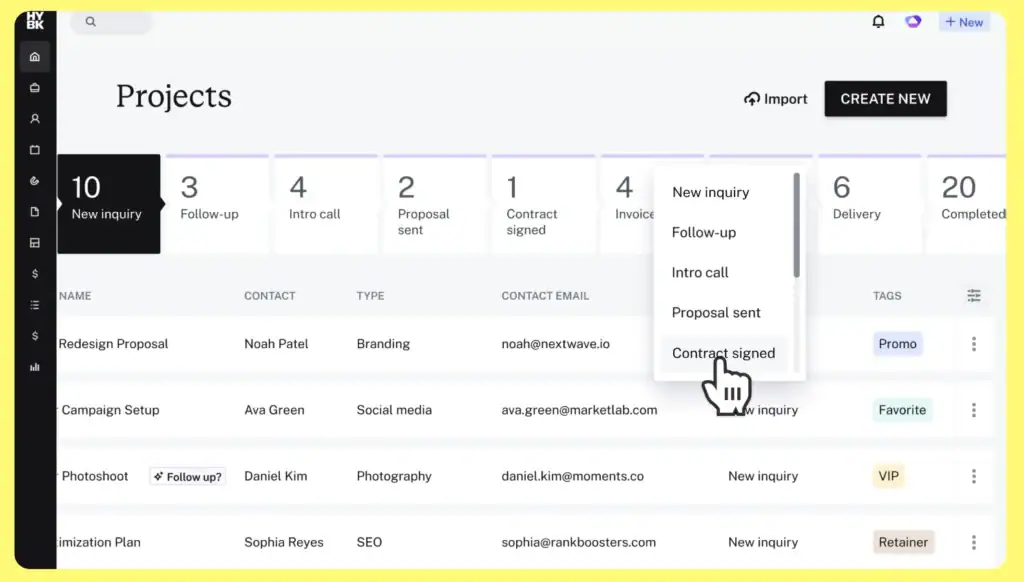
HoneyBook is a client flow and business management platform built for creative freelancers, including photographers, designers, consultants, and event professionals. It focuses on the client-facing side of the business: proposals, contracts, invoicing, and scheduling in one place.
Compared to Bloom, it offers more reliable invoicing and contract workflows. However, it shares the same weakness on task management, which is surface-level and not built for teams with complex project needs. It is also only available in the US and Canada, which limits its reach for international users.
Key Features:
- Client Portal: A branded space for clients to view proposals, sign contracts, and make payments.
- Invoicing & Payments: Professional invoices, payment schedules, and automated payment reminders.
- Proposals & Contracts: Branded proposals with built-in e-signatures and legally binding contracts.
- Scheduling: Appointment booking and calendar management integrated with the client workflow.
- Automations: Workflow automations for follow-ups, reminders, and status updates — available from Essentials plan.
Pricing:
- Starter Plan: $29/month
- Essentials Plan: $49/month
- Premium Plan: $109/month
30-day free trial — no credit card required. White-labeling only from Essentials plan.
User Feedback: ⭐ 4.5/5 on G2
👍
Austin P., G2
“Easy to use with an appealing design — the pricing and initial offer are genuinely enticing for freelancers looking to consolidate their client workflow.“
👎
Austin P., G2
“No way to export data in bulk — leaving the platform means downloading files manually one by one. Limited integrations, weak AI capabilities, and templates that are harder to customize than they appear.“
Pros & Cons:
| Pros | Cons |
| 👍 Clean client flow for proposals, contracts, and invoicing | 👎 US and Canada only — not available globally |
| 👍 Excellent customer support | 👎 No real task management depth |
| 👍 Strong automation from Essentials plan | 👎 No bulk data export — difficult to migrate away |
6. SuiteDash
🏆 Best For: Agencies that want the most feature-complete white-label platform and are willing to invest time in setup.
Overview:
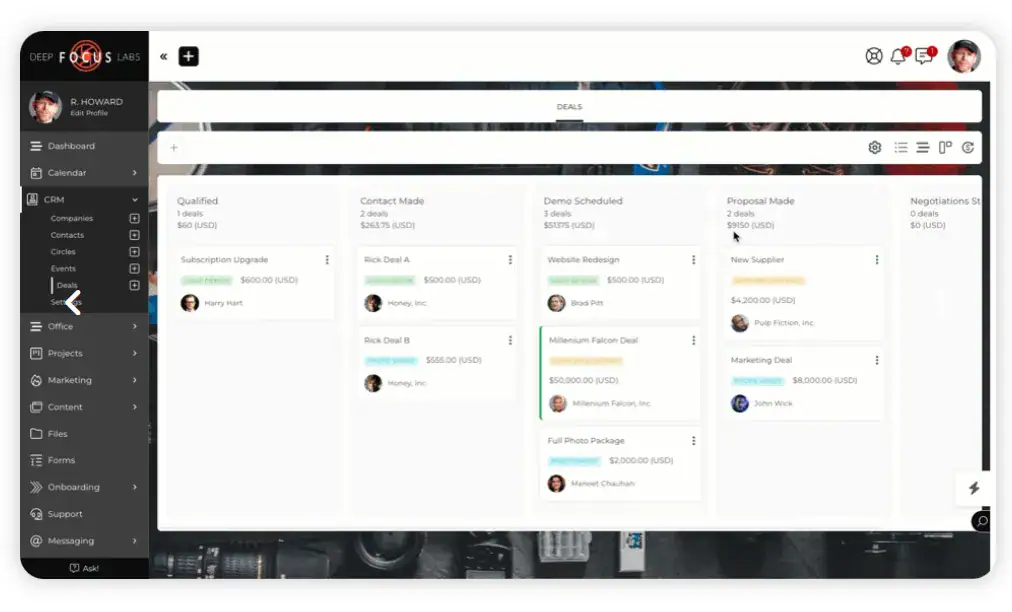
SuiteDash is a feature-rich all-in-one platform covering white-label client portals, project management, CRM, billing, e-signatures, LMS, and marketing automation. It is built for businesses that want everything under one roof and are willing to invest time in setup to get there.
Compared to Bloom, SuiteDash covers more ground across the board. The trade-off is a steep learning curve. Getting familiar with the platform takes time, and new users often find the number of features and settings overwhelming before things start to click.
Key Features:
- White-Label Client Portal: Custom URL, custom dashboards, branded login, and embeddable forms: full white-label from the $19/month plan.
- Project Management: Projects, tasks, project automations, work requests, and time tracking.
- CRM & Onboarding: Client management, deal stage pipelines, no-code automations, and decision-based filtering.
- Billing: Digital proposals, advanced invoicing, subscription engine, and online payments.
- LMS & Community: Create and sell digital courses, run community forums and private spaces, unique features not found on any other tool on this list.
Pricing:
- Start Plan: $19/month — unlimited staff and clients
- Thrive Plan: $49/month
- Pinnacle Plan: $99/month
14-day free trial — no credit card required. White-labeling included on all plans.
User Feedback: ⭐ 4.8/5 on G2
👍
Moreno G., G2
“Getting familiar with SuiteDash’s terminology takes a little time, but that initial learning curve is worth it given the platform’s power and flexibility.”
👎
Verified User, G2
“The interface has become terribly confusing and so stuck in the past that it is no longer easy to recommend.”
Pros & Cons:
| Pros | Cons |
| 👍 Most feature-complete tool on this list | 👎 Steepest learning curve, setup is time-consuming |
| 👍 Full white-label included from $19/month | 👎 Interface can feel overwhelming and dated |
| 👍 Unlimited staff and clients on all plans | 👎 Not ideal for users who need a quick setup |
Choosing the Best Bloom Alternative
Every tool on this list solves at least one thing Bloom gets wrong. But the right pick depends on where your business actually feels the friction. Here is a breakdown to help you match the right tool to your situation — and at the end, one clear recommendation if you want the most complete solution.
Bloom Alternative That Fits Your Business
Bloom is not a bad tool when you are starting out. You can send invoices, manage a handful of projects, and keep clients in the loop without much friction. But once your workload grows and clients start expecting more, the gaps become hard to ignore.
Every tool on this list is a legitimate upgrade from Bloom in at least one meaningful way. Here is where each one fits best:
OneSuite — Best if you need a client portal, task management, and a lead pipeline all in one place.
ManyRequests — Best if you run a subscription or productized agency and need a strong branded client portal.
Plutio — Best if you are a solo freelancer looking for an affordable all-in-one with good task management.
ClickUp — Best if task management is your only gap and you do not need client-facing features.
HoneyBook — Best if you are a creative freelancer in the US or Canada focused on contracts and invoicing.
SuiteDash — Best if you want the most feature-complete white-label platform and are willing to invest time in setup.
OneSuite Is the Best Bloom Alternative for Client Portal and Task Management
Among all the alternatives, OneSuite delivers the complete workflow that Bloom is missing — combining client management, project collaboration, task tracking, time tracking, billing, and team operations in one connected platform.
- Limited task management? OneSuite provides powerful project workflows with Kanban and List views, task organization, subtasks, templates, and workload visibility.
- Basic invoicing limitations? OneSuite connects tracked work with billing, helping teams create accurate invoices, manage payments, and keep financial workflows organized.
- Need better client collaboration? OneSuite gives businesses a centralized client experience where clients can stay updated on projects, approvals, documents, and billing.
- Missing lead management? Unlike many client portal tools, OneSuite includes built-in CRM capabilities with lead pipelines, custom stages, client tracking, and workflow management.
- Too many separate tools? OneSuite brings projects, clients, time tracking, expenses, approvals, estimates, billing, and reports together in one platform.
Unlike Bloom, OneSuite removes the need to combine multiple tools for different workflows. You get a complete solution without expensive add-ons, complicated setups, or switching between disconnected systems.
Starting at $9 per user/month, OneSuite gives freelancers, agencies, and service businesses access to powerful project management, client portal, time tracking, and billing features in one place.
Try OneSuite free for 14 days with no credit card required and see how it simplifies your entire client workflow.
FAQs:
Is there a free alternative to Bloom?
Yes. ClickUp offers a free forever plan with limited features. It is the only tool on this list with a permanent free tier. Most other alternatives, like OneSuite, ManyRequests, and SuiteDash offer 14-day free trials with full access so you can test before committing.
Is OneSuite better than Bloom?
OneSuite covers what Bloom promises but fails to deliver a reliable client portal, real task management, and a built-in lead pipeline. It also supports 21 languages, making it a stronger fit for global users.
Start exploring OneSuite today
No credit card is required