Best Employee Time Tracking Software in 2026, by Team Type

July 17, 2026
Are you billing clients by the hour, managing a remote workforce, or simply trying to get accurate hours into payroll? Those are completely different challenges, yet many “best employee time tracking software” lists treat them as if they’re the same.
They’re not.
A GPS-focused app for construction crews won’t help a freelance designer. Likewise, a lightweight invoicing tool won’t meet the needs of a business managing hourly employees across multiple job sites. Instead of ranking every platform against the same checklist, this guide organizes the best employee time tracking software by the type of team it’s designed to support, making it easier to find the right solution for your workflow.
How We Picked
Rather than comparing every employee time-tracking platform against the same checklist, we started by looking at who actually buys this type of software and why.
Our research identified six common buyer profiles, each with a different primary need, from agencies managing billable hours to field teams verifying work on-site. Those priorities influence which features matter most, whether that’s invoicing, employee monitoring, payroll compliance, GPS tracking, or simply an affordable way to log hours.
Instead of favoring the most recognizable brands, we selected the tools that best solve each use case based on their core capabilities, intended audience, and overall product focus. Where appropriate, we’ve also included other noteworthy alternatives worth exploring.
1. Agency & Client Billing
Designed for agencies, consultants, and professional service businesses that need to track billable hours and convert them into accurate client invoices.
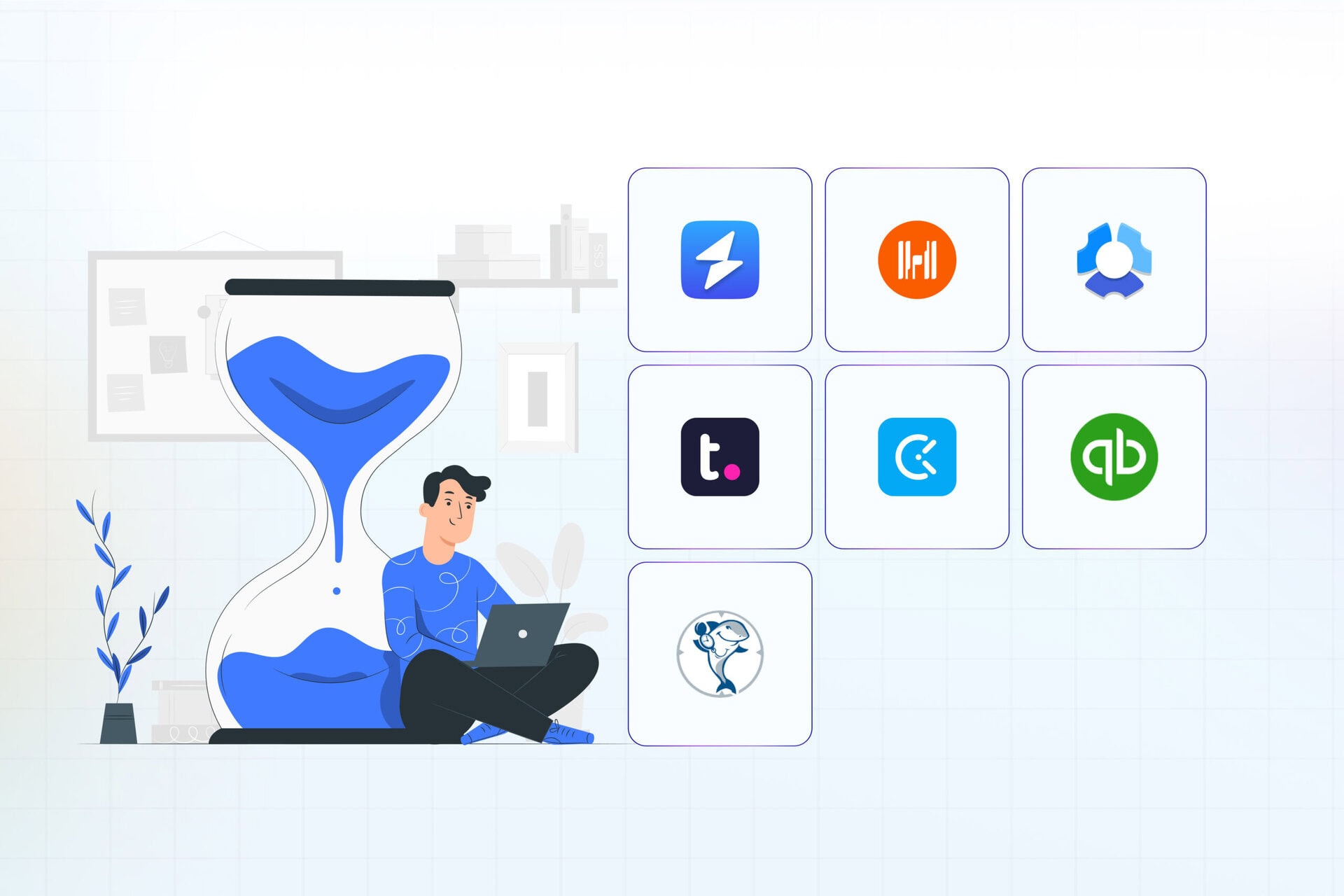
Featured: OneSuite, Harvest
Also consider: Paymo, Everhour, Bonsai
2. Remote Team Monitoring
Ideal for distributed teams that need visibility into employee activity, productivity, and work hours without sacrificing flexibility.
Featured: Hubstaff
Also consider: Time Doctor, Insightful, DeskTime, wAnywhere
3. Full Agency Operations (PSA)
For agencies that need more than time tracking, including project management, resource planning, budgeting, and client delivery in one platform.
Featured: Teamwork.com
Also consider: Productive, Deltek Replicon, TimeCamp
4. Hourly & Shift Compliance
Focused on attendance, scheduling, payroll accuracy, and labor law compliance for businesses employing hourly workers.
Featured: QuickBooks Time
Also consider: Connecteam, Deputy, Homebase, Jibble, Gusto
5. Field Service & GPS Tracking
Created for construction, maintenance, and field service businesses that need reliable location verification and job-site time tracking.
Featured: ClockShark
Also consider: Few competitors match ClockShark’s depth of field-specific functionality, making it one of the strongest dedicated options in this category.
6. Simple & Budget-Friendly
Perfect for freelancers, startups, and small businesses looking for straightforward time tracking without enterprise-level complexity.
Featured: Clockify
Also consider: Toggl Track, TrackingTime, My Hours, Timely
Quick-Reference Comparison Table
Use the table below for a quick overview, then jump to the section that best matches your business.
| Tool | Best Suited For | Standout Feature | Pricing |
|---|---|---|---|
| OneSuite | Agencies & freelancers billing clients | Client portal, CRM, invoicing, and time tracking in one platform | $5.80/user/mo (minimum 5 users) |
| Harvest | Agency billing & invoicing | One-click timer that converts approved hours into invoices | From $11/user/mo |
| Hubstaff | Remote workforce management | GPS geofencing with optional productivity monitoring | From $7/user/mo |
| Teamwork.com | Agency operations | Role-based billing rates across projects | From $13.99/user/mo |
| QuickBooks Time | Hourly & shift-based teams | Detailed audit logs for payroll compliance | From $20/mo + $10/user |
| ClockShark | Construction & field service | CrewClock for clocking in entire teams | From $40/mo + $9/user |
| Clockify | Freelancers & budget-conscious teams | Privacy-focused automatic tracker | From $4.99/user/mo |
Note: QuickBooks Time and ClockShark combine a monthly base fee with per-user pricing. Depending on your team size, their total cost may differ significantly from platforms that charge only per user.
How to Choose
Before comparing features, ask yourself three simple questions:
- Do you bill clients or only track internal work hours? Client billing requires invoicing and project-level reporting, while internal tracking focuses on accurate attendance and payroll.
- Where does your team work? Office employees, remote workers, and field crews all have different requirements. GPS tools, for example, are essential for construction teams but unnecessary for office staff.
- Do you need visibility into employee activity or simply accurate timesheets? Features like screenshots, activity scores, and app monitoring solve accountability challenges for distributed teams. If trust isn’t the issue, those features may add unnecessary complexity.
Your answers will naturally point you toward one of the six buyer categories below. The first category includes two recommendations because agencies and freelancers often have different priorities despite sharing similar billing workflows.
For Agencies & Freelancers Who Bill Clients
For agencies and freelancers, tracking hours is only one step in the billing process. The real goal is to record time, get it approved, and convert it into an invoice without duplicating work or switching between multiple tools.
Both OneSuite and Harvest excel at this workflow, but they take different approaches. OneSuite combines client management, project collaboration, and billing in a single platform, while Harvest focuses on making the time-to-invoice process as fast and straightforward as possible.
OneSuite
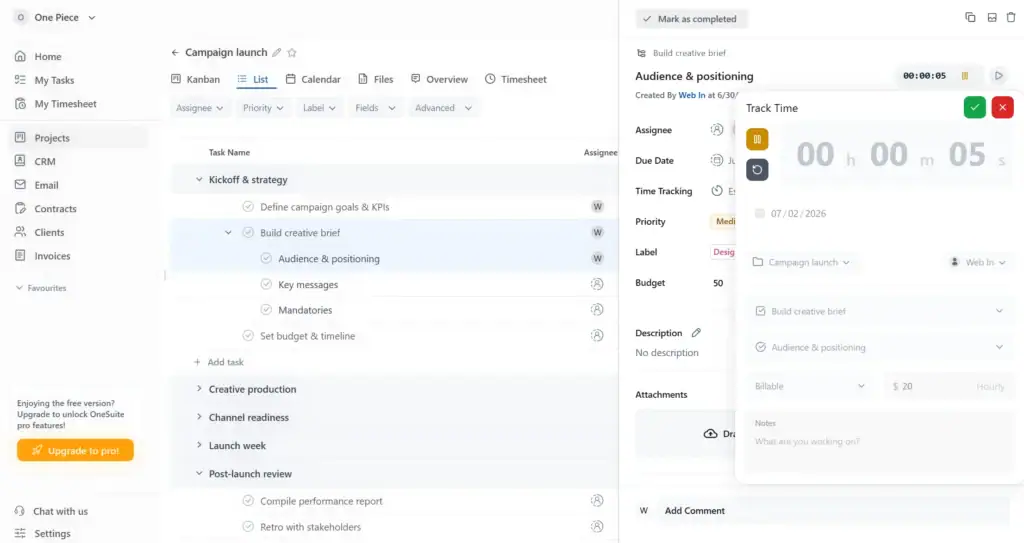
OneSuite connects time tracking directly to projects and clients, allowing approved hours to flow into invoices automatically. Because everything happens within the same platform, there’s no need to export timesheets or move data between separate applications.
Rather than functioning as only a time tracker, OneSuite brings together CRM, invoicing, project management, and a dedicated client portal in one workspace. Clients can log in to monitor project progress, review updates, and collaborate with your team instead of relying solely on email updates or monthly invoices. That client-facing experience is one of the biggest differences between OneSuite and most traditional time tracking tools.
Key Features
- Track time by project and client
- Convert approved hours into invoices automatically
- Built-in CRM for managing client relationships
- Client portal with real-time project visibility
Pricing
| Plan | Price | Minimum Users | Effective Price per User |
|---|---|---|---|
| Freelancer | $29/mo | 5 | $5.80/user/mo |
| Growing Team | $59/mo | 12 | $4.92/user/mo |
| Agency | $149/mo | 35 | $4.26/user/mo |
| Enterprise | Custom | Unlimited | Custom |
Note: All plans include a 14-day free trial (no credit card required). The pricing page also mentions white-glove onboarding, a 30-day money-back guarantee, and annual savings.
Pros and Cons
User Feedback
“The functionality that allows us to show our clients the processes we use to do the work, were we are in the process and what the next steps are. having client communication with our clients is super important and One Suite has made that much easier.”
Jude .
“It is really difficult to find something you don’t like, but maybe the interface could be prettier.”
Pedro C.
Harvest
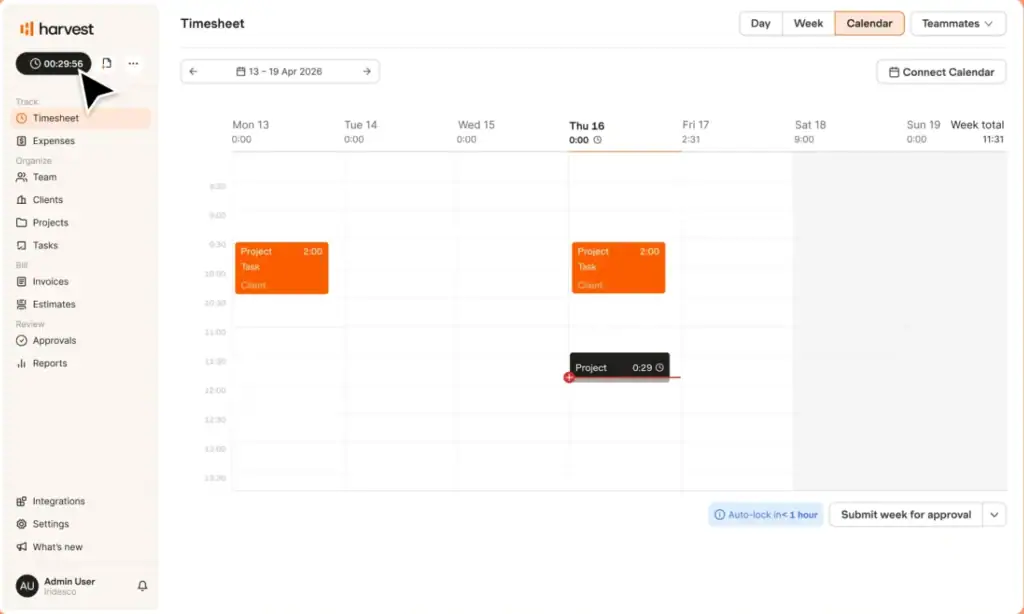
Harvest keeps the billing workflow intentionally simple. Start the timer, assign hours to a project, approve the timesheet, and convert those hours into an invoice with minimal effort.
The platform also supports online payments through Stripe and PayPal, while automatic reminders help reduce overdue invoices. Instead of expanding into full project management or client collaboration, Harvest stays focused on helping service businesses track billable work and get paid quickly. That focused approach has made it one of the most established names in agency time tracking.
Key Features
- One-click timer for projects and tasks
- Convert tracked time and expenses into invoices
- Accept online payments through Stripe and PayPal
- Automatic reminders for unpaid invoices
Pricing
| Plan | Price (Monthly Billing) | Price (Annual Billing) | Notes |
|---|---|---|---|
| Free | $0/mo | $0/mo | 1 user, 2 projects |
| Teams | $11/user/mo | $9/user/mo ($108/year) | |
| Enterprise | $17.50/user/mo | $14/user/mo |
Pros and Cons
User Feedback
“Harvest is a useful and versatile work system that facilitates business collaboration and digital support for all your operations and work projects in real time, giving you control over the development of all your team’s activities.”
Martin P.
“The number one thing is the recent private equity acquisition of Harvest increased the price by 600%. It increased 6x overnight for us without warning. The minimum to use the product now with “unlimited” usage of the app is $1,500 per month, plus $14/mo/user. So unless you’re ready to spent $20k+ per year on time tracking and invoicing, look elsewhere”
Timothy D.
Which Should You Choose?
Choose OneSuite if you want a single platform that combines time tracking, client management, invoicing, and a client portal. It’s the stronger choice for agencies looking to manage their entire client workflow in one place.
Choose Harvest if your priority is a lightweight, reliable billing tool that makes it easy to track billable hours and send invoices without the added complexity of a full business management platform.
For Remote Teams Needing Proof of Work
Managing a remote team isn’t just about recording hours. Many organizations also need confidence that work is happening while employees are on the clock. That’s where monitoring features become valuable.
Hubstaff combines traditional time tracking with optional productivity insights, giving managers visibility without making monitoring mandatory.
Hubstaff
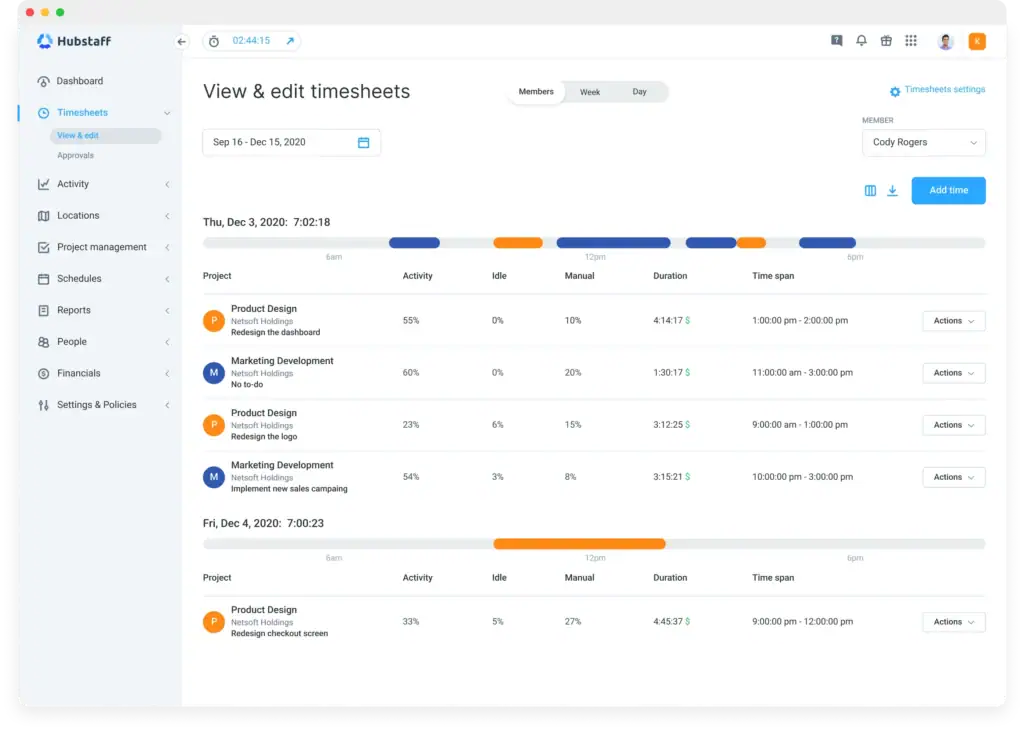
Hubstaff uses a familiar start-and-stop timer that employees can run from desktop or mobile. For businesses with field employees, GPS geofencing can automatically start or stop the timer as workers arrive at or leave a designated job site, reducing missed clock-ins.
Its biggest differentiator is the optional productivity layer. Screenshots, app and website usage, and keyboard and mouse activity scores can all be enabled or disabled to match your company’s policies. Businesses that pay remote contractors can also use Hubstaff’s built-in payroll integrations to send payments through Wise, PayPal, Deel, or Gusto based on approved hours.
Key Features
- Start and stop timer across desktop and mobile devices
- Optional screenshots, app tracking, and activity scores
- GPS geofencing for location-based teams
- Built-in payroll integrations through Wise, PayPal, Deel, and Gusto
Pricing
| Plan | Price (Monthly Billing) | Price (Annual Billing) | Notes |
|---|---|---|---|
| Free | $0/mo | $0/mo | 1 user only |
| Starter | $7/user/mo | $4.99/user/mo | 2-user minimum |
| Grow | $9/user/mo | $7.50/user/mo | 2-user minimum |
| Team | $12/user/mo | $10/user/mo | 2-user minimum |
| Enterprise | $25/user/mo | $25/user/mo | Annual billing only |
Pros and Cons
User Feedback
“What I like most about Hubstaff is how easy it makes it to track time and manage productivity across remote teams. Features like automatic time tracking, detailed activity reports, and project-based tracking support transparency without adding extra administrative work.”
Amro A.
“2 different paid add-ons were added to my account without me ever clicking the button, requesting my authorization, or even sending me an email notification that my bill was changing. I was overcharged for 2 years for a feature I was not using and they refused to refund.”
Devin G.
For Growing Agencies Running Full Client Operations
As agencies grow, tracking billable hours is no longer enough. Managing resources, monitoring profitability, balancing workloads, and keeping projects on schedule become equally important.
Platforms in this category treat time tracking as one component of a broader agency management system rather than the primary feature.
Teamwork.com
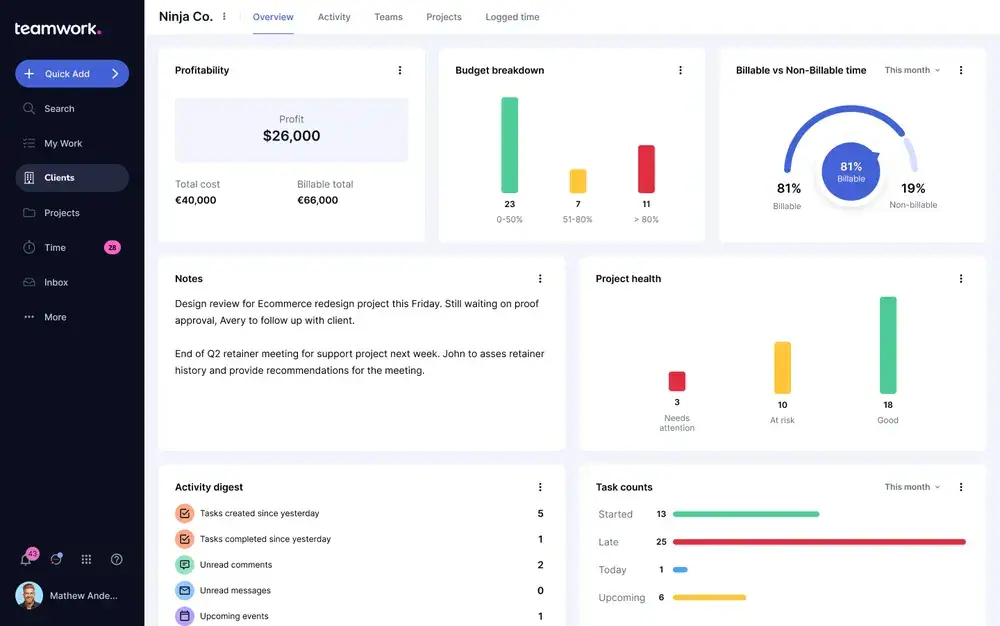
Teamwork records time against individual tasks inside projects, making it easier to measure both project progress and team productivity. One of its standout additions is Role Rates, which lets agencies define billing rates by role instead of updating rates across every project manually.
Beyond time entries, Teamwork includes workload planning, resource scheduling, retainer management, and AI-powered profitability forecasting. Agencies also get a white-labeled client portal that gives clients visibility into project progress while keeping the experience branded as their own.
Key Features
- Track time at the task level within projects
- Role Rates for consistent agency billing
- White-labeled client portal
- Resource planning, retainers, and AI profitability forecasting
Pricing
| Plan | Price (Monthly Billing) | Price (Annual Billing) | Users | Trial |
|---|---|---|---|---|
| Free | $0/mo | $0/mo | Up to 5 users | — |
| Basics | $13.99/user/mo | $9.99/user/mo | Minimum 3 users | 30-day free trial |
| Accelerate | $29.99/user/mo | $24.99/user/mo | Minimum 5 users | 30-day free trial |
| Optimize | Custom | Custom | Contact Sales | — |
| Enterprise | Custom | Custom | Contact Sales | — |
Pros and Cons
User Feedback
“Teamwork feels like it was built for teams that work with clients, not just for moving tasks from one column to another. Time tracking, budgets, workload planning, and profitability are all part of the daily workflow instead of feeling like features that were bolted on later.”
Omar S.
“While the task assignment features are helpful, the overall UI/UX is overly complex for our daily e-commerce and marketing operations. There are simply too many places to click, which makes it unnecessarily difficult to locate specific tasks quickly.”
Jordan D.
For Hourly & Shift-Based Teams
For businesses that employ hourly workers, accurate attendance matters as much as accurate payroll. The focus isn’t client billing, it’s making sure employees clock in correctly, managers can verify hours, and payroll records hold up during audits or labor disputes.
QuickBooks Time
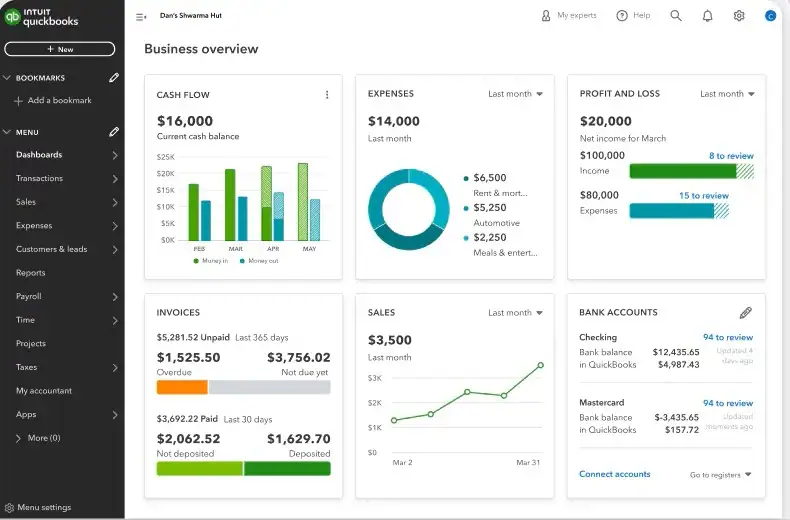
QuickBooks Time lets employees clock in and out from mobile devices, desktop computers, or shared kiosks. GPS and geofencing verify where each shift begins and ends, while a detailed audit log records every edit, job change, and clock-out event. Those records can be invaluable for resolving payroll disputes and demonstrating labor law compliance.
The platform also integrates natively with QuickBooks Payroll, reducing manual data entry between timesheets and paychecks. Since May 2026, new subscribers have increasingly managed time tracking inside QuickBooks Online rather than through a separate application, making the experience more unified for businesses already using the QuickBooks ecosystem.
Key Features
- Mobile, desktop, and kiosk clock-in/out
- GPS and geofencing for location verification
- Detailed audit logs for payroll and compliance
- Native integration with QuickBooks Payroll
Pricing
| Plan | Price | Notes |
|---|---|---|
| Premium | $20/month + $10/employee | Per-employee rate increased 25% in July 2026 |
| Elite | $40/month + $12/employee |
Pros and Cons
User Feedback
“I really appreciate QuickBooks Time for its efficiency in tracking employees’ absences and time ins. This feature is incredibly beneficial for keeping accurate records and simplifies the process when payroll is processed, ensuring that everything is easy to record and verify.”
Diana O.
“I dislike that, when I’m building the schedule, I have to select each employee individually instead of being able to add a group. I also dislike that contractors now automatically sync as users to Time when you track 1099 payments in QuickBooks.”
Emma B.
For Field Service & Construction Crews
Field teams face a completely different challenge from office staff. Managers need to know where crews are working, verify time spent on each job site, and keep labor costs tied to individual projects.
ClockShark
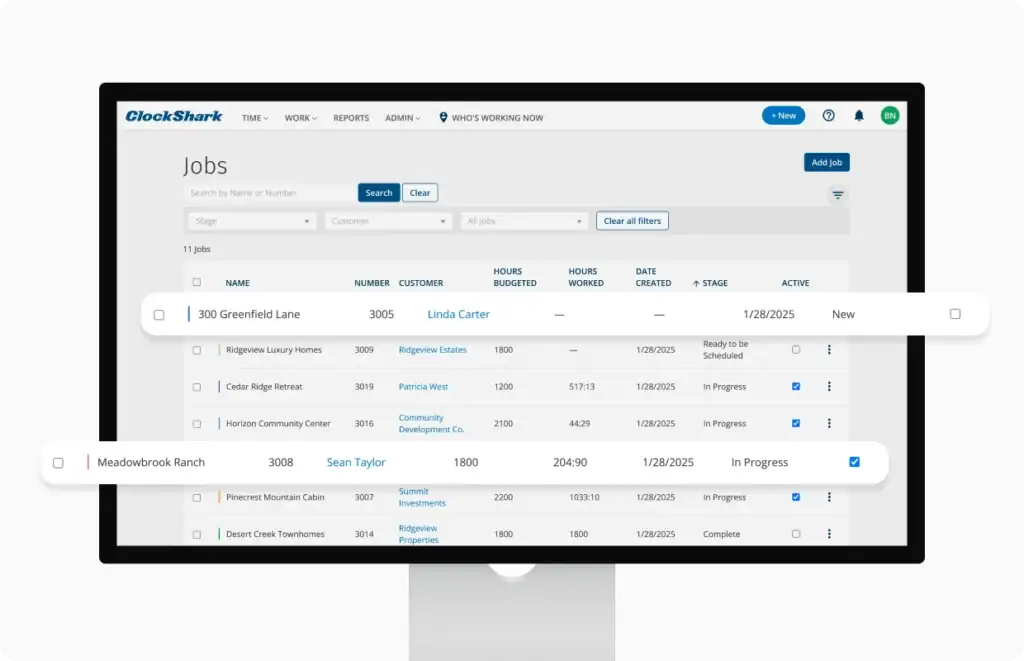
ClockShark is purpose-built for construction, maintenance, and field service businesses. Employees clock in from the mobile app after selecting a job, while background location tracking records movement throughout the workday and stops automatically once they clock out.
The platform extends beyond basic time tracking with features designed specifically for mobile crews. GPSFence reminds employees to clock in or out when they enter or leave a job site, CrewClock allows a supervisor to clock in an entire team from one device, and KioskClock uses facial recognition to reduce buddy punching. Every recorded hour is tied to a customer and job, making project costing significantly easier.
Key Features
- Background location tracking while employees are clocked in
- GPSFence geofencing reminders
- CrewClock for supervisor-managed team clock-ins
- KioskClock with facial recognition
- Job costing linked to customers and projects
Pricing
| Plan | Price |
|---|---|
| Standard | $40/month + $9/user |
| Pro | $60/month + $11/user |
Pros and Cons
User Feedback
“Managing remote crew timekeeping is much easier with this. I also appreciate the reports that can be generated for current and past employees, as well as project-specific reports. This is especially helpful when I’m responding to requests from State and Federal agencies.”
Russ W.
“There are some communication issues. We have staff log off for the day, and there are times when the log off does not process correctly. The next day they show as working for 23-24 hours. We have the same issue with clocking in on some locations.”
Theresa F.
For Solo Users & Budget-Conscious Teams
Not every business needs CRM software, payroll automation, or employee monitoring. Sometimes the priority is simply recording hours accurately without paying for features that will never be used.
Clockify
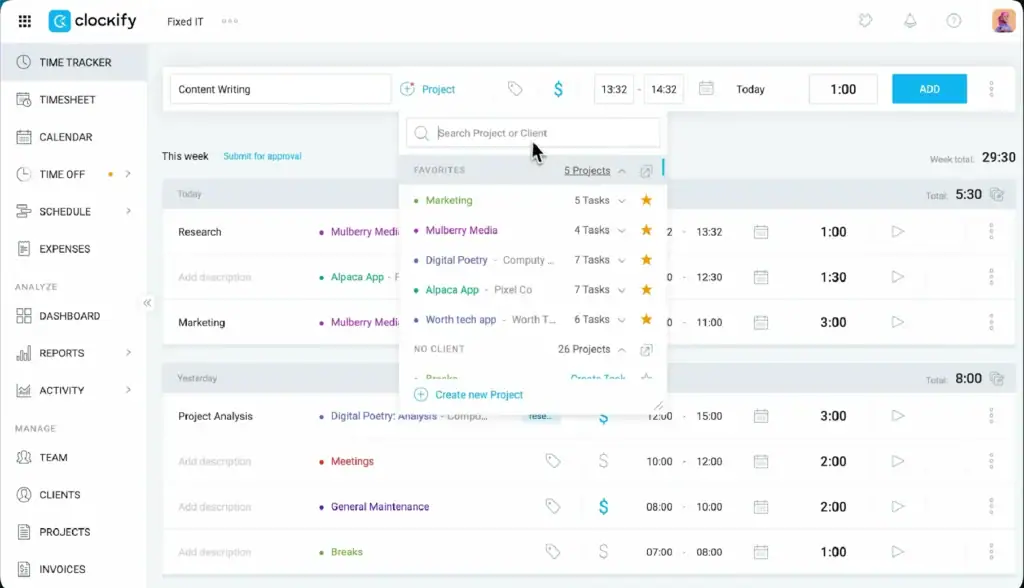
Clockify keeps things simple while still offering more flexibility than many free alternatives. Users can log time with a running timer, manual entries, a drag-and-drop calendar, or kiosk mode for shared devices. An automatic tracker can also record application and website activity, but unlike monitoring-focused platforms, that information stays on the user’s own device unless they choose to submit it.
The platform also includes project budgeting, attendance management, and PTO tracking, making it a practical option for small businesses that want more than a basic stopwatch without moving into enterprise software.
Key Features
- Four ways to record time: timer, manual entry, calendar, and kiosk
- Automatic activity tracker with local data storage
- Project budgeting and budget alerts
- Attendance and PTO management
Pricing
| Plan | Price (Monthly Billing) | Price (Annual Billing) |
|---|---|---|
| Free | $0/month | $0/month |
| Basic | $4.99/user/month | $3.99/user/month |
| Standard | $6.99/user/month | $5.49/user/month |
| Pro | $9.99/user/month | $7.99/user/month |
| Enterprise | $14.99/user/month | $11.99/user/month |
Pros and Cons
User Feedback
“I find Clockify super intuitive, which makes it easy to use for tracking work and hours for myself and my employees. The dashboards are very helpful as they allow me to get, at a glance, a good idea of what tasks are being worked on and how they will impact my bottom line. The initial setup was super easy and it was all done in about 30 minutes. I am excited to see how the team integrates AI into Clockify.”
Mariano B.
“Some of the features require purchasing a more expensive version, like rounding up of hours, but Clockify has a minimum of 3 seats required for that, so I have to add two seats I don’t need.”
Kurt G.
Best Employee Time Tracking Software for Your Team
There’s no single winner here, and that’s the point. The right employee time tracking software depends entirely on the problem you’re actually solving.
Billing clients by the hour and want them to see project progress themselves, not just an invoice at the end of the month? OneSuite is built around that exact workflow.
Need a proven, no-frills billing loop without a client portal? Harvest does that well. Managing a remote team and need real visibility into the work, not just the hours? Hubstaff. Running a growing agency that’s outgrown simple time tracking entirely? Teamwork.com.
Paying hourly staff and need airtight compliance records? QuickBooks Time. Tracking a crew across job sites? ClockShark. Just need something simple and cheap? Clockify.
Match the tool to the problem above, not the other way around, and the “best” one becomes obvious.
If your answer was the first one, start a free OneSuite trial and see the client portal for yourself.
FAQs
What’s the difference between time tracking and employee monitoring software?
Time tracking records how long someone worked. Employee monitoring adds visibility into what they were doing while working, through screenshots, activity scores, or app usage. Hubstaff does both; tools like Harvest and OneSuite stick to tracking hours.
Can employee time tracking software integrate with payroll or QuickBooks?
Most tools here do, in some form. QuickBooks Time builds payroll in directly. Clockify, Harvest, and Hubstaff connect to QuickBooks or run their own payout systems, though some require manual export steps.
Does employee time tracking software work for remote or field teams?
Yes, but the right tool depends on which one. Hubstaff is built for remote teams specifically. ClockShark is built for field and construction crews using GPS.
What’s the best employee time tracking software for small businesses?
It depends on what the business actually needs. Agencies billing clients fit best with OneSuite or Harvest. Teams that just need simple, low-cost tracking fit best with Clockify.
What if I need payroll or remote-workforce security compliance, not just time tracking?
That’s a different tool category. Gusto handles time tracking as one piece of a full payroll and HR platform, useful if compliance and payroll are the actual priority. wAnywhere leans further into remote-workforce security, with AI-driven monitoring like facial recognition attendance and copy/paste detection, aimed at data-security-conscious organizations rather than general time tracking needs.
Start exploring OneSuite today
No credit card is required