

OneSuite August 2026 Update: Smarter Emails, Better CRM Workflows, and More Control Over Client Work

September 1, 2026
August brought another round of improvements to OneSuite, focused on reducing repetitive work, making your CRM more flexible, and giving your team better visibility across client projects.
You can now send emails through your preferred SMTP provider, receive notifications when tasks and subtasks are completed, convert opportunities into individual clients, automatically add Purchase Order numbers to invoices, and view custom fields across more CRM pages.
We also made several improvements to performance, reliability, white-labeling, integrations, and the overall client experience.
And there is much more on the way.
Here is everything that is new in OneSuite, along with an early look at what we are building next.
Key Takeaways
- OneSuite now supports more flexible email delivery through popular SMTP providers.
- CRM improvements make it easier to manage clients, companies, people, opportunities, and custom fields.
- QuickBooks and Xero integrations create a smoother connection between invoicing and accounting.
- Client portal, scheduling, notifications, and workflow improvements reduce manual work.
- Upcoming features include client chat, subscriptions, Proposal Builder V2, expense tracking, timesheet approvals, and advanced project budgeting.
- OneSuite continues to bring the complete client journey from opportunity to payment into one connected platform.
What’s New in OneSuite?
1. Send Emails Through Your Preferred SMTP Provider
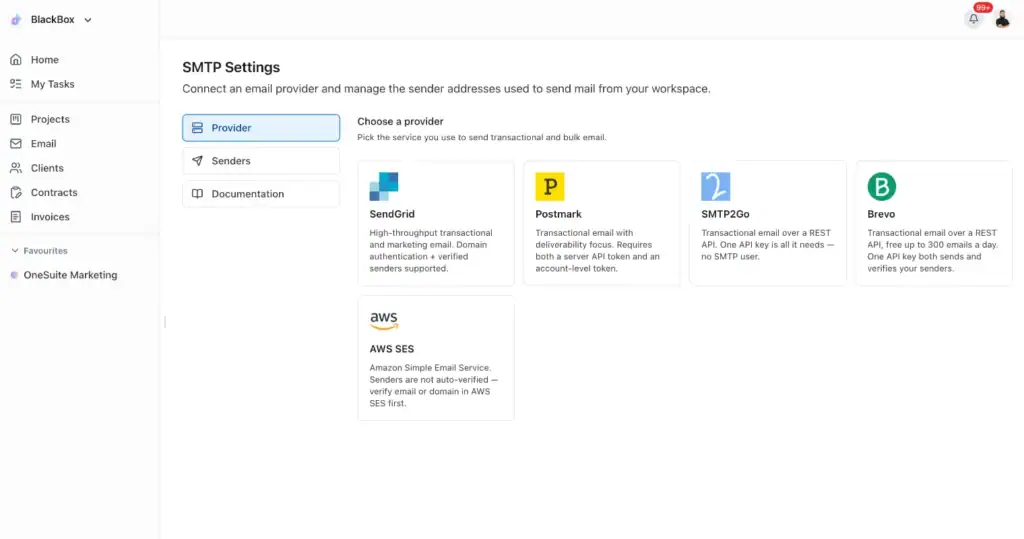
You can now connect your preferred SMTP provider and send OneSuite emails through your own email infrastructure.
OneSuite currently supports:
- Brevo
- Amazon SES
- Postmark
- Mailgun
- SMTP2Go
From one place, you can manage your SMTP credentials, sender information, and default sender address.
You can also send a test email before activating the connection, helping you confirm that everything is configured correctly.
This gives businesses more control over email delivery, sender reputation, branding, and the addresses clients see when they receive messages from OneSuite.
For agencies and service businesses using white-label client communication, this creates a more consistent experience from the first email to the final invoice.
Get Notified When Tasks and Subtasks Are Completed
Keeping up with project progress should not require opening every task manually.
OneSuite can now send email and in-app notifications whenever a task or subtask is completed.
This makes it easier for project managers, account managers, and team leads to follow progress as work moves forward.
You can stay informed when important deliverables are completed without repeatedly checking project boards or asking team members for updates.
For projects with multiple phases and dependencies, these notifications help the next person know when it is time to take action.
Convert Opportunities Into Individual Clients
Not every opportunity belongs to a company.
Freelancers, consultants, coaches, creators, and other service professionals often work directly with individual clients.
Opportunities in OneSuite can now be converted into either:
- A company client
- An individual client
When an opportunity is ready to move forward, you can choose the client type that accurately reflects the relationship.
This creates a cleaner transition from lead to client and gives businesses more flexibility when managing different types of customers.
Set a Default Purchase Order Number for Each Client
Some clients require a Purchase Order number to appear on every invoice.
Previously, this information had to be added repeatedly. You can now save a default PO number for each client.
When you create a new invoice for that client, OneSuite automatically carries the saved PO number into the invoice.
This reduces repetitive data entry, prevents missing information, and helps invoices move through client approval processes more smoothly.
It is a small update that can save significant time for businesses managing recurring client invoices.
View Custom Fields Across CRM Detail Pages
Every business collects different information about its clients and opportunities.
OneSuite custom fields help you adapt the CRM to your own workflow, and those fields are now available across more CRM detail pages.
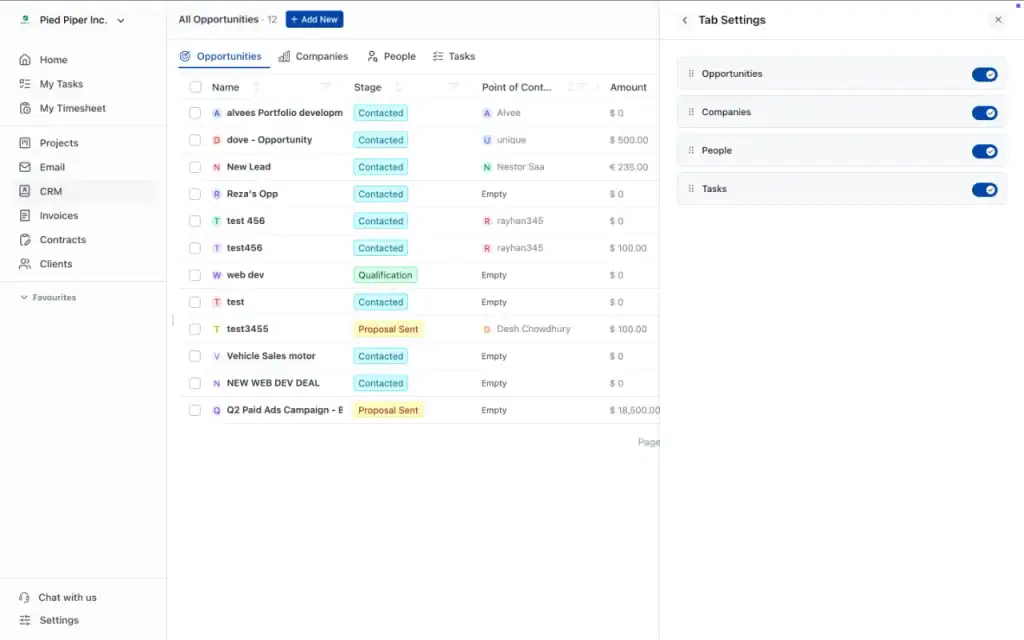
You can view custom information on:
- Client pages
- Company pages
- People pages
- Opportunity pages
Opportunity pages can also display relevant custom fields from the associated company and Point of Contact.
This gives your team more context without requiring them to move between multiple records.
Whether you track industry, service type, lead source, contract value, preferred communication method, or onboarding status, the information can remain visible where your team needs it.
Improvements to Existing Features
Alongside the new features, we improved several parts of the existing OneSuite experience.
View Full Addresses and Social Links on Hover
Addresses and social-profile links can sometimes be too long to display completely inside a table or detail view.
You can now hover over these fields to see the complete address, link, or URL.
This gives you quick access to the full information without opening another page or editing the record.
Smoother CRM Table Interactions
We improved CRM table actions to reduce unnecessary layout movement when hovering over cells.
Buttons and actions now appear more smoothly, making tables easier to scan and use.
These interface improvements are especially helpful when working with large clients, companies, people, or opportunity lists.
Improved Scheduling Settings
We made several technical improvements to the Scheduling settings page.
These changes improve consistency and reliability while creating a stronger foundation for future scheduling updates.
More Automated CRM Testing
We expanded automated test coverage across:
- Clients
- Companies
- People
- Opportunities
- CRM custom fields
- CRM tables
- Opportunity conversion
More automated testing helps us identify issues earlier, prevent regressions, and improve the stability of future releases.
Bug Fixes and Reliability Improvements
We also resolved several smaller issues throughout OneSuite.
Documents Save More Reliably
We improved the document-saving process to reduce cases where content did not save as expected.
White-Label Emails No Longer Show OneSuite Branding
Emails sent through white-label workspaces now maintain the correct business branding without displaying unnecessary OneSuite branding.
“View as Client” Works More Consistently
We fixed issues affecting the ability to preview the client portal from a client’s perspective.
This makes it easier to confirm exactly what a client can see before providing access.
Improved Google and Microsoft Integrations
We made reliability improvements to the existing Google and Microsoft integrations.
Point of Contact Invitations During Client Conversion
Point of Contact invitations now work more reliably when converting opportunities into clients.
Smoother Opportunity Conversion
Opportunity conversion is no longer blocked by certain Point of Contact issues.
Multi-Select Custom Fields Update Correctly
We fixed an issue that affected how multi-select custom fields were saved and updated.
View-Only Project Clients Can Upload Files
Clients with view-only project access can now upload files when file uploading is permitted.
This gives clients a way to provide documents and deliverables without granting broader project permissions.
More Accurate Phone Number Handling
We improved how phone numbers are entered, saved, and displayed throughout the CRM.
A More Connected Client Experience
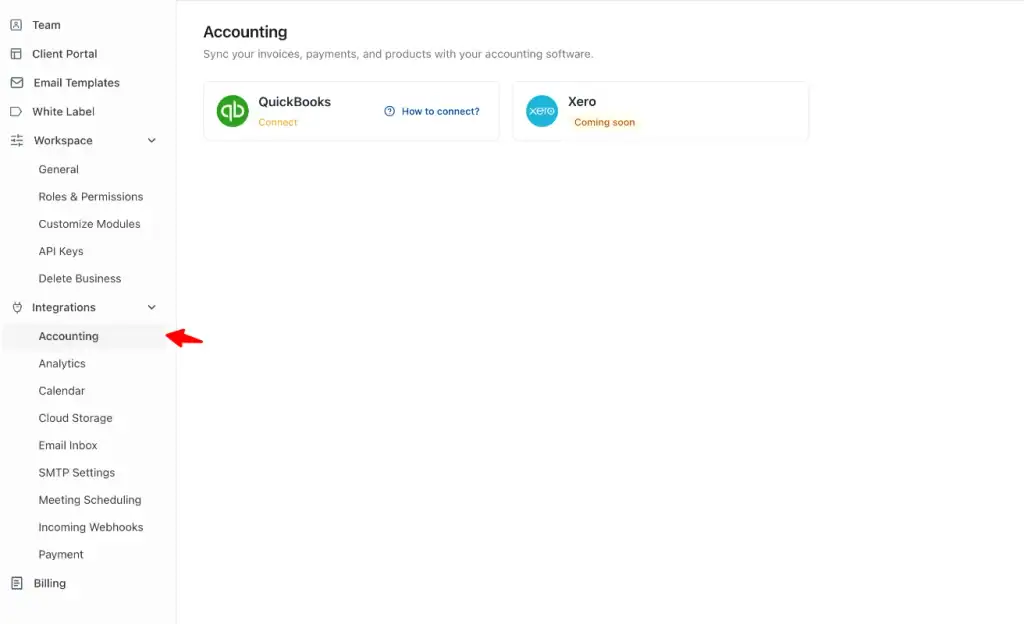
These improvements build on the recently released advanced client portal and new QuickBooks and Xero integrations in OneSuite.
The updated client portal gives clients a cleaner home page, faster access to important information, and better visibility into actions that require their attention.
Clients can see items such as:
- Unpaid invoices
- Contracts waiting to be signed
- Project information
- Shared documents
- Upcoming meetings
Businesses can also customize the portal’s branding, welcome message, logo, and color settings.
Access controls make it possible to decide exactly what each person can see on a client-by-client and project-by-project basis.
With QuickBooks integration, invoices created in OneSuite can remain connected with accounting workflows, reducing duplicate entry and helping teams keep payment information up to date.
Together, these updates move OneSuite closer to becoming one connected workspace for the entire client journey.
What We’re Working On Next
We are continuing to build based on the feedback we receive from agencies, freelancers, consultants, and service businesses.
Here is an early look at some of the features currently in development.
Advanced Reporting and Budgeting
Deeper reporting and project budgeting are among the biggest updates we are currently developing.
You will be able to plan project budgets and compare expected performance with actual activity.
The reporting experience will bring together information such as:
- Project revenue
- Project budgets
- Tracked time
- Billable hours
- Team costs
- Expenses
- Client performance
- Project progress
Rather than only seeing how much was invoiced, you will have more information to understand how each project is performing.
Project Fee Types
Different projects require different billing models.
OneSuite will support multiple project fee types, including:
- Time and materials
- Fixed fee
- Non-billable projects
This will help teams structure projects based on how they actually work and charge clients.
Team Billable and Cost Rates
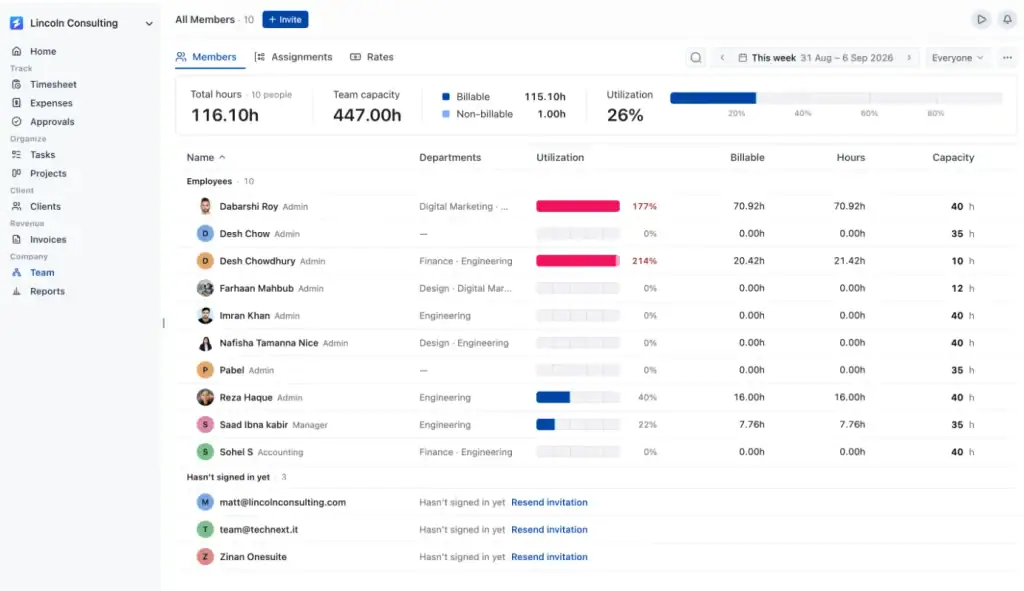
You will be able to assign billable and cost rates to individual team members.
The billable rate represents what the client is charged for a team member’s work.
The cost rate represents what that work costs the business.
Managing both values will help businesses make better decisions about pricing, staffing, project budgets, and profitability.
Expense Tracking
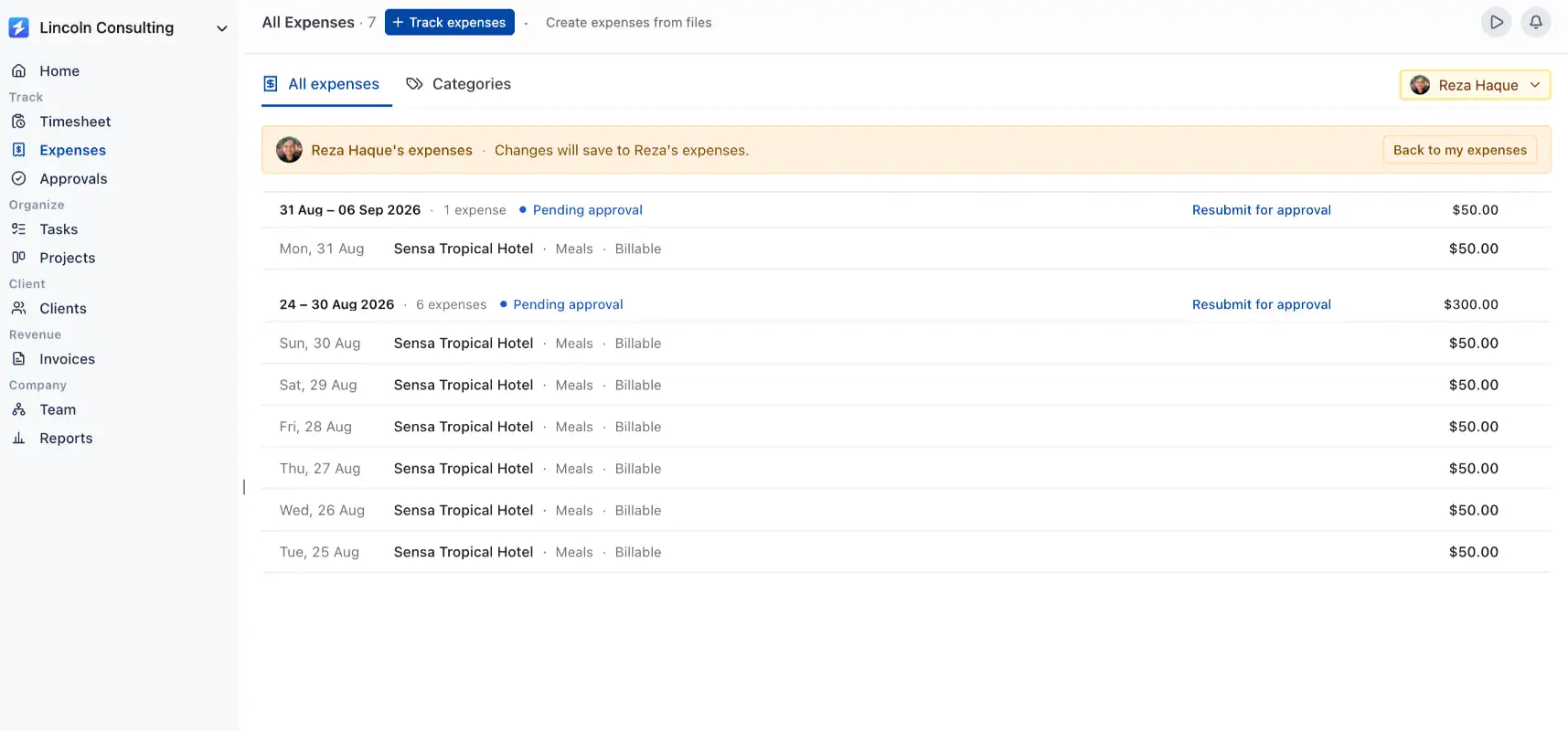
Project expense tracking is also coming to OneSuite.
You will be able to record expenses, connect them to the correct client or project, and see how they affect project budgets.
This will make it easier to keep project costs accurate and prepare client invoices without managing expenses in separate spreadsheets.
Timesheet Approvals
Teams will soon be able to submit timesheets for review before hours are approved for reporting or billing.
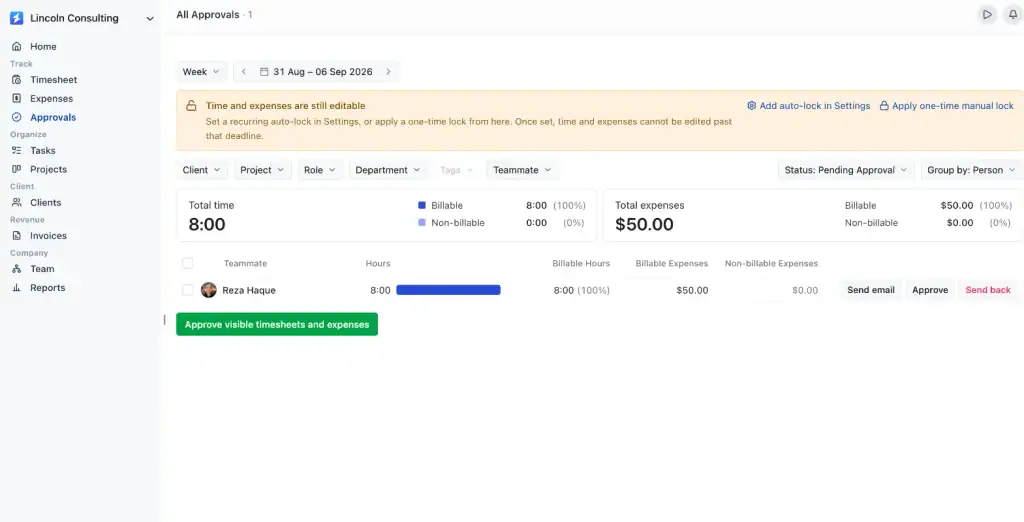
Managers will be able to check submitted hours, confirm their accuracy, and approve them before they are included in client invoices.
This will provide better control over billing and reduce mistakes caused by inaccurate or incomplete time entries.
Client and Admin Chat
Direct chat between clients and workspace teams is coming to OneSuite.
Clients will be able to ask questions, share feedback, and discuss work directly through the client portal.
Admins and team members will be able to manage those conversations without relying on scattered email threads or separate messaging platforms.
Keeping conversations connected to the client and project will make it easier to preserve context and reduce communication gaps.
Custom Invoice Templates
We are building more flexible invoice templates so businesses can create invoices that better reflect their brand.
You will have greater control over invoice appearance, business information, layout, and presentation.
The goal is to help every invoice feel like a professional and consistent part of the client experience.
Subscriptions and Recurring Billing
Subscriptions and recurring billing are also in development.
This will help businesses manage:
- Monthly retainers
- Recurring consulting services
- Maintenance plans
- Ongoing support packages
- Membership-style services
- Repeating client invoices
Instead of manually creating the same invoice every billing period, businesses will be able to automate recurring charges and manage predictable revenue more efficiently.
Proposal Builder V2
We are redesigning the OneSuite proposal builder.
Proposal Builder V2 will provide a smoother editing experience, more customization options, and a more professional way to present project scope, services, deliverables, timelines, and pricing.
The goal is to create a connected journey from proposal to contract, project, invoice, and payment without recreating the same client information across different tools.
A More Complete Workflow for Service Businesses
The upcoming updates are designed to create a complete client workflow inside OneSuite:
Lead → Proposal → Contract → Project → Chat → Time → Expense → Approval → Invoice → Subscription
Each step remains connected to the same client record.
This means less copying information between systems, fewer disconnected conversations, and a clearer experience for both your team and your clients.
Simpler OneSuite Pricing
Alongside these updates, OneSuite is introducing simpler pricing.
OneSuite is moving toward one straightforward plan:
- $9 per user per month
- $7 per user per month when billed annually
There are no complicated feature tiers or bundled team packages.
Teams can access the complete OneSuite platform and scale their workspace as they grow.
The goal is to make pricing easier to understand while giving service businesses access to the tools they need to manage clients, projects, billing, and communication from one place.
Help Shape What We Build Next
Many of the updates in this release came directly from customer requests.
Your feedback helps us understand where client work becomes repetitive, where communication breaks down, and where OneSuite can save your team more time.
Have an idea for the client portal, CRM, project management, invoicing, or reporting?
Reply to our product emails, contact the OneSuite team, or add your request to the public roadmap.
We read every response.
Start Exploring OneSuite Today
Experience the latest CRM, email, client portal, accounting integration, and workflow improvements in your OneSuite workspace.
Log in today to explore what’s new, connect your preferred SMTP provider, review your CRM, and simplify the way you manage client work.
Log in to OneSuite and explore the latest updates →
More features—including client chat, subscriptions, Proposal Builder V2, expense tracking, timesheet approvals, and advanced project budgeting—are coming soon.
More updates—including client chat, subscriptions, Proposal Builder V2, expense tracking, timesheet approvals, and advanced project budgeting—are coming soon.
OneSuite is becoming a more connected way to manage the complete client journey, from the first opportunity to the final payment.
Start exploring OneSuite today
No credit card is required