
OneSuite May Update: Calendar Views, Dashboard V2, and More

June 3, 2026
Just last month, we shipped one of our biggest updates yet: Time Tracking, Timesheets, Email Inbox, and a whole batch of invoicing improvements. And as always, you didn’t stay quiet about it.
You told us what you wanted to see next:
Let me plan my work by date. Give me a dashboard that actually shows the full picture. Make the client portal feel like mine. Clean up the screens I stare at all day.
Honestly?
These are our favorite kinds of messages.
Once the big features are in place, refinement becomes everything. And that’s exactly what May was about. This release brings Calendar views to Projects and My Tasks, a fully rebuilt and customizable Dashboard, a brand-new client portal home, a status-based project board, Invoice V2, completed Outlook support, and a cleaner UI across CRM, Projects, and Invoicing.
Let’s take a look!
New in Calendar Views
Lists tell you what needs doing. Boards tell you where it stands. But neither one tells you when and “when” is usually the part that bites you.
So we brought Calendar into OneSuite. In two places.
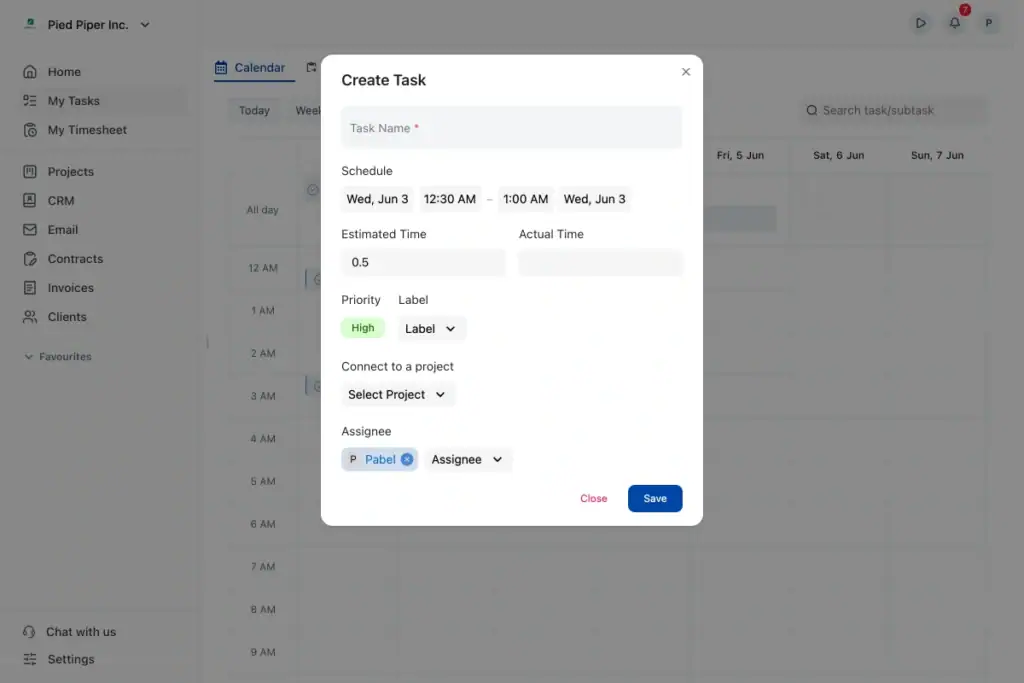
Plan Your Day in My Tasks
Your personal task hub got a Calendar view too. Everything assigned to you, across every project, on one calendar, next to Upcoming, Overdue, Completed, and Team Overview.
No more clicking through five project boards just to figure out what your Tuesday looks like.
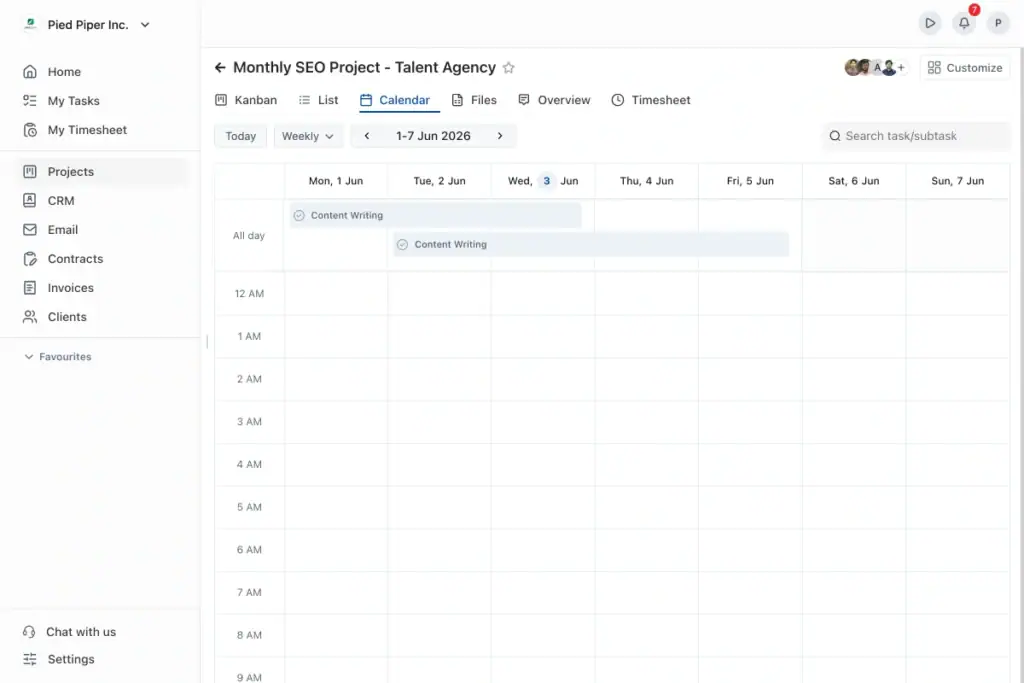
And See Your Whole Project by Date
Open any project and there’s a new Calendar tab, sitting right next to Kanban, List, and Files. Every task and subtask, laid out across the week. Spot the crunch days early. Rebalance before things slip. Jump to Today, switch to a Weekly view, search any task without leaving the screen.
Deadlines stop sneaking up on you. That’s the idea.
New in Your Dashboard
The old dashboard did its job. But “did its job” was never the goal.
Say hello to Dashboard V2 — cleaner, faster, and finally yours to shape.
The moment you log in, your headline numbers sit across the top: Active Clients, Ongoing Projects, Total Revenue, Pending Invoices. Everything else lives right below.
Make It Fit How You Work
Hit Customize. Resize any widget between half and full width. Drop the ones you don’t use. Drag the rest into the order that makes sense to you. Add hidden ones back whenever you want.
And your layout? It saves itself. No Save button. It’s right where you left it next time you log in.
The Widgets That Run Your Agency
This is the stuff that used to live in five different tabs, now on one screen:
- Revenue Overview & Forecast — your revenue week by week, plus a forward projection from your pipeline.
- My Tasks & Overdue Count — your queue, and overdue work sorted by age so you fix the worst first.
- Upcoming Deadlines & Most Active Projects — what’s due, and where your team’s energy is going.
- Top Projects & Top Clients by Revenue — what actually drives the business.
- Pipeline, Pipeline Growth & Lead Source — your CRM health, and where your leads come from.
- Stalled Opportunities & Overdue CRM Tasks — the follow-ups that quietly cost you deals.
- Documents & Contracts — what’s sent, awaiting a signature, or shared but not yet opened.
Open OneSuite. Know where you stand in seconds. Done.
Still hungry for more? Dig into the details in the OneSuite documentation.
New in the Client Portal
Your client logs in. What’s the first thing they see?
Until now — not much. So we built them a real home.
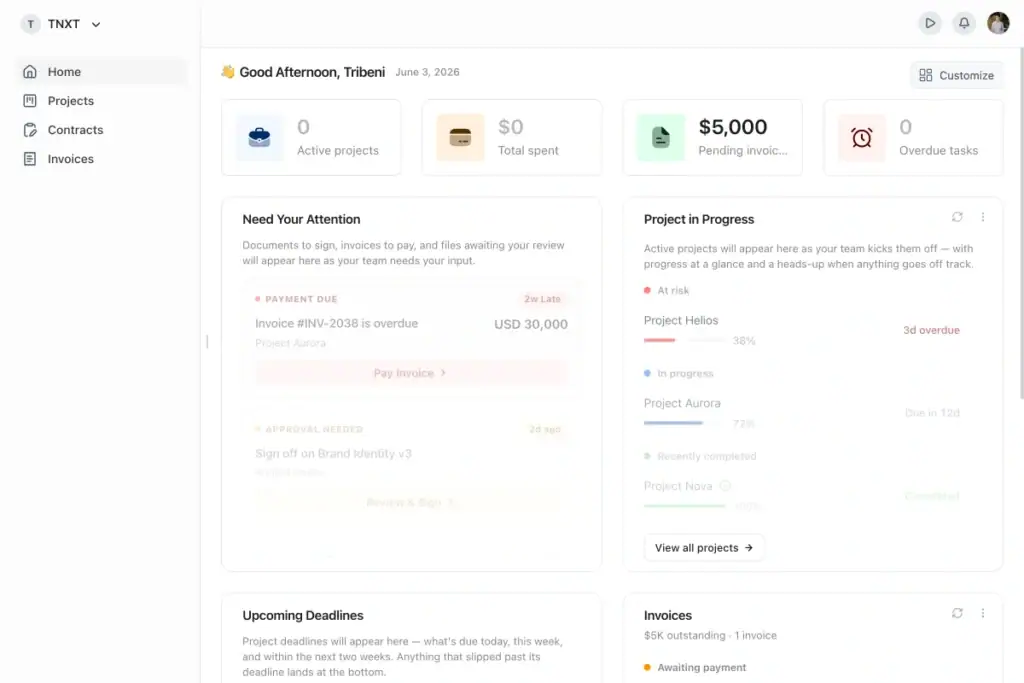
The new Client Portal Dashboard greets your client the moment they sign in, with everything they care about already laid out:
- Need Your Attention — invoices to pay, documents to sign. Nothing slips.
- Projects in Progress — live progress on every project, with a heads-up when something’s at risk.
- Upcoming Deadlines — what’s due today, this week, and in the next two weeks.
- Invoices — what’s outstanding, with a clear path to pay.
- A welcome video — add a walkthrough and greet every new client the second they arrive.
It’s the difference between a client who emails “any update?” and a client who already knows. Less back-and-forth. More trust.
New in Project Management
A board is only as good as the way it’s sorted.
You can now see your whole Projects page as a status-based Kanban Working, Paused, Completed, Archived each column with a live count. Drag a project across as it moves. Filter the board by client, collaborator, due date, priority, category, or tags.
It’s your entire agency’s workload, visual, in one glance.
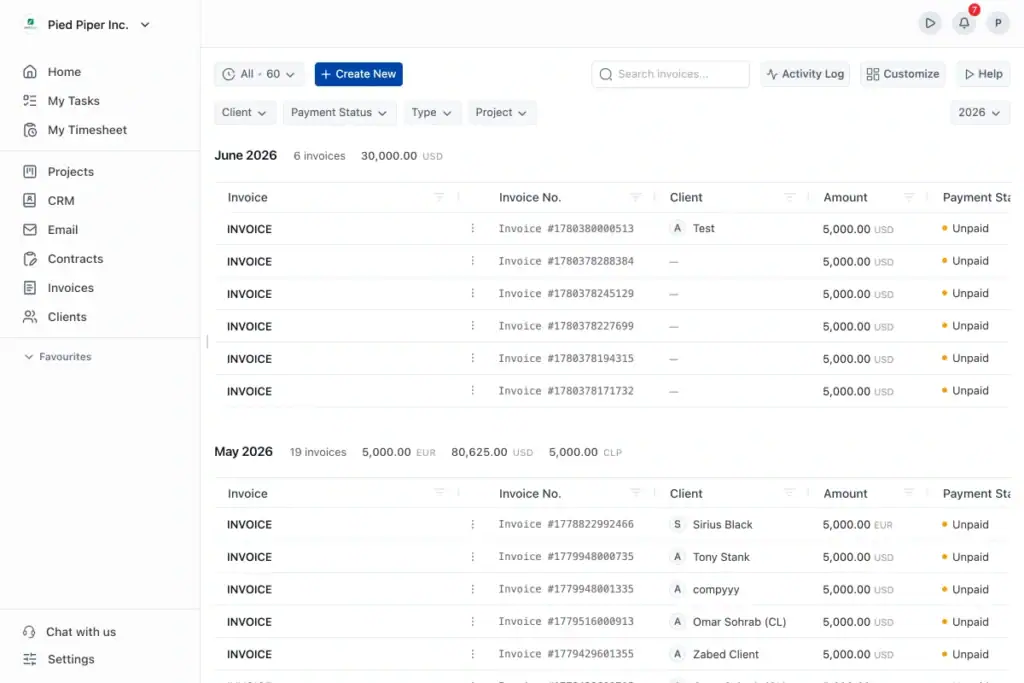
Improved Invoice Experience
Billing should be the easy part of the week. Too often, it eats your Friday afternoon.
Invoice V2 changes that — a cleaner layout, a smoother flow, less manual fiddling. The kind of polish that makes sending an invoice feel like nothing at all, instead of a chore you put off.
Outlook Is Now Fully Connected
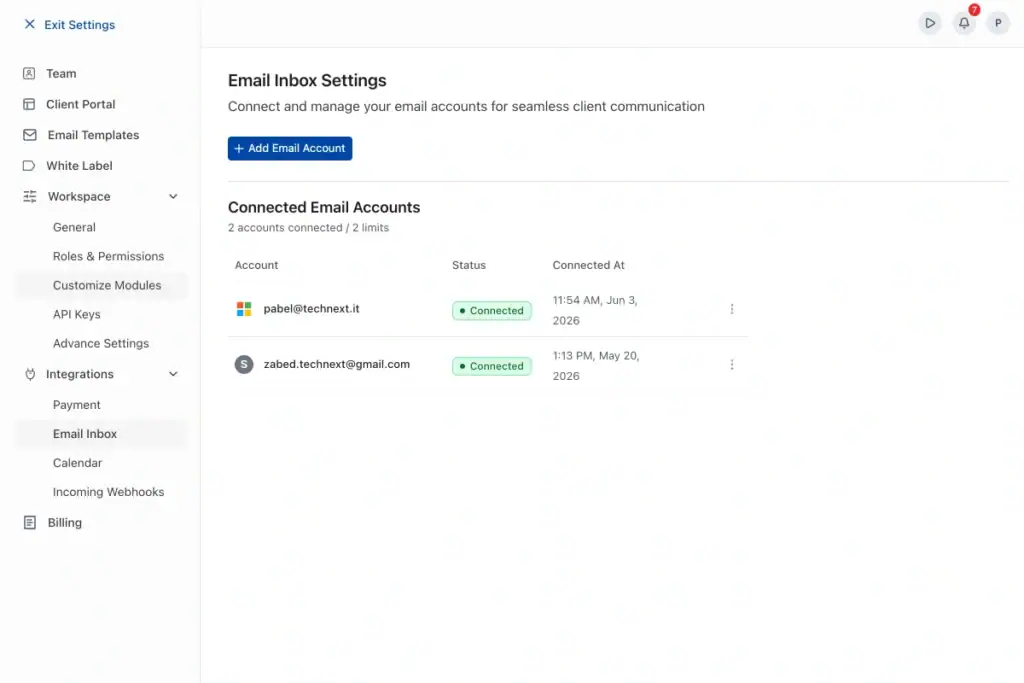
Run your client email through Microsoft Outlook? This one’s for you.
Outlook verification is done. Connect your Outlook account right alongside Gmail and handle all your client email inside OneSuite. No tab-switching. No lost threads. No context stranded in another inbox.
More Improvements You’ll Notice
We also refreshed the UI across CRM, Projects, and Invoicing. Cleaner screens, better spacing, a more consistent feel.
Small on their own. But together, they make OneSuite faster — and a lot nicer to spend your day in.
What’s Coming Next
We’re not slowing down. Here’s a peek at what we’re building right now, and a lot of it came straight from your requests.
Folders. A cleaner way to keep things organized. You’ll be able to create folders in your CRM and in Documents, then keep all your files tidy and easy to find inside OneSuite. No more endless scrolling to track down that one contract.
Project Templates. Stop rebuilding the same project from scratch every single time. Set up your go-to structure once, then spin up a new project in seconds.
Invoice Templates. Same idea, but for billing. Save your favorite invoice setup and reuse it whenever you need it. Less clicking, faster sending.
Integrations. This is a big one. We’re connecting OneSuite to the tools you already live in, like Calendly, Google Calendar, Outlook Calendar, and Zoom scheduling. Book calls and sync your schedule without ever leaving your workflow.
Chats. Real conversations, right inside OneSuite. Talk to your team and talk to your clients in one place, so there’s less email to dig through and less hopping between apps.
That’s where we’re headed. And like always, the roadmap is shaped by what you tell us, so keep the feedback coming. 👋
And that’s May.
Every one of these is live in your account right now. Log in, open the new Calendar, make Dashboard V2 your own, and send your next invoice with V2.
More coming soon — and a lot of it is shaped by what you tell us. So keep the feedback coming. We’re listening. 👋
Start exploring OneSuite today
No credit card is required