
13 Best Project Management Software for Designers in 2026

September 2, 2026
Let me tell you about a super-talented design agency I recently caught up with.
They were seriously frustrated. Despite their amazing design skills, their project management was a mess—files were disappearing, deadlines were missed, and client feedback was spread across endless email threads.
When they told me about their struggles, I suggested they try out a project management software for designers.
A few weeks later, they told me it had completely changed their workflow. Visual boards, automated reminders, and a streamlined feedback system changed everything.
It’s crazy how one tool made such a difference.
In this blog, I’ll share exactly what made this switch so impactful for them and how it could work for you, too.
Key Takeaways
- At the very first, I explained why designers need project management software and then explained the key features that a design project management software should have.
- Then, I presented the best 13 project management software for designers.
- OneSuite – Best for Client Portal
- Taskip– Best for Project Management
- Monday – Best for Automation
- Asana – Best for Work, project, and task management
- Trello – Best for Boards, cards, and lists for project management
- Wrike – Best for Custom workflows
- Miro – Best for Dedicated approach to security
- Notion – Best for CMS
- ClickUp – Best for Customized tasks
- Basecamp – Best for Project boards
- Hive – Best for Open Source
- Jira – Best for Version control, release cycles, and burndown charts
- ProofHub – Best for Task and project management
- After reviewing 13 project management software, anyone can be puzzled, so I explained how to pick the best one for your agency or freelance work with a few tips.
Why Do Designers Need Project Management Software?
Yes, even designers or agencies need project management software to track and organize every detail of a project. When the design agency shared their frustrations with me, I knew they needed a more streamlined process.
A tool built for designers is more than a productivity boost—it’s essential. They juggled design assets, feedback rounds, and tight deadlines, but standard tools didn’t fit their creative workflow. They needed—
- Visual collaboration (think drag-and-drop boards),
- Easy file sharing,
- A simple feedback system to keep everything organized and
- It had to integrate with tools like Adobe, Figma, or Sketch to avoid constant app switching.
The right tool doesn’t limit creativity—it frees them up to focus on what they do best while staying organized. That’s what made the difference for this agency.
Key Features for Design Project Management Software
Design teams do not need a tool with hundreds of unrelated features. They need a system that keeps creative work organized, makes feedback easier, and shows whether projects are progressing within their deadlines and budgets.
1. Flexible Project and Task Management
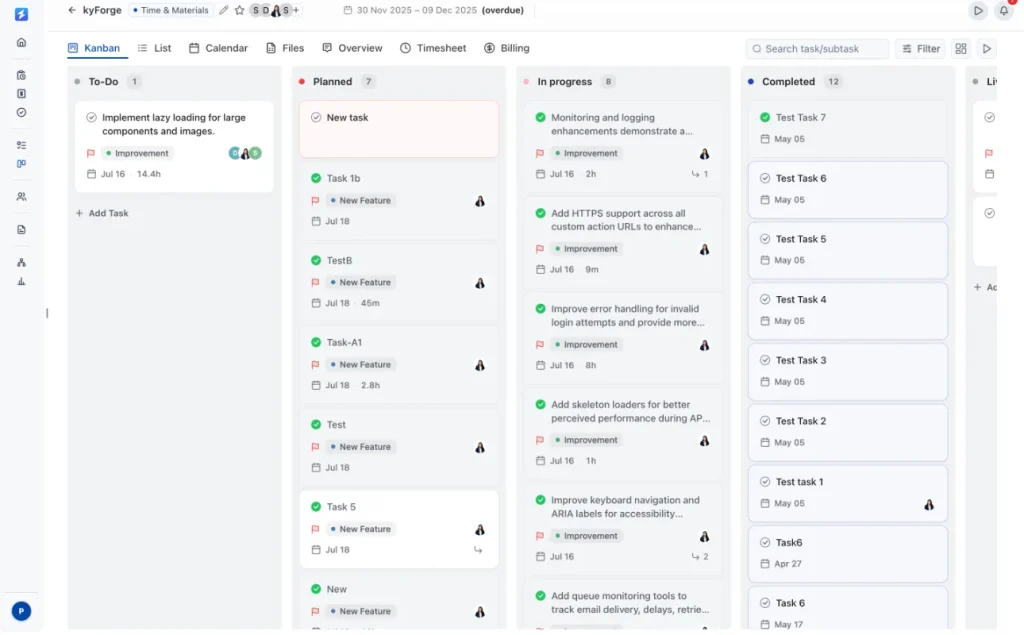
Design projects move through briefs, concepts, revisions, approvals, and final delivery. The software should let teams create custom project stages, organize tasks into sections, assign responsibilities, set priorities, and monitor deadlines through Kanban or list views.
2. Client Feedback and Approval
Feedback should remain connected to the project instead of getting lost in email. A client portal allows clients to follow progress, access shared files, comment on tasks, review deliverables, approve work, or request changes from one place.
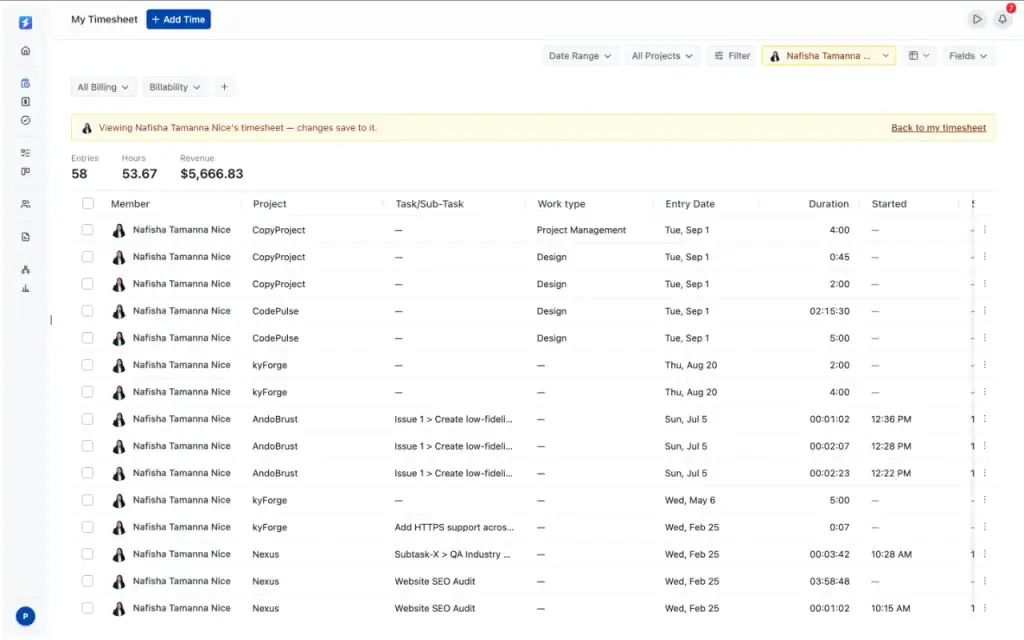
3. Team Workload and Time Tracking
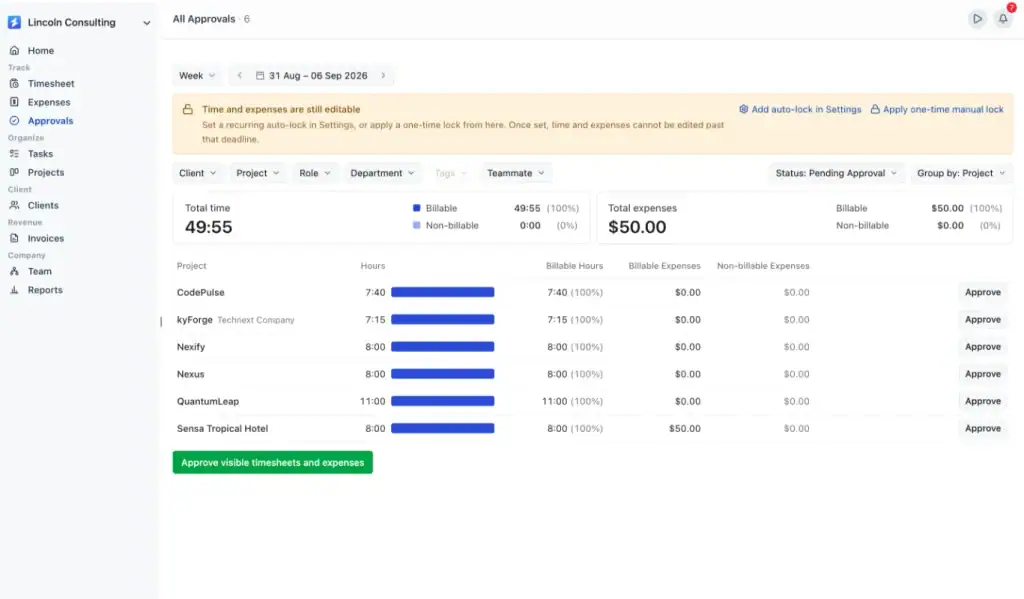
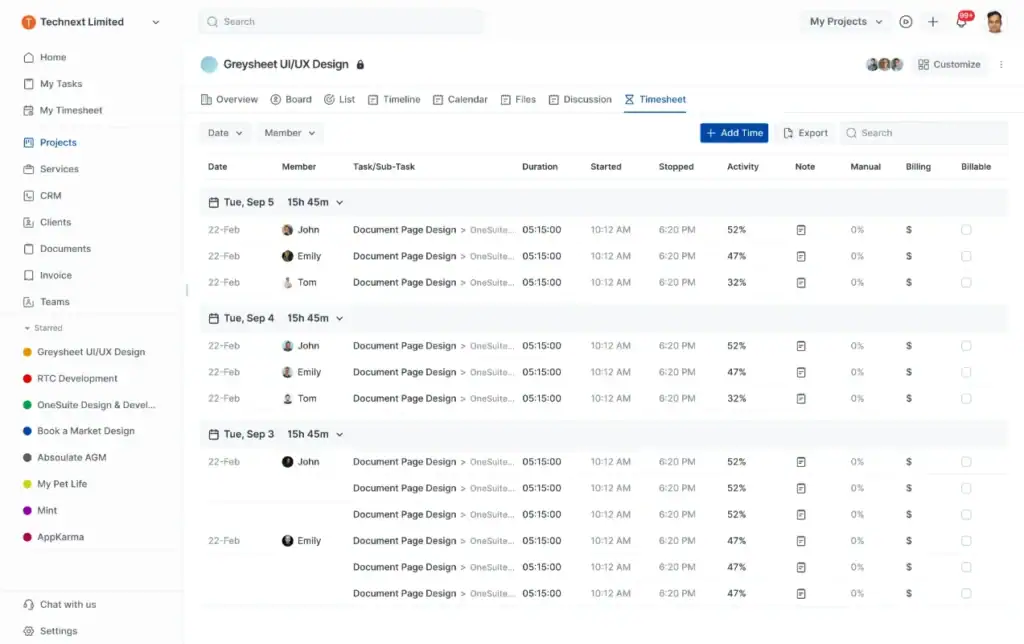
Managers need to know who is working on each project and how much time the work requires. Task assignments, team roles, billable rates, time tracking, and timesheets help agencies balance workloads and calculate the real cost of creative work.
4. Project Budget and Expense Management
Creative revisions and additional requests can quickly affect profitability. Design agencies should be able to set project budgets, record expenses, track billable and non-billable hours, and compare planned costs with actual activity.
5. Reporting and Invoicing
Useful reporting shows more than completed tasks. It should connect project progress with tracked time, team costs, expenses, revenue, and profitability. Approved timesheets and project expenses should also flow into invoices without repeated data entry.
6. Files, Integrations, and Access Control
Design files must be easy for the right people to find. Centralized folders, Google Drive or OneDrive connections, client file uploads, and customizable access levels help teams share assets while controlling what clients and team members can see.
Best Project Management Software for Designers: Quick Overview
And then I suggested 13 best project management software that is specially tailored to serve designers. Here are the quick overview—
Best Project Management Software for Designers: In Detail
Isn’t it obvious that a quick overview is not enough to determine the creative agency project management software? So, I elaborated in detail.
Let’s catch it.
1. OneSuite
Pricing
OneSuite pricing starts at $9 per user/month, or $7 per user/month with annual billing. A 14-day free trial is available with no credit card required.
Overview
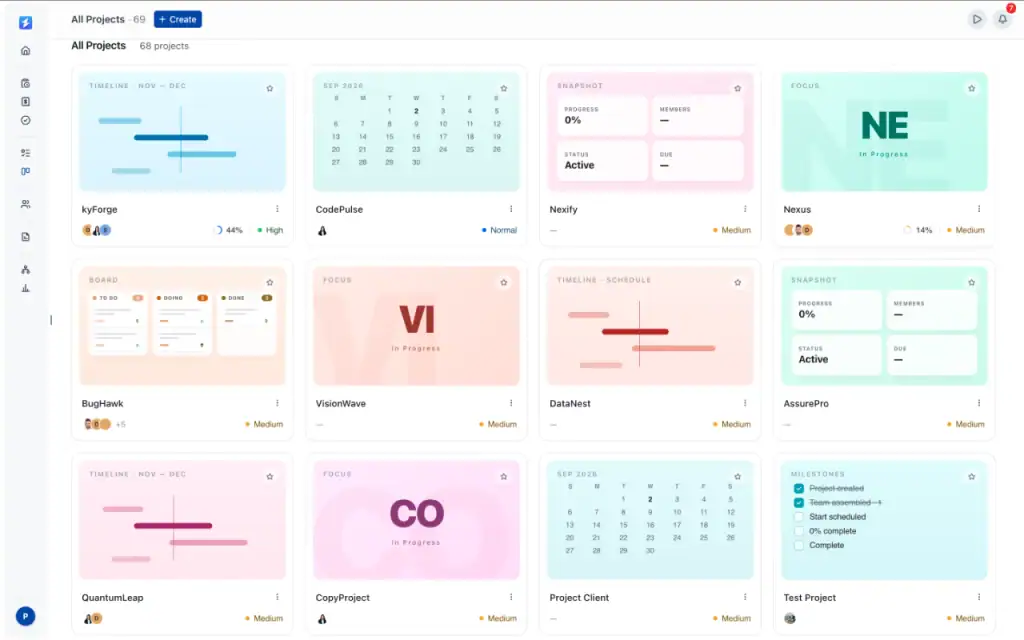
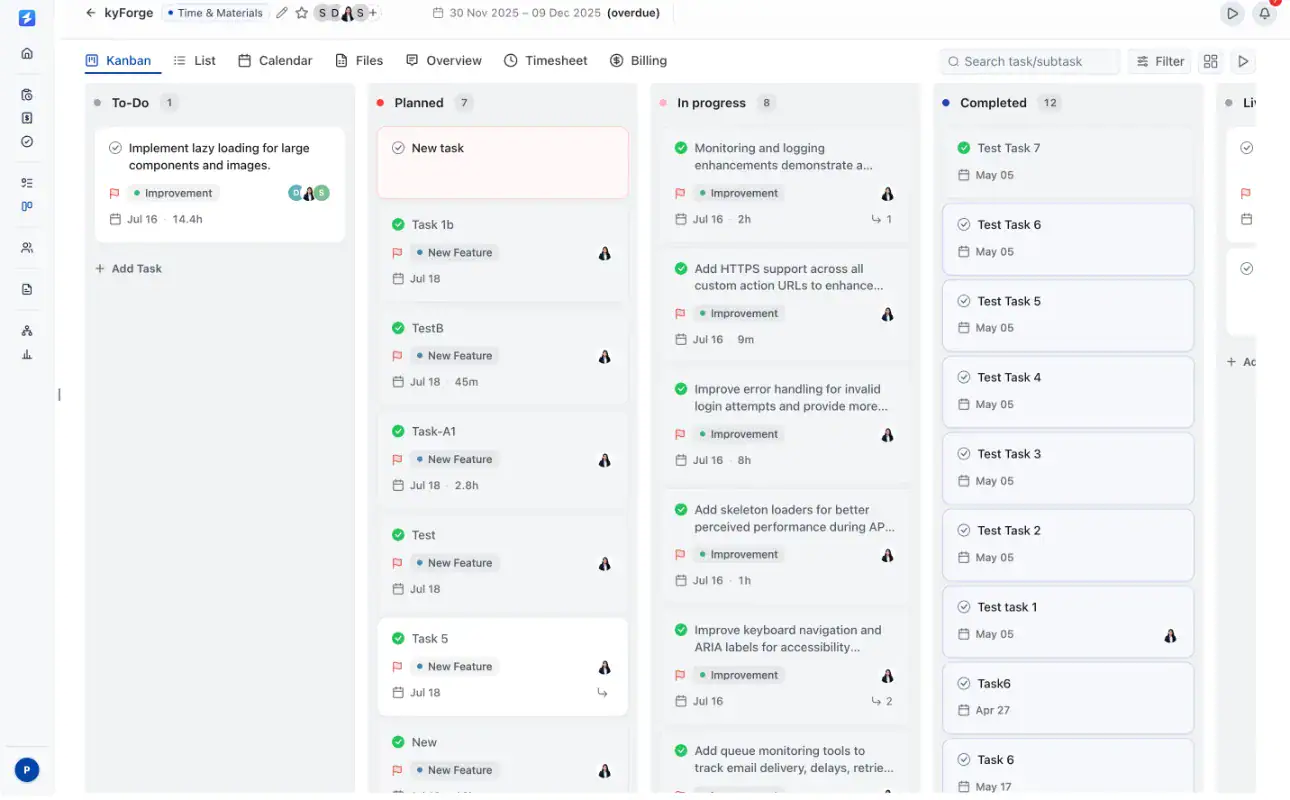
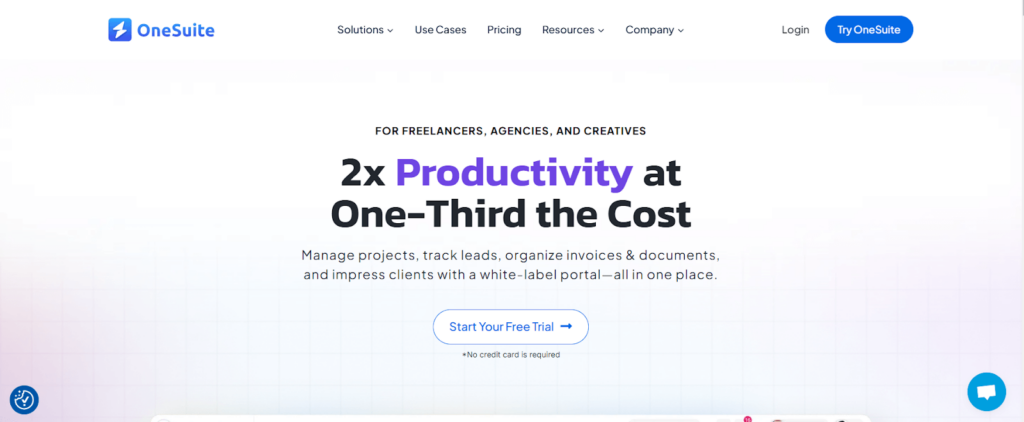
OneSuite is an all-in-one project management platform for freelance designers and creative agencies. It helps teams organize design briefs, assign tasks, manage revisions, track deadlines, share files, and move projects from concept to final approval.
Designers can manage work through Kanban and list views, reuse project templates, track billable time, record expenses, and monitor project budgets. The client portal also gives clients one place to review progress, upload files, provide feedback, approve deliverables, and access invoices.
OneSuite is best for design teams that want to connect projects, clients, team workloads, reporting, and billing without managing several separate tools.
Key Features
- Kanban and list views for organizing design projects
- Reusable templates for recurring creative workflows
- Tasks, subtasks, priorities, deadlines, and custom fields
- Team roles, workload management, and task assignments
- File sharing through Google Drive and OneDrive
- Client portal for feedback, approvals, and progress updates
- Time tracking with billable and non-billable hours
- Timesheet submission and approval
- Project budgets, expenses, and profitability reporting
- Invoices created from approved time and project costs
OneSuite’s User Feedback:
✌️ The developer team has thought about every aspect of a team’s day to day need. While using the app, I never felt like I am missing anything. On top of that, there are some features that even changed the way our company is being managed now. Kudos to the devs.
–Trusted Review on G2
✌️ OneSuite has revolutionized our agency’s workflow, integrating project, lead pipeline, and invoice management into a seamless experience. With its document management system and digital signing feature, client interactions are now smoother and more professional.
–Trusted Review on G2
2. Taskip
Pricing Plan
Taskip’s Pricing starts from $12 to $89 per month.
Overview
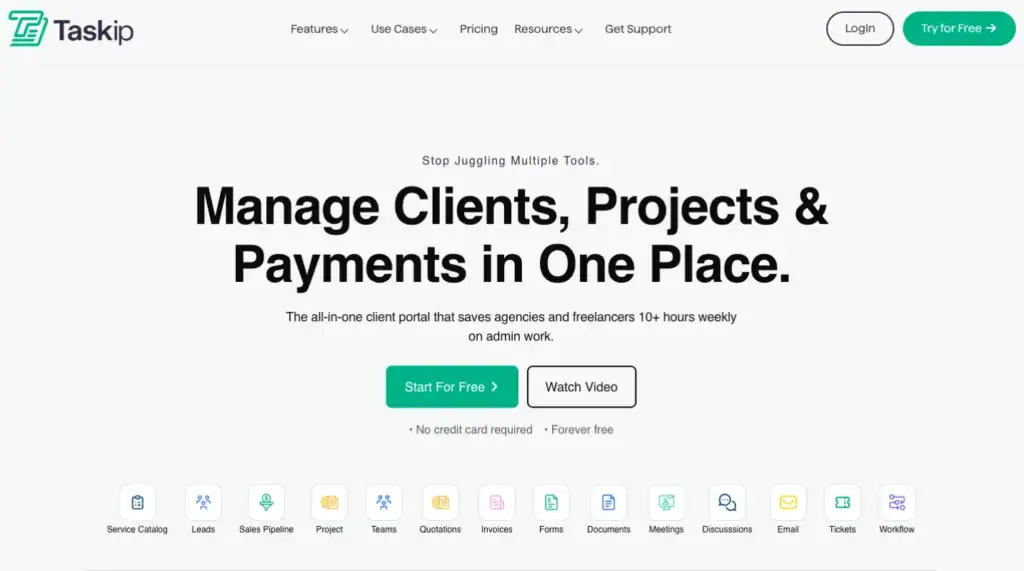
Taskip is a complete task and project management tool built for service businesses that need more than just boards and to-dos. Instead of only tracking tasks, it connects CRM, sales pipelines, projects, invoicing, client communication, support tickets, and automation in one workspace. That makes it a strong pick for agencies and small teams that want one system from lead to payment.
With Kanban boards, role-based access, a white-label client portal, time tracking, and trigger-based workflows, Taskip helps teams stay organized, reduce tool switching, and deliver a more professional client experience—especially when managing multiple clients at the same time.
Key Features
- All-in-one CRM + project + billing workflow in one workspace
- Kanban boards for simple task tracking
- White-label client portal for updates, approvals, tickets, and payments
- Built-in proposals and invoicing linked to projects
- Trigger-based automation for follow-ups and routine actions
Customer Reviews
- I love using a client management system that lets me handle everything from contracts to invoices. – anonymous g2
- The payment integration, specifically with PayPal, tripped me up a bit—the guide for connecting it wasn’t available at the time I needed, which meant I had to reach out to support for help. – anonymous g2
- “Taskip has been a game-changer, streamlining my entire workflow.” – anonymous g2
3. Monday
Price
Starts from free to $24 per month with a custom plan.
Overview
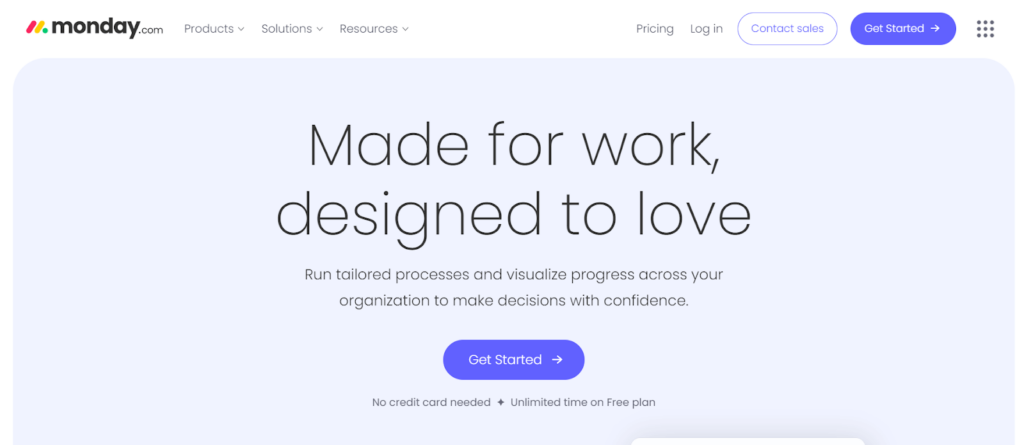
monday.com is a leading work management platform, offers customizable solutions for tasks like resource management, sales pipelines, and client projects, all with a simple drag-and-drop interface.
The platform integrates with tools and uses AI and automation to streamline repetitive tasks, boosting productivity.
Recognized as a leader in adaptive project management, monday.com provides real-time insights for data-driven decisions. Its flexibility grows with your business, offering a seamless experience across all departments.
Key Features
The features of the Monday software are—
- Manages all the projects & tasks with Monday’s project Management.
- Successfully start and finish the tasks with task management.
- The resource management allocates and manages resources.
- You can get a detailed overview of every project with a portfolio management feature.
- The business operations help you to manage business workflows seamlessly.
Customer Reviews
Here are some customer reviews of Monday from various platforms:
- A project tracking tool designed to keep the entire team in communication—Jose R.
- Monday Increases Efficiency and Productivity—Alexis S.
- While the automation feature is a standout, it can be challenging for new users to master—Ajay S.
- Monday.com includes a formula tool for performing computations, but formulas cannot be used in automation, which I believe is a disadvantage—Rupal S.
4. Asana
Price
Asana’s pricing plan starts from free forever to customized pricing plan.
Overview
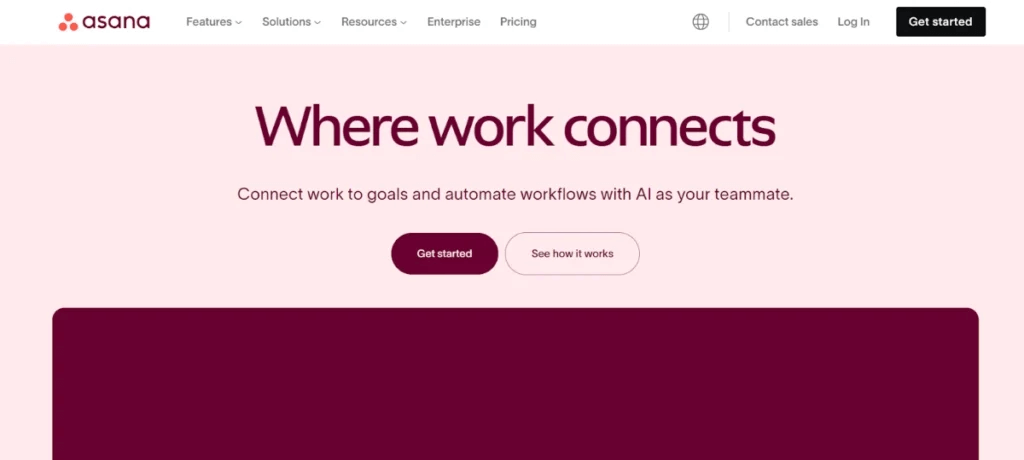
Asana connects work to goals, helping teams stay organized and focused.
With built-in AI, Asana automates workflows, giving teams more time to focus on impactful tasks. Its real-time progress tracking, workflow automation, and goal-setting tools streamline operations, making it easier to meet business objectives.
Asana’s flexibility shines across departments, from marketing to IT and product development. The platform integrates with over 300 tools and ensures enterprise-grade security, making it a scalable solution for companies of any size.
Customer Review
Here are some customer reviews of Asana from various platforms.
- Asana makes everything shareable, saves us time executing programs because it’s so much easier to replicate and learn from what others have done—Simon L.
- Great Capabilities But Steep Learning Curve—Megan C.
- Can’t even check it out without a credit card—Dianna S.
5. Trello
Pricing
Starts from free to $17.50 per user per month.
Overview
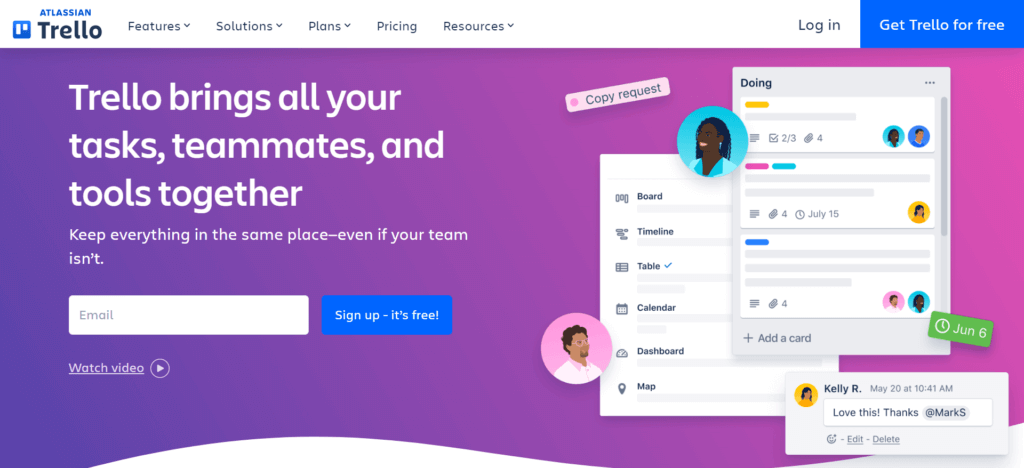
With the Kanban-style interface, Trello makes project management simple and efficient. A Trello board lets you be an organizer, helping you keep everything in order and moving smoothly. This organized board enables you to keep work on track.
You can also create lists to add your to-do work, keep track of every work, and never miss any deadlines.
Plus, the handy card feature allows you to represent your tasks, information, and workflow, making it easier to see exactly what needs to be done and when.
Key Features
The Features of Trello are—
- Allows you to view your team’s projects from every angle.
- Automates tasks and workflows with Butler automation.
- Able to link your team’s favorite tools and boost them up.
- Gives a blueprint and guide to your team’s success with easy-to-use templates.
- This function obtains information about your team’s software and suggests new software to help them do the work more quickly.
Customer Review
Here are some customer reviews of Trello from various platforms:
- Trello manages all of our story management – it’s easy and quick—Neil F.
- Great app with multiple projects views and have no complaints with it.—Mary N.
- I wish Trello allowed more text formatting options within card titles, like bold, italic, or underline—Roselle P.
- The only thing which I don’t like about trello is that it dont let me delete cards once made—Pallavi G.
6. Wrike
Price
Wrike’s pricing starts from free to 24.80 per month per user with a 2 custom plan.
Overview
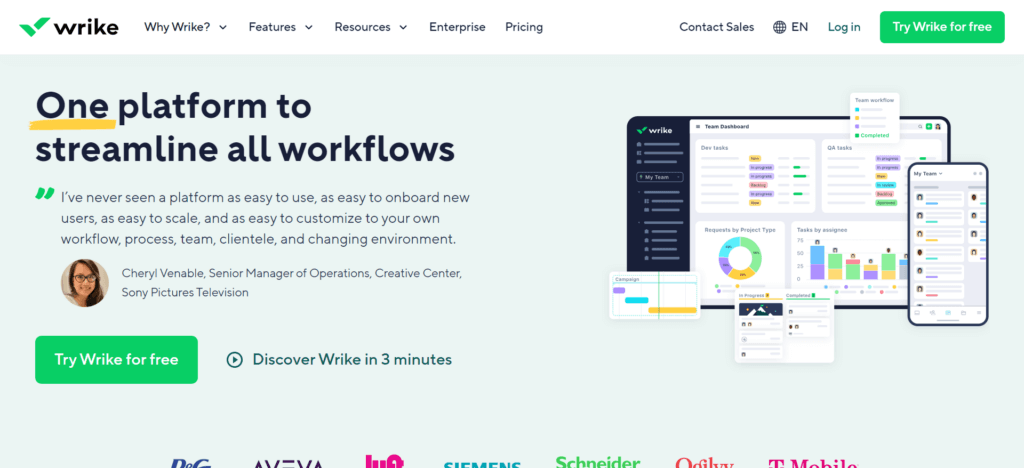
Wrike is a flexible project management tool that helps design teams streamline their workflow. It’s easy to use, quick to onboard, and customizable to fit your team’s needs.
From managing client requests to project execution, Wrike offers features like custom workspaces, real-time dashboards, and automation to reduce repetitive tasks.
With Gantt charts, Kanban boards, and real-time analytics, Wrike improves visibility and supports smooth collaboration.
Plus, its mobile app lets you manage work from anywhere, giving your team the flexibility to stay productive on the go.
Key Features
The features of Wrike are—
- Instant project progress viewing and customizable workflow creation
- Interactive project scheduling for cross-team coordination
- Continuous involvement of approvers from start to finish
- Customizable work items to suit your workplace needs
- Access to over 400 popular apps along with custom integrations
Customer Review
Here are some customer reviews of Wrike from various platforms:
- I’m thankful for Wrike. It’s a fast-paced world, and we’re all trying to keep up. Wrike helps me do just that—Kyle B.
- Pretty good but if you need something powerful look at others—Rickey J.
- Making it Overly Complicated to get work done—Jon K.
7. Miro
Price
Miro’s pricing starts from free to $16 per month per member with a custom plan.
Overview
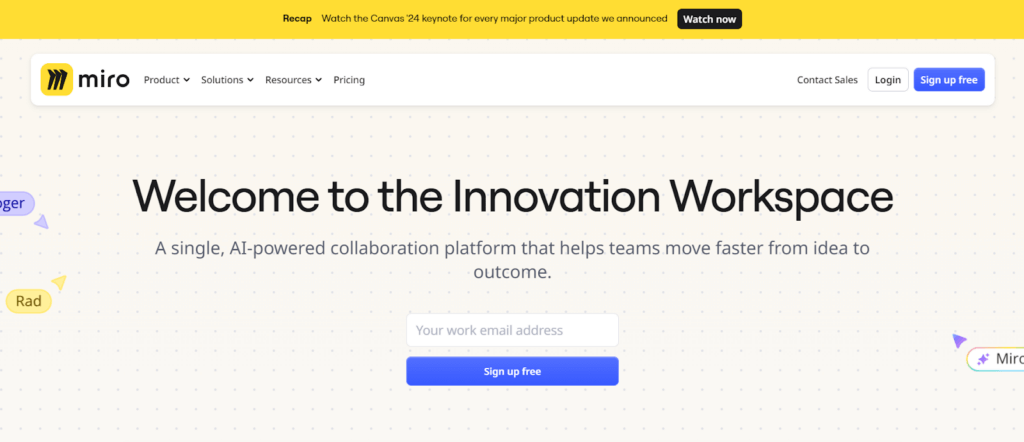
Miro is a collaborative project management tool perfect for design teams. Its AI-powered platform offers an infinite canvas for brainstorming, diagrams, and prototypes. Miro turns creative ideas into clear plans with features like timelines and templates.
The software integrates with popular tools, centralizing project info and speeding up workflows. Miro’s AI helps create briefs and project plans from simple ideas, ensuring teams stay aligned and collaborate smoothly from anywhere.
Key Features
Here are the key features of Miro for designers:
- Miro offers templates, helping design teams kickstart projects in minutes, from brainstorming to product planning.
- Miro Assist uses AI to simplify tasks like generating diagrams and synthesizing research, speeding up design workflows.
- Miro integrates with popular apps, allowing teams to streamline their design processes.
- Miro enables interactive workshops and presentations, making meetings and design sessions more engaging and productive.
- Miro ensures the security of your projects with advanced features
Customer Review
Here are some customer reviews of Wrike from various platforms:
- A Must-Have Tool for Remote Team Collaboration—Christopher M.
- Miro was fine but it didn’t seem to work the way I expected it to—Ryan M.
- Bad customer service, complaints handling—Samuel N.
8. Notion
Price
Notion pricing starts from free to $18 per month with a Custom plan.
Overview
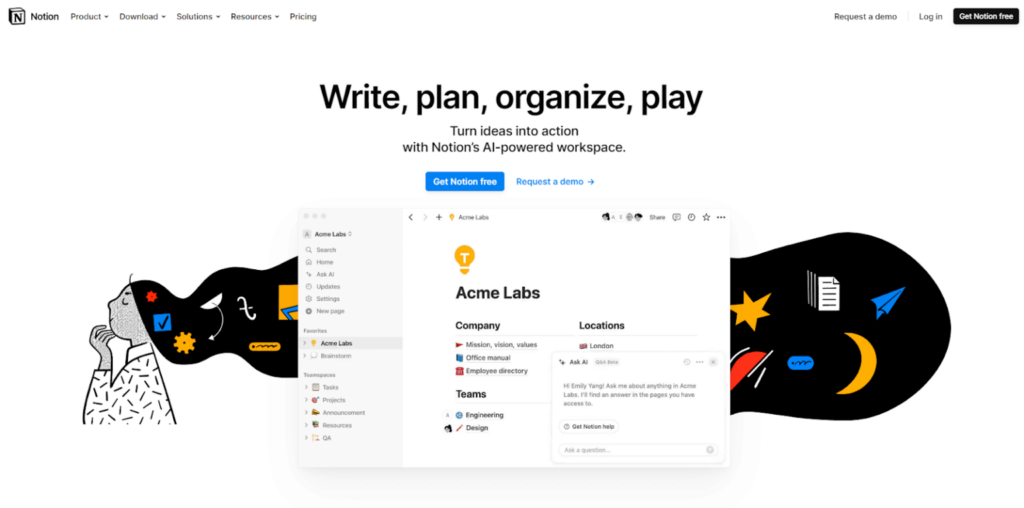
Notion‘s AI-based workspace allows you to turn your ideas into actions, making the digital marketing management system more intuitive.
This versatile software has workspaces for engineers, designers, marketers, operation staff, HR professionals, and similar users. Additionally, Notion supports multiple languages, making it accessible to a global audience.
Key Features
The features of Notion are—
- AI ensures your work is as smart and efficient as possible.
- Docs consolidate your tasks and notes in one convenient place.
- Wiki provides easy access to the information you need.
- Projects allow you to keep track of all your work activities.
- Calendar helps you maintain and organize your schedule.
Customer Review
Here are some customer reviews of Notion from various platforms—
- LOVE how I can see all my tasks + details, and meetings + agendas on one page in Notion—Tem.
- Excellent for tracking activities in multidisciplinary work groups—Jose R.
- Notion’s data export options are limited—Oksana M.
- While Notion is powerful, it can be overwhelming for new users due to its steep learning curve—Miguel P.
9. ClickUp
Price
Starts from free to $19 per month plus a contact sales plan.
Overview
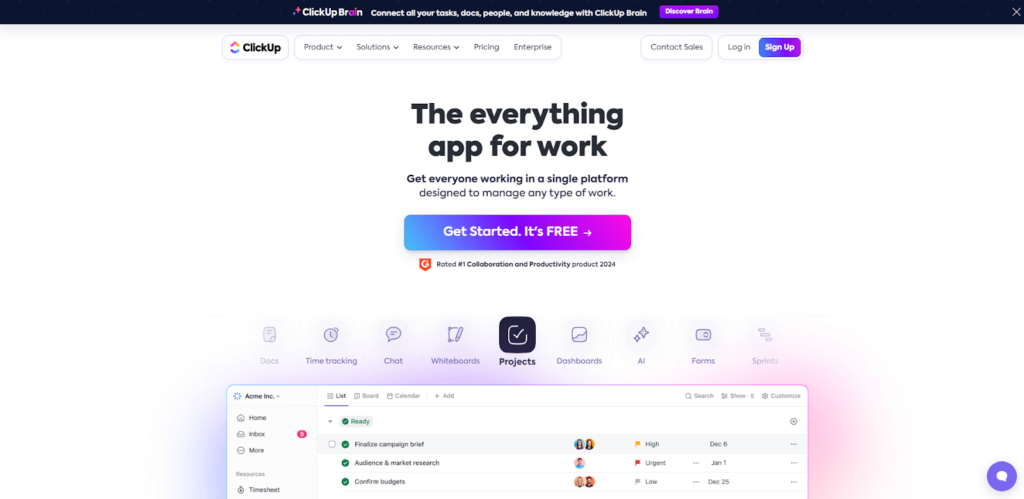
ClickUp is the go-to software for speeding up your work and boosting results. It’s built to save you time and help you accomplish more tasks efficiently. With ClickUp, you can manage and track all your work from a single platform.
The software enhances the quality of outcomes along with speeding up processes. Many top brands rely on ClickUp to customize the perfect team experience and deliver innovative results.
Key Features
ClickUp has so many features like—
- Forms enable you to collect all necessary information in one central location.
- The calendar view helps you schedule and track every task.
- Goals assist you in staying on track with your objectives.
- Chat facilitates smoother communication among team members.
- AI enhances your content, making it smoother and stronger.
Customer Review
Here are some customer reviews from various platforms:
- ClickUp made our production team two-third more efficient—Justin Kosmides
- Although the Mobile and iPad versions are much better now, I wish that they had the full features of the desktop version—Sarmad N.
- Incredibly easy to use, advanced and feature-rich project management—Aleksandra K.
- There’s a bit of a learning curve. You have to take the time to learn the features and how they can serve you best—Madalina I.
10. Basecamp
Price
Basecamp’s pricing starts from $15 to $299 per month if you bill annually.
Overview
Basecamp is a project management platform. It helps small to large teams get organized and make progress in the quickest time possible. Basecamps bring all the hassle in one platform and make it seamless for digital agencies to manage their clients, employees, tasks, and more.
In addition to these, it also helps users by pinging the private conversation to billing, cutting costs, and simplifying onboarding.
Key Features
The features of Basecamp are…
- It facilitates seamless collaboration among team members.
- Lets you view the hill chart for a reality check on progress.
- You can integrate all your cloud services.
- Allows for detailed, minute-by-minute tracking of activities.
- Consolidates all notifications in one place for easy access.
Customer Reviews
Here are some customer reviews from various platforms:
- We have actually accomplished things that have been waiting forever to get done—Danek C.
- The least complex, but also the least feature-rich PM tools—Sarah S.
- The Juice Isn’t Worth The Squeeze—Bryan P.
11. Hive
Price
Hive’s pricing starts from free to $5 per month per user with a custom plan.
Overview
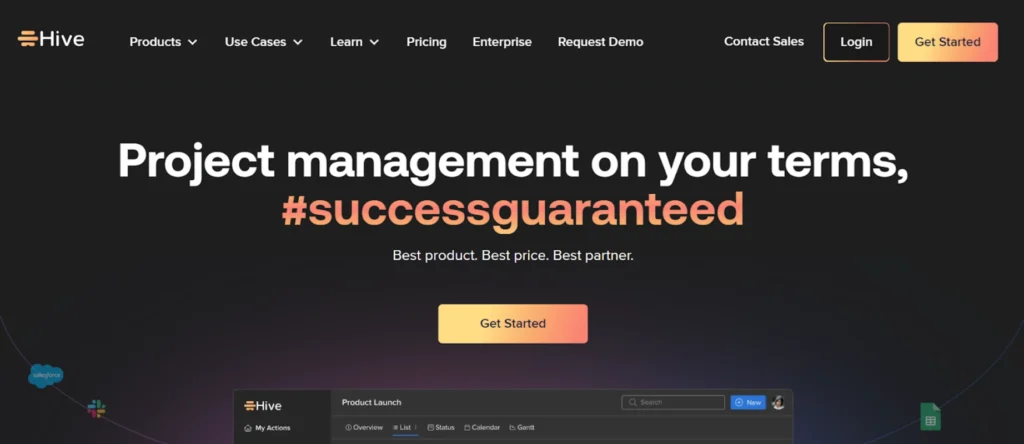
Hive is a project management tool perfect for designers. It offers customizable templates, visual project views like Gantt charts, and easy integration with other tools.
Designers can streamline tasks, proofing, and file sharing in one place. Built by users for users, Hive is affordable and designed to help teams work faster and more efficiently.
Key Features
Here are some key features of of Hive are—
- Designers can visualize tasks and timelines using Kanban, Gantt, Calendar, or Table views, offering flexibility in managing different types of projects.
- Hive allows full customization of workspaces to suit the unique needs of each design team.
- With real-time chat, file sharing, and feedback options, designers can easily collaborate with internal teams and external clients, ensuring smooth project communication.
- Automate repetitive tasks and integrate them with apps, helping designers streamline their workflow and focus more on creative work.
- Hive’s time tracking and timesheet reporting help designers manage deadlines and track progress on multiple projects, ensuring tasks are completed efficiently.
Customer Reviews
Here are some customer reviews from various platforms:
- Hive combines our 3 project management tools into 1—Cardinal Health Team
- Shockingly Hive has no way of backing up either externally or within the platform—Allegra K.
- Good Software but can be glitchy—Tom W.
12. Jira
Price
Jira’s pricing starts from free for 10 users to a custom plan for enterprise.
Overview
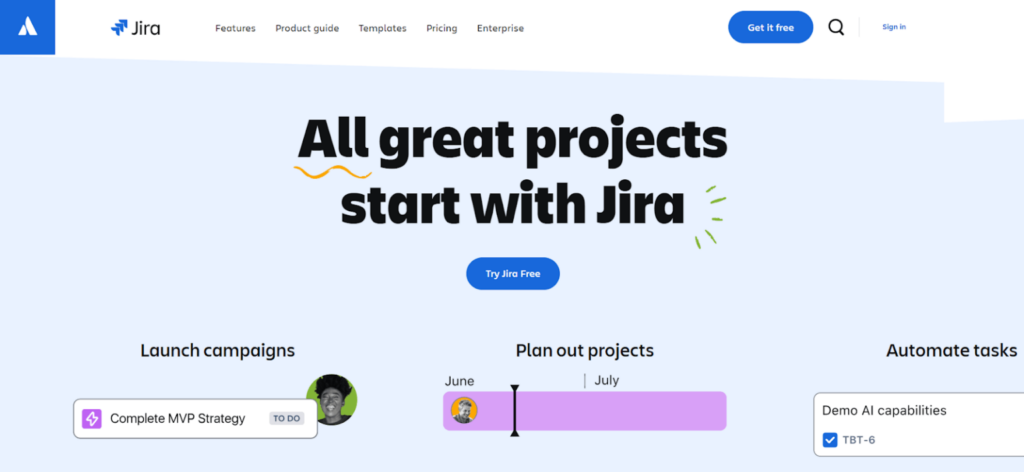
Jira is a versatile digital marketing management system that helps professionals in any profession keep track of their work seamlessly.
We found Jira to be unique—or, I should say, people’s favorite—because it excels at planning and organizing tasks that a digital marketing agency might face, aligning work with strategic goals.
With Jira, you can track your tasks to ensure a swift workflow and use insights to monitor project progress. This optimizes your efforts and helps you assess the risks and opportunities that lie ahead.
Key Features
The features of Jira are—
- Jira allows you to keep track of timelines effectively.
- Enables you to manage work with powerful, agile boards.
- Offers access to detailed reports and insights.
- The drag-and-drop automation feature brings ease of use.
- Allows a glance at code and deployment status.
Customer Reviews
Here are some customer reviews from various platforms:
- Jira macros & Smart Links have really been pivotal in collaboration, productivity, & discoverability—Joe C.
- Great way to organize and plan projects—Abhinav K.
- Disappointing product from a well-established company in the space—Thomas L.
13. ProofHub
Price
Proofhub’s pricing plan starts from $45 per month to $150 per month (Annual).
Overview
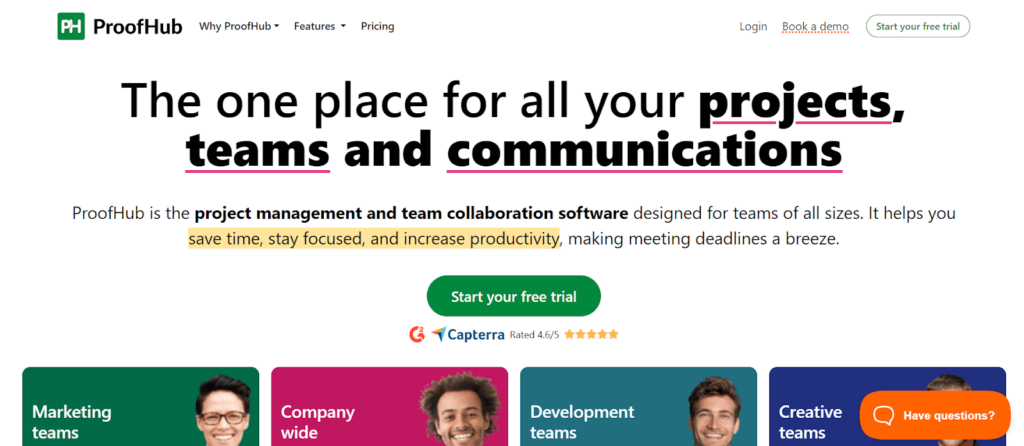
ProofHub is a user-friendly project management software tailored for designers and creative teams. It streamlines the workflow—from handling design requests to delivering projects.
With real-time collaboration features, designers can easily share files, provide feedback using markup tools, and manage approvals.
Although its app integrations are limited, its robust file-sharing, version tracking, and permission-based access make it an ideal tool for design project management in medium to large businesses.
Key Features
The features of ProofHub are—
- It allows users to view the project in 5 different ways.
- Manage projects the right way by bringing the team together.
- Proofhub reports give users a clear idea of the entire work process.
- With effective communication and collaboration, you can work with your team seamlessly.
- Integration makes it easier to work in one place.
Customer Reviews
Here are some customer reviews from various platforms:
- TIME SAVER! It saves all of us time and energy—Amy S.
- Great potential but still has a way to go in UX—Christopher H.
- Constant server and crashing issues. Avoid!!!—Gareth A.
How to Choose the Right Project Management Software for Your Design Needs
Outta 13 project management tools, picking one from the design agency was quite difficult. So, I helped ‘em out by describing 5 facts to choose the right tool with the proper reason.
These’re,
1. Scalability
Scalability is crucial when designing project management software because creative teams often handle increasing projects as their business grows. Ensuring the software can scale with the team’s needs allows for seamless project management without the hassle of switching tools later.
A scalable PMS helps designers manage larger teams, more clients, and multiple projects at once. It ensures that the software can adapt to handle more tasks, users, and resources efficiently as workloads increase. This prevents workflow bottlenecks and keeps everything organized, ensuring that deadlines are met without sacrificing quality.
2. Budget
Imagine paying for a project management tool only to find out you still need several other tools to get the job done. You’re back to juggling tabs and wasting time. What’s the point of that?
That’s why it’s important to evaluate both the cost and the features of any PMS before committing. If the tool doesn’t meet your needs—even if it’s the cheapest option—you’re setting yourself up for frustration and wasted resources.
In the case of the design agency I helped,
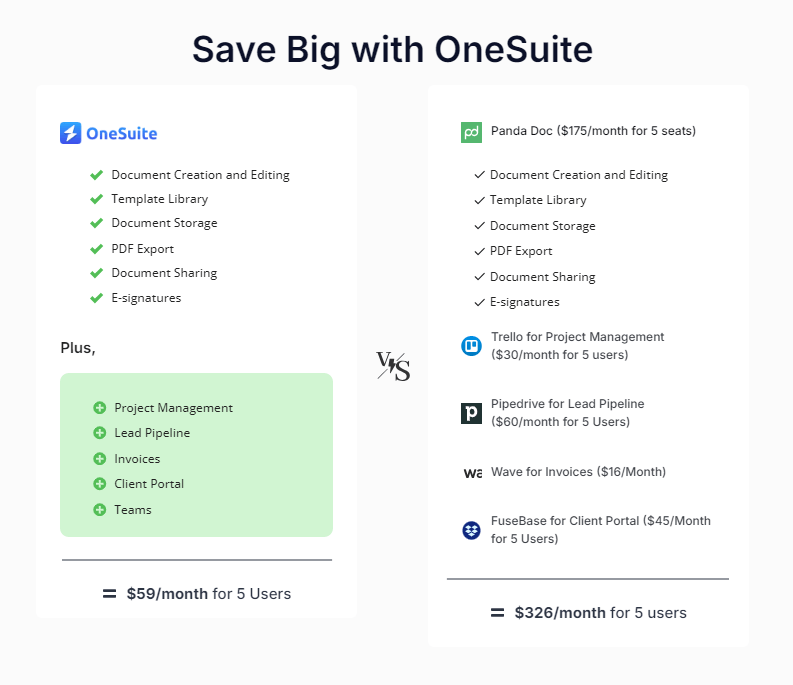
they were using 5 different tools just to keep up, costing them $326 per month for 5 users. When I suggested OneSuite, it simplified everything. It only costs $59 per month for 5 users—saving them a ton of money and headaches. 🤯
3. Integrations
The design agency constantly switched between tools like Figma, Adobe, Sketch, and project management software to complete tasks, review designs, and update progress. This constant tab-hopping was a major time drain and tested everyone’s patience.
That’s when I advised them to consider integration scalability before investing in a new tool. A PMS that doesn’t seamlessly integrate with the other tools they use will only slow them down in the long run.
Note: They could solve this issue with OneSuite. Its flexible API integration allows designers to connect with any tool they need, streamlining their workflow and saving valuable time.
4. Features
Before committing to any tool, ask yourself: are the features your project management software provides truly enough for your design agency? If not, it’s time to stop using it immediately.
In the case of the design agency I mentioned, they were frustrated with a tool lacking essential workflow features, leaving them constantly scrambling for external solutions.
If your PMS doesn’t meet your specific needs with rich features and functionality, it’s not just inconvenient—it wastes time and resources for your agency.
💡Also Read: How to Create a Client Portal in 4 Easy Steps
5. Support and Training
Since both the design team and clients will use the project management tool, it must offer a smooth onboarding process and 24/7 support for seamless training.
When I worked with the frustrated design agency, they struggled with a tool that promised round-the-clock support but rarely delivered. This caused unnecessary delays and confusion, which only worsened their situation.
That’s why I recommended they always test out a tool with a free trial or demo to assess the support system truly. If your team or clients can’t easily use the tool or get timely help when needed, it’s simply not worth the investment.
Tips for Maximizing Project Management Software as a Designer
When I sat down with the design agency owner to discuss how they turned things around, they shared valuable insights that helped them overcome their challenges.
These are tips they’ve found crucial in getting the most out of their project management software:
1. Customize Your Workflow
One of the most impactful ways to optimize your project management software is by customizing it to fit your design process. Designers shouldn’t rely on a generic, one-size-fits-all workflow.
Instead, customize the software’s task lists, progress boards, and timelines to match how your team handles everything—from client feedback to final delivery. This approach streamlines operations and ensures the software works for you, not vice versa.
2. Leverage Visual Tools
Visual tools are essential for design teams; integrating them into your project management system can be a game-changer. Tools like Kanban boards help teams visualize timelines, task progress, and upcoming deadlines.
For designers, this clear visual representation can keep everyone aligned, improve communication, and offer a clear picture of where each project stands at any given time.
3. Set Clear Milestones
Establishing clear milestones is key to ensuring smooth progress and timely delivery. These milestones help teams track progress and give clients a transparent view of the project’s status. Skipping this step early on could lead to delays and missed deadlines.
By defining specific goals to hit, teams and clients stay informed and on track, which helps avoid last-minute rushes and miscommunication.
4. Collaborate Efficiently
Effective collaboration is at the heart of successful project management. Designers work in iterative cycles, often requiring continuous feedback from team members and clients.
By utilizing built-in collaboration features, teams can streamline communication without relying on endless email chains. This reduces distractions, promotes faster decision-making, and leads to a smoother workflow.
5. Track Time & Resources
Managing time and resources is critical in any design project. Designers often lose track of how long a particular task might take, leading to project overruns or underestimations.
The time-tracking features available in most project management software allow teams to monitor task duration, resource allocation, and overall productivity. This data is invaluable in improving future project estimates and managing client expectations.
These simple tips turned things around for the agency and made their project management experience much smoother.
See also: Download a free graphic design and web design contract template to streamline your workflow, prevent confusion, and protect your work with clear terms and clauses.
FAQs on Project Management Software for Designers
What is Design Project Management Software?
Design project management software is a tool designed to help designers plan, execute, and track their projects efficiently.
In essence, it’s the platform where designers organize every aspect of their work, from task management to client collaboration, all in one place.
How Do Designers Manage Projects?
Managing a design project requires a few steps. These are,
-Brainstorm
-Project Planning
-Visualize your plan
-Staying on track
-Project closing and reflecting
Can a Designer be a Project Manager?
Yes, a designer can be a project manager.
With the right project management knowledge, a designer can also be a project manager who manages design teams or agencies.
Streamline Your Design Process with OneSuite
When the design agency owner shared their frustrations with me, it was clear that they were overwhelmed by disorganized workflows and constant back-and-forth between different tools. After switching to OneSuite, they transformed their process, streamlining project management and enhancing collaboration with their team and clients.
Using an all-in-one tool like OneSuite saved time and improved productivity and client satisfaction. If your agency is still juggling multiple tools, consider switching to OneSuite for a more efficient and hassle-free design process.
Start exploring OneSuite today
No credit card is required