

9 Best HoneyBook Alternatives for Agencies in 2026

November 10, 2024
I needed a platform to manage clients, projects, and invoices in one place. HoneyBook seemed perfect.
Then reality hit. Subscription costs jumped without warning. The integrations I needed didn’t exist. Exporting my client data was nearly impossible. The customization options I needed weren’t available.
I was paying premium prices for a platform that locked my data and couldn’t grow with my business.
So I tested alternatives. What I found: better features at half the cost, without the vendor lock-in or surprise price hikes.
This post shows you the 9 best HoneyBook alternatives that solve the real problems—high costs, limited integrations, data trapping, and missing features. You’ll see exactly where to save money while getting better tools for your business.
What is HoneyBook?
HoneyBook is a client management platform designed for freelancers and small service businesses to manage their client workflow in one place. It helps users handle leads, proposals, contracts, scheduling, invoices, payments, and client communication without switching between multiple tools.
The platform is mainly built for service professionals such as photographers, consultants, designers, and creative businesses that need a simple way to organize client relationships and payments. HoneyBook also includes templates, automation, and a client portal to create a smoother customer experience.
HoneyBook offers three annual billing plans: Starter at $29/month, Essentials at $49/month, and Premium at $109/month. All plans include a free trial, with higher plans adding features like automation, advanced reports, and additional business tools.
Users appreciate HoneyBook for its easy-to-use interface, professional templates, and connected workflow for proposals, contracts, invoices, and payments. Many small businesses find it helpful for keeping client communication organized.
Some users mention that pricing can become expensive as their business grows, while others feel the platform has limitations with advanced reporting, customization, and complex project management needs.
Why Users Look for HoneyBook Alternatives?
HoneyBook is a popular choice for freelancers and small businesses, but as needs grow, some users start exploring alternatives. Common reasons include the need for more customization, advanced project management, flexible workflows, and better scalability.
Common reasons users switch from HoneyBook include:
- Limited customization for complex business workflows
- Higher costs as businesses grow and add more clients
- Missing advanced scheduling, invoicing, and reporting features
- Need for stronger project and team management tools
- Looking for an all-in-one platform with more flexibility
While HoneyBook works well for simple client management, growing businesses often need a platform that goes beyond proposals, contracts, and payments. Alternatives can provide more powerful project management, CRM, collaboration, and billing features to support long-term growth.
Key Takeaways
The best HoneyBook Alternatives are,
- OneSuite – best for Client Portal
- Bonsai – best for freelancers, agencies, and consultancies
- Plutio – best for professional invoice
- Dubsado – best for integrated payment solution
- 17Hats – best for online scheduling, invoicing, and time tracking
- Bitrix24 – best for client managment
- Click-up – best for task management, collaboration, and automation
- Monday – best for project management, task tracking, and CRM
- Zoho Projects – best for SMBs and enterprise teams.
Best 9 HoneyBook Alternatives In 2026
After testing different platforms and comparing features, I found several alternatives that deliver on organization, client management, and budget-friendly pricing.
Here’s a rundown of the best options I discovered—each offering unique perks to help you stay on top of your business without overspending.
1. OneSuite
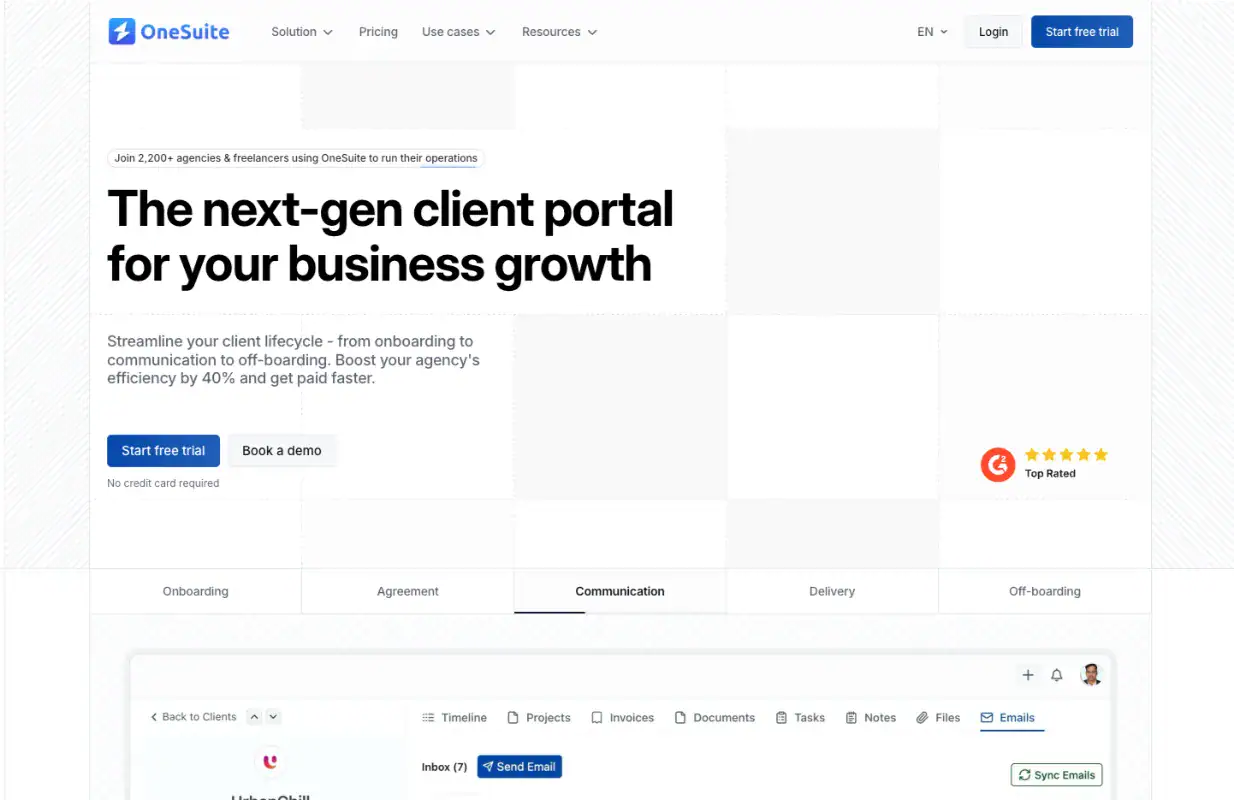
OneSuite is an all-in-one client management platform for agencies and freelancers, combining client portals, project management, invoicing, CRM, and communication in one system. Starting at $29 per month, it costs less than half of HoneyBook while delivering the same core features without integration headaches or multiple subscriptions. The white-label client portal offers full branding control, and unlike HoneyBook, your data isn’t trapped—export everything anytime.
While OneSuite is still developing some advanced automation features and focuses on service businesses rather than e-commerce, it solves HoneyBook’s biggest pain points: rising costs, vendor lock-in, and limited customization. If you’re frustrated with HoneyBook’s pricing and restrictions, OneSuite delivers what you need at a fair price.
Pricing
OneSuite offers three monthly plans and a custom Enterprise plan:
- Monthly billing: $9 per user per month
- Annual billing: $7 per user per month
Every plan includes a 14-day free trial, white-glove onboarding, unlimited clients and projects, and a 30-day money-back guarantee. Annual billing saves 20%.
Key Features
The features of OneSuite are:
- All-in-One Client Management — Manage leads, clients, projects, communication, documents, invoices, and payments in one platform.
- White-Label Client Portal — Give clients a branded experience with your own logo, colors, and domain.
- CRM & Sales Pipeline — Capture leads, manage opportunities, and track the full client journey.
- Client Intake Forms — Collect client details and project requirements before starting work.
- Proposals, Contracts & E-Signatures — Create proposals, sign agreements, and close deals faster.
- Project & Task Management — Plan projects, assign tasks, and track progress.
- Client Collaboration & Messaging — Keep updates, conversations, and files connected.
- Time Tracking & Timesheets — Track billable hours, approve timesheets, and manage team time.
- Invoicing & Payments — Create invoices, collect payments, and manage billing workflows.
- Service Packages & Scheduling — Sell services, manage packages, and schedule meetings.
- Documents & File Management — Store and share important client documents securely.
- Custom Workflows & Fields — Customize records and processes to match your business.
- Accounting Integrations — Connect with QuickBooks and Xero for easier financial management.
- Transparent Pricing & Data Control — Simple pricing with no hidden upgrades or vendor lock-in.
Pros and Cons
| Pros | Cons |
|---|---|
| Easy for agencies to use | All-in-one tools take time to fully adopt |
| Combines client portal, projects, invoices, and timesheets | Smaller teams may not use every feature at first |
| Helps manage multiple clients in one place | Custom processes may need adjustments |
| White-label portal looks professional | No forever free plan |
| Pricing is simpler than using many separate tools |
OneSuite’s User Feedback: 4.8/5
Always improving; Great support! Thank you!
– Jacquelyn L..
As any app that is in their early phase of development, Onesuite has some bugs that needs to be ironed out. But none of that them were breaking the operations. They are mostly UI related and I am already seeing them fixing them one be one.
– Raabit H.
💡 OneSuite VS HoneyBook: Best All-In-One Solution in 2024
2. Bonsai

Overview
Bonsai is a cloud-based platform for freelancers and agencies, offering CRM, invoicing, time tracking, project management, and contracts in one system.
Starting at $15 per user monthly, it addresses HoneyBook’s limitations with zero transaction fees, integrated financial tools, and real-time business overviews through Gantt charts and Kanban boards.
The platform excels at smart invoicing that ensures timely payments while keeping 100% of your profits, making it ideal for freelancers and small agencies needing straightforward client and financial management without HoneyBook’s rising costs.
Key Features
Features of Hello Bonsai are—
- All-in-one business management consolidating projects, clients, contracts, and invoicing
- Smart invoicing with automatic reminders and zero transaction fees
- Integrated time tracking with built-in timers and team utilization monitoring
- Complete CRM with client profiles, custom packages, and branded proposals
- Advanced project management with Gantt charts, Kanban views, and budget tracking
- Branded client portal for secure document and project access
- Financial management tools for taxes, expenses, and income tracking
- Team resource planning to monitor efficiency and capacity
Pricing
- Basic: $15/user/month
- Essentials: $25/user/month
- Premium: $39/user/month (Most Popular)
- Elite: $59/user/month
Yearly plans offer up to 4 months free
Pros and Cons
| Pros | Cons |
|---|---|
| Ease of use – Streamlined proposals, invoices, and payments | Missing features – No contact export, limited mobile app, weak support |
| Integrated invoicing – Comprehensive features streamline operations | Expensive – Costly compared to alternatives with unnecessary features |
| All-in-one solution – Everything in one platform | Integration issues – Scheduling conflicts and poor connectivity |
| Time-saving features – Automated workflows reduce admin tasks | Limited customization – Can’t tailor to specific needs |
| Time tracking – Built-in tracking enhances productivity | Restrictive features – Limited functionality for complex operations |
Customer Reviews
Here are some customer reviews from various platforms:
- Project management is so much easier with Bonsai—Johnny D.
- Payment Processing is Horrible and so is Customer Resolution—Sharina M.
- good customer service and follow up but didn’t solve the problem—Perla W.
💡OneSuite vs. Bonsai: Which One is Best for You?
3. Plutio

Overview
Plutio is an all-in-one business management platform for freelancers and small agencies. It combines project management, client portals, proposals, contracts, invoicing, scheduling, time tracking, and workflow automation in one customizable workspace.
Plans range from $19 to $199 per month. The Core plan supports up to nine active clients, while the Pro and Max plans include unlimited active clients and larger team collaboration limits. Plutio also offers customizable dashboards, drag-and-drop editors, integrations, API access, and automation tools.
Plutio is best for freelancers and agencies that want a flexible workspace they can adapt to their own processes. However, advanced features such as white-labeling and single sign-on may require an add-on or the higher-priced Max plan. To find a Plutio alternative, read the blog.
Key Features
Features of Plutio are—
- Customizable dashboards and client portals
- Task management with custom fields and templates
- Proposals, contracts, forms, and e-signatures
- Invoicing, billing, and payment management
- Time tracking and timesheets
- Scheduling and appointment management
- Workflow automation and recurring processes
- Unlimited integrations and API access
- Team and client collaboration tools
- White-labeling and single sign-on options
Pricing
- Core: $19/month — includes 9 active clients and no additional contributors
- Pro: $49/month — includes unlimited active clients and 30 contributors
- Max: $199/month — includes unlimited active clients, unlimited contributors, white-labeling, and single sign-on
Annual billing includes two months free.
Pros & Cons
| Pros | Cons |
|---|---|
| All-in-one: project management, CRM, invoicing, tasks | Some design/inconsistency issues |
| Some design/inconsistency issues | No advanced marketing automation (no email sequences) |
| Fully white-label, supports deep branding | Limited team collaboration compared to some competitors |
| Affordable plans, scalable for freelancers/teams | Steep learning curve for new users |
| Customizable templates for docs & proposals | Some users experience minor bugs |
User Feedback
From project management and client communication to invoicing, proposals, scheduling, and time tracking — it really simplifies the chaos of juggling multiple apps.
–Mark
Some of the navigation functions within the portal don’t make logical sense to me, and could be mapped smoother.
– Krysta V.
💡 OneSuite vs Plutio: Your Guide to Making the Perfect Choice!
4. Dubsado

Overview
Dubsado is an excellent alternative to HoneyBook, simplifying business management by centralizing contracts, invoices, and client communication in one place. It offers branded forms, automated workflows, interactive client portals, and a built-in scheduler, making it easy to manage appointments and payments globally.
With flexible features and simple pricing, Dubsado is ideal for businesses looking for an efficient, all-in-one solution.
Key features
- Client portal for sharing updates and files
- Workflow automation for onboarding and follow-ups
- Proposals, contracts, and e-signatures
- Invoicing and online payments
- Forms and client intake
- Appointment scheduling
- CRM for managing leads and clients
- Integrations and reporting tools
Pricing
Choose the Dubsado pricing plan that fits your workflow, whether you are just starting out or managing unlimited client projects.
- Starter: $35/month (1 user, 3 projects/month limit)
- Premier: $55/month (1 user, unlimited projects, all features)
Pros and Cons
| Pros | Cons |
|---|---|
| Easy contract and invoice sharing | Clunky scheduling and form design |
| Branding and customization options | Overwhelming and not user friendly |
| Automated email workflows | Expensive for small or solo businesses |
| Centralizes brand and legal documents | Hard to leave once fully set up |
| Robust features for client touchpoints | Email inbox sync lag |
User Feedback
👍 It has a lot of features that are useful for business users. For the most part, it’s a user friendly software and if you take the time to learn the ins and outs can really make a difference in how you manage your business and clients.
– Paola S.
👎 I wish the calendar function was better, that you could jump to a specific date, and that you can hover over a project to see the details rather than needing to click into each project. I also would love to see an “upload photo” function outside of the notes section (easier, less clicking).
–Sarah J.
💡 HoneyBook vs Dubsado: Which One is Best for Your Agency?
5. 17hats

Overview
If you’re a solo business owner buried in admin work, 17hats feels like a breath of fresh air. Built specifically for small service-based businesses, photographers, coaches, event planners , it brings contracts, invoices, scheduling, and client management all under one roof.
It won’t win any design awards, but it quietly handles the stuff that eats your time every single day. And with a 7-day free trial across all plans, you can test drive it before committing.
Key Features
Features of 17hats are—
- Client management and CRM
- Online contracts and e-signatures
- Invoicing and payment collection
- Workflow automation and follow-ups
- Online scheduling and booking
- Questionnaires and lead capture forms
- Bookkeeping and QuickBooks integration
- Time tracking and project management
Pricing
- Monthly: $60/month
- Yearly: $600/year
- Bi-Yearly: $800/two years
- All plans come with a 7-day free trial
Pros and Cons
| Pros | Cons |
|---|---|
| All-in-one for small businesses | Interface feels cluttered |
| Strong automation workflows | Learning curve for beginners |
| Invoicing with no extra fees | Pricey for solopreneurs |
| QuickBooks integration | Limited customization on templates |
| Great for creatives and coaches | Basic bookkeeping features |
6. Bitrix24
Bitrix24 is an all-in-one business management platform that combines CRM, project management, team collaboration, marketing, document management, automation, and HR tools in one workspace.
Unlike many platforms that charge per user, Bitrix24 uses flat-rate pricing based on the number of users included in each plan. This makes it suitable for growing teams that need to manage sales, projects, communication, and internal operations without paying for several separate tools.
Bitrix24 is best for small and mid-sized businesses that need more than basic client management. However, its extensive feature set may feel complex for freelancers or teams looking for a simple HoneyBook alternative.
Key Features
- CRM with leads, deals, contacts, and customizable sales pipelines
- Kanban, Gantt, Scrum, task lists, subtasks, and time tracking
- Sales and workflow automation
- Team chat, video calls, shared calendars, and online documents
- Invoices, estimates, payments, e-signatures, and product catalogs
- Email marketing, SMS, social ads, and lead-generation forms
- Website, landing page, and online store builder
- Reporting, sales analytics, and customizable dashboards
- AI-powered assistance with Bitrix24 CoPilot
- More than 750 integrations and API access
- Cloud-based and self-hosted deployment options
Bitrix24 Pricing
- Free: $0 — includes 1–2 users and 5 GB of storage
- Basic: $69/month — includes 5 users
- Standard: $144/month — includes 50 users
- Professional: $289/month — includes 100 users
- Enterprise: Starts at $579/month — includes 250 users
Annual billing reduces these prices to $49, $99, $199, and $399 per month respectively, saving up to 31%.
Pros and Cons
| Pros | Cons |
|---|---|
| Generous free plan with unlimited users | Interface overwhelms new users |
| Available in 18 languages | Mobile app lacks some desktop features |
| Highly customizable workflows | Many features go unused by smaller teams |
| AI-powered automation tools | Can slow down with large data volumes |
| Cloud and on-premise options |
User review
“Bitrix24 lets me manage tasks, chat with my team, and handle customer leads all in one place — saving time and keeping everything organized.”
-Deepak B. — G2
“The UI/UX is poor. The windows, layouts, and overall design feel quite old and need polishing. Users have very little freedom to make changes.”
-Grigor – G2
7. Click-up

Overview
When HoneyBook started slowing me down, I needed something faster. That’s where ClickUp came in.
It’s built to save time and get more done, managing all your work from one single platform. Tasks, timelines, docs, and team collaboration, all in one place. No more tool-switching chaos.
Top brands worldwide trust ClickUp to customize their workflow and deliver real results. And unlike HoneyBook, it actually grows with your business.
Faster work, better results, that’s ClickUp in a nutshell.
Key Features
- Native time tracking on every plan, including free
- Time estimates per task with estimated vs. actual reporting
- 15+ project views, including List, Board, Gantt, Calendar, Timeline
- Custom fields, statuses, and automations
- Built-in docs and wikis linked to tasks
Pricing (Monthly Billing)
- Free Forever: $0
- Unlimited: $10/user/month
- Business: $19/user/month
- Enterprise: Custom pricing
Save up to 30% with annual billing.
Customer Review
Here are some customer reviews from various platforms:
👍“I absolutely love the task management system of ClickUp and really love the easily structured files and folders. It has provided one place to keep everything, which helps me continue building, changing, and adapting as I progress. ClickUp allows me to easily share information with others who might help me on a project and keeps all my business details and tasks organized.”
–Sherrise E. G2 Review
👎 “Ticket search is pretty bad, it’s hard to find what I’m looking for. Searching for ‘created by’ would be helpful, so tighter search and filters would be really good. Making tags easier to be applied. Sometimes if we drop a UI tag from a ticket, we can’t find the ticket anymore in what feels like a huge backlog. Creating tickets is also annoying since dragging from all the way at the bottom to the next ‘status’ of our flow takes a long time and can easily mess up.”
– Patrick S. G2 Review
8. Monday
Overview
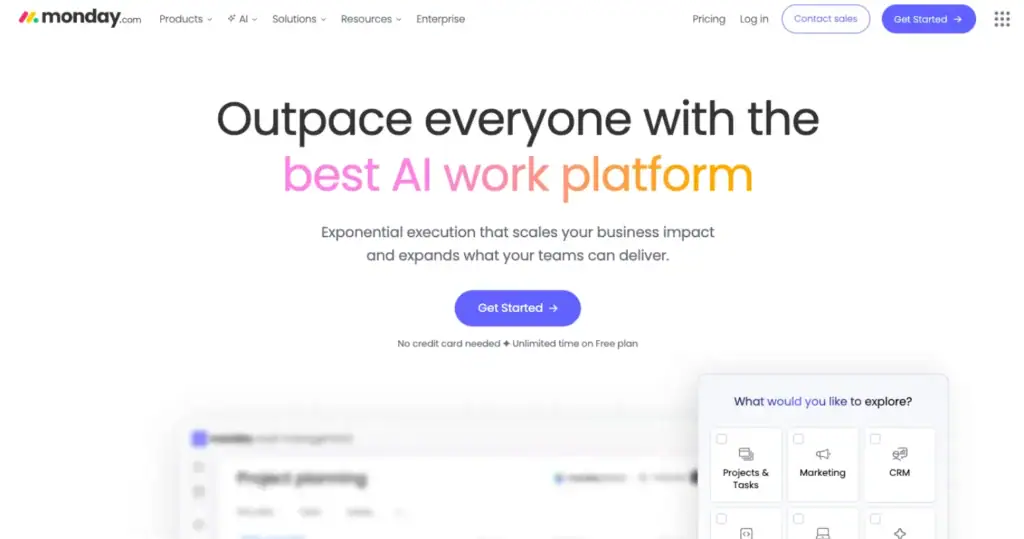
monday.com is a leading work management platform that offers customizable solutions for tasks like resource management, sales pipelines, and client projects, all with a simple drag-and-drop interface.
The platform integrates with tools and uses AI and automation to streamline repetitive tasks, boosting productivity.
Recognized as a leader in adaptive project management, monday.com provides real-time insights for data-driven decisions. Its flexibility grows with your business, offering a seamless experience across all departments.
Key Features of Monday.com
- Custom Workflows & Automation – Automate tasks, approvals, and project updates.
- Project & Task Management – Assign tasks, set deadlines, and track progress visually.
- Team Collaboration & File Sharing – Unlike 17hats, Monday.com allows real-time collaboration across teams.
- Comprehensive Dashboards & Reporting – Gain insights into team performance and project timelines.
- Integration with Third-Party Apps – Connects with Slack, Google Drive, Zoom, and other tools.
Monday.com Pricing
Here is the Monday.com pricing based on the image:
- Basic: $12/seat/month
- Standard: $17/seat/month
- Pro: $28/seat/month
- Ultimate: Custom pricing
- Prices shown are billed annually.
Pros & Cons of Monday.com
| Pros | Cons |
|---|---|
| Great for team collaboration | Not ideal for solopreneurs |
| Highly customizable workflows | Can get expensive |
| Visually intuitive interface | Overwhelming for beginners |
| Strong automation features |
Customer Reviews
Here are some customer reviews of Monday from various platforms:
👍 monday.com automations and integrations are extremely useful and is probably the features we use most. Implementing and integrating it business wide was a breeze. The system takes a little getting used to, but once everyone is onboard, they can’t work without it and use it daily. We’ve rarely needed to use customer support, but on the odd occasions we were basically helped instantly, and our issue resolved within an hour.
–Trusted Review on G2
👎 While being a very dynamic and customizable application, it has many bugs too. It gets so bad sometimes that we have to pause our work. But it does gets fixed often times than not and work resumes as usual.
–Trusted Review on G2
9. ZohoProjects

Overview
Zoho Projects is a powerful project management platform for teams of any size, offering Gantt charts, timesheets, automation, and comprehensive collaboration tools. Pricing starts free with paid plans from $3 to $11 per user monthly, making it one of the most affordable comprehensive solutions available. The platform provides work breakdown structures, issue management, custom fields, built-in chat, and seamless integrations with Zoho and third-party apps.
While Zoho Projects excels at task management and project tracking with strong analytics, users report a steep learning curve with a non-intuitive interface and slow performance on large projects. The platform works best for structured project management rather than real-time collaboration. If you need affordable, feature-rich project management with excellent analytics and can invest time learning the system, Zoho Projects delivers solid value for budget-conscious teams despite the initial complexity.
Key Features
- Gantt charts for visualizing tasks, tracking progress, and managing dependencies
- Timesheets and time tracking for accountability and productivity
- Work breakdown structures and issue management tools
- Custom layouts, fields, statuses, and views to tailor the platform
- Built-in chat, forums, and document sharing for team communication
- Automation workflows to streamline processes and reduce manual work
- Kanban boards and task management for organization and visibility
- Mobile app accessibility for iOS and Android devices
- Integration with Zoho suite and third-party applications
- Custom templates for project launches and team collaboration
Pricing
- FREE: US$0 (up to 5 users)
- PREMIUM: US$3/user/month billed annually
- ENTERPRISE: US$7/user/month billed annually (Most Popular)
- ULTIMATE: US$11/user/month billed annually
15-day free trial. No credit card required.
Pros and Cons
| Pros | Cons |
|---|---|
| Intuitive interface and kanban board feature | Can’t perform complex tasks effectively |
| Custom templates enhance project launches and collaboration | Missing key features like project age display and undo function |
| Effective task management with organization and visibility | Steep learning curve with advanced features |
| Strong project tracking for collaboration and productivity | Overwhelming and not intuitive interface |
| Time tracking tools improve accountability and productivity | Slow performance during high usage or large projects |
Customer Reviews
Here are some customer reviews of Zoho Projects from various platforms:
It’s a great tool to use across the business, making sure everyone has access to all projects, to-do lists, and general business information in one place.
– G2 user
One of the primary cons of using Zoho Projects is the steep learning curve, especially for newcomers to project management tools. The number of available features can be overwhelming for those not familiar with project management software.
– G2 User
What Should You Look for in a HoneyBook Alternatives?
While searching for the best alternatives to HoneyBooks, I considered some criteria that helped me to pick the best client management software.
Here, I am going to share the criteria that you should look for in HoneyBook alternatives,
- A user-friendly interface with an intuitive design makes it easy for anyone, from solo entrepreneurs to larger teams, to get started seamlessly.
- Flexibility in project management means you can easily plan, adjust, and adapt strategies to suit various needs within your business. This ensures the tool can support different types of projects and use cases.
- Choose a tool with easy invoicing and contract. Look for customizable invoices, various payment options, and automated reminders to keep payments timely and cash flow steady.
- Prioritize integration and customization options to connect with your essential tools—like scheduling, marketing, and accounting apps—so everything runs smoothly in one place.
- When choosing a HoneyBook alternative, ensure it offers better budget friendly pricing than Honeybook pricing plans that match your needs. Look for flexible pricing plans that let you scale as your business grows, and check for free trials to test features before committing.
However, you can check other criteria for your business needs and requirements. The above things were necessary for my small business. Many of you might also need to check out the client management features.
Why OneSuite is the Best HoneyBook Alternatives?
As my small business grew, I realized HoneyBook, which worked well initially, couldn’t keep up with our expanding team and more complex projects. Managing multiple clients and tracking progress became more complicated as our business grew.
I needed a tool that could handle more users, better project management, and more transparent reporting without having to use separate tools. That’s when I found OneSuite, which was exactly what we needed. It brought everything together—team collaboration, easy project tracking, and simple client communication.
With OneSuite, I could create separate dashboards for each client or branch, making it easier to stay organized while managing multiple projects at a time. The lead pipeline kept our clients and prospects neatly sorted, and the client portal showed them project updates, files, and invoices all in one place.
OneSuite also saved us time with proposal templates and invoicing. Switching to OneSuite helped us grow smoothly, making it the perfect tool for agencies looking to scale.
However, it has a 14 days free trial. With this, you can try to understand if it fits with you or not.
FAQs
What is a Honeybook?
Honeybook is a cloud-based client management software that helps businesses manage their projects and clients.
Is HoneyBook a good CRM?
Yes, for basic client management, HoneyBook is a good CRM.
However, there are better options available if you want extensive CRM features. However, for all-in-one client management, task management, billing, and invoicing, OneSuite can be a great choice.
Can You Use HoneyBook For Free?
HoneyBook doesn’t provide any free plan for users.
Conclusion
Finding a suitable HoneyBook alternative can save you time and money without compromising functionality. Whether you’re looking for a budget-friendly option like OneSuite or a more specialized tool like Bonsai or Dubsado, there’s an alternative for every business need.
If you want a seamless all-in-one solution that helps you stay organized, boost efficiency, and grow your business, try OneSuite today!
Don’t miss out on improving your workflow—explore OneSuite and take your client management to the next level.
Start exploring OneSuite today
No credit card is required