
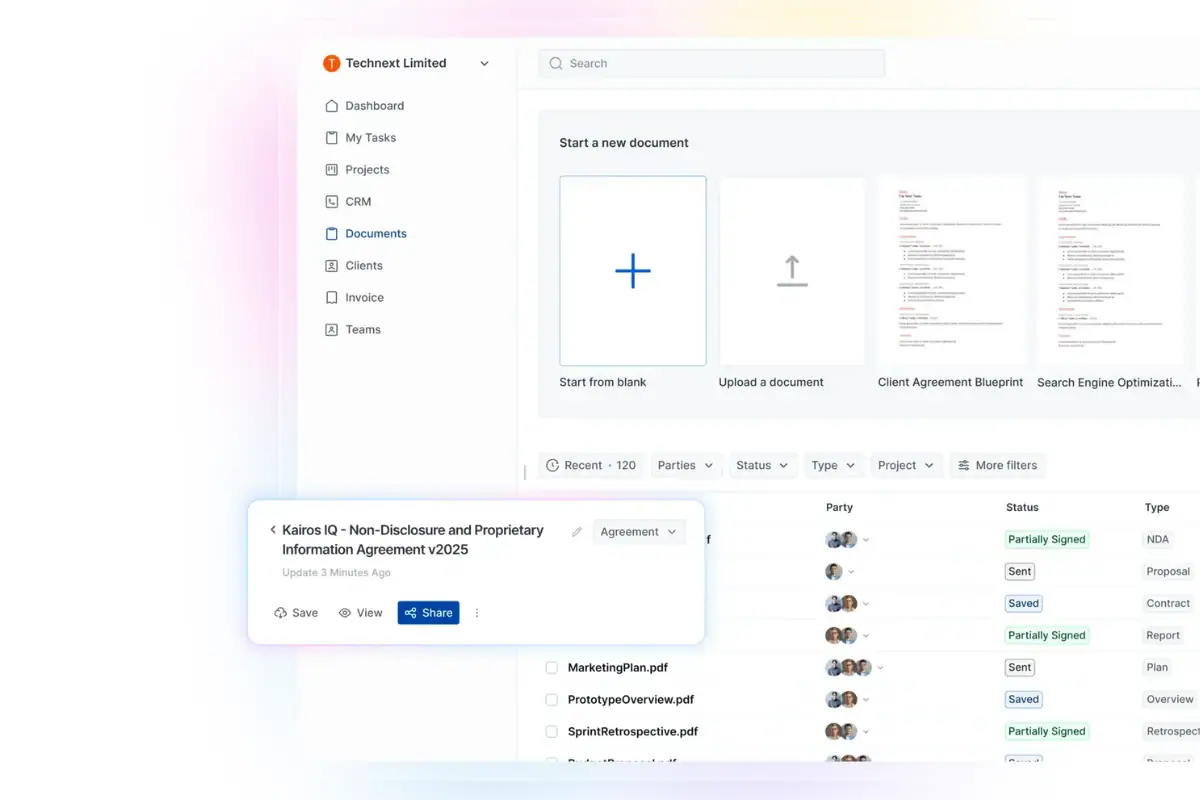
How to Write a Contract Agreement: Step-by-Step Guide

June 9, 2026
Clear contracts are essential for smooth business operations, especially for freelancers and digital agencies. They set expectations, define roles, outline goals, and ensure timely payment.
Without a proper agreement, businesses can run into problems like delivery delays, payment issues, and miscommunication within the team. A well-written contract ensures everyone is on the same page from the start, protecting both the client and the business.
In fact, 74% of legal departments now use contract management software to make the process easier and reduce risks. The good news is, you don’t always need a lawyer to draft a contract, even for large projects.
By learning how to write a solid contract, you can confidently manage your new projects without spending on legal fees. In this blog, we’ll go over 11 key steps to help you create contracts that protect your business and impress your clients.
Let’s get started with these 11 steps for drafting foolproof contract agreements.
Key Takeaways
What Is a Contract ?
As Glenn Danzig says, “Until the contract is signed, nothing is real.”
A contract template is a ready-made document used to create contracts faster and more easily. It already includes the basic structure and important sections, such as party details, scope of work, payment terms, deadlines, responsibilities, termination terms, and signatures.
Instead of writing a contract from scratch, you can fill in the required information and customize the template based on your agreement. A good contract template saves time, keeps your documents consistent, and helps reduce mistakes.
However, every agreement is different, so you should always review and update the template before using it.
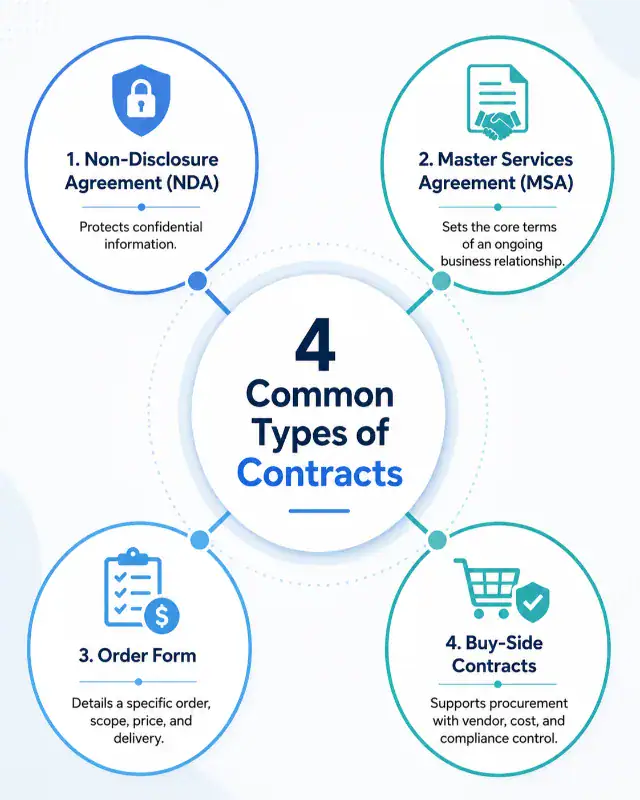
4 Types of Contract Template
Before choosing a contract template, it is important to understand which type of agreement fits your business need.
Different contracts serve different purposes, from protecting confidential information to managing long-term services, orders, and vendor relationships. Below are four common types of contract templates used in business.
How to Write a Contract: 11 Easy Steps
If you run a small or mid-level agency and can’t afford a lawyer, writing a contract might feel overwhelming. But don’t worry! Whether you’re a freelancer or a small agency owner, you can create a clear and effective contract on your own.
In this guide, we’ll show you how to write a simple contract template step by step. It’s easy to manage online agreements and protect your business, all without the need for a lawyer.
Let’s dive in!
1. Collect All Relevant Information
When drafting a contract, it’s crucial to gather all the necessary details that you and your client have agreed upon. This includes project goals, expectations, key tasks, and any other important elements specific to the project.
Think of it as your reference point—if any issues arise later, you’ll be able to point to the contract for clarity. The more detailed you are upfront, the smoother the process will be later.
Always ensure you collect all relevant information before starting the contract drafting process.
2. Identify All Participants Clearly
It’s important to clearly identify everyone involved in the project, including clients, subcontractors, and any other stakeholders. You’ll often find that different people manage different aspects of the project, which can sometimes lead to confusion.
By confirming who is responsible for what, you avoid future issues.
In digital agencies, this is especially important—when expectations and roles are not clearly defined, it’s easy for misunderstandings to arise. Be sure to include names, titles and contact information for everyone who plays a role in the project.
3. Document Everything Clearly
Once you’ve agreed on the details, make sure everything is put in writing. A contract serves as a protection for both parties, ensuring that everyone’s responsibilities are clear and enforceable.
Documenting everything, from the scope of work to payment terms, helps prevent future disputes.
For example,
- If a problem arises with project scope or payment delays, having a written agreement allows you to address the issue quickly without confusion.
- Don’t leave anything to chance—make sure everything is clearly outlined in the contract to avoid unnecessary risks.
4. Choose a Suitable Template
Using a contract template can simplify the process, especially if you’re drafting a contract for the first time. Many contract creators make it easy by providing customizable templates for various industries.
You don’t need a lawyer to get started—just choose a template that suits your needs, such as a digital marketing contract, graphics design contract social media management contract, web design contract, or project management contract template.
Once you’ve selected the right template, simply edit it to match your expectations and fill in the relevant details. At OneSuite, we offer free contract templates to help you close new client projects quickly and easily.
5. Keep the Language Simple and Clear
Avoid using complex legal jargon, and ensure your contract is easy for everyone to understand.
Many contract generators make it easy by offering templates with clear, straightforward language, so your client and any other parties involved can easily grasp the terms.
When you present the contract, you want to ensure that the terms are transparent and accessible—both for you and your client. A simple and easy-to-understand contract builds trust and avoids misunderstandings down the line.
6. Be Specific About Payment Terms
Payment issues—such as delays, disputes, and confusion—are some of the most common problems in contracts. To avoid these headaches, be clear and precise about payment amounts, schedules, and any penalties for late payments.
When discussing payment with clients, there are generally three common options you can offer:
- Hourly-Based Contracts: Payment is made based on the hours worked.
- Milestone Payments: For example, 30% upfront, 40% after half of the work is completed, and 30% upon project completion.
- Third-Party Payment Systems: Some projects, especially freelance work, are handled through third-party platforms like Upwork or Fiverr, where payments are released when certain milestones are met.
Many digital agencies use invoice management solutions to ensure smooth payment processing.
At OneSuite, we offer an invoice management solution with a 14-day free trial, making it easier to manage payments, track invoices, and stay on top of your financial agreements with clients.
7. How to Handle Disputes
Disagreements are a normal part of business, but it’s important to have a clear process in place to resolve them. When you draft a contract, make sure to include steps for how conflicts will be managed.
This could involve mediation, where both parties meet with a neutral third party to try and resolve the issue, or arbitration, where an independent arbitrator makes a final decision.
Having this process defined upfront ensures that both parties know how to move forward if issues arise.
8. Clear Termination Terms
It’s essential to set clear guidelines on how and when either party can terminate the contract. Whether due to a breach of agreement, missed deadlines, or mutual consent, specifying the conditions for ending the contract helps avoid misunderstandings later.
By having a clear exit strategy, both parties know their options and the procedure to follow if they decide to walk away.
Example:
In a digital marketing contract, if the client fails to provide necessary content or feedback within a certain timeframe, you might have a clause that allows you to end the contract.
Alternatively, you could include a 30-day notice period, giving both parties time to wrap up their obligations if the project is terminated early.
9. Protecting Confidential Information
When dealing with sensitive data, especially in the digital space, confidentiality is key. A confidentiality clause in the contract ensures that all proprietary information, such as business strategies, client details, or creative assets, remains protected.
This is particularly important for digital agencies, where intellectual property and client data are central to your business.
Example:
In a social media management contract, you might include a clause that prevents the client’s marketing strategies from being shared with competitors. This ensures that any confidential content, like upcoming campaign plans or ad creative, stays within the team until it’s ready to be made public.
10. Set a Clear Expiration or Renewal Date
Clearly define the duration of the contract and outline any conditions for renewal or extension. Before the contract ends, review the project with the client to ensure that the work aligns with both the terms of the contract and your business goals.
This review process will help determine if the contract should be extended or if an exit date should be set.
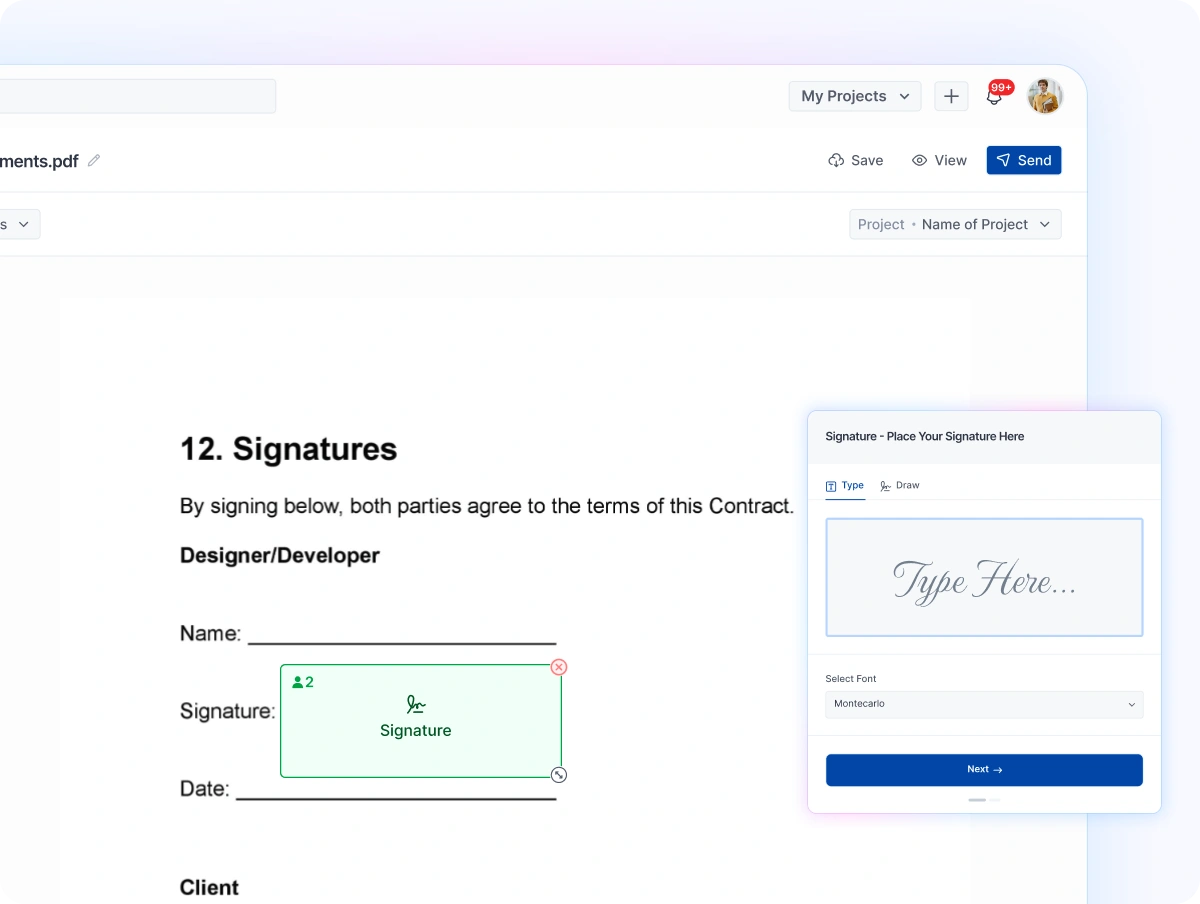
11. Make Signing Easy and Secure
Ensure that the signing process is straightforward and secure. Using electronic signatures makes the process efficient and legally binding, eliminating the need for physical paperwork. After the contract has been reviewed, send it for e-signing, as this is the most crucial step in finalizing the agreement.
At OneSuite, we provide an easy-to-use e-signing solution for contracts, proposals, and more. Our platform includes a fully integrated Document Hub, making the entire process seamless and fully manageable.
5 Common Mistakes to Avoid When Writing Contract Templates
- Using Generic Templates Without Customization:
Simply copying and pasting a contract template without tailoring it to your specific situation can lead to misunderstandings and missed details. Contracts should reflect the unique aspects of the agreement to ensure that both parties’ expectations are aligned. - Omitting Key Clauses:
Skipping essential clauses, such as dispute resolution, termination conditions, or confidentiality, can leave gaps in the contract. These clauses help protect both parties and ensure clarity in the event of a disagreement. - Using Outdated Templates:
Relying on old contract templates that haven’t been updated to reflect current laws or industry standards can put you at risk. Always ensure the contract is up to date with the latest legal requirements and best practices. - Using Complex, Confusing Language:
Overcomplicating the contract with jargon or overly technical language can confuse your client and create room for disputes. It’s important to keep the language clear, concise, and easy to understand for all parties involved. - Not Having the Contract Reviewed by a Legal Expert:
Even if you use a template, it’s important to have a legal professional review the contract before using it, especially for high-stakes agreements. A legal expert can spot potential issues or risks you might have missed and ensure the contract is enforceable.
𝌋 Access more professional templates :
- How to write a employee contract
- How to write a logo design contract
- How to write a video editing contract
- How to write a web development contract
- How to write a digital marketing contract
Use OneSuite for Your Next Contract Agreement
You’ve already learned how to write a contract template, now make the process quicker and easier with OneSuite’s free contract agreement feature.
Why choose OneSuite for your contract needs? OneSuite is a comprehensive agency management software that combines CRM, project management, document hub, invoicing, and client portals—all in one platform.
From client onboarding to offboarding, it covers everything you need to streamline client management and tackle challenges efficiently.
With just a few simple steps, you can create, customize, and send your contract to clients. Thousands of happy customers trust OneSuite. See why agencies, freelancers, and solo entrepreneurs love our platform by checking out our 5-star reviews on G2.
We provide an easy-to-use, affordable solution that’s perfect for mid-level agencies, freelancers, and solo professionals. Get started today with a free 14-day trial of OneSuite!
FAQs
What are the 5 basic elements of a contract?
The 5 basic elements are offer, acceptance, consideration, legal purpose, and mutual agreement.
How do you write an agreement between two parties?
Add both parties’ names, agreement details, payment terms, responsibilities, deadlines, and signatures.
What makes a contract legally binding?
A contract becomes legally binding when both parties agree to clear terms, exchange value, and sign willingly.
Does a contract need to be notarized?
Not always. Most simple contracts do not need notarization, but some legal documents may require it.
Can a contract be signed online?
Yes. Many contracts can be signed online using secure electronic signatures.
Start exploring OneSuite today
No credit card is required