
10 Best Client Onboarding Software Tools for 2026 compared

September 1, 2026
Winning a new client should feel exciting, but the next steps often become messy.
– Contracts sit in one tool
– Files arrive through email
– Meetings are booked elsewhere and
– Someone still has to chase missing information.
This slows down the project and gives the client an uncertain first impression.
The right client onboarding software brings these steps into one clear process. It helps your team collect information, assign tasks, share documents, send reminders, track progress, and keep clients informed without constant follow-ups.
So, which platform should you choose?
OneSuite is a strong option for agencies, Rocketlane suits complex onboarding projects, Karbon is built for accounting firms, and Softr offers flexible custom portals.
In this guide, I compare 10 leading client onboarding tools based on features, usability, pricing, ideal use cases, and practical limitations.
How I Evaluated the Best Client Onboarding Software
I evaluated each platform based on how well it simplifies onboarding for both businesses and clients. Instead of focusing only on feature lists, I examined ease of use, workflow automation, forms, file collection, task tracking, communication, document signing, integrations, security, and pricing.
I also considered whether clients could save their progress, upload documents easily, receive automated reminders, and correct rejected submissions without returning to long email threads.
The best client onboarding software should reduce manual follow-ups, keep information organized, and provide clear visibility throughout the process.
Since every business works differently, I also considered how suitable each platform is for agencies, accounting firms, consultants, and other service-based businesses.
Top 10 Client Onboarding Software at a Glance
Pricing and ratings may change. “Not listed” means a reliable Capterra rating was not publicly available during our review.
10 Best Client Onboarding Software in 2026
The best client onboarding software should make life easier for both your team and your clients. It should reduce repetitive admin, keep documents and tasks organized, and give every client a clear next step.
To help you choose confidently, I reviewed 10 leading tools based on their onboarding features, usability, automation, integrations, pricing, and practical limitations.
Here is how they compare.
1. OneSuite — Best Client Onboarding Software for Agencies
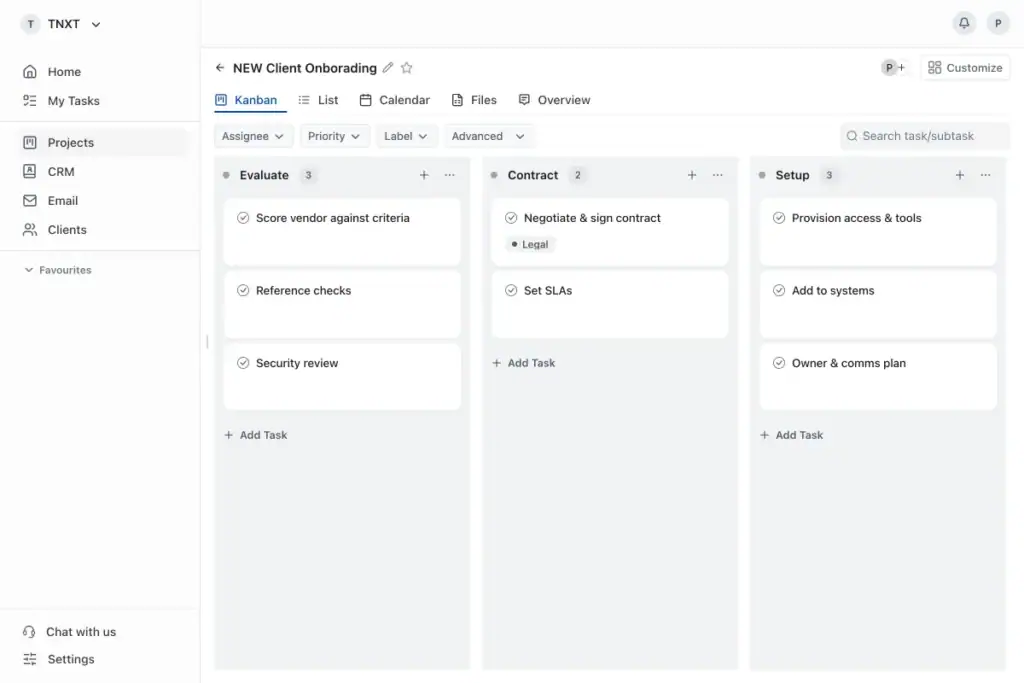
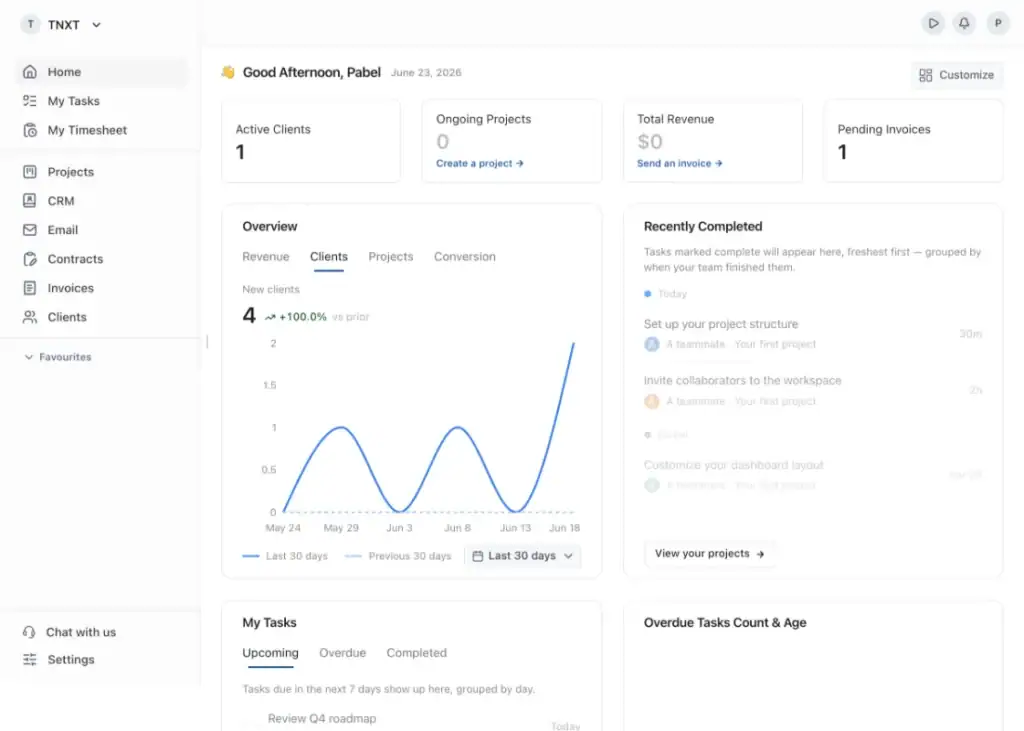
OneSuite is an all-in-one client onboarding platform for agencies, consultants, and service businesses. It connects lead management, onboarding forms, proposals and contracts, e-signatures, invoices, payments, projects, and client communication in one system.
OneSuite stands out because it creates a smooth journey from prospect to active client. When a lead accepts a proposal, signs the contract, and completes payment, the agency can move directly into project delivery without copying information between different tools. The client receives a branded client portal for accessing documents, invoices, files, meetings, messages, and project updates.
Best use case: OneSuite is ideal for marketing agencies, SEO agencies, consultants, creative teams, and other service businesses that onboard multiple clients and want a consistent, professional process from first contact to project delivery.
Key Features
- CRM and customizable lead pipeline
- Client onboarding forms and information collection
- Proposals, contracts, and e-signatures
- Invoices and online payments
- Automated prospect-to-client conversion
- Branded client portal
- Secure document and file sharing
- Meeting scheduling and client communication
- Project creation and team collaboration
- Custom client access and white-labeling
Pricing
- Monthly billing: $9 per user per month
- Annual billing: $7 per user per month
Every plan includes a 14-day free trial, white-glove onboarding, unlimited clients and projects, and a 30-day money-back guarantee. Annual billing saves 20%.
Pros and Cons
| Pros | Cons |
| Complete onboarding in one platform | Advanced reporting is limited |
| Unlimited clients and projects | White-labeling costs extra |
| Easy-to-use client portal | Email inboxes require an add-on |
| Smooth sales-to-project handoff | Not ideal for complex enterprise workflows |
User feedback
👍 The functionality that allows us to show our clients the processes we use to do the work, were we are in the process and what the next steps are. having client communication with our clients is super important and One Suite has made that much easier.
– Jude . G2
👎 Need more updates and more features according to user experience
– Shah Razi S. G2
2. Rocketlane — Best for Complex Customer Onboarding
Rocketlane is a customer onboarding and professional services platform built for managing complex, client-facing projects. It combines project planning, task management, document collaboration, communication, time tracking, resource planning, and reporting in one workspace.
It stands out when onboarding involves multiple teams, dependencies, approvals, and detailed implementation stages. Its branded customer portal keeps clients involved while giving internal teams control over delivery.
However, its five-user minimum raises the starting cost, and advanced reporting, automation, and customization require higher plans.
Key Features
- Branded customer onboarding portal
- Reusable project templates
- Tasks, milestones, dependencies, and approvals
- Customer access through magic links
- Document and file collaboration
- Project and portfolio management
- Time tracking and budget management
- Resource and capacity planning
- Automated reminders and workflow actions
- Forms and customer information collection
- Project reporting and performance dashboards
- CRM and business-tool integrations
Pros and Cons
| Pros | Cons |
| Built specifically for customer onboarding | Five-user minimum on every plan |
| Strong project and task management | Advanced plans become expensive |
| Branded portal improves client visibility | Some users report slow performance |
| Supports time and resource tracking | Reporting customization can be limited |
| Useful collaboration and approval tools | Initial setup has a learning curve |
| Unlimited projects and customer users | Some users report filtering issues |
Pricing
- Essential: $19 per team member/month, billed annually
- Standard: $49 per team member/month, billed annually
- Premium: $69 per team member/month, billed annually
- Enterprise: $99 per team member/month, billed annually
- Minimum requirement: Five team members
- Free trial: Available for Essential and Standard
User Feedback
👎 Rocketlane makes client onboarding much more structured and transparent. The ability to share a dedicated project portal with clients, track milestones collaboratively, and keep all communication in one place has significantly reduced back-and-forth emails. The task templates save a lot of setup time for recurring onboarding projects, and clients appreciate the visibility it gives them on progress.
– Romain M G2
👍 I think for a first-time onboarded user, it gets confusing and it’s overwhelming looking at multiple options. Need to improve the navigation option, or some guide to navigate. Might be great if there’s a search tool that will help if users have queries. The initial setup was a bit challenging, as the team took time to understand the platform and UI. There was confusion at the start, then things became smoother once the team got familiar with it.
– G2
3. Dock — Best for Shared Client Workspaces
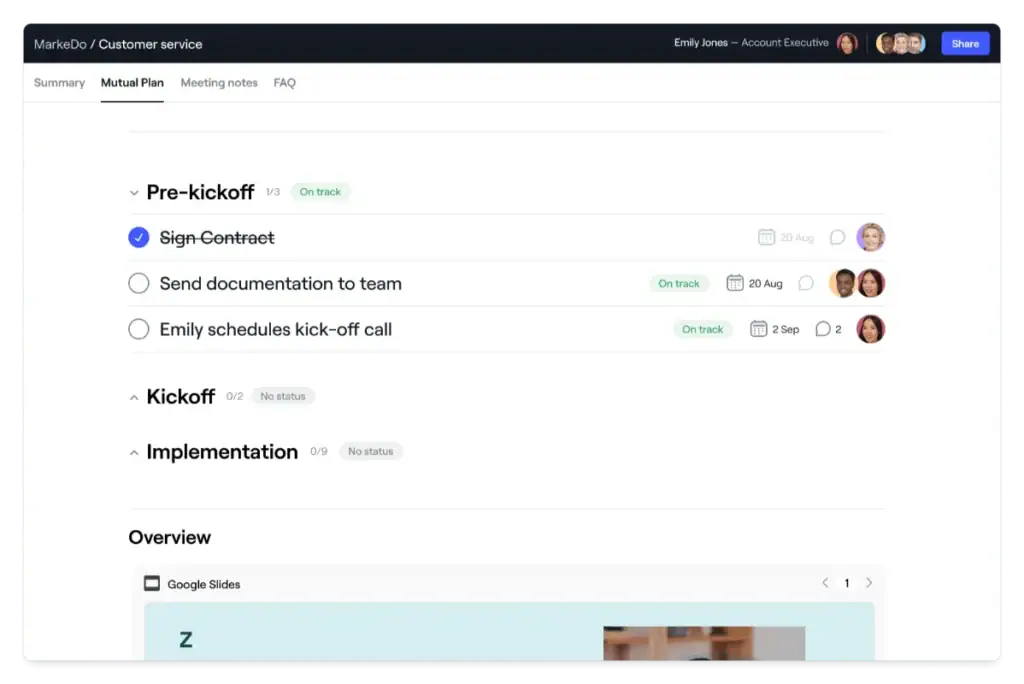
Dock is client onboarding software that gives every customer a personalized workspace containing project plans, tasks, forms, files, videos, and other resources. Clients can access the workspace without creating an account, making it easy to follow onboarding steps and collaborate with the service team.
Dock is particularly effective for shared client workspaces because it combines reusable templates, self-service content, progress tracking, and engagement analytics. However, its paid plans are expensive, while advanced automation, white-labeling, custom domains, and API access are restricted to higher tiers.
Key Features
- Personalized client onboarding workspaces
- Reusable onboarding and success-plan templates
- Tasks, timelines, checklists, and Kanban boards
- Forms, surveys, and file uploads
- Videos, documents, links, and embedded content
- No client login required
- Client activity and content-engagement tracking
- HubSpot and Salesforce integrations
- Custom branding and workspace personalization
- Google Drive and SharePoint synchronization
- Sales-to-customer-success handoff
- AI documents and content management
Pros and Cons
| Pros | Cons |
| Clean, shared client workspace | Paid plans are expensive |
| Clients do not need an account | Automation requires Enterprise |
| Easy to set up and personalize | Limited customization on lower plans |
| Strong templates and content management | Custom domain requires Enterprise |
| Tracks client and content engagement | Some users report integration issues |
| Free plan includes ten workspaces | Template setup has a learning curve |
Pricing
- Free: $0 forever with 10 workspaces and 25 content assets
- Standard: $350 per month with five users
- Premium: $1,000 per month, billed annually, with ten users
- Enterprise: Custom annual pricing for 25 or more users
- Additional seats: $50 per user/month on Standard and Premium
User Feedback
👍 The best thing about Dock is the ability to start with a blank slate and build the appropriate functions, sales collateral, and process driven work with potential customers and existing customers. The tool makes sense how it is built and the functionality it has is intended for aligning sales and marketing as they should be.
-Blake C. G2
👎 I’d like more ways to store contact data so it’s easy to use for next dock, as well as data for contact cards that are not on my team (external consultants)
– Omer R. G2
4. GUIDEcx — Best for Enterprise Client Onboarding
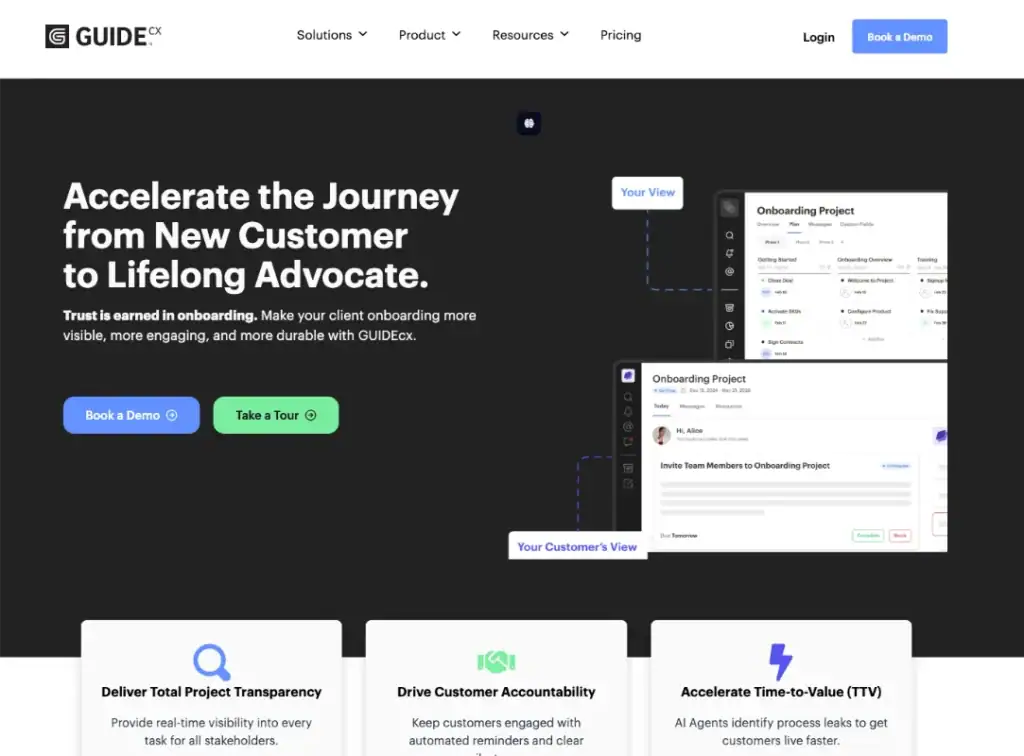
GUIDEcx is a client onboarding and implementation platform that helps businesses coordinate complex projects involving internal teams, clients, and external partners. It provides shared project plans, automated communication, task ownership, milestones, and progress tracking in one customer-facing workspace.
It stands out for enterprise onboarding because its reusable templates, Salesforce integration, reporting, and cross-team visibility can support multiple implementations at scale.
However, initial setup and customization may require considerable effort, while some users report filtering difficulties, occasional interface lag, and slower loading times.
Key Features
- Reusable onboarding project templates
- Client-facing project portal
- Tasks, milestones, checklists, and dependencies
- Automated reminders and status updates
- Internal and external task assignments
- Document sharing and client communication
- Project dashboards and progress tracking
- Time tracking and workload visibility
- Salesforce and other business integrations
- Custom workflows for different client segments
- Reporting across multiple onboarding projects
Pros and Cons
| Pros | Cons |
| Strong visibility for teams and clients | Initial setup can be time-consuming |
| Scalable onboarding templates | Some users report interface lag |
| Excellent customer support | Filters can be difficult to manage |
| Useful Salesforce integration | Customization has a learning curve |
| Clear task ownership and progress tracking | Pricing is not publicly available |
Pricing
GUIDEcx does not publish standard pricing on its website. Plans are generally customized according to team size, onboarding volume, required integrations, and implementation needs. Businesses must contact the GUIDEcx sales team to request a quote and product demonstration.
User Feedback
👍 I’d like more ways to store contact data so it’s easy to use for next dock, as well as data for contact cards that are not on my team (external consultants)
– Omer R. G2
👎 There’s not much to dislike besides that all the amazing new features that are coming down the pipeline aren’t already available now!
-Justin S. G2
5. Moxo — Best for Secure Client Onboarding
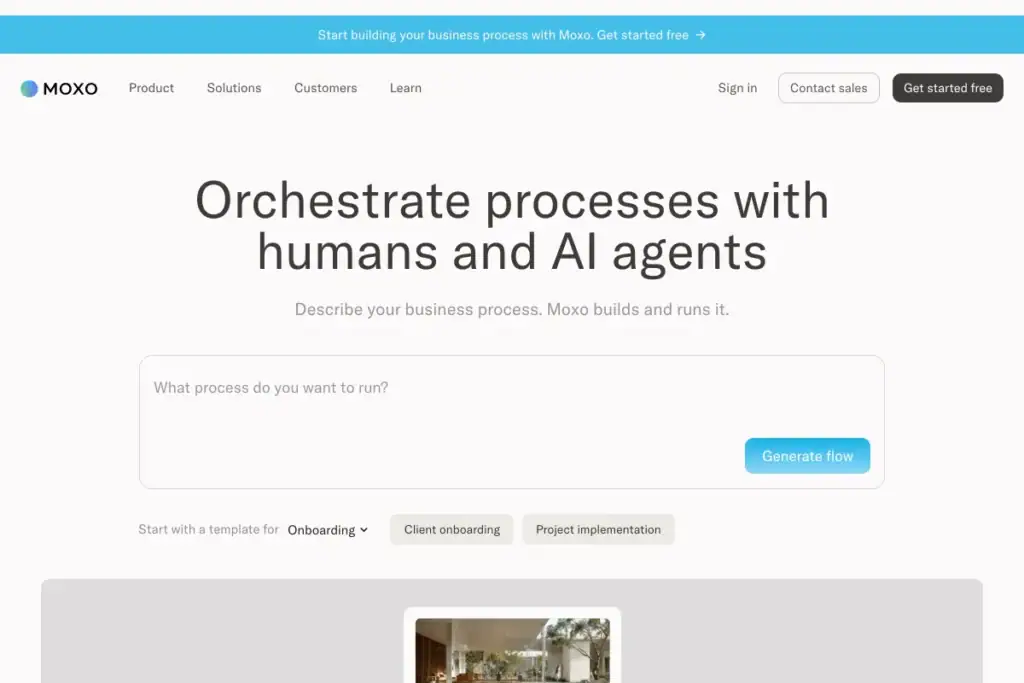
Moxo is a client onboarding platform that combines workflows, messaging, forms, document sharing, approvals, and progress tracking in one secure workspace. It helps businesses guide clients through every onboarding step while keeping sensitive information and communication organized.
Moxo is best for secure client onboarding because it offers controlled access, structured workflows, and centralized collaboration. However, the platform can be expensive for smaller businesses, and some advanced features, customization options, and integrations are limited to higher plans. If you’re looking for more information about Moxo alternatives, read this article.
Key Features
- Secure client onboarding workspaces
- Workflow builder with branching and triggers
- Forms, questionnaires, and checklists
- File sharing and document collection
- Client messaging and team collaboration
- Tasks, approvals, and milestone tracking
- AI Copilot and reporting tools
- Automated and scheduled workflows
- Payment collection on higher plans
- Third-party integrations and reporting dashboards
- Business rules, subflows, and custom actions
Pros and Cons
| Pros | Cons |
| Secure, centralized client workspace | Pro plan is expensive |
| Easy for clients and teams to use | Some useful features require higher plans |
| Strong messaging and collaboration | Limited customization in some areas |
| Flexible workflow automation | Some users report integration issues |
| Helpful customer support | May be too complex for basic onboarding |
| Free plan available | Free plan supports only two flows per month |
Pricing
- Free: $0 per month with two flows and 500 AI credits monthly
- Business: $99 per month with ten flows and 1,000 AI credits monthly
- Pro: $499 per month with an annual commitment, 500 flows and 50,000 AI credits per year
- Enterprise: Custom pricing with custom flows and AI credits
User Feedback
👍 The client portal is hands down my favorite part. Being able to white-label it makes my one-person operation look way more professional
–Aniket A.
👎 The learning curve is steep and it takes time to get everything running. My advice is to take it slow, learn as you go, and keep at it.
–Jen M.
6. Arrows — Best for HubSpot Users
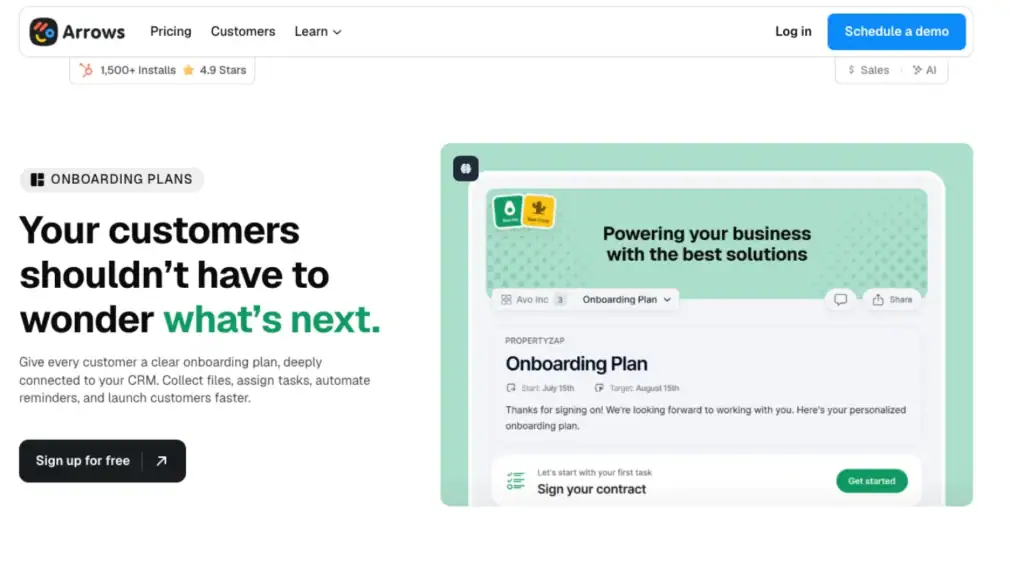
Arrows is a client onboarding platform that creates clear, shared action plans connected directly to HubSpot. Clients can complete tasks, upload files, submit forms, and follow deadlines without creating another account. Their activity syncs with the CRM, giving sales and customer-success teams one place to monitor progress.
Arrows is especially strong for HubSpot users because it supports personalized plans, automated reminders, real-time notifications, and CRM-based reporting. It has a 4.8/5 rating from 48 G2 reviews, with users praising its ease of use and HubSpot integration.
However, some reviews mention missing advanced branching features, and the limited number of reviews means the rating may not represent every type of customer.
Key Features
- Shared client onboarding plans
- Deep, two-way HubSpot integration
- Tasks, deadlines, forms, and file collection
- Automated client reminders
- Real-time completion notifications
- CRM-based plan personalization
- Mobile-friendly pages without client logins
- Multilingual onboarding plans
- Progress data synced into CRM reports
- Templates for repeatable onboarding workflows
Pros and Cons
| Pros | Cons |
| Excellent HubSpot integration | Pricing is not publicly displayed |
| Simple experience without client logins | Less valuable without HubSpot or Salesforce |
| Clear tasks and automated reminders | Some advanced branching features are missing |
| Real-time onboarding visibility | Limited independent review volume |
| Easy setup and responsive support | May not suit highly complex workflows |
Pricing
Arrows uses custom pricing based on team size and how the platform will be used. Every plan includes full platform access, but businesses must request a quote or schedule a demo for exact costs.
User feeback
– An organised and user-friendly way to monitor the progress of implementation, an adjustable structure (template/tasks)
– I like that there is a direct access to the calendar, allowing clients to schedule meetings easily
– Martyna J. G2
There are some advanced branching features that I think should be available across the board but are not yet.
– G2
7. Process Street — Best for Client Onboarding Checklists
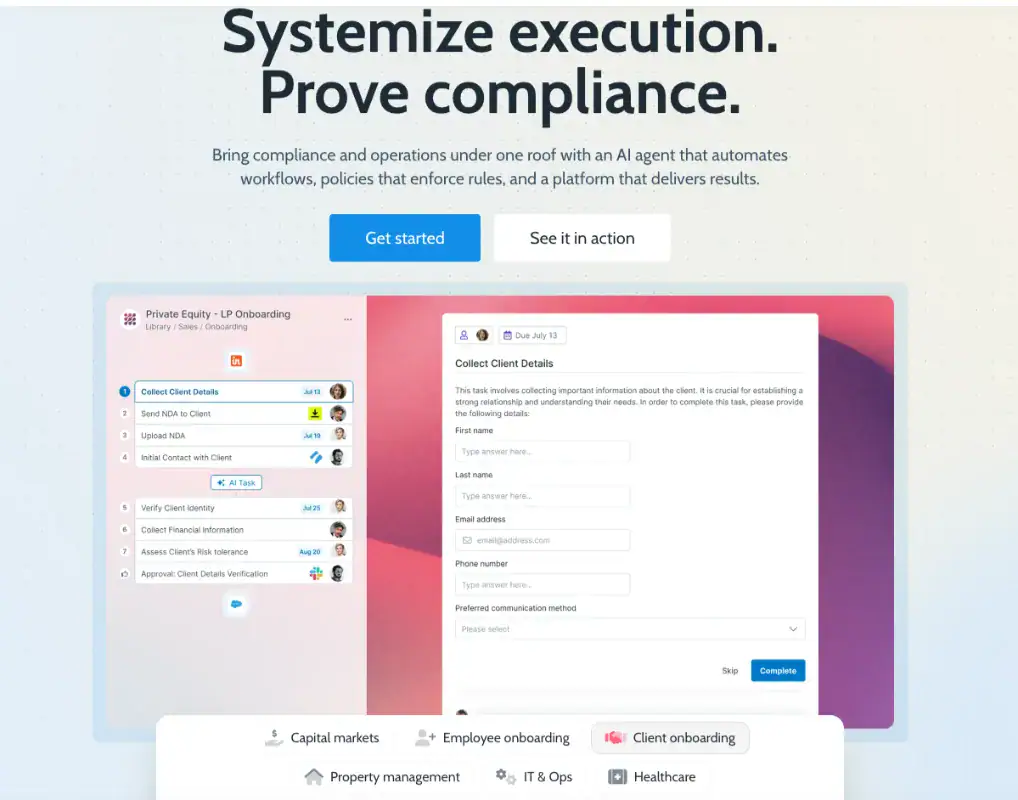
Process Street is workflow software that helps businesses manage client onboarding through structured checklists. It stands out because teams can assign tasks, collect client information and documents, manage approvals, automate reminders, and track progress within one repeatable workflow. Conditional logic also allows businesses to create different onboarding paths for different clients.
Process Street has a 4.6/5 rating on G2 from 463 reviews. Users often praise its ease of use, automation, and task management. However, reviews also mention a steep learning curve, limited customization, missing features, and difficulty setting up complex automations.
Key Features
- Customizable client onboarding checklists
- Reusable workflow templates
- Role-based task assignments
- Conditional logic for different client types
- Dynamic due dates and enforced task order
- Forms, file uploads, approvals, and signoffs
- Automated client reminders and notifications
- AI-powered monitoring through Cora
- Audit trails and time-stamped activity records
- Workflow analytics and completion reporting
- Integrations with CRM, DocuSign, Zapier, Make, and project tools
- Role-based permissions for sensitive information
Pricing
- Startup: Custom pricing for five users
- Pro: Custom pricing based on team and workflow requirements
- Enterprise: Custom pricing for larger or more complex deployments
- Free trial: 14-day Pro trial with no credit card required
Pros and cons
| Pros | Cons |
| Clear, repeatable onboarding checklists | Pricing is not publicly available |
| Strong task and approval automation | Advanced setup can feel complex |
| Flexible workflows with conditional logic | Some customization limits |
| Useful integrations and reporting | May be too advanced for small teams |
| Strong security and audit trails | Higher features require custom plans |
User feedback
👍 What I like best about Process Street is how it brings structure to daily work. It turns complicated processes into simple, step-by-step tasks that guide the team and prevent mistakes. I also enjoy building workflows and automations because they remove manual follow-ups and help everyone stay on track.
– Rachel C.G2
👎 I would love additional support from the team to connect systems using power automate.
– Jason A. G2
8. Assembly — Best for Branded Client Portals
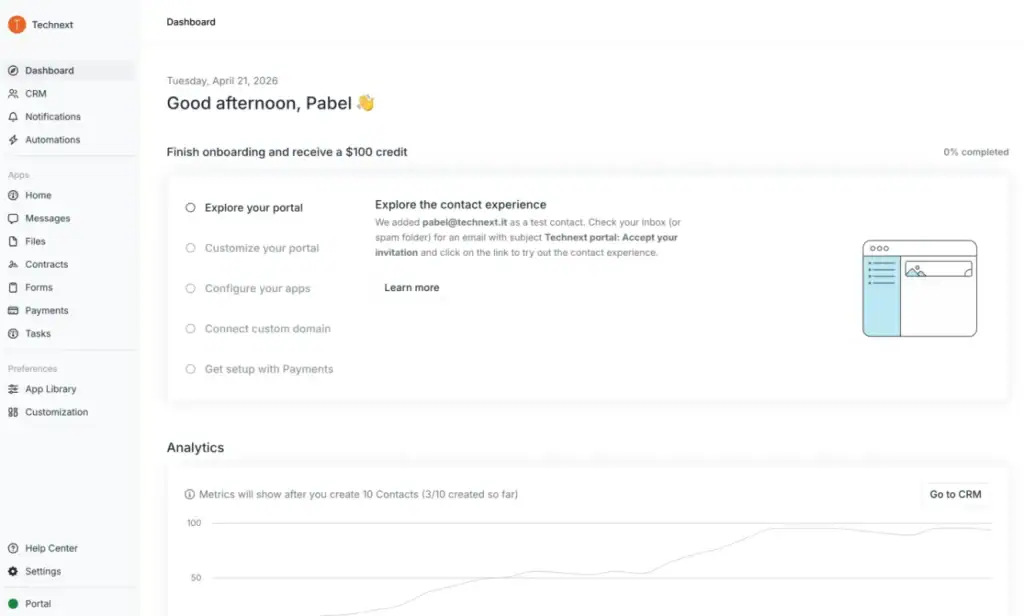
Assembly is an all-in-one client onboarding platform that combines a branded portal, CRM, messaging, contracts, invoices, forms, tasks, and file sharing. Clients get one secure place to submit information, sign agreements, make payments, communicate with the team, and follow project progress.
Unlike no-code builders that require more setup, Assembly feels ready for client-facing work from the beginning. Its main limitation is cost: white-labeling, advanced permissions, security controls, and deeper customization are limited to higher plans. Some users also mention missing features and integration gaps. If you’re looking for Assembly alternatives, read this article.
Key Features
- Branded client portal
- CRM and client records
- Messaging and shared team inbox
- Intake forms and secure file sharing
- Proposals, contracts, and e-signatures
- Tasks and project management
- One-time invoices, subscriptions, and payment links
- Automated onboarding workflows
- Custom domain and email domain
- Zapier, Make, API, and other integrations
- White-labeling and access controls on higher plans
Pricing
- Starter: $49/month
- Professional: $139/month
- Advanced: $599/month
- Enterprise: Starting at $2,400/month
- Free trial: 14 days
Pros and Cons
| Pros | Cons |
| Professional and branded client portal | Pricing is high compared with many alternatives |
| Combines onboarding, CRM, contracts, billing, and tasks | No permanent free plan |
| Easy for clients to access and use | Starter plan includes only one internal user |
| Strong automation and workflow features | Additional users increase the total cost |
User Feedback
✌️ I appreciate how they bring together the various processes I rely on to manage a large number of clients. They provide nearly all the solutions I need to centralize my practice, while also meeting important standards for security, client experience, and office management. In some respects, I feel they even help me stay ahead of others in my field.
–Christian T.
👎I notice that (Assembly )Copilot can be slow at times, specifically the load speed when navigating through some pages, which can take a couple of seconds. For someone like me, working in a fast-paced environment, having it load instantaneously would be beneficial.
–Renee C.
9. Karbon — Best Accounting Client Onboarding Software
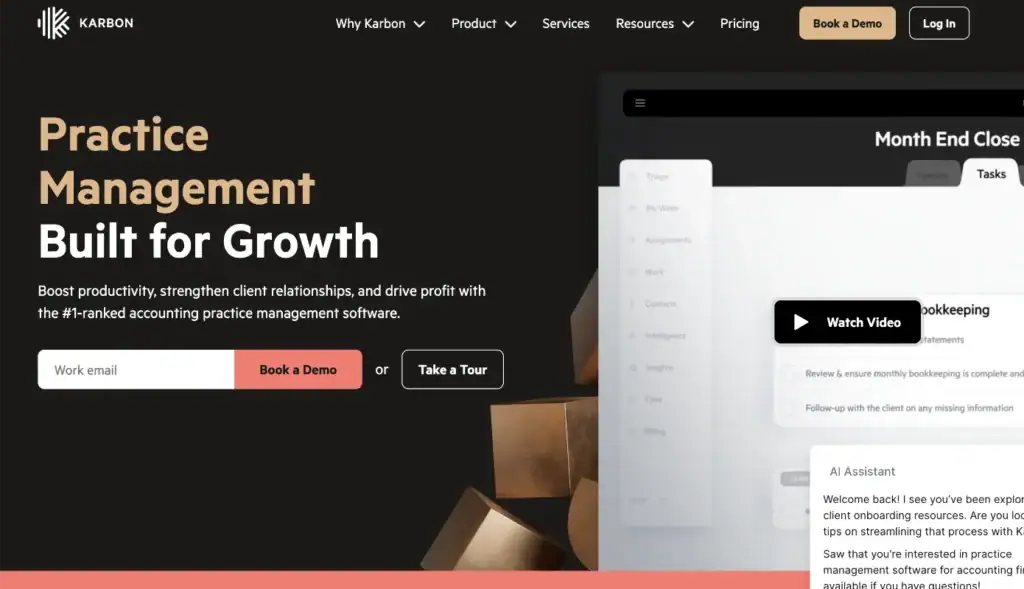
Karbon is an accounting practice management platform that brings client onboarding, email, tasks, documents, billing, and team collaboration into one system. Accounting firms can use ready-made onboarding templates to request tax documents, collect client details, schedule kickoff meetings, assign internal tasks, and monitor progress.
Its main strength is connecting onboarding with ongoing accounting work, so information does not get lost after the initial setup.
However, Karbon is more expensive than general onboarding tools, and smaller firms may find its advanced workflow system difficult to learn at first.
Key Features
- Customizable accounting client onboarding templates
- Automated client requests and reminders
- Secure client portal for tasks and file sharing
- Integrated email and shared client timelines
- Workflow templates, task lists, and assignments
- Engagement letters and upfront payment collection
- Document storage linked to clients and jobs
- Time tracking, budgets, billing, and payments
- Reporting dashboards and workload visibility
- Integrations with accounting and business applications
Pricing
- Team: $59 per user/month when billed annually, or $79 monthly
- Business: $89 per user/month when billed annually, or $99 monthly
- Enterprise: Custom pricing
Pros and Cons
| Pros | Cons |
| Designed specifically for accounting firms | No free plan |
| Keeps emails, tasks, documents, and client details together | Per-user pricing can become expensive |
| Provides accounting-specific onboarding templates | Advanced features have a learning curve |
| Automates client requests and reminders | Automatic reminders are unavailable on the Team plan |
User feedback
👍 I receive great assistance and support…
I receive great assistance and support from the Karbon’s team and we created allot of structure in the firm by utilising Karbon’s functions.
–Trustpilot
👎 “Occasionally, the platform can feel a bit slow, especially when loading large client timelines or switching between tasks. Some features, like reporting and search filters, could be more customizable to better fit our specific workflow needs.
– G2
10. Softr — Best Free Client Onboarding Software
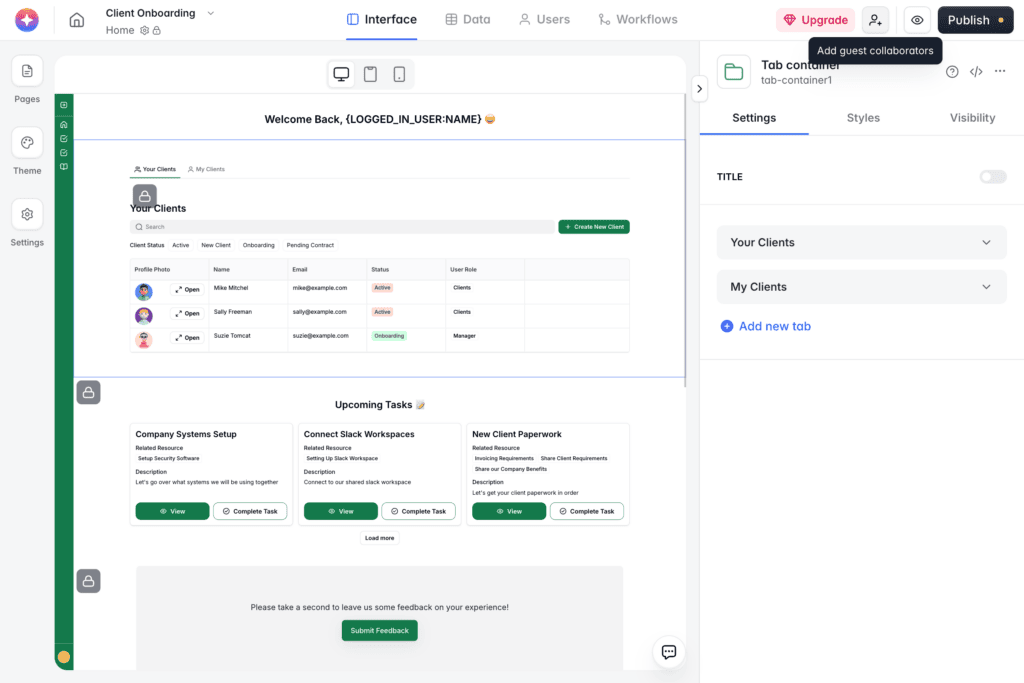
Softr is a no-code tool for creating a client onboarding portal where clients can complete tasks, upload files, submit information, and track progress. It is flexible, easy to connect with tools like Airtable, Google Sheets, HubSpot, and ClickUp, and its free plan is useful for testing a basic onboarding system.
The main limitation is that Softr is a portal builder, not a ready-made agency onboarding platform. You will need time to set up your workflow, and advanced features or customization may require a paid plan. Looking for other options? Explore the best Softr alternatives to find the right platform for your business.
Key Features
- AI-assisted, no-code portal builder
- Personalized onboarding checklists
- Client forms and secure file uploads
- Progress tracking and custom dashboards
- Automated emails, reminders, and status updates
- Separate user groups for clients and team members
- Role-based permissions for sensitive information
- Mobile-ready portals that work across devices
- Integrations with popular databases, CRMs, and project tools
- Custom branding and reusable onboarding workflows
Pros and Cons
| Pros | Cons |
| Easy for non-technical teams to use | Requires setup before it matches your process |
| Free plan available | Some advanced features require higher plans |
| Fast portal creation with AI and templates | Design and custom-code options can feel limited |
| Strong integrations with business tools | Not specifically designed for agencies |
| Flexible checklists, forms, and dashboards | Pricing can increase as requirements grow |
Pricing
- Free: $0 per month
- Basic: $49 per month
- Professional: $139 per month
- Business: $269 per month
- Enterprise: Custom pricing
User Review: G2 – 4.7/5
👍I love how you can create your own software without knowing coding. I also love how I’m not charged for every user like a lot of other software.
– G2 Review
👎The primary improvement that I would like to see is the ability to run a custom code block that has react.js or some other styling support. There have been a couple of situation that it made more sense to write my own code for a section and the styling support is essentially vanilla css and js.
– G2, Review
Essential Features to Look for in Client Onboarding Software
The best client onboarding software should make the process simple, organized, and convenient for both your team and clients. You may not need every available feature, but these core capabilities have the greatest impact on a smooth onboarding experience:
- Client intake and checklists: Collect essential information and guide clients through each required step.
- Branded client portal: Give clients one professional space to access tasks, files, messages, and updates.
- Task and progress tracking: Monitor deadlines, responsibilities, and onboarding status in real time.
- Documents, contracts, and payments: Share files, collect electronic signatures, send invoices, and accept payments securely.
- Automation and integrations: Automate reminders and connect onboarding with your CRM, calendar, and project management tools.
- Permissions and reporting: Protect sensitive client information and measure completion times, delays, and overall performance
How to Use OneSuite for New Client Onboarding
A new client should feel confident about what happens after saying yes. OneSuite helps you create that experience by connecting contracts, payments, client information, projects, files, meetings, and communication in one workspace. Here is a practical way to build your onboarding process.
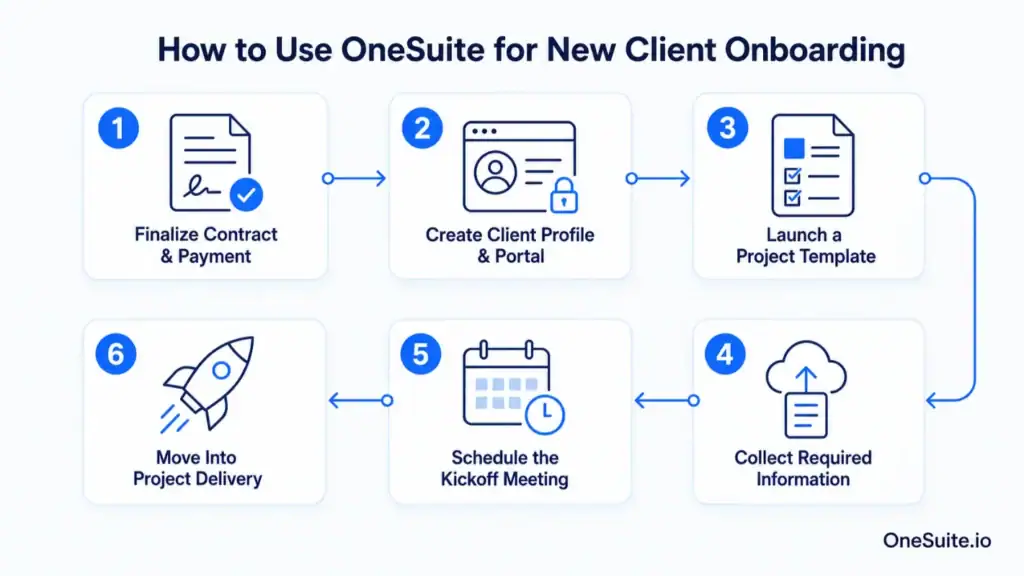
1. Finalize the Contract and Initial Payment
Send the agreement for electronic signature and issue the first invoice through OneSuite. Keeping contracts and payments connected to the client profile lets your team confirm everything before beginning the work.
2. Create the Client Profile and Portal
Add the client’s contact details, company information, billing data, and service requirements. Then create a dedicated client portal where they can access tasks, files, invoices, meetings, and project updates without searching through emails.
3. Launch a Project Template
Choose a reusable project template that matches the service purchased. Add predefined stages, tasks, deadlines, custom fields, and team responsibilities so every client receives a consistent onboarding experience.
4. Collect the Required Information
Invite the client to their portal and provide a clear onboarding checklist. They can submit their brief, upload brand assets, share documents, and complete assigned tasks from one place. Files can also be organized through connected Google Drive or OneDrive folders.
5. Schedule the Kickoff Meeting
Allow the client to book a convenient time through Calendly, Google Calendar, or Microsoft Outlook. Use the meeting to confirm project goals, deliverables, timelines, communication channels, and approval responsibilities.
6. Move Directly Into Project Delivery
Once the onboarding checklist is complete, continue managing the project from the same OneSuite workspace. Your team and client can track tasks, communicate, exchange files, review progress, and manage invoices without moving to another platform.
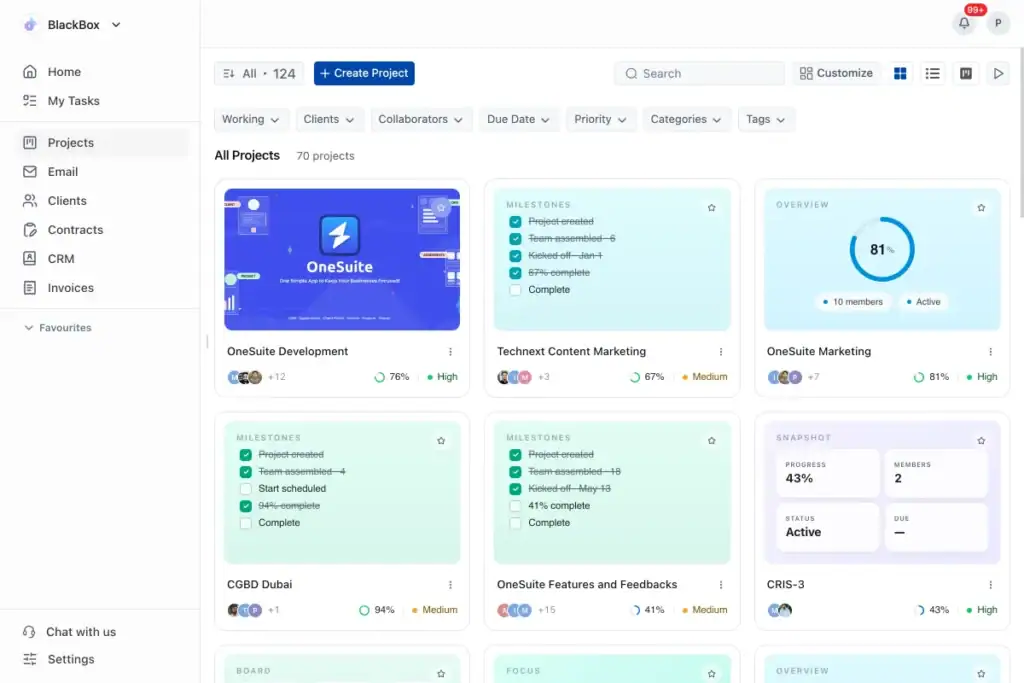
With OneSuite, onboarding becomes part of one connected client journey—from signed agreement and payment to project completion. Create your client portal, save your workflow as a template, and give every new client a clear and professional start.
Frequently Asked Questions (FAQs)
What Is Client Onboarding System Software?
Client onboarding system software provides a structured path from “deal closed” to “work started.” It shows clients what they need to complete while giving the business visibility into outstanding tasks, deadlines, and potential delays. The result is a more predictable start to every client relationship.
What Is the Best Accounting Client Onboarding Software?
Karbon is a strong choice for accounting firms that need practice management, email collaboration, recurring workflows, and automated client requests. For smaller firms, the best option may be a simpler platform that is easier to implement.
Choose based on your firm’s client volume, workflow complexity, required integrations, and budget.
What Should a Client Onboarding Checklist Include?
Your checklist should cover only the steps required to begin delivering the service successfully.
This normally means confirming the agreement, identifying key contacts, collecting essential information, assigning internal responsibilities, scheduling the kickoff, and agreeing on timelines and approvals. Keep it short enough for clients to complete without confusion.
Can Client Onboarding Software Automate the Process?
Yes, but the goal should be to automate administration rather than the relationship. Routine actions such as reminders, task creation, status updates, and internal notifications can run automatically.
Your team should remain involved in conversations, decisions, and any step where the client needs guidance.
What Is the Difference Between Client Onboarding and Customer Onboarding?
Client onboarding prepares a service relationship for delivery, while customer onboarding helps someone adopt a product successfully. An agency may onboard a client by confirming the scope and preparing a project.
A software company may onboard a customer by configuring the product, training users, and guiding them toward their first successful outcome.
Start exploring OneSuite today
No credit card is required